Little Tips & Tricks :)
 1-18  19-38  39-58  59-60

Previous
Next
 From:  mkdm
8847.39 
Hello everyone!

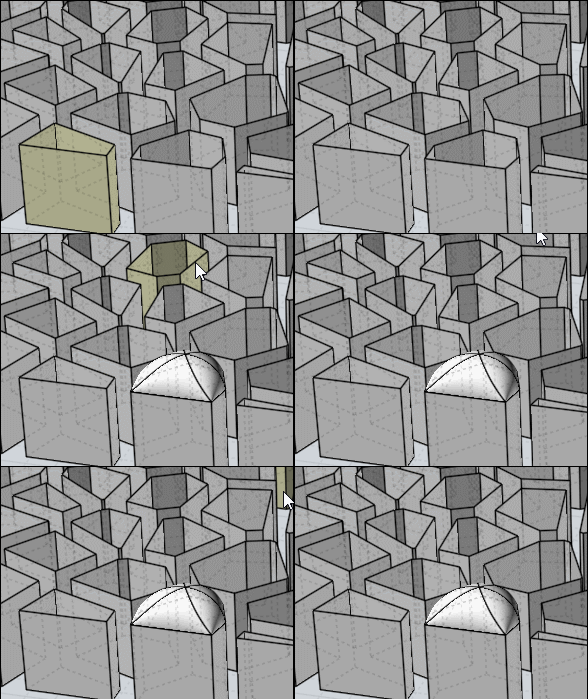
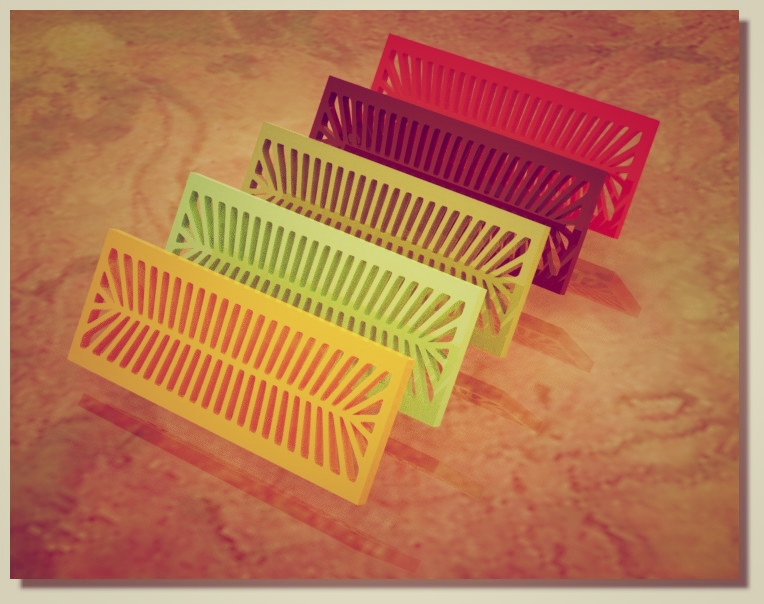
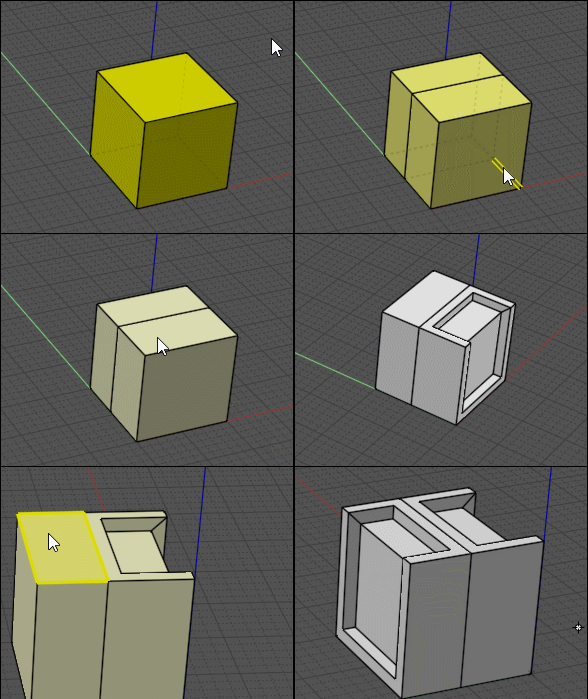
The great Max's Voronoi gave me an inspiration : "How to brake in two each Voronoi cell and make a funny thing" :)

You can find it at : http://moi3d.com/forum/index.php?webtag=MOI&msg=7177.107

Ciao!

- Marco (mkdm)
  Reply Reply More Options
Post Options
Reply as PM Reply as PM
Print Print
Mark as unread Mark as unread
Relationship Relationship
IP Logged

Previous
Next
 From:  Frenchy Pilou (PILOU)
8847.40 
Have you a trick for a Multiple NSide ?
Because repeat this on the hundred other different objects seems a little tedious! :)

  Reply Reply More Options
Post Options
Reply as PM Reply as PM
Print Print
Mark as unread Mark as unread
Relationship Relationship
IP Logged

Previous
Next
 From:  Frenchy Pilou (PILOU)
8847.41 
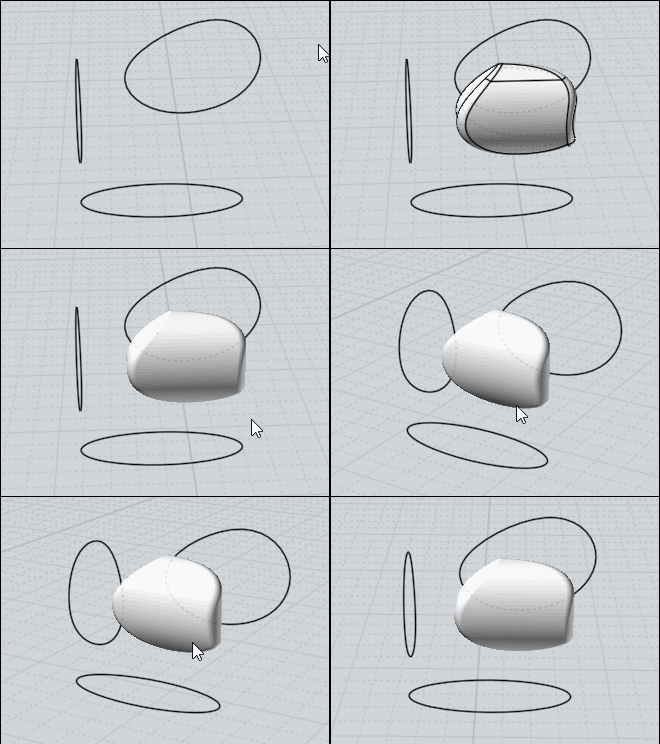
Making slimy rock
3 Closed Curves
Boolean Merge (Isect can be also used but have less possibilities of choice to erase)
Fillet


EDITED: 9 Mar 2018 by PILOU

  Reply Reply More Options
Post Options
Reply as PM Reply as PM
Print Print
Mark as unread Mark as unread
Relationship Relationship
IP Logged

Previous
Next
 From:  mkdm
8847.42 In reply to 8847.41 
Cool!! Thanks.

I usually do not deal with "3 curves" merge...Good to know!

- Marco (mkdm)
  Reply Reply More Options
Post Options
Reply as PM Reply as PM
Print Print
Mark as unread Mark as unread
Relationship Relationship
IP Logged

Previous
Next
 From:  Frenchy Pilou (PILOU)
8847.43 
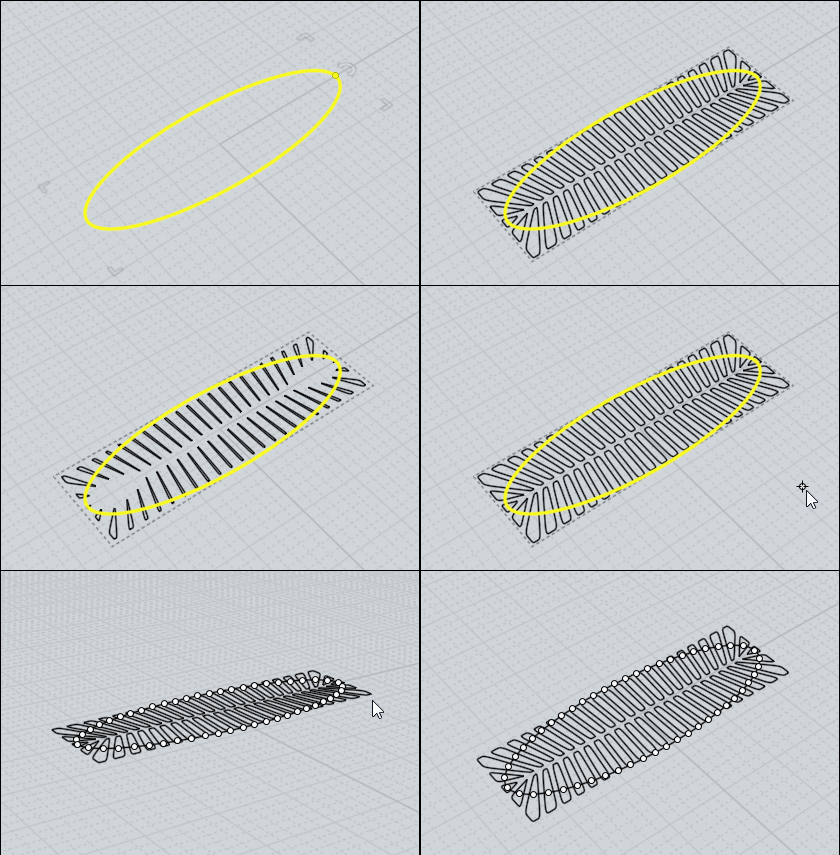
For leaves or fish's bones, trilobites etc... :)

use the Voronoi plugin by Max Smirnov! ;)


  Reply Reply More Options
Post Options
Reply as PM Reply as PM
Print Print
Mark as unread Mark as unread
Relationship Relationship
IP Logged

Previous
Next
 From:  mkdm
8847.44 In reply to 8847.43 
Wanderful!!!

Very nice "industrial design" made easy :)

Thanks Pilou!

So...this reinforces more and more my idea about Moi.

Moi is a CAD...but more fun than a videogame !!!!! :)

Thanks Michael!!

- Marco (mkdm)
  Reply Reply More Options
Post Options
Reply as PM Reply as PM
Print Print
Mark as unread Mark as unread
Relationship Relationship
IP Logged

Previous
Next
 From:  Franz
8847.45 In reply to 8847.41 
Hi!

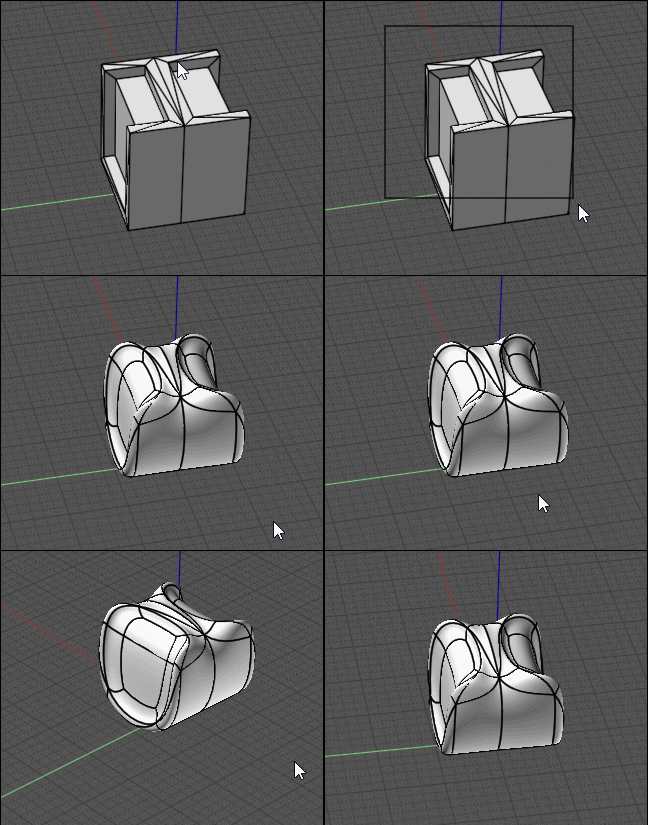
Pilou seduces to play.
Merge of straight polyline figures.
The remainder of the body mercilessly splintered surfaces.
SubD
That comes out.... just for fun.
Still learned something, thanks.
Franz

https://sketchfab.com/models/80e22d8e486f46939d4d2bba35d8e4ff


  Reply Reply More Options
Post Options
Reply as PM Reply as PM
Print Print
Mark as unread Mark as unread
Relationship Relationship
IP Logged

Previous
Next
 From:  Rudl
8847.46 In reply to 8847.29 
Hi Frenchy,

how did I make the explosion?
  Reply Reply More Options
Post Options
Reply as PM Reply as PM
Print Print
Mark as unread Mark as unread
Relationship Relationship
IP Logged

Previous
Next
 From:  Frenchy Pilou (PILOU)
8847.47 In reply to 8847.46 
<< How did the explosion?

Press Tab then write ExplodeMove (big letters as you want but no space)

It's hidden functions!

(you can make a shortcut as usal : type ExplodeMove in the second column)

http://moi3d.com/3.0/docs/moi_command_reference10.htm#Additional commands
  Reply Reply More Options
Post Options
Reply as PM Reply as PM
Print Print
Mark as unread Mark as unread
Relationship Relationship
IP Logged

Previous
Next
 From:  Rudl
8847.48 In reply to 8847.47 
Thank you.

Merci.
  Reply Reply More Options
Post Options
Reply as PM Reply as PM
Print Print
Mark as unread Mark as unread
Relationship Relationship
IP Logged

Previous
Next
 From:  Franz
8847.49 
Hi !

I was looking for a way to cause a parallel displacement of a body.
Didn't want to redraw the thing just because the angles had changed.
It is the side of a theatre chair, the inclination of the floor has been changed.
At first I only tried to move the points of the face, at least it works and you are very flexible.
Then played around with "Flow", and it also worked with "Projection".
After "cut and connect" the two results to get the armrest horizontal again.
A very interesting story, this Moi 3d!

Hope the tips and tricks don't fall asleep, I'm an interested student of this post!

Franz


Attachments:

  Reply Reply More Options
Post Options
Reply as PM Reply as PM
Print Print
Mark as unread Mark as unread
Relationship Relationship
IP Logged

Previous
Next
 From:  Frenchy Pilou (PILOU)
8847.50 In reply to 8847.49 
Excellent!
Never thought that the Source base curve or surface can be not "straight" or not "planar" !
Another infinite possibilities! :)
  Reply Reply More Options
Post Options
Reply as PM Reply as PM
Print Print
Mark as unread Mark as unread
Relationship Relationship
IP Logged

Previous
Next
 From:  VG (VEGASGUITARS)
8847.51 In reply to 8847.22 
Excellent :)
  Reply Reply More Options
Post Options
Reply as PM Reply as PM
Print Print
Mark as unread Mark as unread
Relationship Relationship
IP Logged

Previous
Next
 From:  Frenchy Pilou (PILOU)
8847.52 
In 2025 Affinity is became completely free !!!

If you use the cool low price Affinity Designer (2D vectorial prog)
( less 28 € during the Covid period) less 11€ for IPad ( wishing they make the same for Android ;)

you can make directly CTRL + C , CTRL + V to Moi3D!

For the inverse Moi3D to Affinity Designer use
script: moi.geometryDatabase.copyToClipboardPDF();

Careful ClipboardAI from Moi don't works!

Put the 2 progs in A4 format for no problem of Scale !

EDITED: 10 Nov by PILOU

  Reply Reply More Options
Post Options
Reply as PM Reply as PM
Print Print
Mark as unread Mark as unread
Relationship Relationship
IP Logged

Previous
Next
 From:  ed (EDDYF)
8847.53 In reply to 8847.52 
Thanks for the clipboard tip Pilou -

I've been an Affinity Designer and Affinity Photo user for a couple of years.

At $50 each I thought they were very cheap. At $25 each, everyone should have them :)

MoI + Keyshot + Affinity are my "go to" design programs.

Ed Ferguson
  Reply Reply More Options
Post Options
Reply as PM Reply as PM
Print Print
Mark as unread Mark as unread
Relationship Relationship
IP Logged

Previous
Next
 From:  Frenchy Pilou (PILOU)
8847.54 In reply to 8847.53 
It's of course Michael coding! ;)
---
Pilou
Is beautiful that please without concept!
My Moi French Site My Gallery My MagicaVoxel Gallery
  Reply Reply More Options
Post Options
Reply as PM Reply as PM
Print Print
Mark as unread Mark as unread
Relationship Relationship
IP Logged

Previous
Next
 From:  Frenchy Pilou (PILOU)
8847.55 
Fillet don't works in one pass but yes one by one! :)

---
Pilou
Is beautiful that please without concept!
My Moi French Site My Gallery My MagicaVoxel Gallery
  Reply Reply More Options
Post Options
Reply as PM Reply as PM
Print Print
Mark as unread Mark as unread
Relationship Relationship
IP Logged

Previous
Next
 From:  Frenchy Pilou (PILOU)
8847.56 
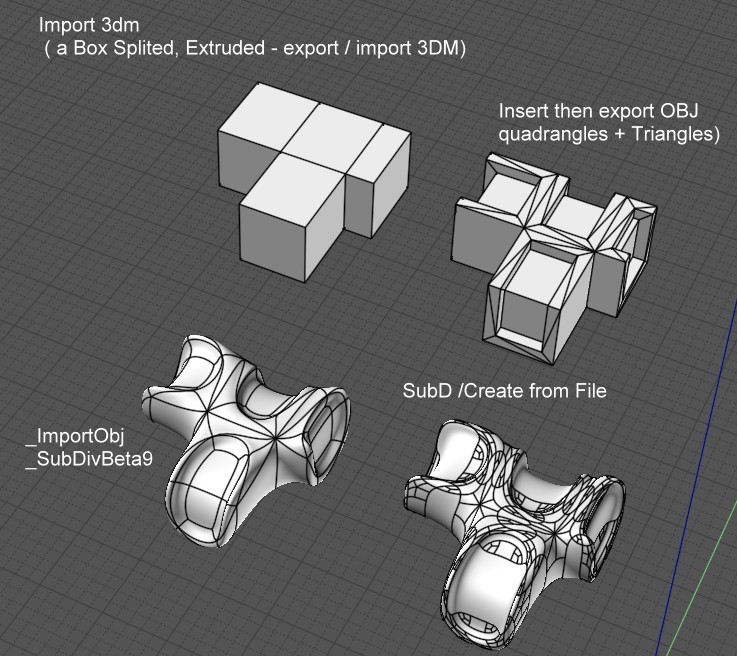
For help the "Inset" Function on objects that have been Splited by Max's "SPlit".
Just export the object, delete it, and re-import it! Make the Inset by 2 faces!

Be careful, the object cannot be subdivided directly!
It will be necessary to export it in OBJ, option "Quad + Triangles"
then use the _importOBJ by Max or the native function!
SubD / Create / From file!


---
Pilou
Is beautiful that please without concept!
My Moi French Site My Gallery My MagicaVoxel Gallery
  Reply Reply More Options
Post Options
Reply as PM Reply as PM
Print Print
Mark as unread Mark as unread
Relationship Relationship
IP Logged

Previous
Next
 From:  Frenchy Pilou (PILOU)
8847.57 
---
Pilou
Is beautiful that please without concept!
My Moi French Site My Gallery My MagicaVoxel Gallery
  Reply Reply More Options
Post Options
Reply as PM Reply as PM
Print Print
Mark as unread Mark as unread
Relationship Relationship
IP Logged

Previous
Next
 From:  Frenchy Pilou (PILOU)
8847.58 
Very theoretical but ultra powerful! The ISect boolean!


But don't forget also the Boolean Merge ! ;)

EDITED: 11 Mar 2023 by PILOU

  Reply Reply More Options
Post Options
Reply as PM Reply as PM
Print Print
Mark as unread Mark as unread
Relationship Relationship
IP Logged
 

Reply to All Reply to All


Show messages:  1-18  19-38  39-58  59-60