Show messages: All
1-6
7-10
From: bemfarmer
Here is a 6 station prop, drawing AD644, for a Sopwith camel:
http://naca.central.cranfield.ac.uk/reports/arc/rm/448.pdf
Page 12 could be traced in MoI, with the cross sections rotated and lofted. Still need to do the Hub.
A nice link, which explains cross sections very simply, is :
http://www.nmine.com/propeller.htm
(I imported the SLDPRT to Geomagic design, saved as step, and imported to MoI.)
- Brian
The Clark-Y profile, imported with MoI from Clark-Y.txt file
Attachments:
 Clark-y-InterpCurve.3dm
From: Frenchy Pilou (PILOU)
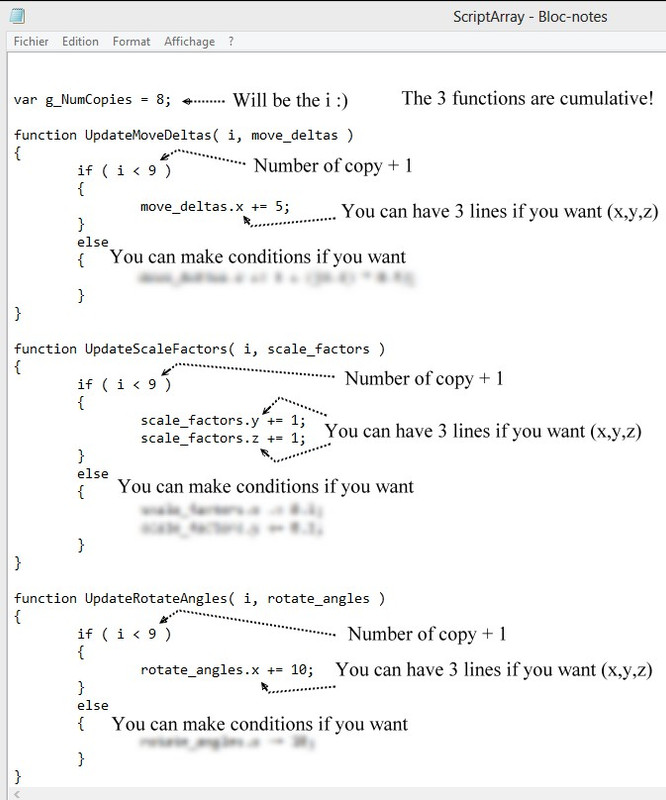
Maybe ScriptArray can help for some many things! :) because basic Transform / Array / Circular has not Size parameter inside!
(don't remember if another scritp blend Move, Size, Rotation in same time ? ) ScaleArray has not the rotation
http://moi3d.com/forum/index.php?webtag=MOI&msg=5595.18
Just edit the header of the page for the 3 functions Move, Size, Rotate!
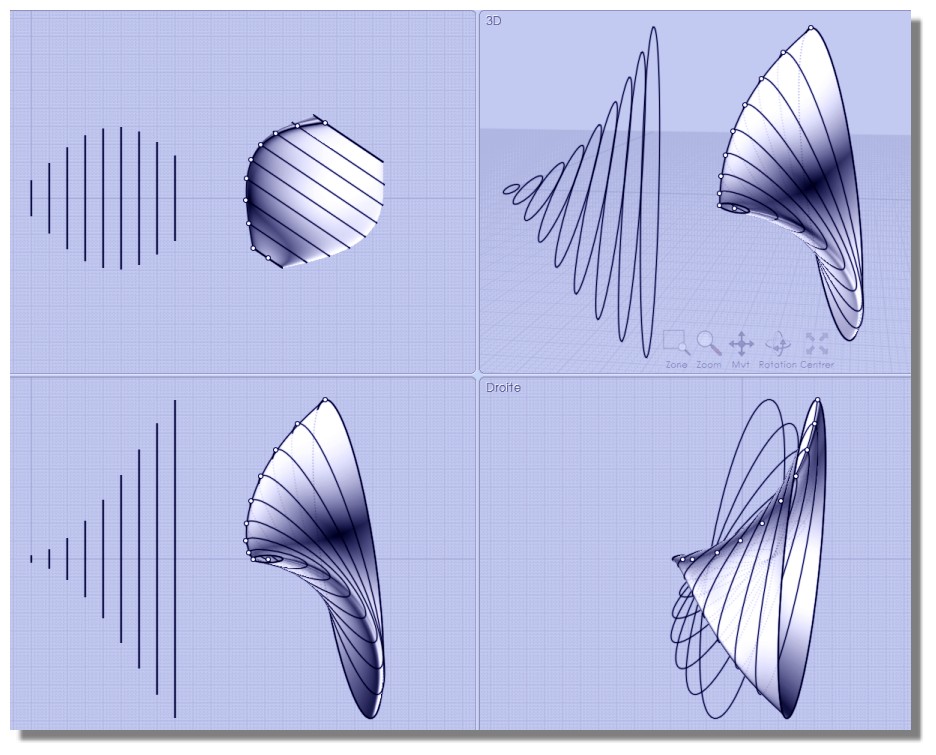
Draw original ellipse on Right View following your parameters : here movement will be on the X
Movement of the original on the X will be : 5, 10, 15,...
Size of the original will be on Y, Z : size y*2 size z*2, size y*3 size z*3, size y*4 size z*4,...
Rotation of the original will be: 10°, 20°, 30°...
Advantage : you can input any formulas and parameters, any conditions... you want! :)
From: Frenchy Pilou (PILOU)
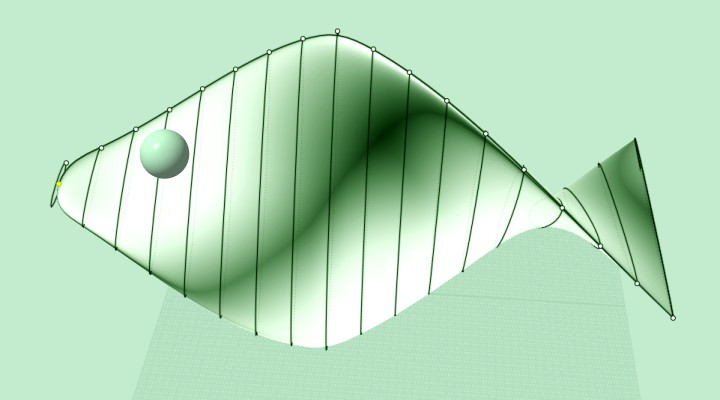
So April's Fish :)
From: Metin Seven (SEVENSHEAVEN)
I also like this approach, although it's a fan blade, not a propeller:
https://www.youtube.com/watch?v=w1ubEkhqTuE
Show messages: All
1-6
7-10

