From: Phiro
Hi,
I've encountered some strange behavior in the software.
I created a torus using a sweep.
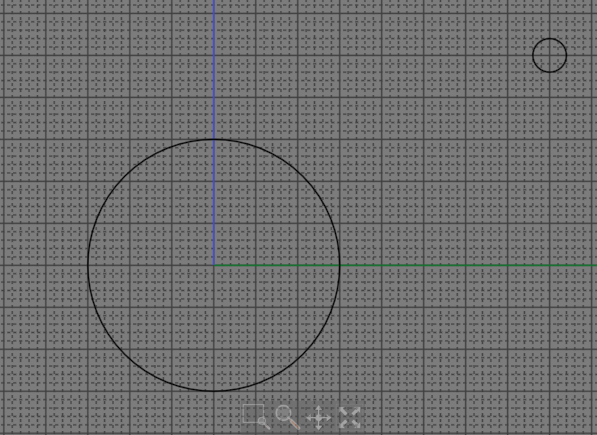
I then performed a "show points" operation on the torus.
I selected all the control points on the top of the torus.
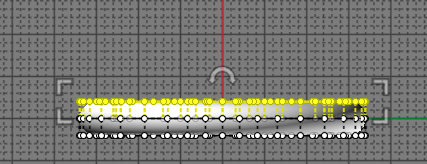
Using a "move" operation, I raised this selection of points by a few millimeters (the behavior is same if I don't move up points)
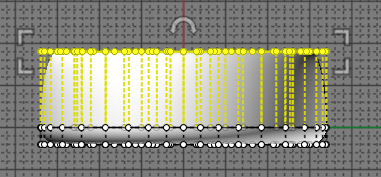
Then I edited the dimensions of my point selection.
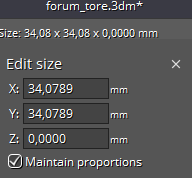
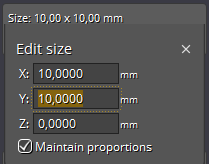
After this edit, the selection of control points on my torus changed completely. The selected points are now those that were at the bottom.
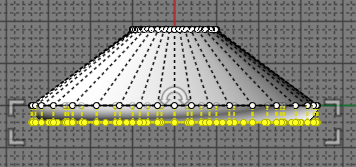
Is there a logical explanation, or is this abnormal behavior?
Attachments:
 forum_tore.3dm
From: Michael Gibson
Hi Phiro, that has to do with what are called "fully multiple knots" (corner points) in NURBS circles. If the control points around a fully multiple knot are modified so that the surface is not smooth there anymore it will get an edge added and the internal control point structure will have changed.
If you want a torus that squishes better with control point editing, use the Revolve command on it rather than sweeping it around a circle. (see attached file).
That will generate a true surface of revolution instead of a fitted spline surface like sweeping will create.
When MOI sees that you are turning on edit points on a surface of revolution it automatically rebuilds it so it does not have any internal corner points and should not generate any sharp edges after control point editing.
- Michael
Attachments:
phiro_deformable.3dm
From: Phiro
Hi Michael,
Thanks
Very clear explanation which will be usefull in future creations.
I think I don't have made a clear question.
It's about this behavior :
when I edit the dimensions of those selected points as you can see it in the screenshots.
I edit the size of the selected points and the consequence is that MoI change the selection from top points to bottom points as if it lose its selection and redo another selection with some other points.
If I do a revolve, this behavior does not appears.
From: Frenchy Pilou (PILOU)
we can't see the images inside the first post!
From: Michael Gibson
> when I edit the dimensions of those selected points as you can see it in the screenshots.
> I edit the size of the selected points and the consequence is that MoI change the selection
> from top points to bottom points as if it lose its selection and redo another selection with
> some other points.
Hi Phiro, yes on that object when the surface control points are edited a sharp edge is introduced and the face is split up into multiple faces.
The surface control point editing code does not do a good job of handling the difference in face count and control point structure with the crease being introduced, as you point out.
I would recommend to not edit surface control points in this case. It's going to have pretty weird behavior of a sharp edge introduced into the surface even if the control point selection bug wasn't there.
If you create a surface of revolution using the revolve command, it will behave better with control point editing.
Or also if you run Rebuild on the profile curve before sweeping it that will also make a more control point squishing friendly surface.
- Michael

