Show messages:
1-2
3-22
23-42
43-51
From: Frenchy Pilou (PILOU)
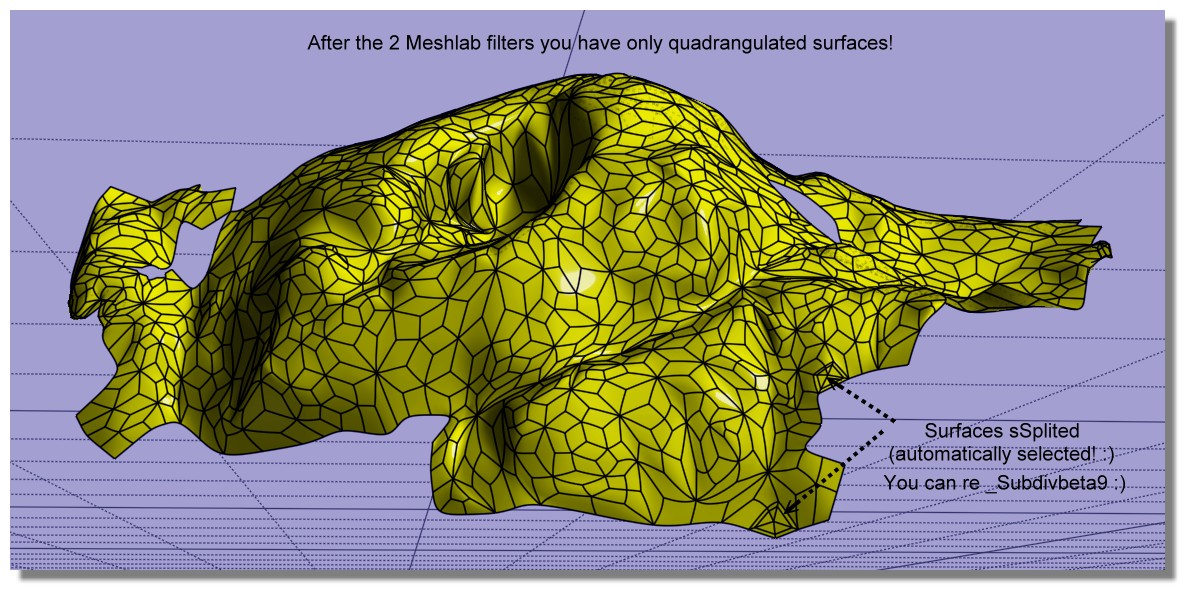
Refining & reduct the process! 7 Steps! :)
- MeshLab
1. Import the file OBJ triangulated
2. Go to Filters -> Remeshing, Simplification and Reconstruction -> Simplification: Quadric Edge Collapse Decimation
3. Enter target of 1000 faces
take the result without exit Meshlab
4 . now again MeshLab : Tri to Quad (4-8 subdivision)
5. Export obj (with enable Convert Triangles to Polygons)
- Moi3D
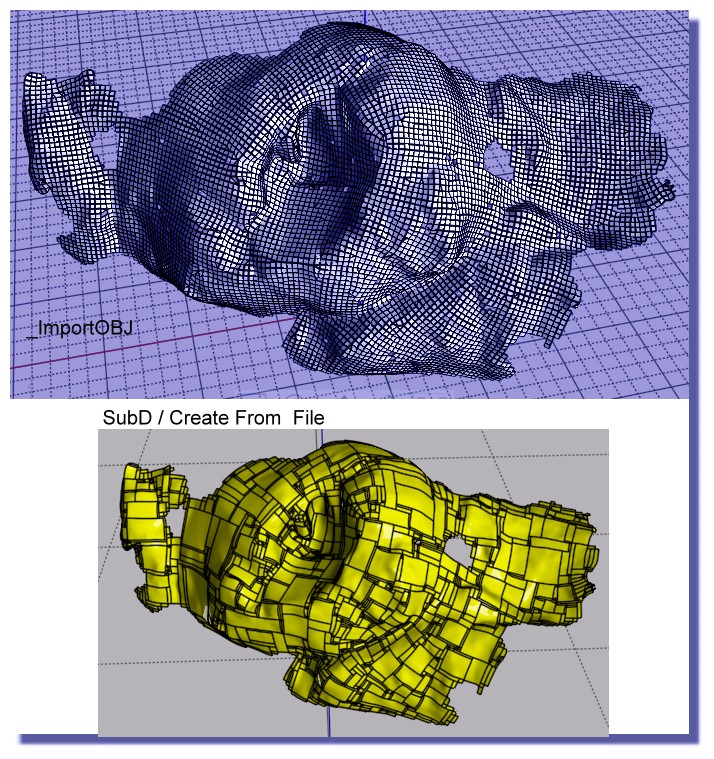
6. In Moi SUbD / Create from File (because _import obj don't work ! )
7. _subdivBeta9 (only 3 surfaces to sSplit automatically selected! )
you have a perfect voluptuous nurbs surface! :) (facets are not planar! )
From: Michael Gibson
Hi Pilou, although your method there does create quads, they are not in a configuration suitable for sub-d smoothing. You've got a large number of "star points" and no long sequences of edge flows like an actual sub-d control cage should be like.
So I would not recommend that route compared to doing actual sub-d focused retopology.
- Michael
From: Frenchy Pilou (PILOU)
That the default! :)
From: Barry-H
Hi,
have been experimenting with Meshlab and Instant Meshes and got similar results To Burrman.
Maybe of some use.
Cheers
Barry
.png)
.png)
Image Attachments:
 Screenshot (614).png
Screenshot (618).png
Screenshot (614).png
Screenshot (618).png
From: Frenchy Pilou (PILOU)
What is the regulates / Parameters inside Instant Meshes (or Meshlab? ) for have these "Squares triming" ?
From: Barry-H
Hi Pilou,
In Instant Meshes you can adjust the density of the topology.
Instant Meshes didn’t load the original mesh properly so
I used Mesh lab to reduce the original mesh with just Quadric Edge Collapse Decimation.
Then took it into Instant Meshes to create the topology mesh that then can be loaded into Moi.
Cheers
Barry
From: Frenchy Pilou (PILOU)
Ok..the Key was your Quadrige decimation only in Meshlab then Instant Meshes! :)
From: Andy (ANDYA)
Barry - how are you cutting off those pieces from the surface? Thanks, Andy
From: Barry-H
Hi Andy,
I offset the surface then trim inner and outer surfaces.
Then selected naked edges of the trimmed surfaces.
Apply join command this creates 2 curves I then rebuild them.
Loft these curves and join to trimmed surfaces thus creating a solid.
If you need more detail let me know.
Cheers
Barry
Show messages:
1-2
3-22
23-42
43-51

