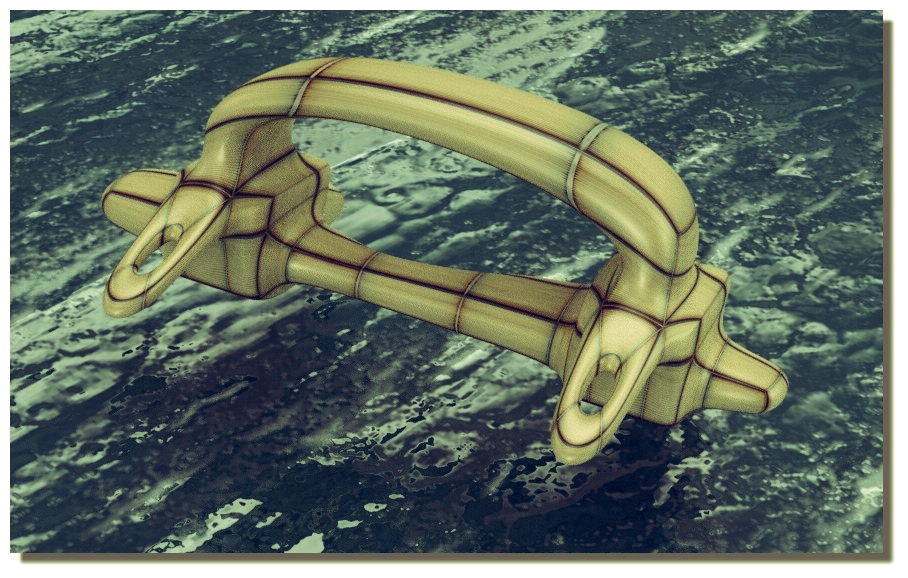
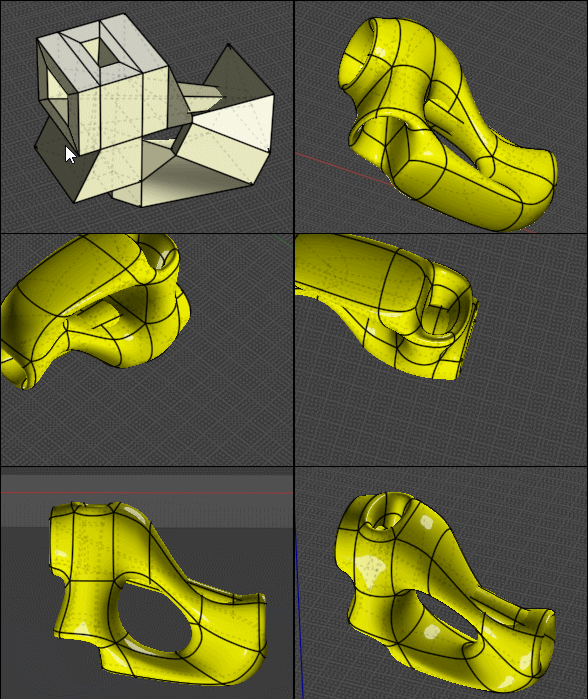
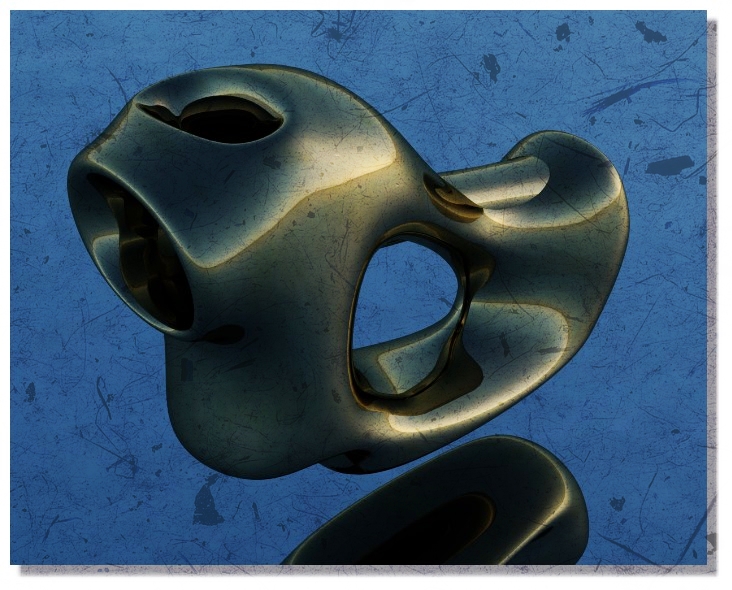
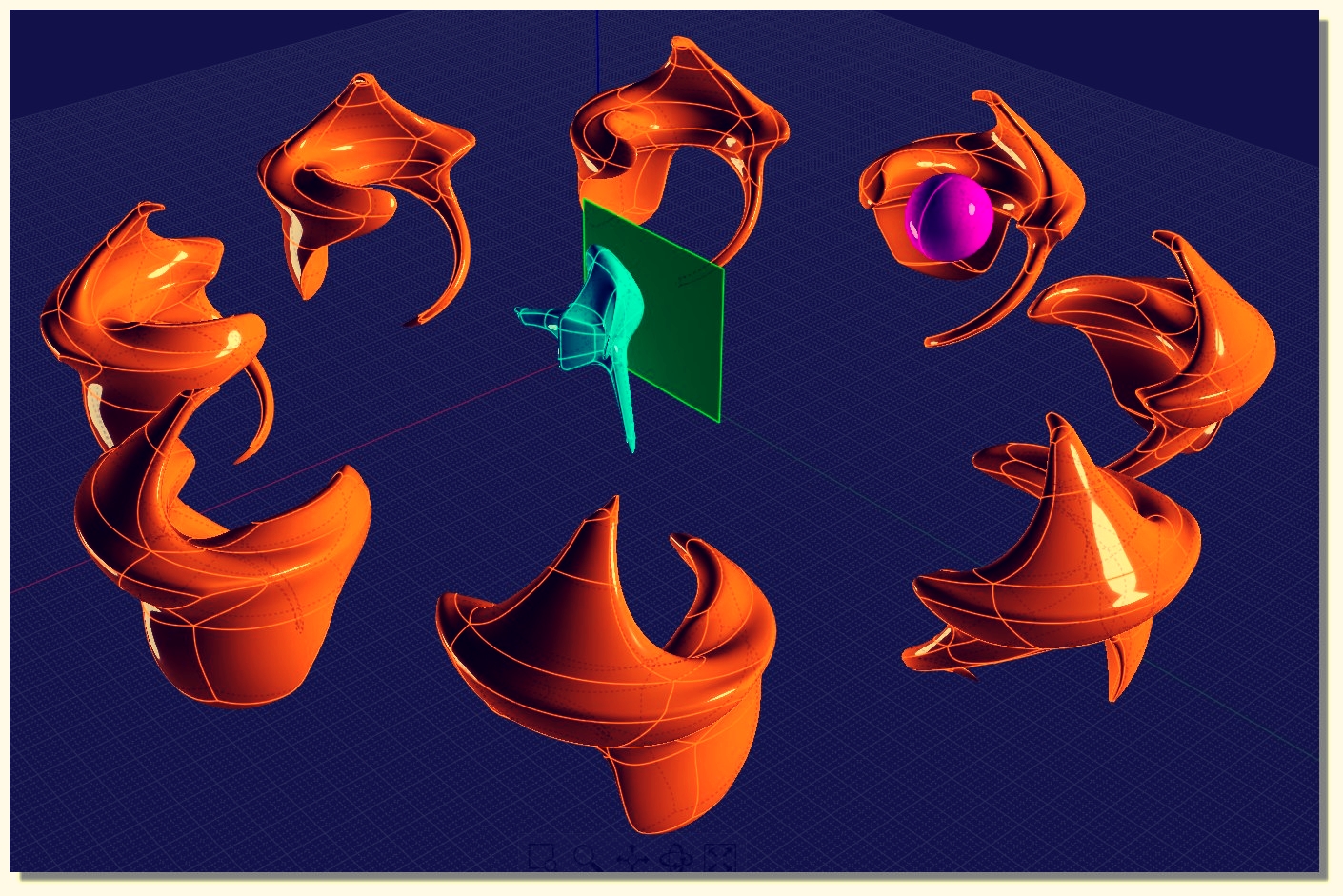
About SubDivide in nurbs :)
 1-10  11-30  31-50  51-70  71-90  91-110  111-120

Previous
Next
 From:  Frenchy Pilou (PILOU)
9689.51 
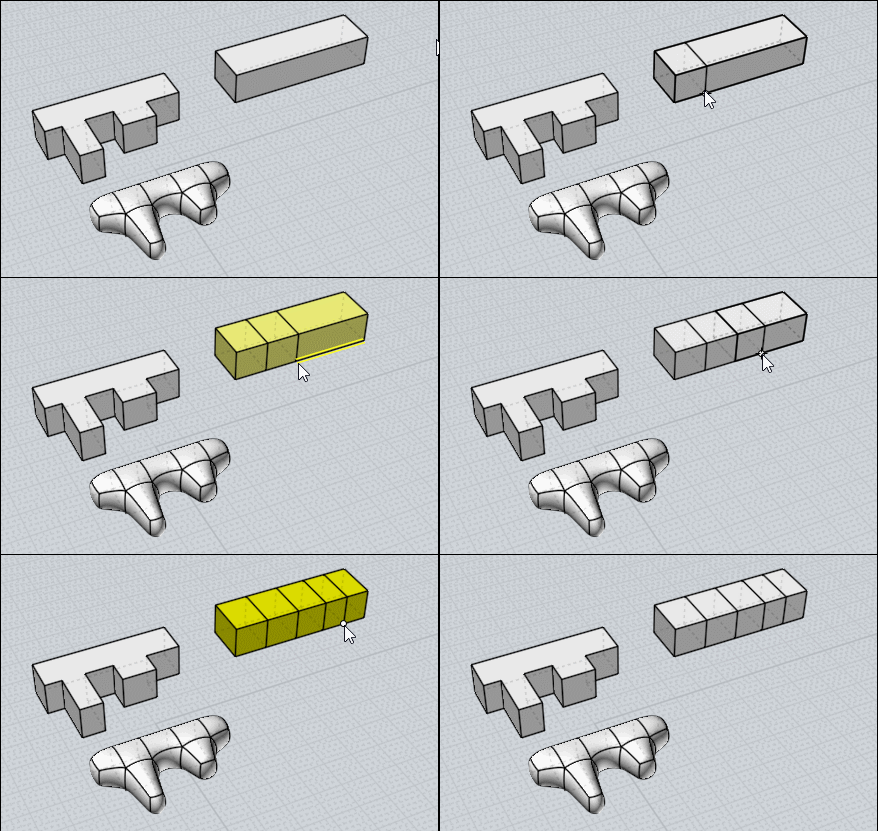
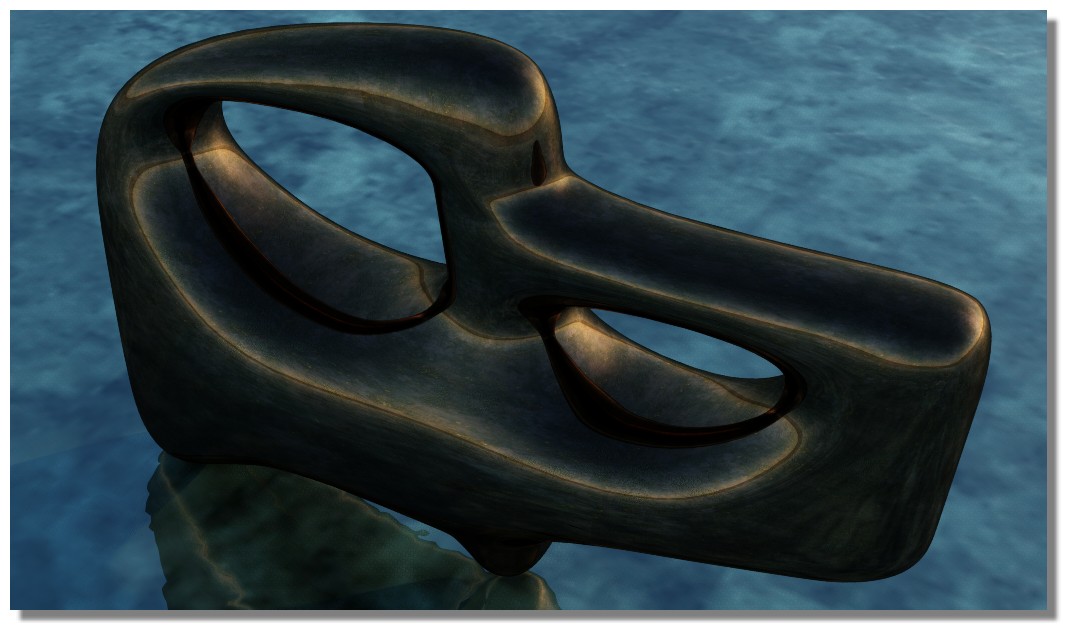
Infinite possibilities of Bridge function! :)

EDITED: 11 Mar 2020 by PILOU

  Reply Reply More Options
Post Options
Reply as PM Reply as PM
Print Print
Mark as unread Mark as unread
Relationship Relationship
IP Logged

Previous
Next
 From:  Frenchy Pilou (PILOU)
9689.52 
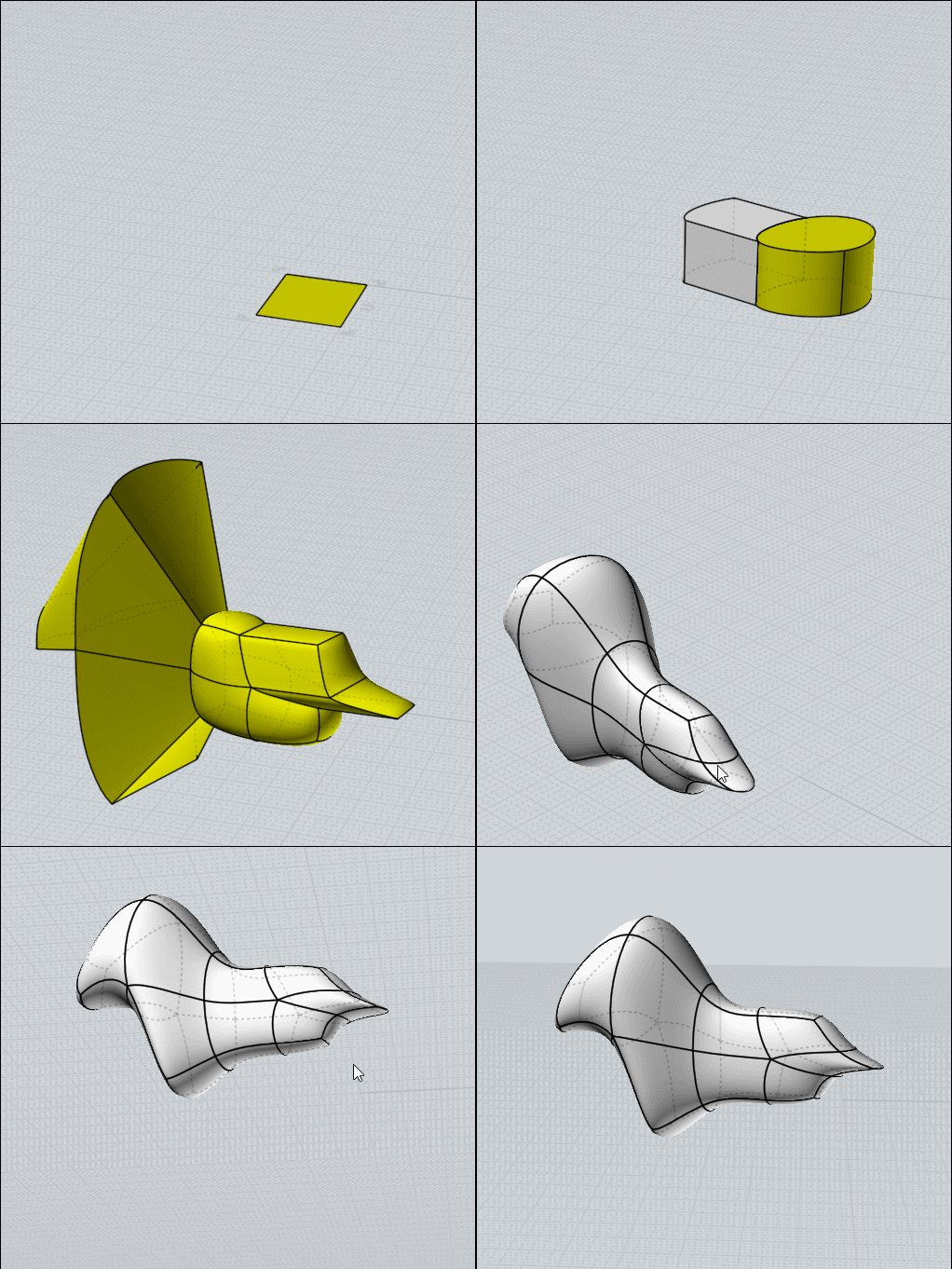
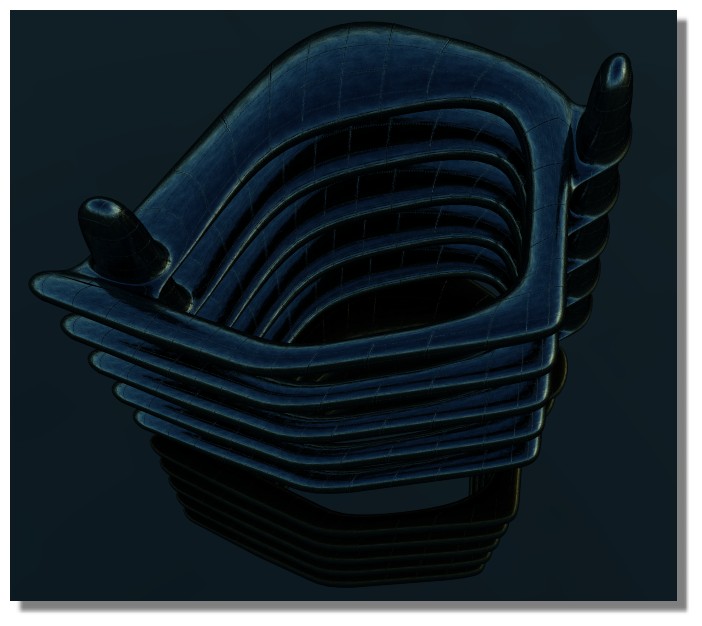
If any questions about this funny method of subdivision inside Nurbs don't hesitate!
Thx Max Smirnov for these magic tools!

Advantage is the very few tools to learn/use! :)

- Extrude face(s) (not on the extremities)
- Scale with Points enabled
- Split on a single Edge or a face(s)... don't need to recall it, just Right Click
- Bridge only between 2 faces : careful of overlapings
( useful for replace the Extrude at the "extremities" : just Copy / Move the face then Bridge )

Show Points from the beginning, and never accept the SubDive before the final result wanted... :)

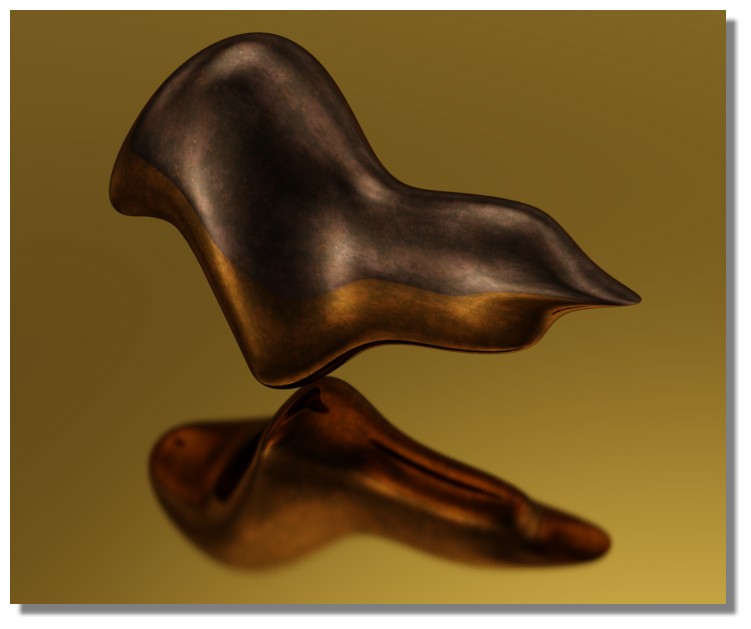
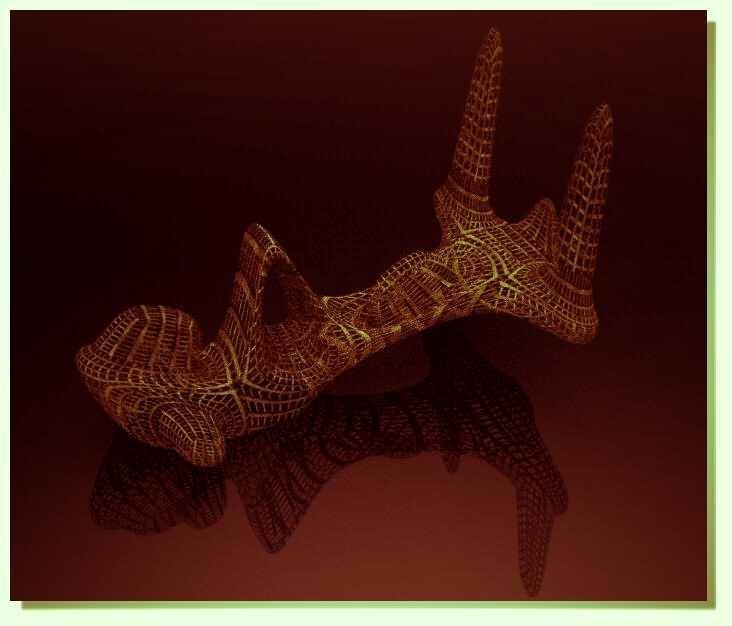
Here just a tranparent Texture of the Engine Render...
EDITED: 12 Mar 2020 by PILOU

  Reply Reply More Options
Post Options
Reply as PM Reply as PM
Print Print
Mark as unread Mark as unread
Relationship Relationship
IP Logged

Previous
Next
 From:  Ken (OKURO)
9689.53 In reply to 9689.52 
Many thanks Pilou for your fantastic inspirations....great work !!!
But would you like to post some kind of "how to basic tutorial - as a step by step cook-book" for all the un-initiated noobs ?
That would realy by a mind-opener ??? Big thanks + good luck to you
Best wishes
O.
  Reply Reply More Options
Post Options
Reply as PM Reply as PM
Print Print
Mark as unread Mark as unread
Relationship Relationship
IP Logged

Previous
Next
 From:  Frenchy Pilou (PILOU)
9689.54 In reply to 9689.53 
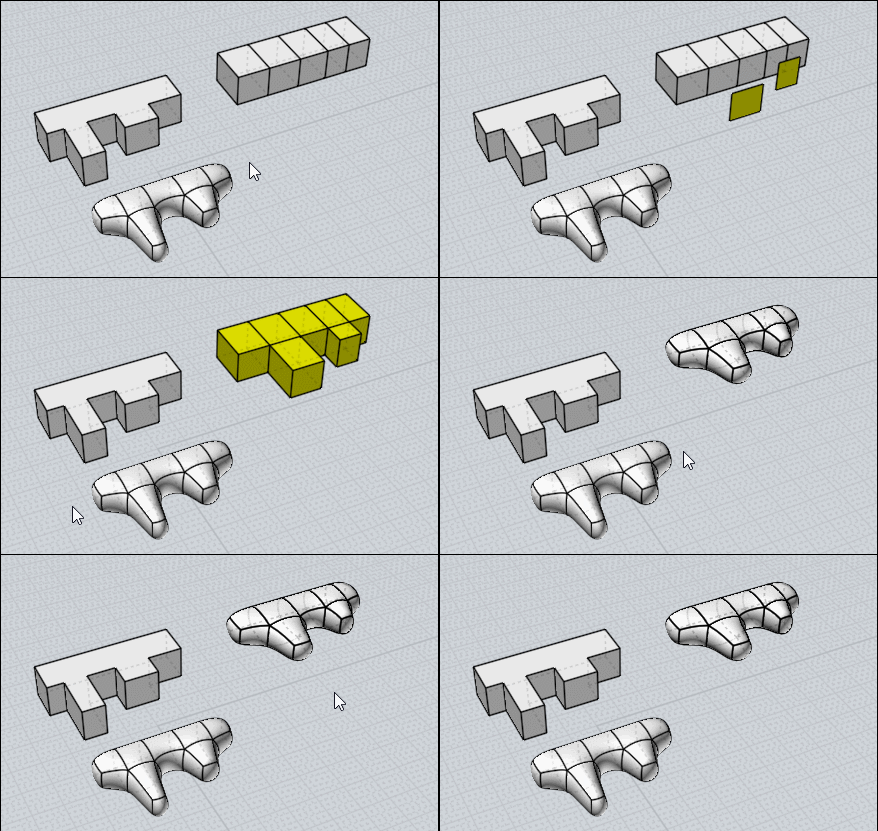
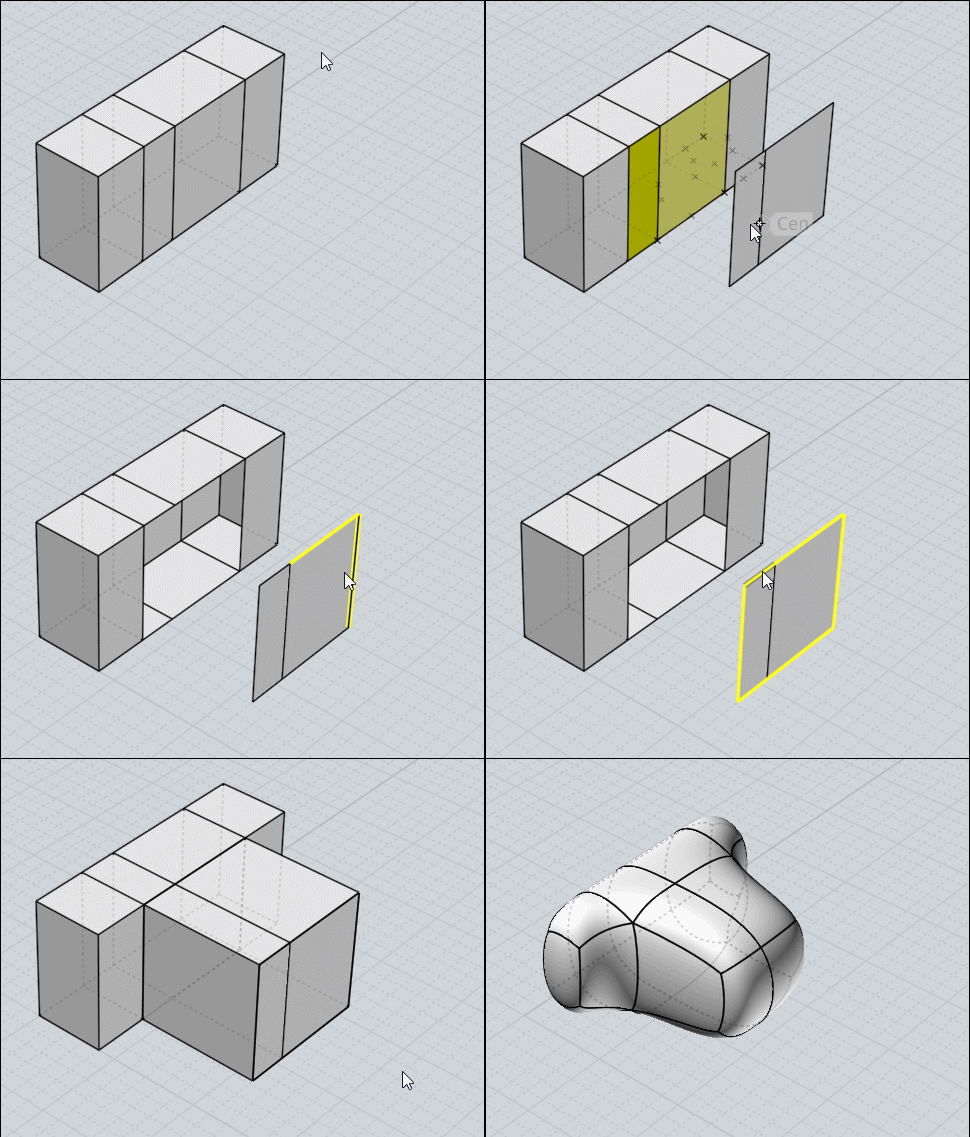
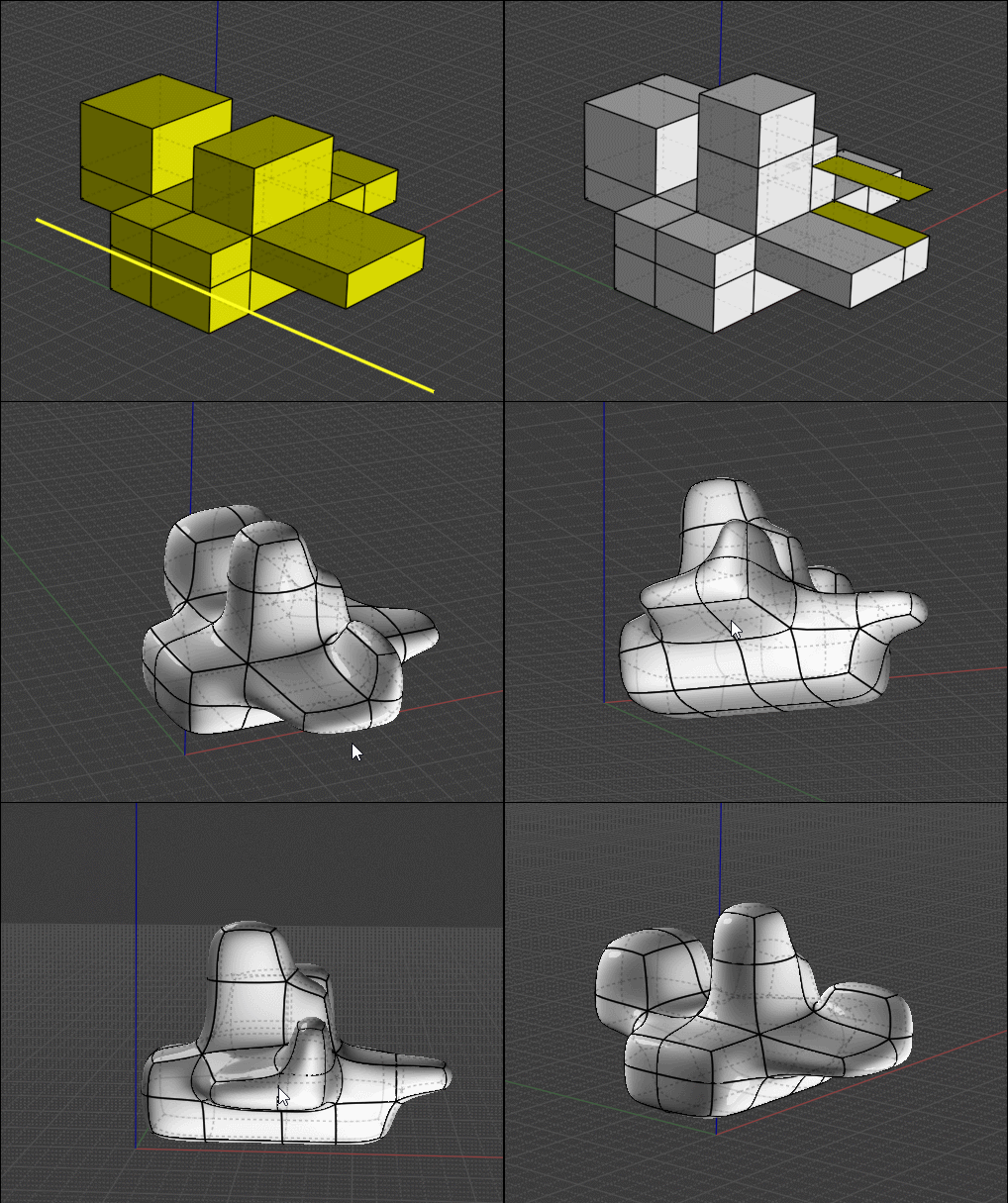
In fact that is very simple! :)

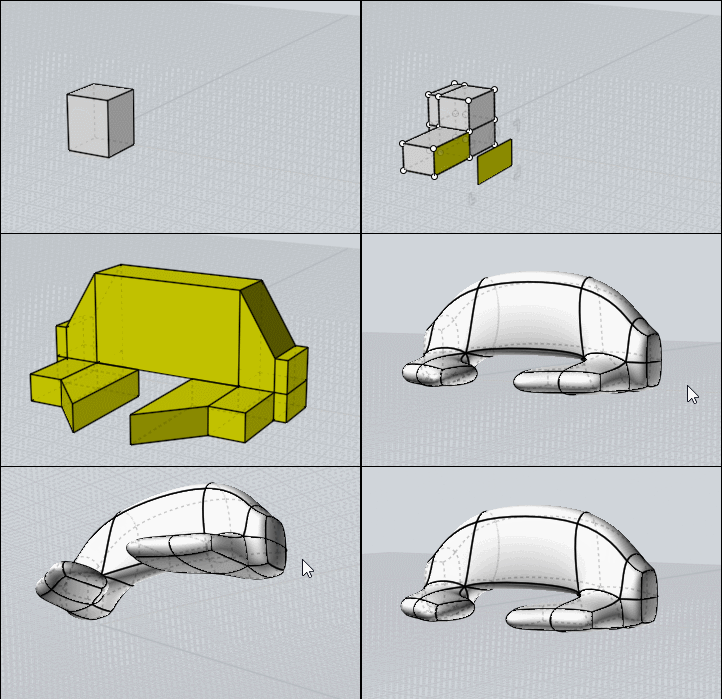
The volume must be without internal faces!!!

This follow is the general case who always works! The Bridge function between 2 separated faces!

In this specific case the Extrude will also works because faces are not on the "extremities"
and not touch between them !
Box on the left don't work because Top/ Bottom face are too complex for the Plugin!
You must split it first! With any method but without internal faces! Here there is a new building :)
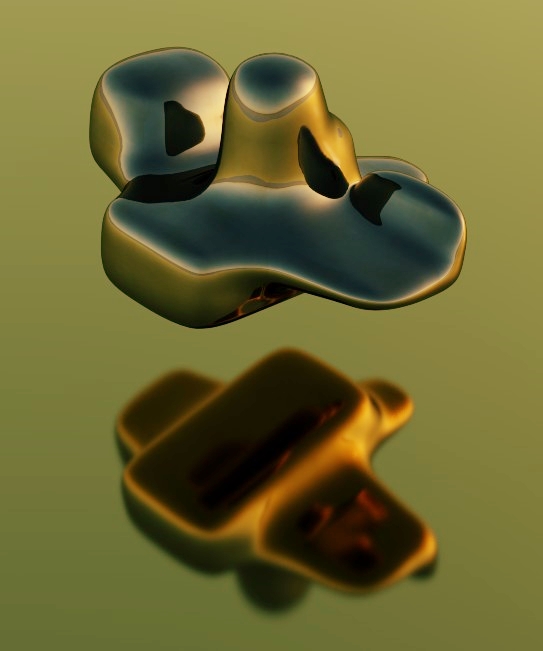
Use of the SsPlit function is of course used!


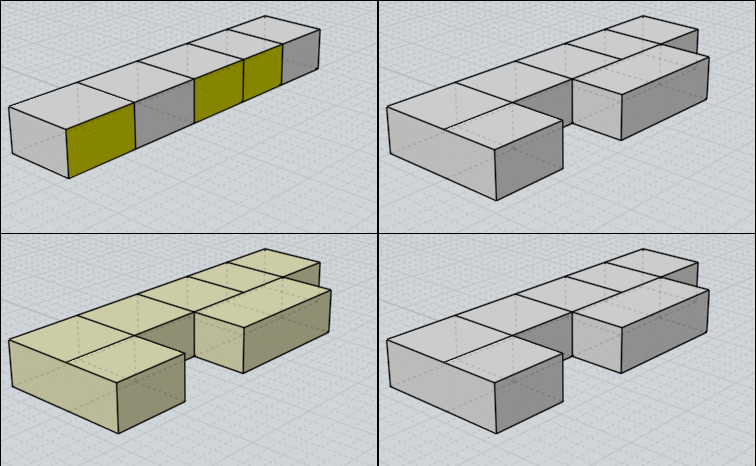
Here following Subdivision after Extrude will not work!
Because there are no more "triming faces"!

EDITED: 12 Mar 2020 by PILOU

  Reply Reply More Options
Post Options
Reply as PM Reply as PM
Print Print
Mark as unread Mark as unread
Relationship Relationship
IP Logged

Previous
Next
 From:  TOM (SIRTOM)
9689.55 
Hey Sub-D Master Pilou, thank you so much for sharing your insights !!
  Reply Reply More Options
Post Options
Reply as PM Reply as PM
Print Print
Mark as unread Mark as unread
Relationship Relationship
IP Logged

Previous
Next
 From:  Frenchy Pilou (PILOU)
9689.56 
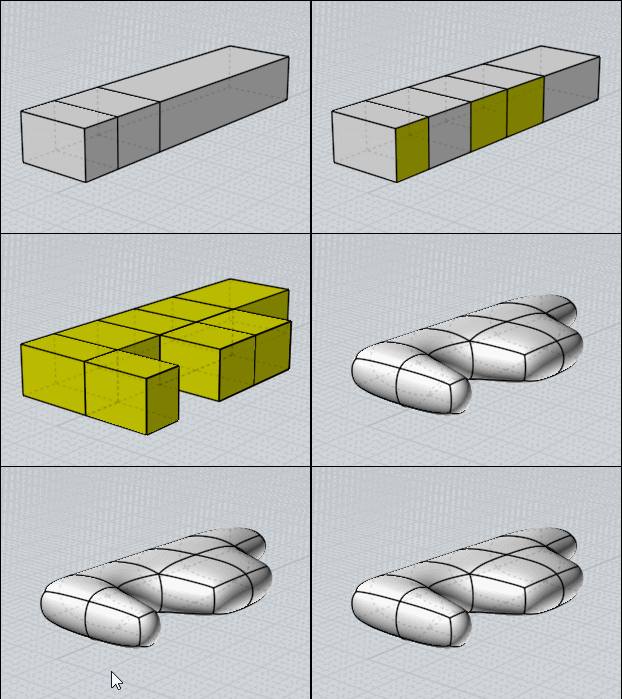
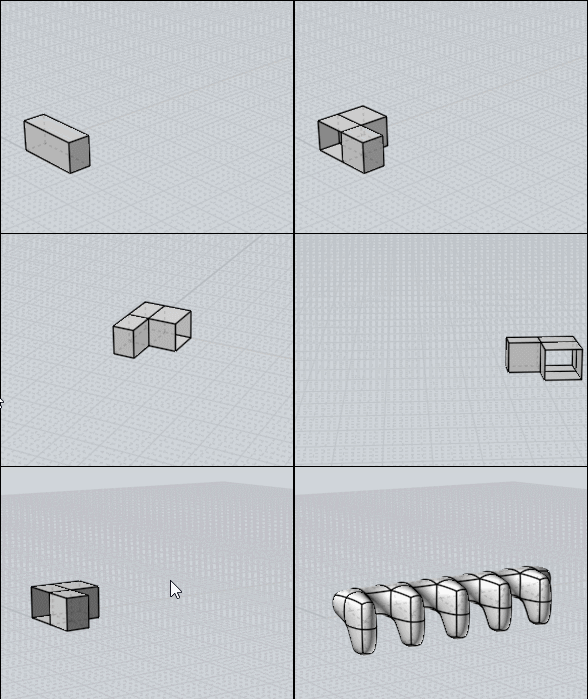
In case of 2 neighbour (or more) different faces - Will works with the volume's faces extremities! ;)

A possible method (the funny game is to find the more speedy effective one! ;)
- Select & Copy Move the 2 faces
- Delete original (easy because yet selected)
- Select Perimeter (careful to not select the vertical middle edge(s) !!! )
- Extrude WITHOUT Cap Ends!!!
- Join All
- SubDivide


Of course can be multiple if you take the same length of Extrude! ;)
(there is an optic effect of record, extrude goes from faces to piece as post above)

EDITED: 12 Mar 2020 by PILOU

  Reply Reply More Options
Post Options
Reply as PM Reply as PM
Print Print
Mark as unread Mark as unread
Relationship Relationship
IP Logged

Previous
Next
 From:  Frenchy Pilou (PILOU)
9689.57 
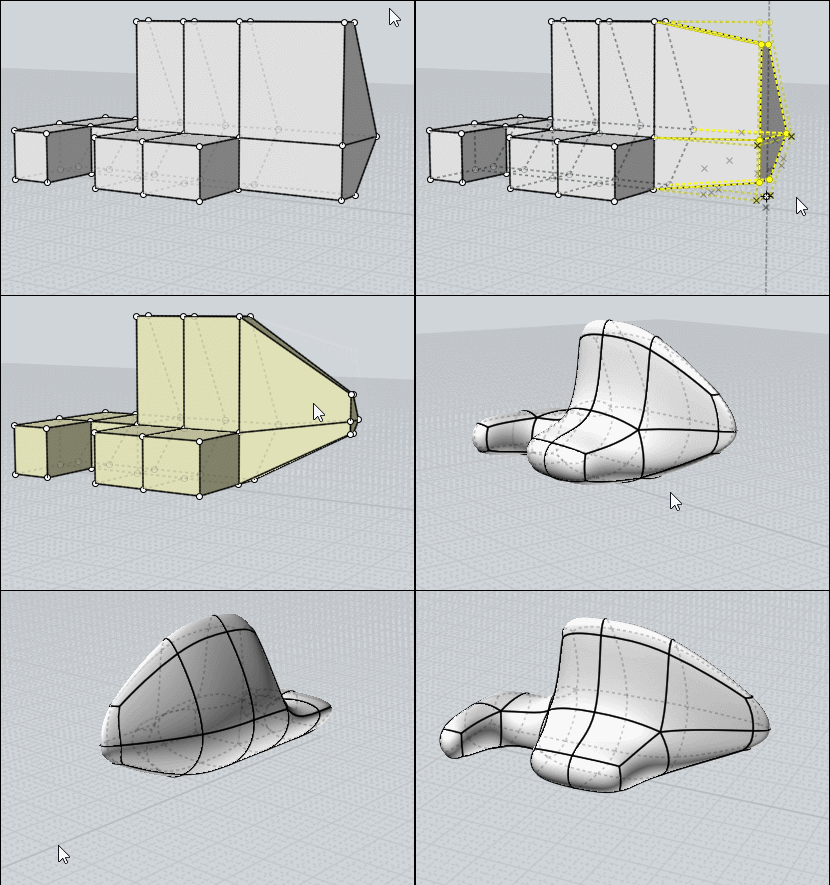
And Move Points is always possible!


And of course the Sscale!

EDITED: 12 Mar 2020 by PILOU

  Reply Reply More Options
Post Options
Reply as PM Reply as PM
Print Print
Mark as unread Mark as unread
Relationship Relationship
IP Logged

Previous
Next
 From:  Frenchy Pilou (PILOU)
9689.58 
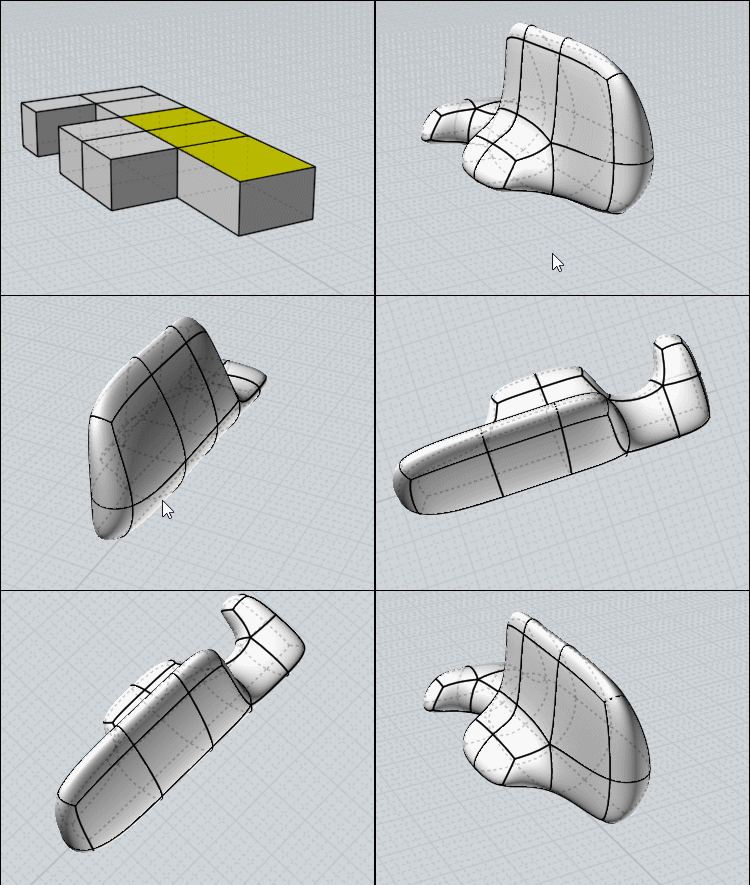
Just use 2 Steps of subdivision (first plane - Extrusion) then extrude the faces!

I am always amazed by the voluptuous result in no time! :)


  Reply Reply More Options
Post Options
Reply as PM Reply as PM
Print Print
Mark as unread Mark as unread
Relationship Relationship
IP Logged

Previous
Next
 From:  Frenchy Pilou (PILOU)
9689.59 
About history after a Mirror : seems Move & Sscale work ! (object or points)
Psplit, Extrude of face(s), Bridge of 2 faces of Original don't work for the moment!

For make an history of a mirrored object
- Mirror Object Original
- Select mirrored Object
- History Enable Update
- Modify Original! :)

EDITED: 15 Mar 2020 by PILOU

  Reply Reply More Options
Post Options
Reply as PM Reply as PM
Print Print
Mark as unread Mark as unread
Relationship Relationship
IP Logged

Previous
Next
 From:  Frenchy Pilou (PILOU)
9689.60 
Multiply an object by Array for unic pasted volume

- Just kill the 2 "faces jonction extremities"
- Use Array
- Recreate the 2 "faces jonction extremities" of the complete object
- Join All
- SubDivide

EDITED: 15 Mar 2020 by PILOU

  Reply Reply More Options
Post Options
Reply as PM Reply as PM
Print Print
Mark as unread Mark as unread
Relationship Relationship
IP Logged

Previous
Next
 From:  Frenchy Pilou (PILOU)
9689.61 
So smooth ;)

  Reply Reply More Options
Post Options
Reply as PM Reply as PM
Print Print
Mark as unread Mark as unread
Relationship Relationship
IP Logged

Previous
Next
 From:  Frenchy Pilou (PILOU)
9689.62 
Piles - use of Bridge for close volumes!

EDITED: 20 Mar 2020 by PILOU

  Reply Reply More Options
Post Options
Reply as PM Reply as PM
Print Print
Mark as unread Mark as unread
Relationship Relationship
IP Logged

Previous
Next
 From:  nameless
9689.63 In reply to 9689.62 
Beautiful! (and the tuts are awesome too)
  Reply Reply More Options
Post Options
Reply as PM Reply as PM
Print Print
Mark as unread Mark as unread
Relationship Relationship
IP Logged

Previous
Next
 From:  Frenchy Pilou (PILOU)
9689.64 In reply to 9689.63 
Thx...try it!

it's a true pleasure to make a speedy form then render it! (mine is the free Simlab Composer Lite ;) Max 1920*1080

And a cool change mind in these darkness confined times!

EDITED: 21 Mar 2020 by PILOU

  Reply Reply More Options
Post Options
Reply as PM Reply as PM
Print Print
Mark as unread Mark as unread
Relationship Relationship
IP Logged

Previous
Next
 From:  Frenchy Pilou (PILOU)
9689.65 
And you will see that Subdivision modeling is different than pure Nurbs because you don't know exactly what will be the result!

It's always a surprise when you press the Subdivision's button who transform boxes in voluptuous surfaces! :)

Maybe more artistic filling against mechanical one! ;)
  Reply Reply More Options
Post Options
Reply as PM Reply as PM
Print Print
Mark as unread Mark as unread
Relationship Relationship
IP Logged

Previous
Next
 From:  pafurijaz
9689.66 
This is an interesting discussion and I want share my experience in this field, I made a few experiment and I understood how modelling suddiv for nurbs conversion with moi3d.


EDITED: 4 Nov 2021 by PAFURIJAZ

  Reply Reply More Options
Post Options
Reply as PM Reply as PM
Print Print
Mark as unread Mark as unread
Relationship Relationship
IP Logged

Previous
Next
 From:  Frenchy Pilou (PILOU)
9689.67 
A new process in the SudDive Tool Box ;)

Project a curve to a complex volume (yet well working for subdive)
Trim
Kill Curve(s)
Join
that all! :)
PS Extrude can't work because face(s) are not in middle of surfaces!
So Copy Move one face(s) then "Bridge" one to one ! Copy / Move Faces can be Multiple!


EDITED: 1 Oct 2020 by PILOU

  Reply Reply More Options
Post Options
Reply as PM Reply as PM
Print Print
Mark as unread Mark as unread
Relationship Relationship
IP Logged

Previous
Next
 From:  Frenchy Pilou (PILOU)
9689.68 
Always funny easy thing for make improbable objects! :)


EDITED: 4 Oct 2020 by PILOU

  Reply Reply More Options
Post Options
Reply as PM Reply as PM
Print Print
Mark as unread Mark as unread
Relationship Relationship
IP Logged

Previous
Next
 From:  Frenchy Pilou (PILOU)
9689.69 
About SUbDivision in Moi ! We can project an object subdivided (finalized or not) on another for deform it! (here on a Sphere )

---
Pilou
Is beautiful that please without concept!
My Moi French Site My Gallery My MagicaVoxel Gallery
  Reply Reply More Options
Post Options
Reply as PM Reply as PM
Print Print
Mark as unread Mark as unread
Relationship Relationship
IP Logged

Previous
Next
 From:  Frenchy Pilou (PILOU)
9689.70 
Flow function can be practical for SUbDIve!
Here a cube was projected on a Sphere...of course as always imagination must be large for predict the result!

---
Pilou
Is beautiful that please without concept!
My Moi French Site My Gallery My MagicaVoxel Gallery
  Reply Reply More Options
Post Options
Reply as PM Reply as PM
Print Print
Mark as unread Mark as unread
Relationship Relationship
IP Logged
 

Reply to All Reply to All


Show messages:  1-10  11-30  31-50  51-70  71-90  91-110  111-120