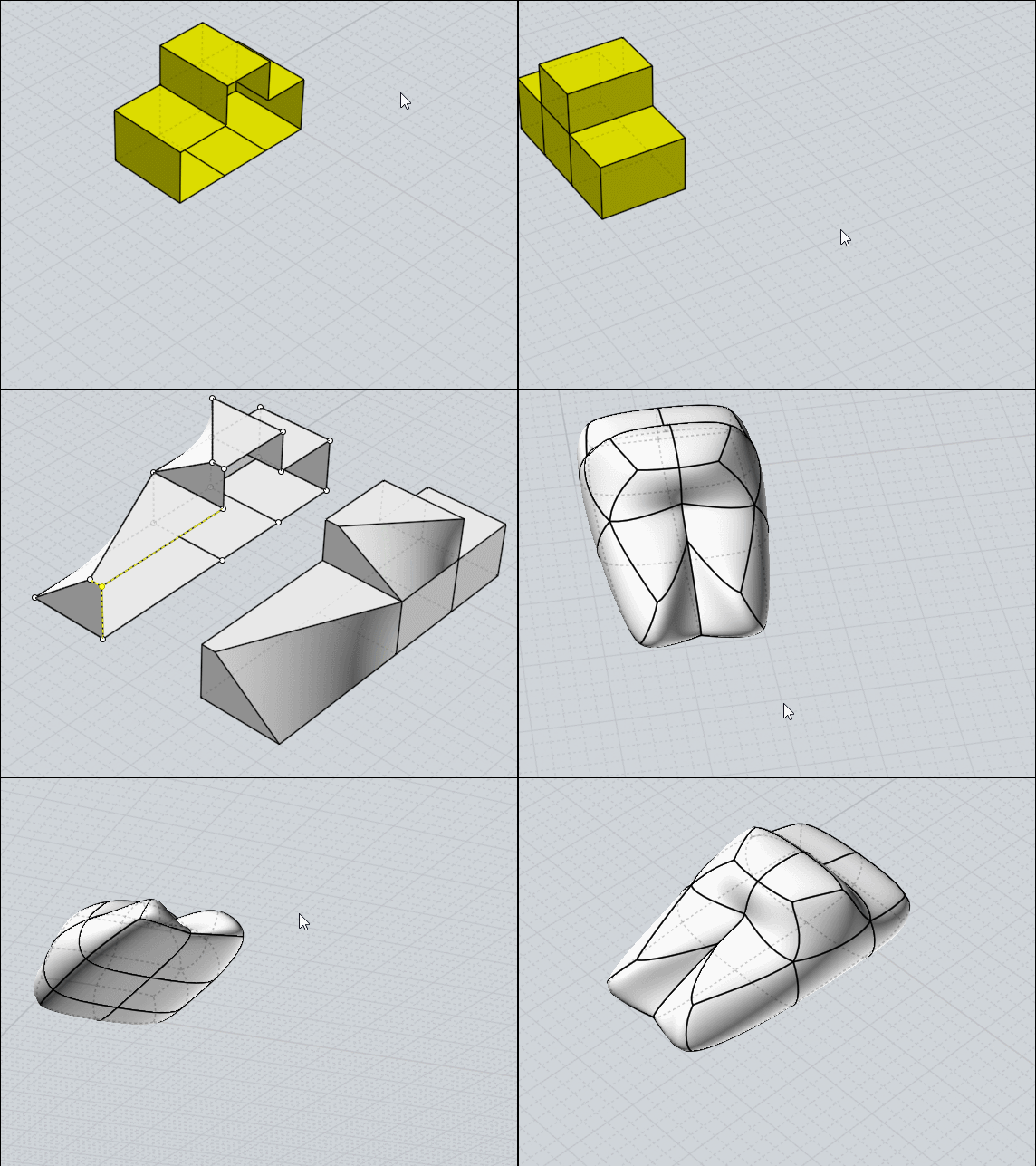
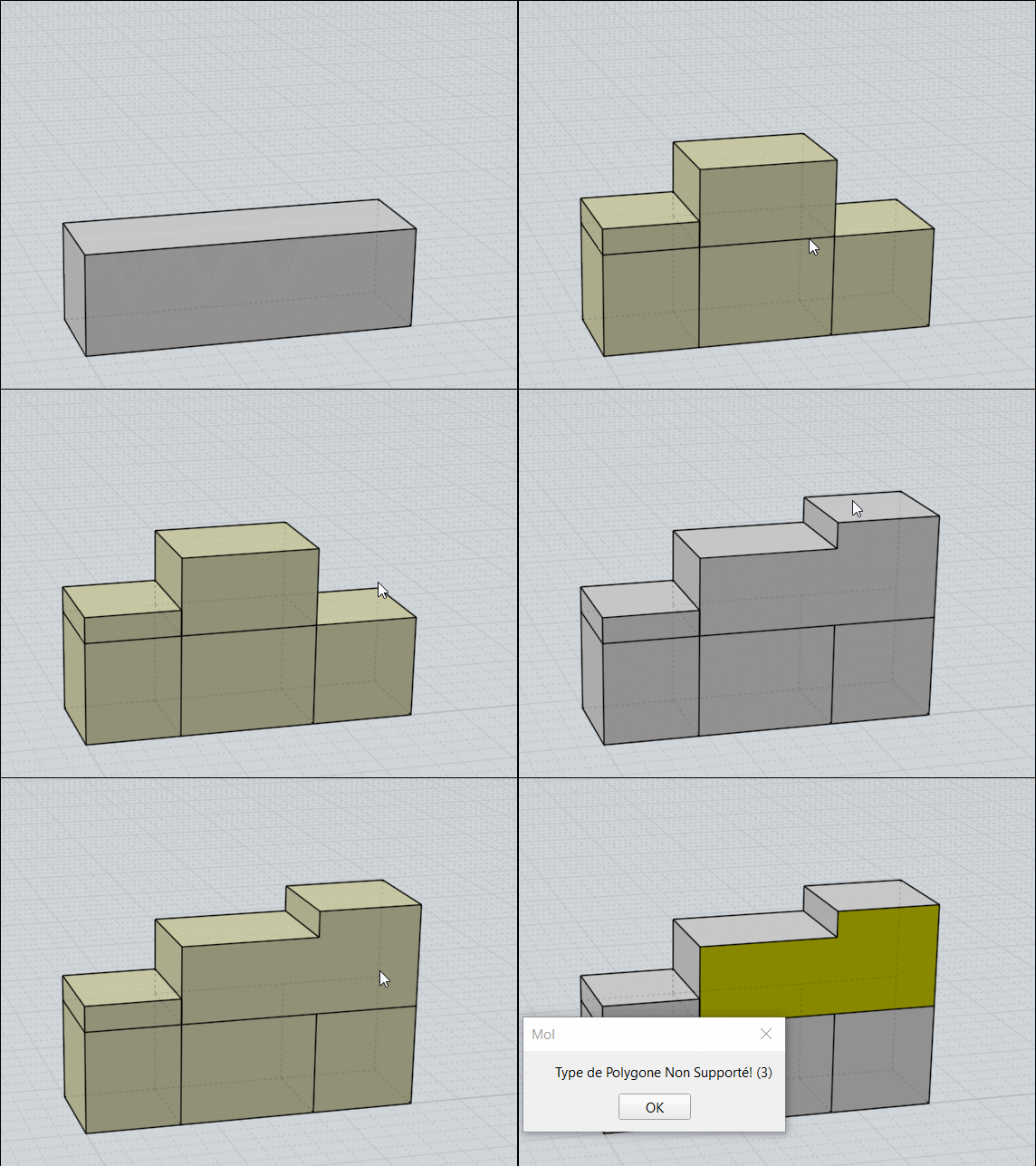
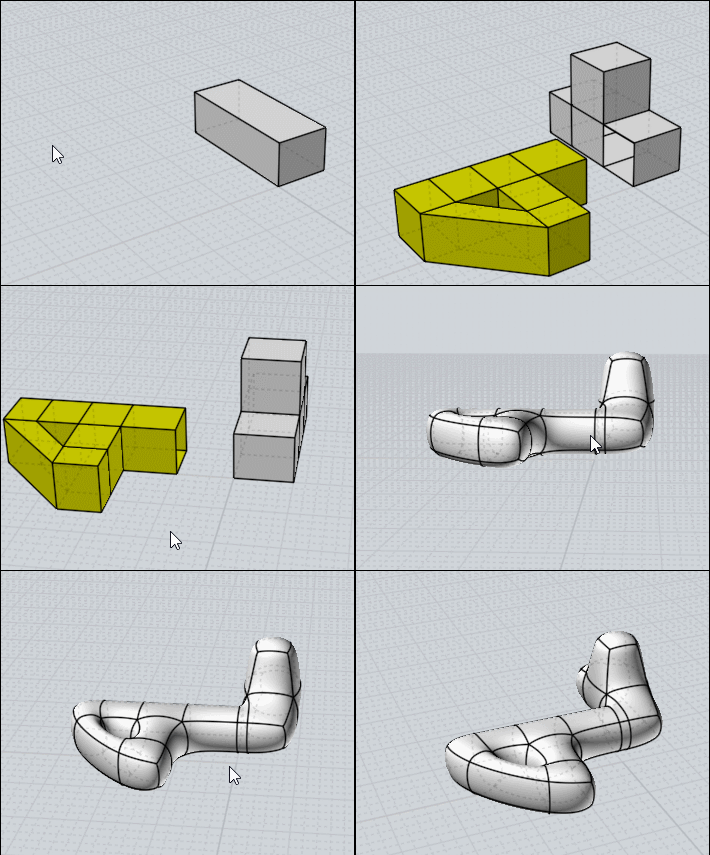
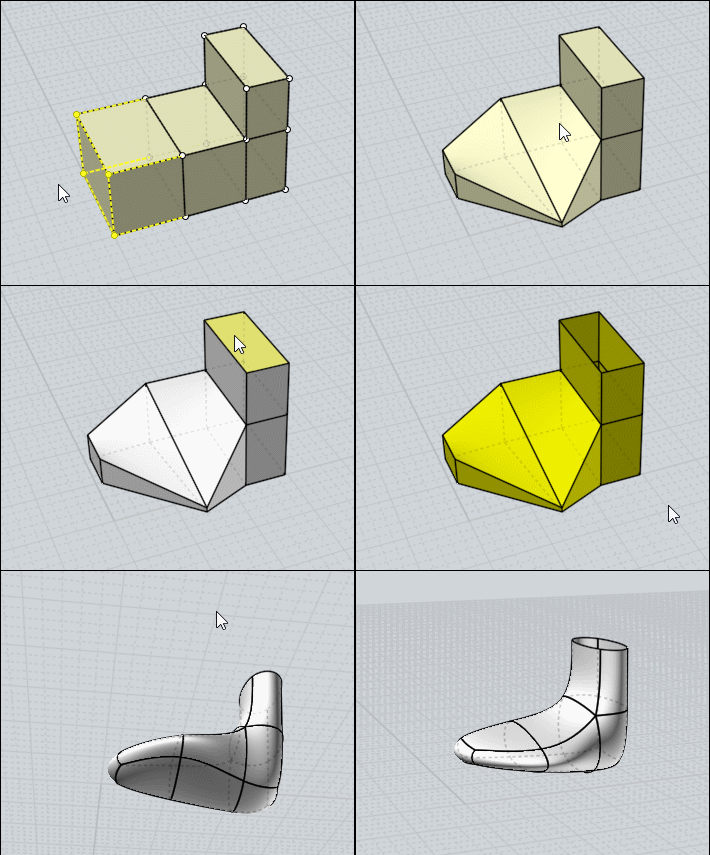
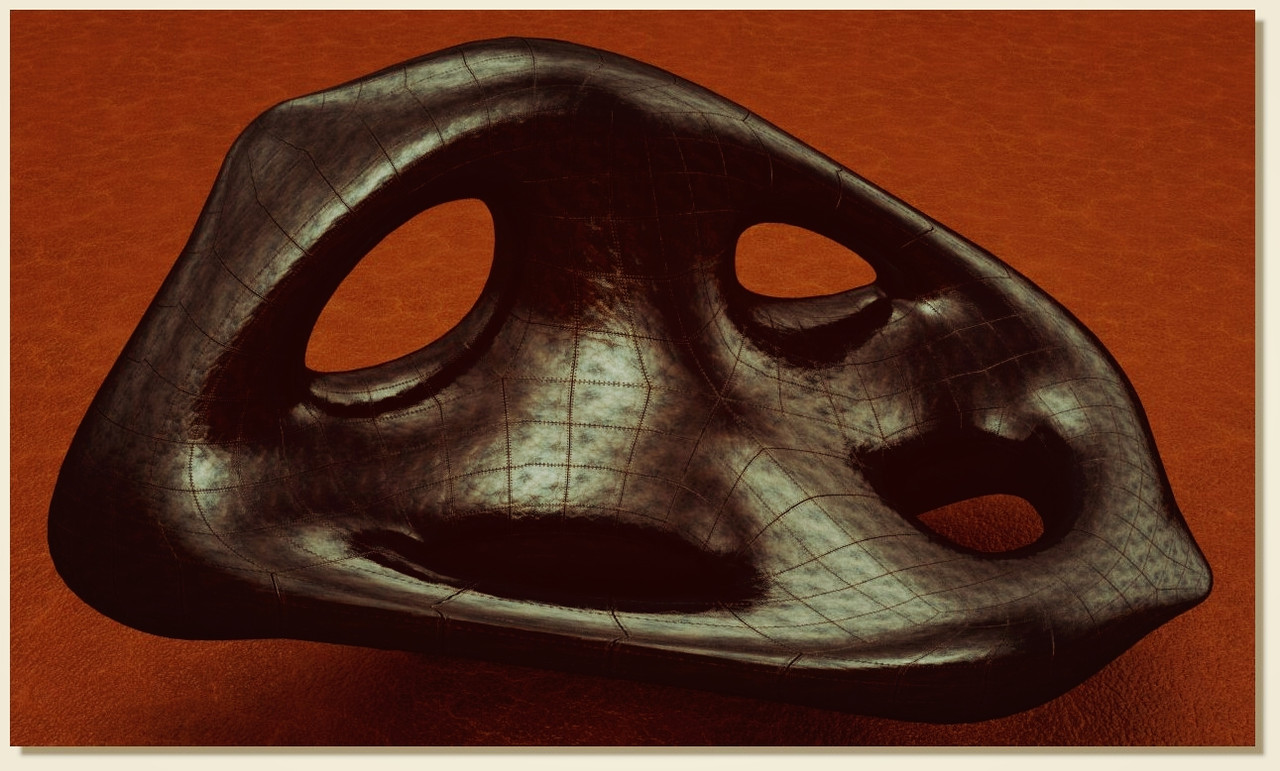
About SubDivide in nurbs :)
 1-20  21-40  41-60  61-80  …  101-120

Previous
Next
 From:  Frenchy Pilou (PILOU)
9689.21 In reply to 9689.20 
Very cool result !

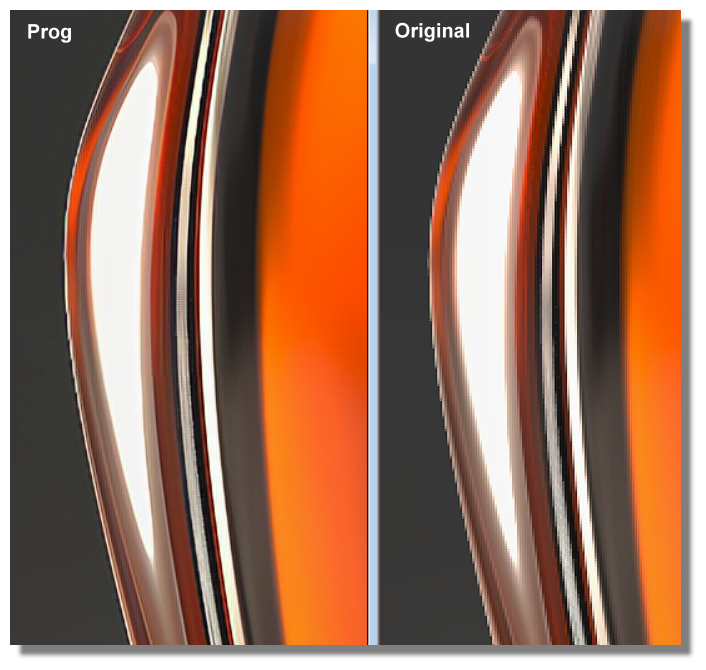
Maybe you can try this free one for unjaggies your big format. even *4 size if needing... https://deep-image.ai

Ps Your original image is too large for be loaded in the prog...so half it then size*2 or more in the prog... ;)

Speedy test with your bootle half size (then size *2 + strong unjagg both in the prog) result is done in PNG as given in png

EDITED: 21 Feb 2020 by PILOU

  Reply Reply More Options
Post Options
Reply as PM Reply as PM
Print Print
Mark as unread Mark as unread
Relationship Relationship
IP Logged

Previous
Next
 From:  Finema
9689.22 In reply to 9689.21 
Frenchy, it's a screen :)
the 3D model is very smooth
  Reply Reply More Options
Post Options
Reply as PM Reply as PM
Print Print
Mark as unread Mark as unread
Relationship Relationship
IP Logged

Previous
Next
 From:  Frenchy Pilou (PILOU)
9689.23 
---
Pilou
Is beautiful that please without concept!
My Moi French Site My Gallery My MagicaVoxel Gallery
  Reply Reply More Options
Post Options
Reply as PM Reply as PM
Print Print
Mark as unread Mark as unread
Relationship Relationship
IP Logged

Previous
Next
 From:  Frenchy Pilou (PILOU)
9689.24 
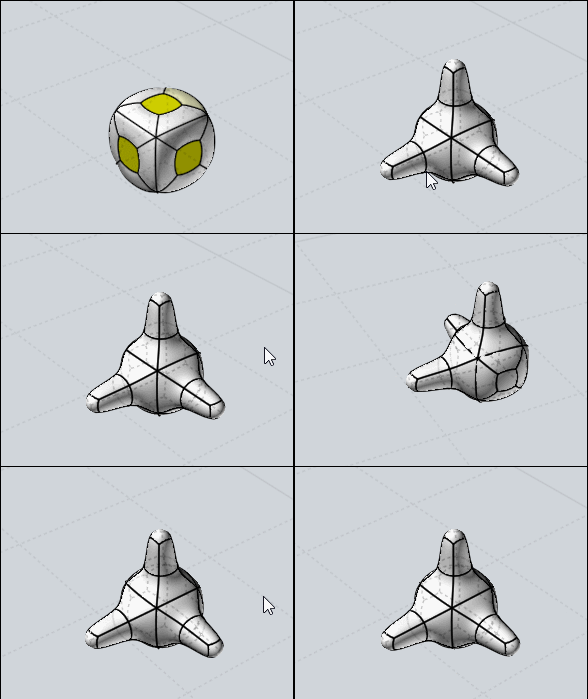
Little correction of the selection of faces of a complete volume!

When you select directly the All volume the SsPlit don't work!
so
I said Separate All then SSplit : that work!

But you can also make that! :)
Select one face then select All and then Ssplit that work also!
(because Moi memorize the nature of the selection made by the first selection: point, edge, face,...
Maybe more speedy in calculate than "Separate"! :)
(negative extrude dig up! :)


Export as OBJ Format (Ngones) No problem to import them inside the free TwinMotion !
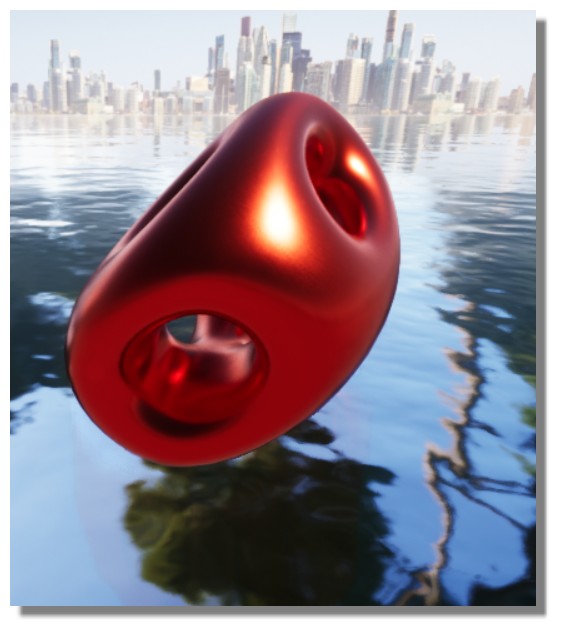
EDITED: 22 Feb 2020 by PILOU

  Reply Reply More Options
Post Options
Reply as PM Reply as PM
Print Print
Mark as unread Mark as unread
Relationship Relationship
IP Logged

Previous
Next
 From:  nameless
9689.25 In reply to 9689.24 
That's super amazing. I wasn't aware that the initial selection can play a role even when you select all afterwards! Using sSplit and subdiv gives very interesting results and you stay within MoI to experiment and cut. I learn a lot by your mini tuts! <3
  Reply Reply More Options
Post Options
Reply as PM Reply as PM
Print Print
Mark as unread Mark as unread
Relationship Relationship
IP Logged

Previous
Next
 From:  Frenchy Pilou (PILOU)
9689.26 
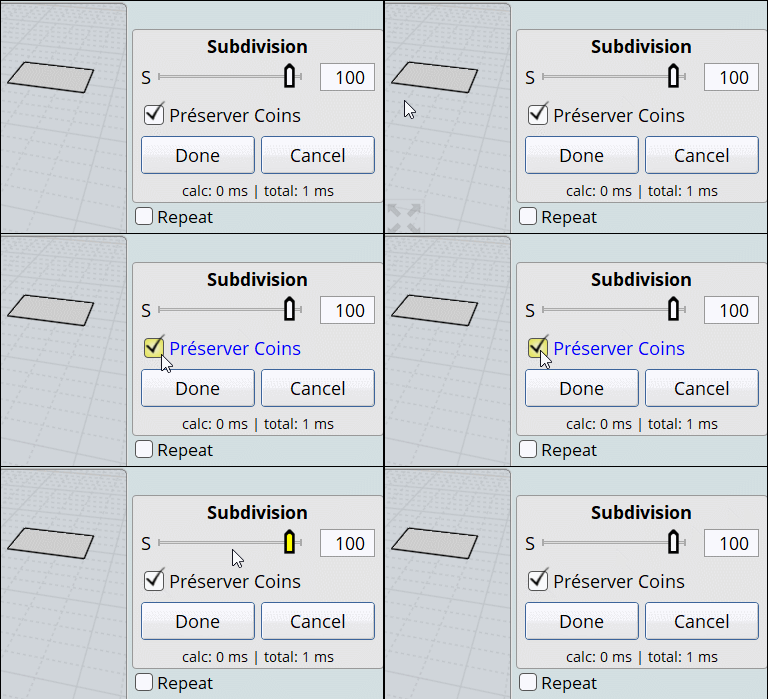
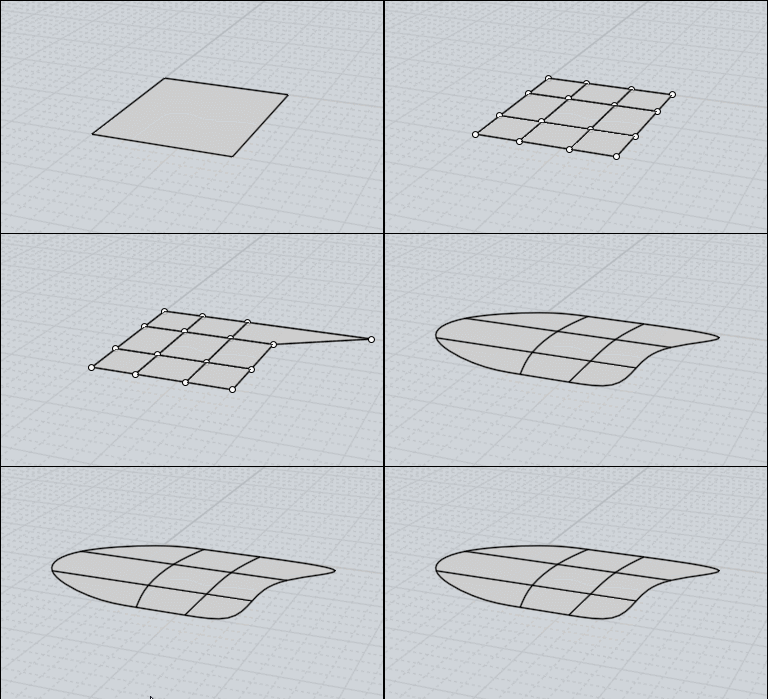
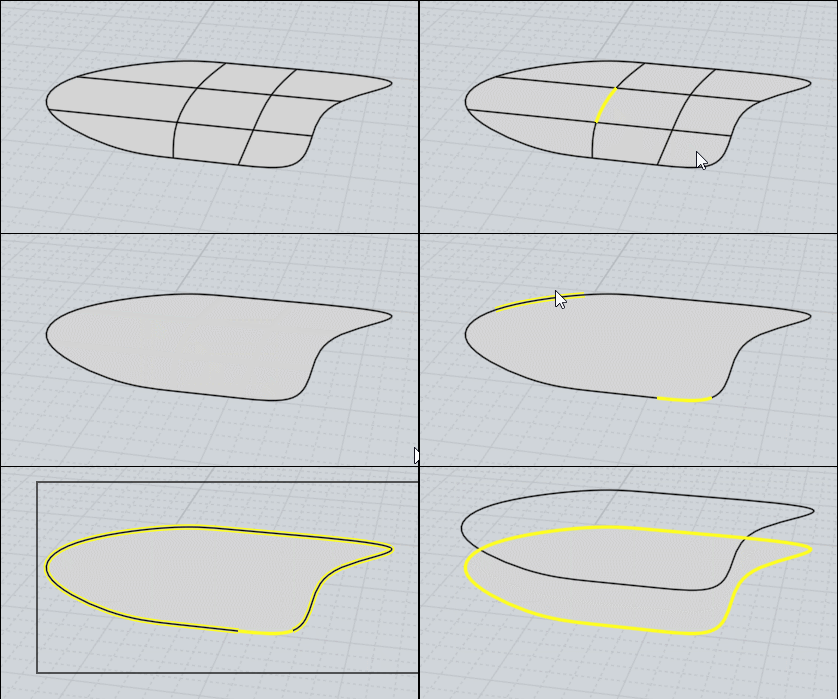
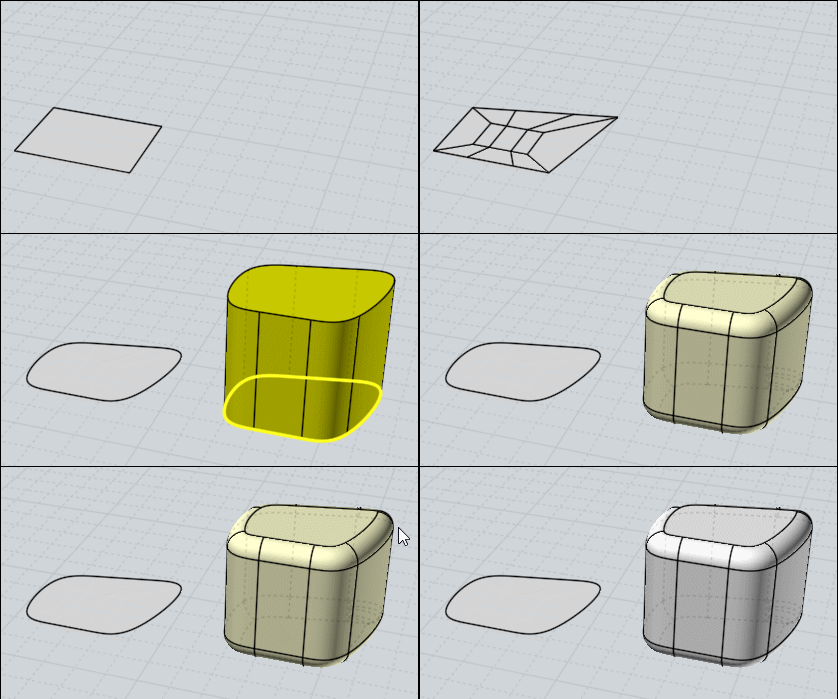
Of course subdivision can work on 2D !
In this case disable Preserve Corners if you select a simple square for example!


After you must make some little tricks if you want use only the subdivided curve(s) resulting!

A funny one is to use the Hide function associate to the nature of the Preselection of Moi!


Join curves at the end of selection ! Here a general fillet or anything you want at the end...

EDITED: 22 Feb 2020 by PILOU

  Reply Reply More Options
Post Options
Reply as PM Reply as PM
Print Print
Mark as unread Mark as unread
Relationship Relationship
IP Logged

Previous
Next
 From:  Frenchy Pilou (PILOU)
9689.27 
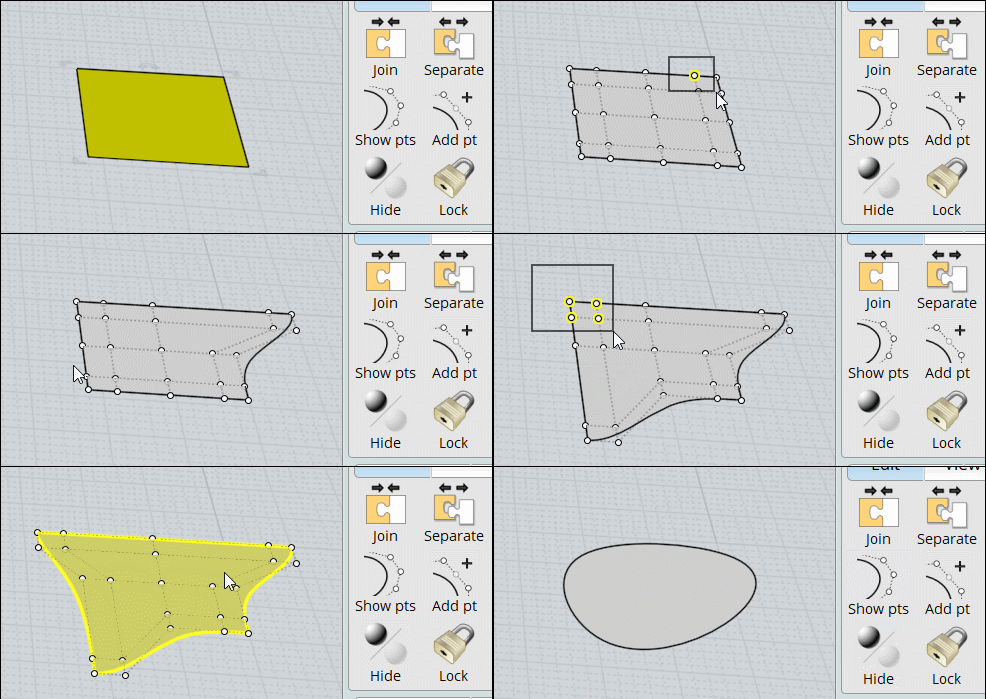
You can also use the Function Edit "Add Point" so very flexible!


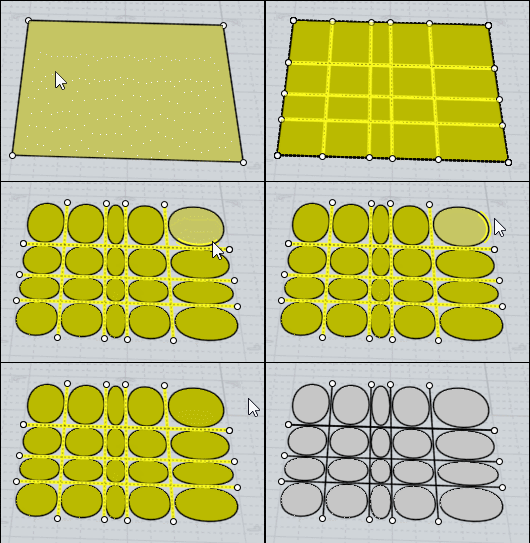
Iso Curves + General Trim will give another result !Less Flexible!

EDITED: 24 Feb 2020 by PILOU

  Reply Reply More Options
Post Options
Reply as PM Reply as PM
Print Print
Mark as unread Mark as unread
Relationship Relationship
IP Logged

Previous
Next
 From:  Charlie (BLARBLES)
9689.28 In reply to 9689.27 
Where can I get the subdivide script?
  Reply Reply More Options
Post Options
Reply as PM Reply as PM
Print Print
Mark as unread Mark as unread
Relationship Relationship
IP Logged

Previous
Next
 From:  Frenchy Pilou (PILOU)
9689.29 In reply to 9689.28 
http://moi.maxsm.net/media/files/
All the plugins of Max Smirnov!
Subdiv 9
SBridge
Ssplit
Sscale

If you want them in French : http://moiscript.weebly.com
Les Commandes / Section Scripts de Max Smirnov ;)

EDITED: 24 Feb 2020 by PILOU

  Reply Reply More Options
Post Options
Reply as PM Reply as PM
Print Print
Mark as unread Mark as unread
Relationship Relationship
IP Logged

Previous
Next
 From:  Frenchy Pilou (PILOU)
9689.30 
We can't have edit subdive on 2 "half parts" in the same time!

So Subdivide on an half part mirror it and make any thing you want on the original half Part!

It's a little tricky !
- Mirror Original
- Select Mirrored
- Call History - Enable History - Deselect
- Select Original
- Modify / Edit as you want --> that is refflected! ( subdivide is not reflected)
(you can subdivide at any time the Original for test the form)
- Re-group the 2 parts
-Join
You can Subdivide the all volume!


Remark that the start lateral general side is "Open" !

EDITED: 25 Feb 2020 by PILOU

  Reply Reply More Options
Post Options
Reply as PM Reply as PM
Print Print
Mark as unread Mark as unread
Relationship Relationship
IP Logged

Previous
Next
 From:  Frenchy Pilou (PILOU)
9689.31 
Extrude on middle faces is possible but not on the extremities!
Because faces are not all subdivided!

So Copy Move 1 faces & Bridge it on the faces's extremities!

EDITED: 25 Feb 2020 by PILOU

  Reply Reply More Options
Post Options
Reply as PM Reply as PM
Print Print
Mark as unread Mark as unread
Relationship Relationship
IP Logged

Previous
Next
 From:  Frenchy Pilou (PILOU)
9689.32 
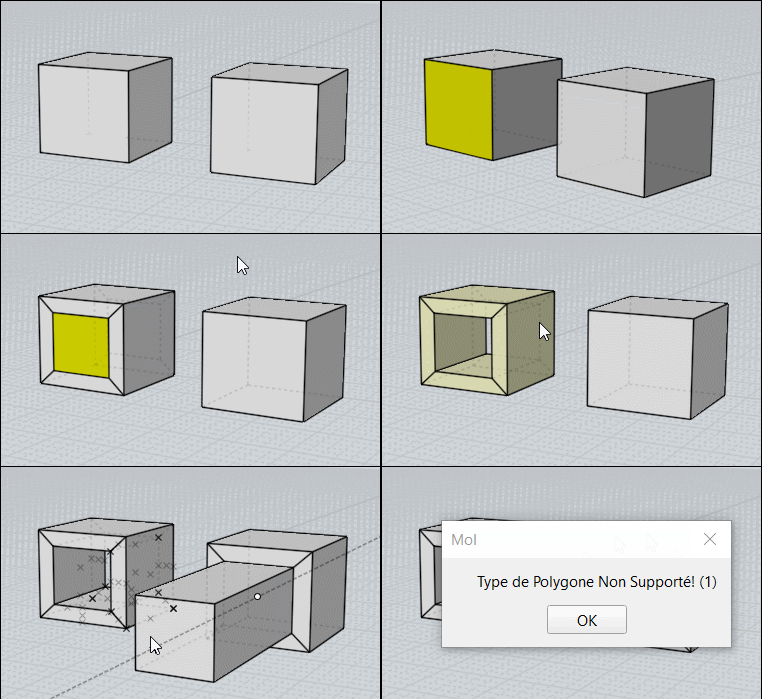
For past something you must use Copy Snap then Join!
So kill the 2 minimum faces of "collage" from the 2 volumes!

Boolean Union don't work because some faces'edges ...
...will be welded in external "walls"and so create un-subdivided faces!

---
Pilou
Is beautiful that please without concept!
My Moi French Site My Gallery My MagicaVoxel Gallery
  Reply Reply More Options
Post Options
Reply as PM Reply as PM
Print Print
Mark as unread Mark as unread
Relationship Relationship
IP Logged

Previous
Next
 From:  Frenchy Pilou (PILOU)
9689.33 
With the last function Sscale seems we can make some many things ;)
That's a very funny method of modelisation! Thx again to Max Smirnov for its crazzy plugin!


If i have forgotten something don't hesitate!
The only default of this method is that result is like a random result about measures...
so some tests...takebacks...it's an artistic method! :)

EDITED: 25 Feb 2020 by PILOU

  Reply Reply More Options
Post Options
Reply as PM Reply as PM
Print Print
Mark as unread Mark as unread
Relationship Relationship
IP Logged

Previous
Next
 From:  Frenchy Pilou (PILOU)
9689.34 
---
Pilou
Is beautiful that please without concept!
My Moi French Site My Gallery My MagicaVoxel Gallery
  Reply Reply More Options
Post Options
Reply as PM Reply as PM
Print Print
Mark as unread Mark as unread
Relationship Relationship
IP Logged

Previous
Next
 From:  vector illustrator (QUARITEXA)
9689.35 In reply to 9689.34 
The abstract art exhibition.
  Reply Reply More Options
Post Options
Reply as PM Reply as PM
Print Print
Mark as unread Mark as unread
Relationship Relationship
IP Logged

Previous
Next
 From:  nameless
9689.36 In reply to 9689.35 
(Combined with serious modeling tool knowledge injections)
  Reply Reply More Options
Post Options
Reply as PM Reply as PM
Print Print
Mark as unread Mark as unread
Relationship Relationship
IP Logged

Previous
Next
 From:  Frenchy Pilou (PILOU)
9689.37 
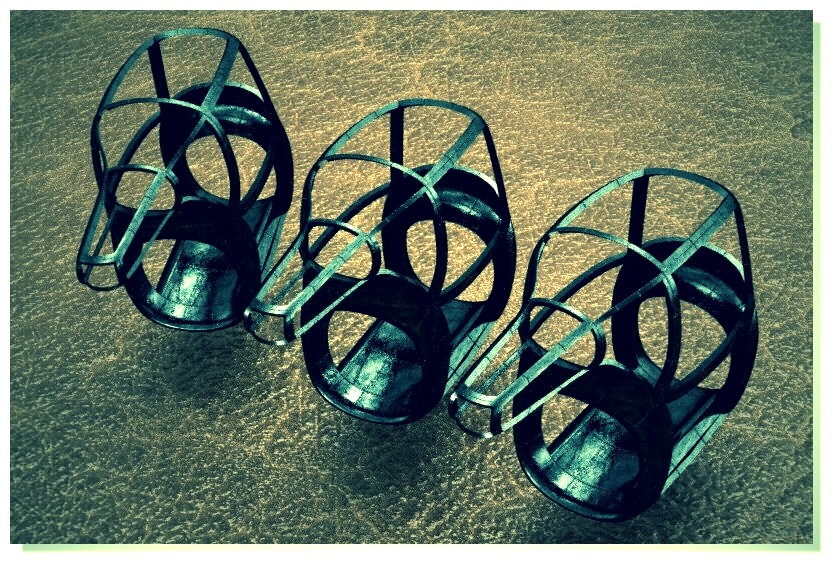
:) ....maybe abstract but 3D Printable! ;)
  Reply Reply More Options
Post Options
Reply as PM Reply as PM
Print Print
Mark as unread Mark as unread
Relationship Relationship
IP Logged

Previous
Next
 From:  Frenchy Pilou (PILOU)
9689.38 
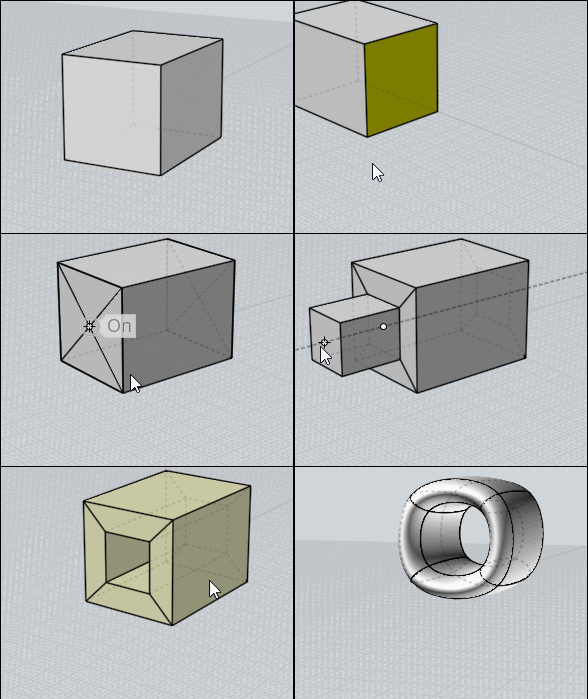
Careful!
Extrude don't make suddivisable objects in some cases!

Use Bridge between 2 faces! (Bridge on the Left, Extrude on the Right)

  Reply Reply More Options
Post Options
Reply as PM Reply as PM
Print Print
Mark as unread Mark as unread
Relationship Relationship
IP Logged

Previous
Next
 From:  Frenchy Pilou (PILOU)
9689.39 
So the trick is to split the 2 faces before! ;) (like for a Bridge)

  Reply Reply More Options
Post Options
Reply as PM Reply as PM
Print Print
Mark as unread Mark as unread
Relationship Relationship
IP Logged

Previous
Next
 From:  Frenchy Pilou (PILOU)
9689.40 
---
Pilou
Is beautiful that please without concept!
My Moi French Site My Gallery My MagicaVoxel Gallery
  Reply Reply More Options
Post Options
Reply as PM Reply as PM
Print Print
Mark as unread Mark as unread
Relationship Relationship
IP Logged
 

Reply to All Reply to All


Show messages:  1-20  21-40  41-60  61-80  81-100  101-120