Script or tool to create 2GT belt connecting two pulleys
All  1-6  7-15

Previous
Next
 From:  Frenchy Pilou (PILOU)
9566.7 
Not educative but if you are pressed... :)

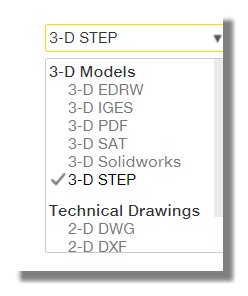
You have a lot of models here to load (STEP, SAT, IGES) for Moi ;) (i don't know the best format ?
https://www.mcmaster.com/timing-belts

for example this one.. https://www.mcmaster.com/6484k104 (i don't researched your exact model :)
(scroll choose format and click Save (no need to be registered)


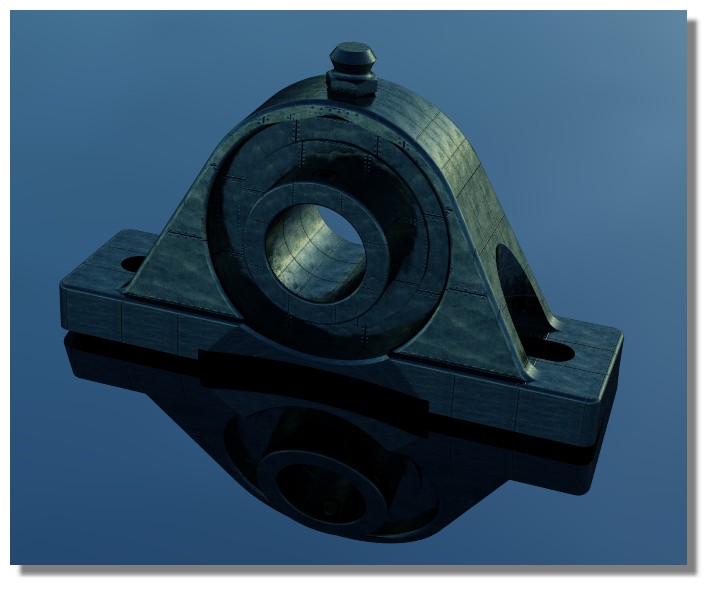
I had loaded another thing - that is terrific! :)

Inside Moi


Rendered with the free SimLab Composer Lite

EDITED: 6 Nov 2019 by PILOU

  Reply Reply More Options
Post Options
Reply as PM Reply as PM
Print Print
Mark as unread Mark as unread
Relationship Relationship
IP Logged

Previous
Next
 From:  BurrMan
9566.8 In reply to 9566.6 
  Reply Reply More Options
Post Options
Reply as PM Reply as PM
Print Print
Mark as unread Mark as unread
Relationship Relationship
IP Logged

Previous
Next
 From:  Michael Gibson
9566.9 In reply to 9566.4 
Hi Frederick, Construct > Offset can be good for shapes that have a constant thickness to them.

I'd probably go like this - circles:


Rectangle:


Boolean union those together:


Construct > Offset to generate an offset curve:


These can now be extruded:


Or another possibility is to extrude the outside only to start with and then select the top and bottom faces and use Construct > Offset > Shell:


- Michael

  Reply Reply More Options
Post Options
Reply as PM Reply as PM
Print Print
Mark as unread Mark as unread
Relationship Relationship
IP Logged

Previous
Next
 From:  fcwilt
9566.10 In reply to 9566.8 
Hi,

Thanks very much for making that video.

You have saved several steps for me.

Frederick
  Reply Reply More Options
Post Options
Reply as PM Reply as PM
Print Print
Mark as unread Mark as unread
Relationship Relationship
IP Logged

Previous
Next
 From:  fcwilt
9566.11 In reply to 9566.9 
Hi,

That looks like a good approach.

Some of my belt paths are a bit more complicated than a simple loop.

One I am working on now has five "pulleys" in a "T" shape. Another has eight in a "H" shape.

I will have to take what I have learned today and see how best to apply it.

Frederick
  Reply Reply More Options
Post Options
Reply as PM Reply as PM
Print Print
Mark as unread Mark as unread
Relationship Relationship
IP Logged

Previous
Next
 From:  BurrMan
9566.12 In reply to 9566.10 
I also like the method Michael just showed. Nice and simple.
  Reply Reply More Options
Post Options
Reply as PM Reply as PM
Print Print
Mark as unread Mark as unread
Relationship Relationship
IP Logged

Previous
Next
 From:  fcwilt
9566.13 In reply to 9566.7 
Hi,

Very nice models.

Thanks.

Frederick
  Reply Reply More Options
Post Options
Reply as PM Reply as PM
Print Print
Mark as unread Mark as unread
Relationship Relationship
IP Logged

Previous
Next
 From:  BurrMan
9566.14 In reply to 9566.13 
Hi Fredrick,
Yeah, "2 pulleys" is a fairly basic belt. "H" shaped five pully belts would be a "little more work", but shouldn't be too much, using Michaels offset methed.

Basically would have to identify "inside pulleys and outside pulleys" then offset one or the other first... connecting quads and trimming wont be able to be avoided at that point, but shouldbt really take much time.

If you feel like you are struggling, post back and get some more direction. It can really make it so much nicer to see others methods!!!!

Later!
  Reply Reply More Options
Post Options
Reply as PM Reply as PM
Print Print
Mark as unread Mark as unread
Relationship Relationship
IP Logged

Previous
 From:  fcwilt
9566.15 
Hi,

This is a screen shot of what I am working on the prompted the question about belts.

There are five simple belt loops and the single "T" shaped one.

Frederick

EDITED: 26 Mar by FCWILT

  Reply Reply More Options
Post Options
Reply as PM Reply as PM
Print Print
Mark as unread Mark as unread
Relationship Relationship
IP Logged
 

Reply to All Reply to All


Show messages: All  1-6  7-15