Please Help Me with My Occasional Questions
 1-2  3-22  23-42  43-49

Previous
Next
 From:  bemfarmer
9521.43 In reply to 9521.40 
Maybe set a cPlane?
- Brian
  Reply Reply More Options
Post Options
Reply as PM Reply as PM
Print Print
Mark as unread Mark as unread
Relationship Relationship
IP Logged

Previous
Next
 From:  Michael Gibson
9521.44 In reply to 9521.40 
Hi friend,

re:
> If you scale an uneven curve a "flat" message will appear letting you know it is planar and can be
> used for Boolean and Trim but is there a way to flatten at an angle? I have a wavy surface, created
> a curve on it using surface snap but Trim and Boolean don't work. If I scale on an axis it will ruin
> the shape- I need it to flatten at an angle. Scene included.

There are a few different methods - probably the quickest is to use Transform > Scale > Scale1D. That allows you to choose the direction of scaling so if you pick a direction perpendicular to your desired line in the side view then enter a scale factor of 0 that will do it.

If you want to use the edit frame and "flat" snap you could do that by setting the CPlane to your desired angle.

Also you could rotate your objects so the direction you want is aligned with the world axis directions then use flat snap.

- Michael
  Reply Reply More Options
Post Options
Reply as PM Reply as PM
Print Print
Mark as unread Mark as unread
Relationship Relationship
IP Logged

Previous
Next
 From:  Frenchy Pilou (PILOU)
9521.45 
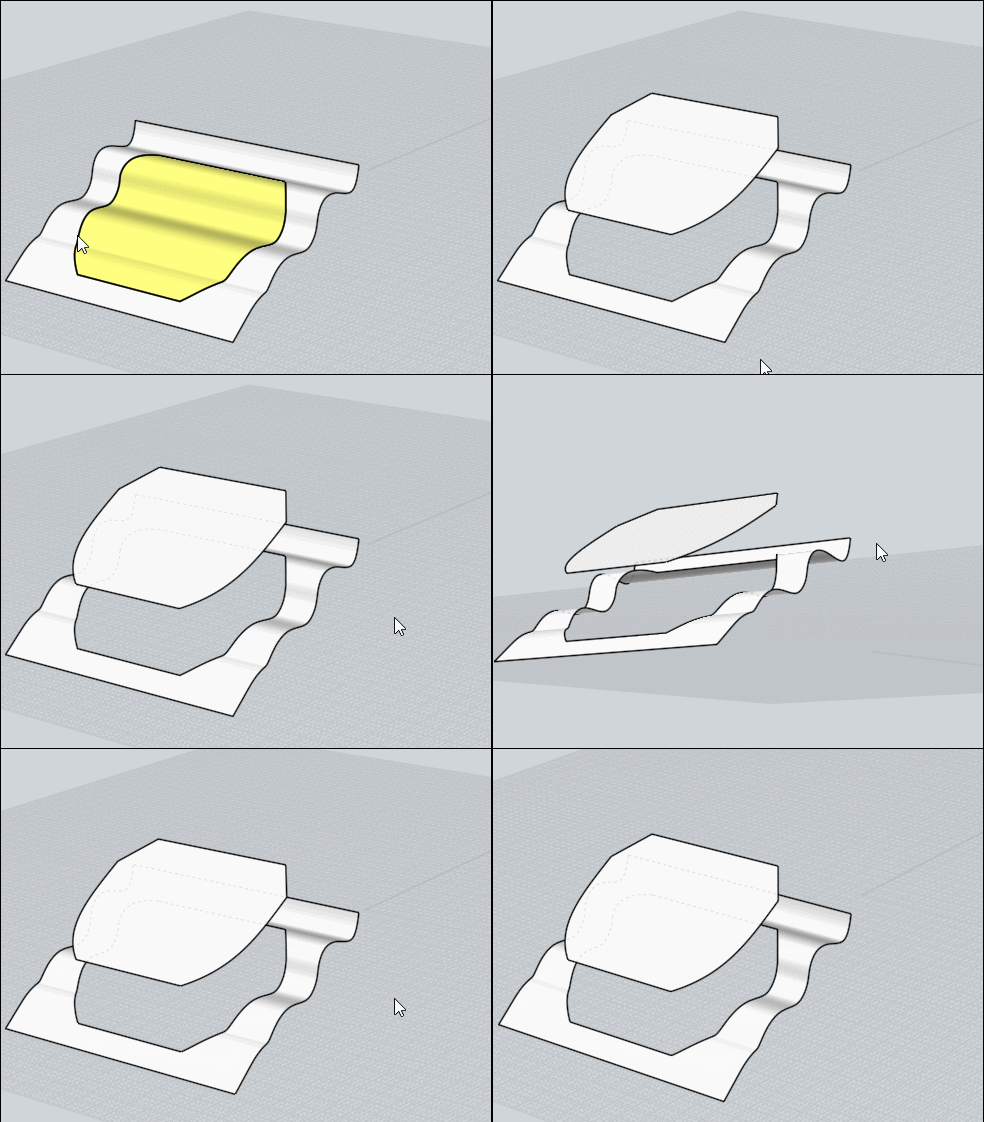
Or that ? ...
After the trim
Extrude again
Draw a plane by 3 Points
Move it
Boolean Isect
et voilĂ  :)
But don't know if it's that you want! :)


  Reply Reply More Options
Post Options
Reply as PM Reply as PM
Print Print
Mark as unread Mark as unread
Relationship Relationship
IP Logged

Previous
Next
 From:  friend (HELLO_MOI_FRIENDS)
9521.46 
Thanks for all the help.

Is there any way to change the top-right view during split view to be Front and have the bottom-right be 3D?
  Reply Reply More Options
Post Options
Reply as PM Reply as PM
Print Print
Mark as unread Mark as unread
Relationship Relationship
IP Logged

Previous
Next
 From:  Michael Gibson
9521.47 In reply to 9521.46 
Hi friend,

re:
> Is there any way to change the top-right view during split view
> to be Front and have the bottom-right be 3D?

Sorry no there isn't.

- Michael
  Reply Reply More Options
Post Options
Reply as PM Reply as PM
Print Print
Mark as unread Mark as unread
Relationship Relationship
IP Logged

Previous
Next
 From:  friend (HELLO_MOI_FRIENDS)
9521.48 
Hello, is there a way to limit what snapping affects or disable an object from being snapped to? Locked objects can still be snapped to...
  Reply Reply More Options
Post Options
Reply as PM Reply as PM
Print Print
Mark as unread Mark as unread
Relationship Relationship
IP Logged

Previous
 From:  Michael Gibson
9521.49 In reply to 9521.48 
Hi friend, there's an option to control snapping to locked objects under Options > Snaps > Object snap options > "Snap to locked objects".

Also you can disable different kinds of snaps by using the menu that pops out above the Object Snap button.

- Michael
  Reply Reply More Options
Post Options
Reply as PM Reply as PM
Print Print
Mark as unread Mark as unread
Relationship Relationship
IP Logged
 

Reply to All Reply to All


Show messages:  1-2  3-22  23-42  43-49