Please Help Me with My Occasional Questions
 1-12  13-32  33-49

Previous
Next
 From:  friend (HELLO_MOI_FRIENDS)
9521.33 
I'm sorry Frenchy, I have a hard time understanding your techniques. Is your technique only for boxes and not various curves?

Michael, the problem is that the Shell command cannot have its angle changed unlike with a planar surface or curve.


  Reply Reply More Options
Post Options
Reply as PM Reply as PM
Print Print
Mark as unread Mark as unread
Relationship Relationship
IP Logged

Previous
Next
 From:  Frenchy Pilou (PILOU)
9521.34 In reply to 9521.33 
Normally that must woks for any volumes! :)
---
Pilou
Is beautiful that please without concept!
My Moi French Site My Gallery My MagicaVoxel Gallery
  Reply Reply More Options
Post Options
Reply as PM Reply as PM
Print Print
Mark as unread Mark as unread
Relationship Relationship
IP Logged

Previous
Next
 From:  Michael Gibson
9521.35 In reply to 9521.33 
Hi friend, it's very helpful if you could please post the .3dm model file of your objects instead of only a screenshot.

For example in this case I would have been able to test with your objects and that may have helped me notice that you wanted a steeper angle result.

So yes Shell produces lofts that are aligned with the surface normals.

If you wanted to do Loft then a quicker way than doing Loft many times would be to use Edit > Join so you had 2 curves which each were made up of 8 segments. Then you can loft between those 2 joined curves. When there are the same number of segments in each curve that will be the equivalent of doing each loft individually between segments.

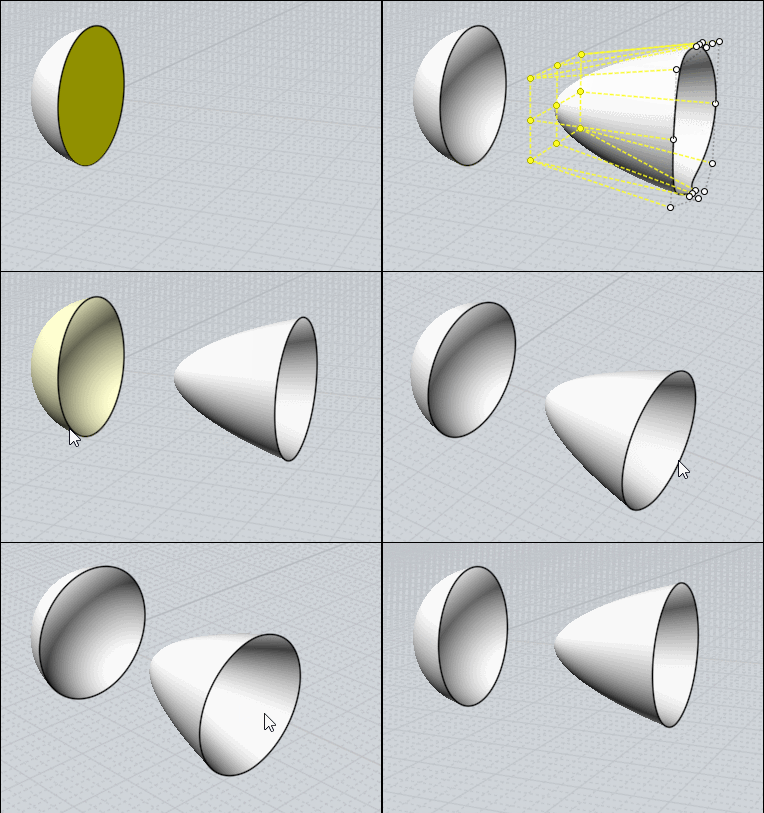
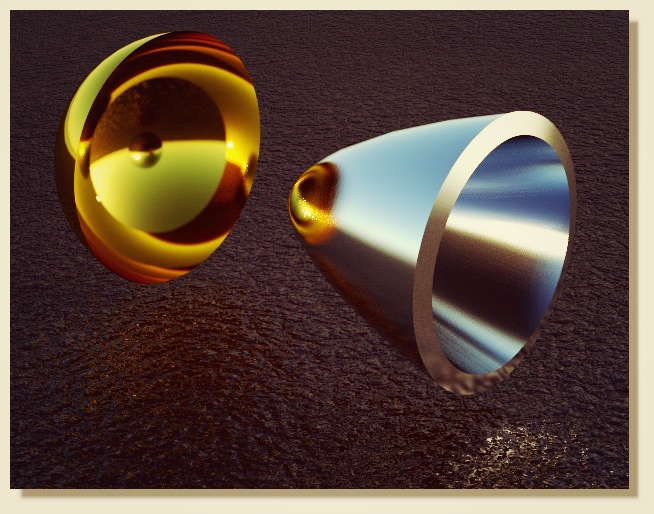
Another way that might be useful would be to make a planar tapered extrude and then beam that onto your sphere using projective Flow. Position the base plane for the flow a little ways inside the shape so that when it's projected the top surface doesn't try to skim directly along the sphere surface because that then makes for difficult booleans.

So that would look like this:

Create planar curve:


Extrude tapered:


Create base plane for flow positioned like this:


Flow with "Projective" option:


Boolean difference:


- Michael

  Reply Reply More Options
Post Options
Reply as PM Reply as PM
Print Print
Mark as unread Mark as unread
Relationship Relationship
IP Logged

Previous
Next
 From:  Frenchy Pilou (PILOU)
9521.36 
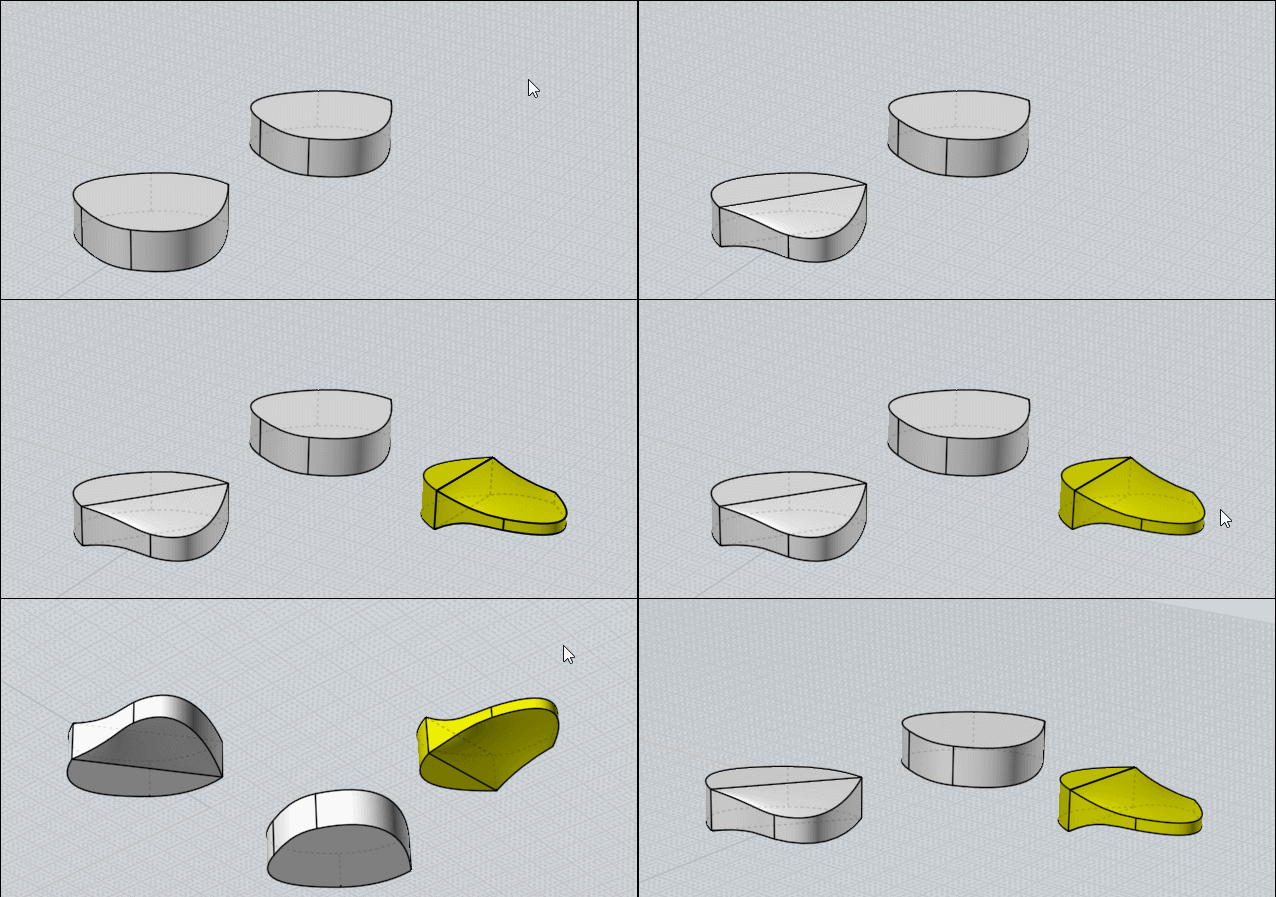
A volume with different curves

Diff the part to taper

here I kill the Top / Bottom faces + one face of the no Tapered part (not indispensable - its just for see the internal volume :)
Separate
Show Points for easy selection of points who will "scaled"
Scale 1D on the Height by a middle
Scale 1D on the Width by a middle

NetWork Top / Bottom
Join All
= I have a Solid

Follow 2 "tapered" from different start face

EDITED: 19 Oct 2019 by PILOU

  Reply Reply More Options
Post Options
Reply as PM Reply as PM
Print Print
Mark as unread Mark as unread
Relationship Relationship
IP Logged

Previous
Next
 From:  Frenchy Pilou (PILOU)
9521.37 
;)
---
Pilou
Is beautiful that please without concept!
My Moi French Site My Gallery My MagicaVoxel Gallery
  Reply Reply More Options
Post Options
Reply as PM Reply as PM
Print Print
Mark as unread Mark as unread
Relationship Relationship
IP Logged

Previous
Next
 From:  Frenchy Pilou (PILOU)
9521.38 
Taper any single surface is like some trivial ;)
Must exist tone of methods...

---
Pilou
Is beautiful that please without concept!
My Moi French Site My Gallery My MagicaVoxel Gallery
  Reply Reply More Options
Post Options
Reply as PM Reply as PM
Print Print
Mark as unread Mark as unread
Relationship Relationship
IP Logged

Previous
Next
 From:  Frenchy Pilou (PILOU)
9521.39 
Free to you to put Shell or not...

---
Pilou
Is beautiful that please without concept!
My Moi French Site My Gallery My MagicaVoxel Gallery
  Reply Reply More Options
Post Options
Reply as PM Reply as PM
Print Print
Mark as unread Mark as unread
Relationship Relationship
IP Logged

Previous
Next
 From:  friend (HELLO_MOI_FRIENDS)
9521.40 
Michael, thanks. Both of those solutions work excellently. Excuse me for not uploading a scene- I assumed that really simple things were easy enough to recreate.

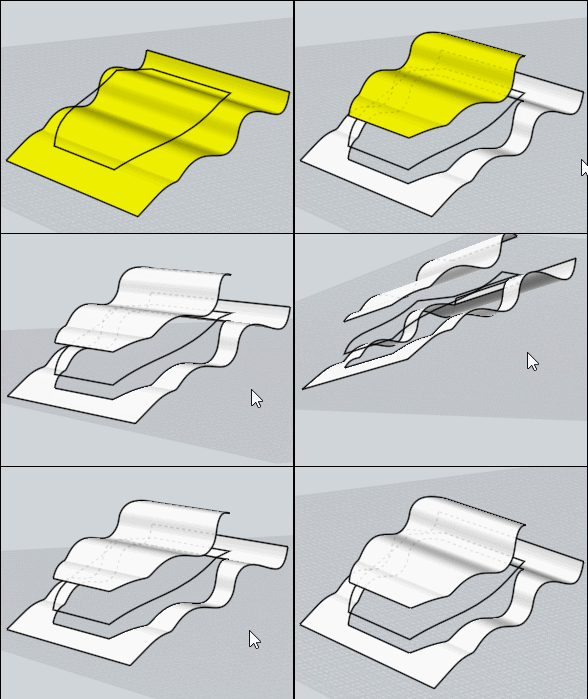
If you scale an uneven curve a "flat" message will appear letting you know it is planar and can be used for Boolean and Trim but is there a way to flatten at an angle? I have a wavy surface, created a curve on it using surface snap but Trim and Boolean don't work. If I scale on an axis it will ruin the shape- I need it to flatten at an angle. Scene included.


Frenchy, I think I have recreated your gif but I can't get Network to work like you have.


  Reply Reply More Options
Post Options
Reply as PM Reply as PM
Print Print
Mark as unread Mark as unread
Relationship Relationship
IP Logged

Previous
Next
 From:  Frenchy Pilou (PILOU)
9521.41 In reply to 9521.40 
Moi is very permissive but it's better to have points at the same coordinates! ;)

  Reply Reply More Options
Post Options
Reply as PM Reply as PM
Print Print
Mark as unread Mark as unread
Relationship Relationship
IP Logged

Previous
Next
 From:  Frenchy Pilou (PILOU)
9521.42 In reply to 9521.40 
Maybe it's not that you want so don't hesitate to explicite more !:)

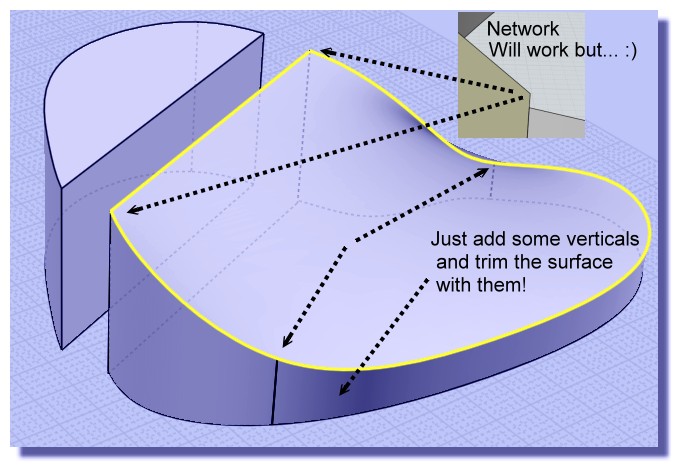
Extrude + Trim must make the trick...


I don't seen that you want flat thing...but if it's just for trim Extrude is sufficient
You can of course take a direction of the Extrude if you want...

You can also make Projection by your curve but the extrude is more illustrative and generally
it's better to make trim or Boolean Diff with surfaces than only curves in complex forms... :)

Ps when you send a file of objects better to put them on the middle of the grid than faraway on the 3D Space! :)

EDITED: 20 Oct 2019 by PILOU

  Reply Reply More Options
Post Options
Reply as PM Reply as PM
Print Print
Mark as unread Mark as unread
Relationship Relationship
IP Logged

Previous
Next
 From:  bemfarmer
9521.43 In reply to 9521.40 
Maybe set a cPlane?
- Brian
  Reply Reply More Options
Post Options
Reply as PM Reply as PM
Print Print
Mark as unread Mark as unread
Relationship Relationship
IP Logged

Previous
Next
 From:  Michael Gibson
9521.44 In reply to 9521.40 
Hi friend,

re:
> If you scale an uneven curve a "flat" message will appear letting you know it is planar and can be
> used for Boolean and Trim but is there a way to flatten at an angle? I have a wavy surface, created
> a curve on it using surface snap but Trim and Boolean don't work. If I scale on an axis it will ruin
> the shape- I need it to flatten at an angle. Scene included.

There are a few different methods - probably the quickest is to use Transform > Scale > Scale1D. That allows you to choose the direction of scaling so if you pick a direction perpendicular to your desired line in the side view then enter a scale factor of 0 that will do it.

If you want to use the edit frame and "flat" snap you could do that by setting the CPlane to your desired angle.

Also you could rotate your objects so the direction you want is aligned with the world axis directions then use flat snap.

- Michael
  Reply Reply More Options
Post Options
Reply as PM Reply as PM
Print Print
Mark as unread Mark as unread
Relationship Relationship
IP Logged

Previous
Next
 From:  Frenchy Pilou (PILOU)
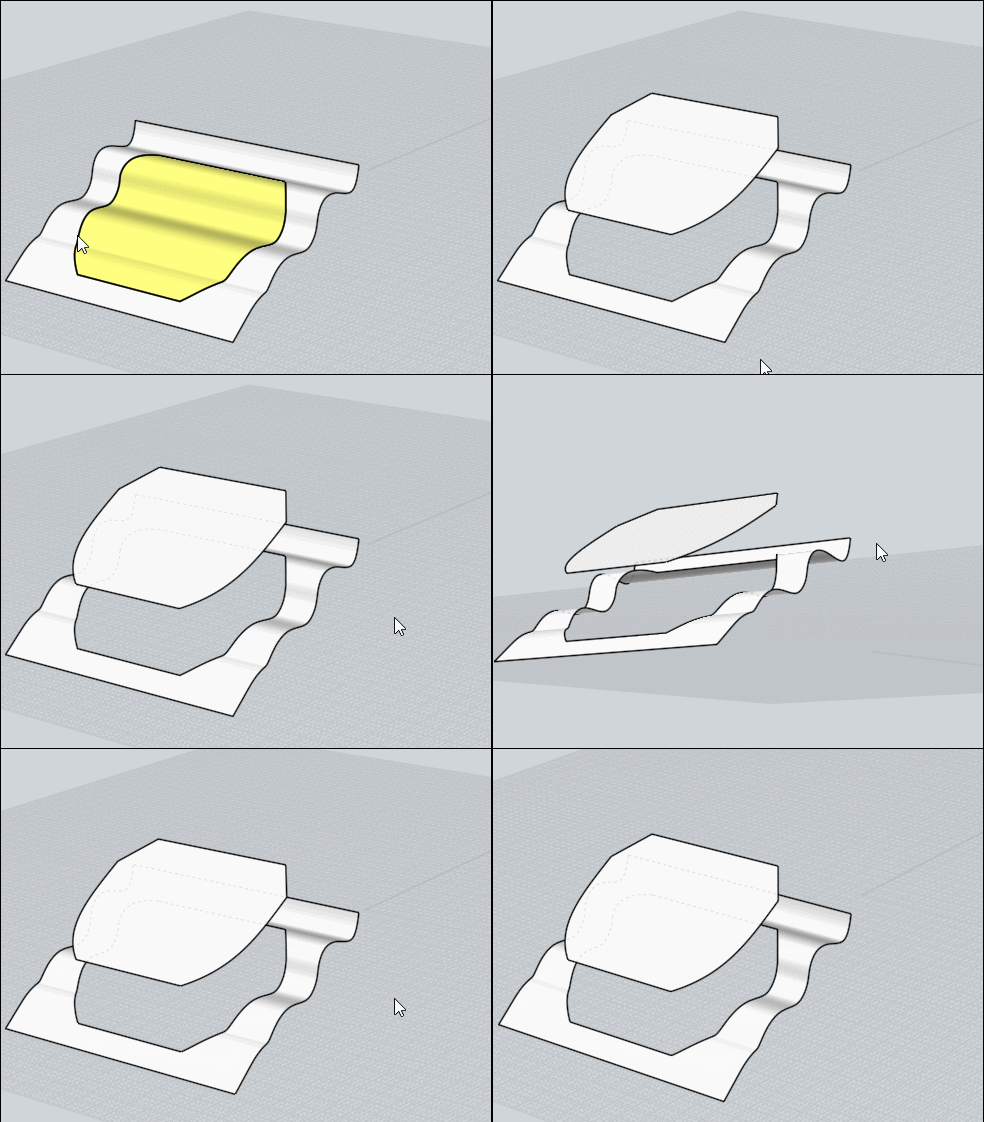
9521.45 
Or that ? ...
After the trim
Extrude again
Draw a plane by 3 Points
Move it
Boolean Isect
et voilĂ  :)
But don't know if it's that you want! :)


  Reply Reply More Options
Post Options
Reply as PM Reply as PM
Print Print
Mark as unread Mark as unread
Relationship Relationship
IP Logged

Previous
Next
 From:  friend (HELLO_MOI_FRIENDS)
9521.46 
Thanks for all the help.

Is there any way to change the top-right view during split view to be Front and have the bottom-right be 3D?
  Reply Reply More Options
Post Options
Reply as PM Reply as PM
Print Print
Mark as unread Mark as unread
Relationship Relationship
IP Logged

Previous
Next
 From:  Michael Gibson
9521.47 In reply to 9521.46 
Hi friend,

re:
> Is there any way to change the top-right view during split view
> to be Front and have the bottom-right be 3D?

Sorry no there isn't.

- Michael
  Reply Reply More Options
Post Options
Reply as PM Reply as PM
Print Print
Mark as unread Mark as unread
Relationship Relationship
IP Logged

Previous
Next
 From:  friend (HELLO_MOI_FRIENDS)
9521.48 
Hello, is there a way to limit what snapping affects or disable an object from being snapped to? Locked objects can still be snapped to...
  Reply Reply More Options
Post Options
Reply as PM Reply as PM
Print Print
Mark as unread Mark as unread
Relationship Relationship
IP Logged

Previous
 From:  Michael Gibson
9521.49 In reply to 9521.48 
Hi friend, there's an option to control snapping to locked objects under Options > Snaps > Object snap options > "Snap to locked objects".

Also you can disable different kinds of snaps by using the menu that pops out above the Object Snap button.

- Michael
  Reply Reply More Options
Post Options
Reply as PM Reply as PM
Print Print
Mark as unread Mark as unread
Relationship Relationship
IP Logged
 

Reply to All Reply to All


Show messages:  1-12  13-32  33-49