How to approach a new model (semi-organic)
All  1  2-6

Previous
Next
 From:  nameless
9248.2 In reply to 9248.1 
Hi LM,

I'm newb, so take what I say with a grain of salt. I think a really cool option would be to import the image in moi and trace the front view with curves (control points or through points, or even sketch if you have a tablet and have drawing skills). Then, extrude to it's width and then boolean subtract and fillet accordingly.

Another option would be to draw multiple curves at different heights of the object (like a heightmap) and then loft them all to get the basic shapes. This is a nice approach if you have several photos from the basic directions so you can tweak the curves accordingly. Samardac does it here to get the basic shape of a helicopter's body: https://www.youtube.com/watch?v=5XMI6mJ2iV0&t=2262s

That's what I came up with, I am sure others with more experience will have more to say. Good luck!
  Reply Reply More Options
Post Options
Reply as PM Reply as PM
Print Print
Mark as unread Mark as unread
Relationship Relationship
IP Logged

Previous
Next
 From:  Michael Gibson
9248.3 In reply to 9248.1 
Hi LM, it will probably be difficult to get a hand carved look like that when using a CAD program like MoI. It's going to look more machined.

It would probably be better to model in a Sub-D modeling program rather than in a CAD program.

But can you please post some of the model files that you talk about so I can see some of the problem areas?

- Michael
  Reply Reply More Options
Post Options
Reply as PM Reply as PM
Print Print
Mark as unread Mark as unread
Relationship Relationship
IP Logged

Previous
Next
 From:  Barry-H
9248.4 In reply to 9248.1 
Hi,
you could try Max's subD within Moi.
Barry


Attachments:

  Reply Reply More Options
Post Options
Reply as PM Reply as PM
Print Print
Mark as unread Mark as unread
Relationship Relationship
IP Logged

Previous
Next
 From:  Frenchy Pilou (PILOU)
9248.5 
Perfect! Cuty! Bravo!

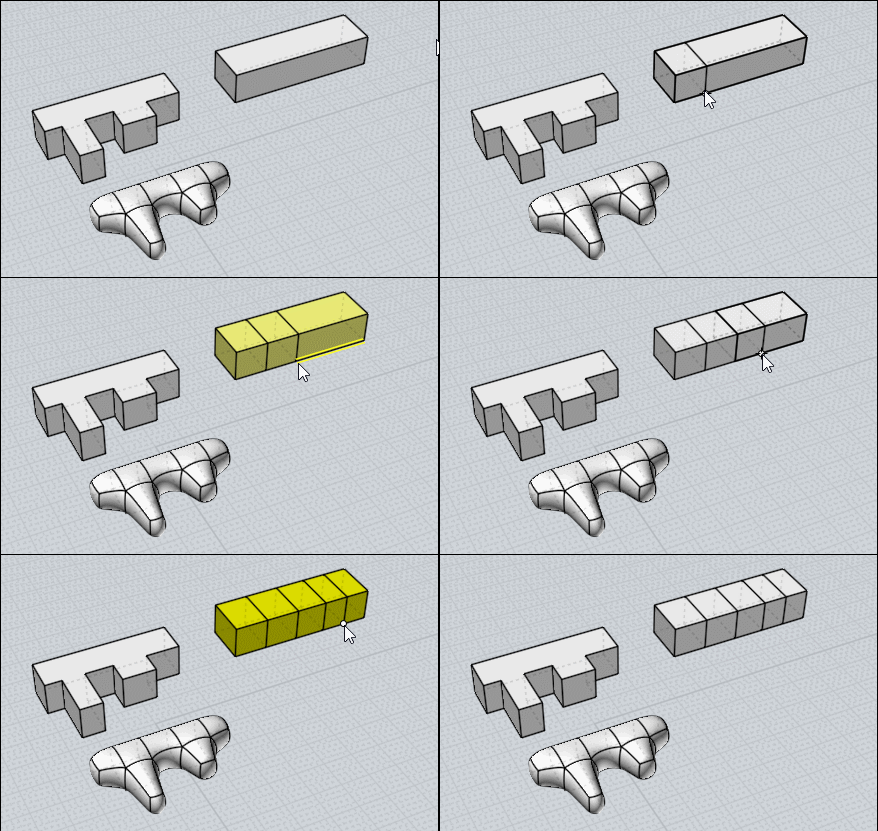
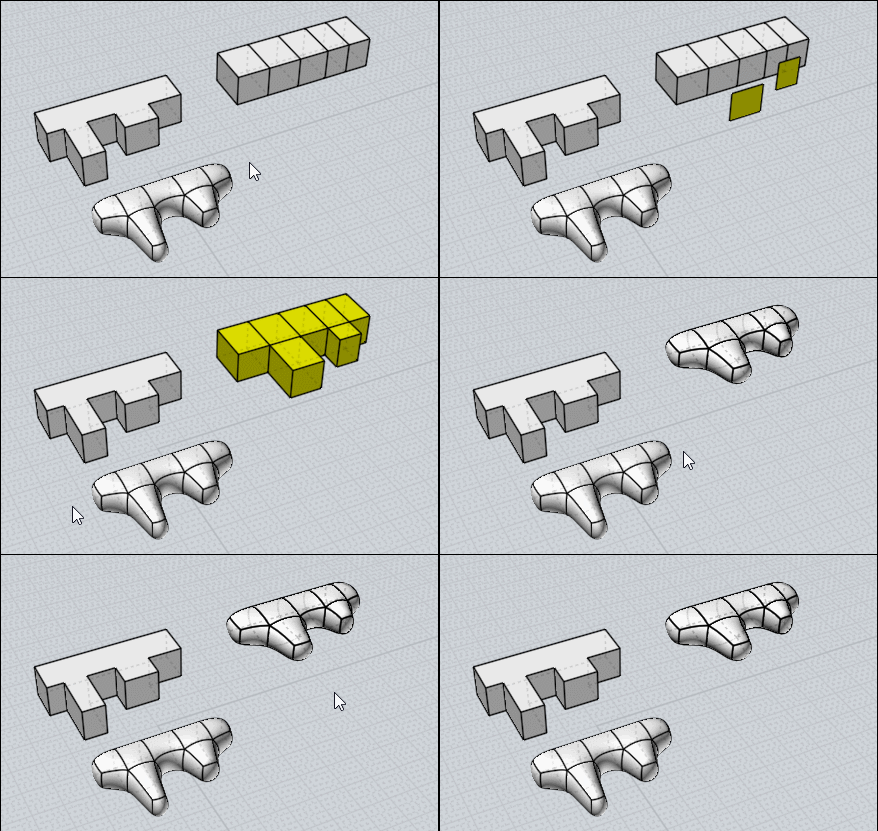
Some tricks for SubD modeling with Max Smirnov plugins ;)
(if you don't want export as obj and reload by the new SUBD function of the new Beta V4)

SSplit for trim a volume (left volume can't be subdivided so...)


Copy / Move faces for Bridge them (one by one)

EDITED: 10 Feb 2019 by PILOU

  Reply Reply More Options
Post Options
Reply as PM Reply as PM
Print Print
Mark as unread Mark as unread
Relationship Relationship
IP Logged

Previous
 From:  LM (LOSTMARBLE)
9248.6 
These subdivision tips are super helpful - thanks!

Michael, I thought about using a subd modeler, but the picture I attached is just part of what I want to do. There are other tools that MoI is particularly good at that I want to use as well. These sub tools might be the perfect combination.

And sorry, I don't have the models to attach because as they didn't work out I just didn't save them...
  Reply Reply More Options
Post Options
Reply as PM Reply as PM
Print Print
Mark as unread Mark as unread
Relationship Relationship
IP Logged
 

Reply to All Reply to All


Show messages: All  1  2-6