Sweep between 2 curves - use only a portion of those curves
All  1  2-8

Previous
Next
 From:  Frenchy Pilou (PILOU)
9175.2 In reply to 9175.1 
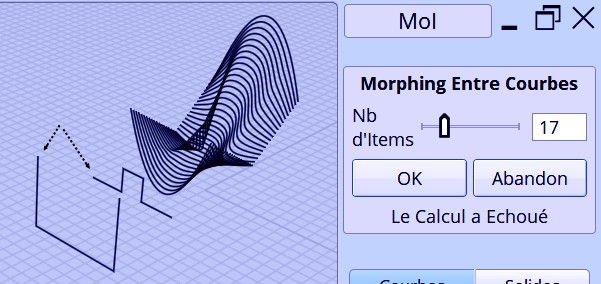
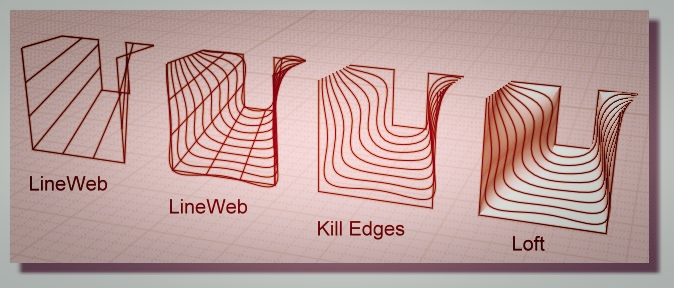
You have yet some tools like CMorph or LineWeb for simulate some surfaces between any parts or curves...


A cool tut ;)
https://www.etereaestudios.com/docs_html/nixus_htm/nixus_index.htm

EDITED: 16 Dec 2018 by PILOU

  Reply Reply More Options
Post Options
Reply as PM Reply as PM
Print Print
Mark as unread Mark as unread
Relationship Relationship
IP Logged

Previous
Next
 From:  Fred (FRED_LEARNS_MOI3D)
9175.3 In reply to 9175.2 
It is not exactly what I was looking for but it's a very interesting tool that I'll investigate, it could certainly automate the cross-sectionning
Thanks for the hint!
  Reply Reply More Options
Post Options
Reply as PM Reply as PM
Print Print
Mark as unread Mark as unread
Relationship Relationship
IP Logged

Previous
Next
 From:  Fred (FRED_LEARNS_MOI3D)
9175.4 In reply to 9175.3 
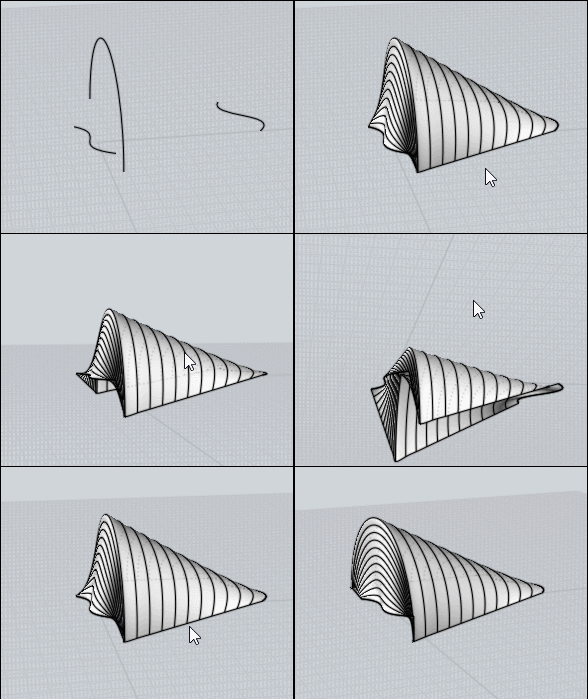
My explanations were poor so I'm adding an example in GIF format:
Image Attachments:
Size: 4.3 MB, Downloaded: 77 times, Dimensions: 1280x720px
  Reply Reply More Options
Post Options
Reply as PM Reply as PM
Print Print
Mark as unread Mark as unread
Relationship Relationship
IP Logged

Previous
Next
 From:  Michael Gibson
9175.5 In reply to 9175.1 
Hi Fred, you should be able to control the length by using the Edit > Trim command to cut longer pieces to the length you want.

Or you might also try the Construct > Network command instead of sweep, it will internally trim off excess ends unlike sweep.

Sweep is set up to use the full length of the curve so you can do one rail sweeps like this with one profile at the center of the rail:


- Michael

  Reply Reply More Options
Post Options
Reply as PM Reply as PM
Print Print
Mark as unread Mark as unread
Relationship Relationship
IP Logged

Previous
Next
 From:  Fred (FRED_LEARNS_MOI3D)
9175.6 In reply to 9175.5 
I just discovered we can trigger the "Add trim point" with a shortcut in Edit > Trim = AWESOME
  Reply Reply More Options
Post Options
Reply as PM Reply as PM
Print Print
Mark as unread Mark as unread
Relationship Relationship
IP Logged

Previous
Next
 From:  Michael Gibson
9175.7 In reply to 9175.6 
Hi Fred, yes that's new in v4. You may have already seen it but it is mentioned in the Dec-11-2017 v4 release notes:
http://moi3d.com/wiki/V4Beta#Dec-11-2017

So with that you can set up a keyboard shortcut that also triggers different UI actions like pushing a button or changing a drop-down setting.

- Michael
  Reply Reply More Options
Post Options
Reply as PM Reply as PM
Print Print
Mark as unread Mark as unread
Relationship Relationship
IP Logged

Previous
 From:  VG (VEGASGUITARS)
9175.8 In reply to 9175.7 
Very cool . . .
  Reply Reply More Options
Post Options
Reply as PM Reply as PM
Print Print
Mark as unread Mark as unread
Relationship Relationship
IP Logged
 

Reply to All Reply to All


Show messages: All  1  2-8