To handle Sub Divisions
All  1  2-7

Previous
Next
 From:  Frenchy Pilou (PILOU)
8973.2 In reply to 8973.1 
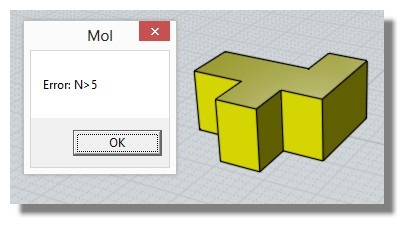
You must have generally "Quads" faces of the object for make SUbdivisions
or no more 5 polygons !


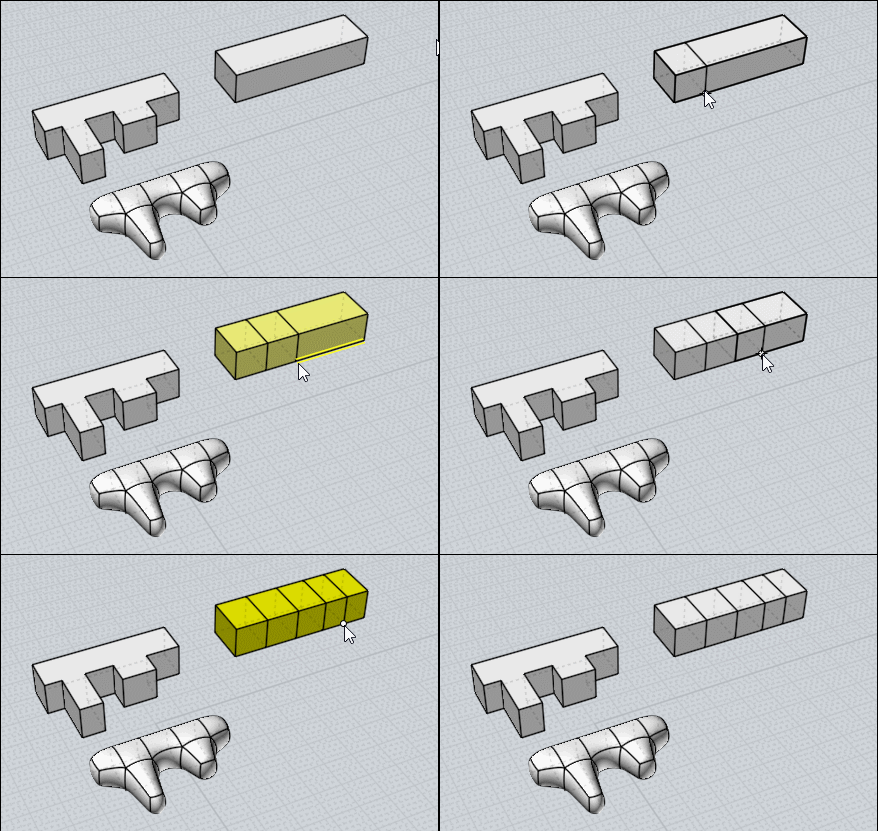
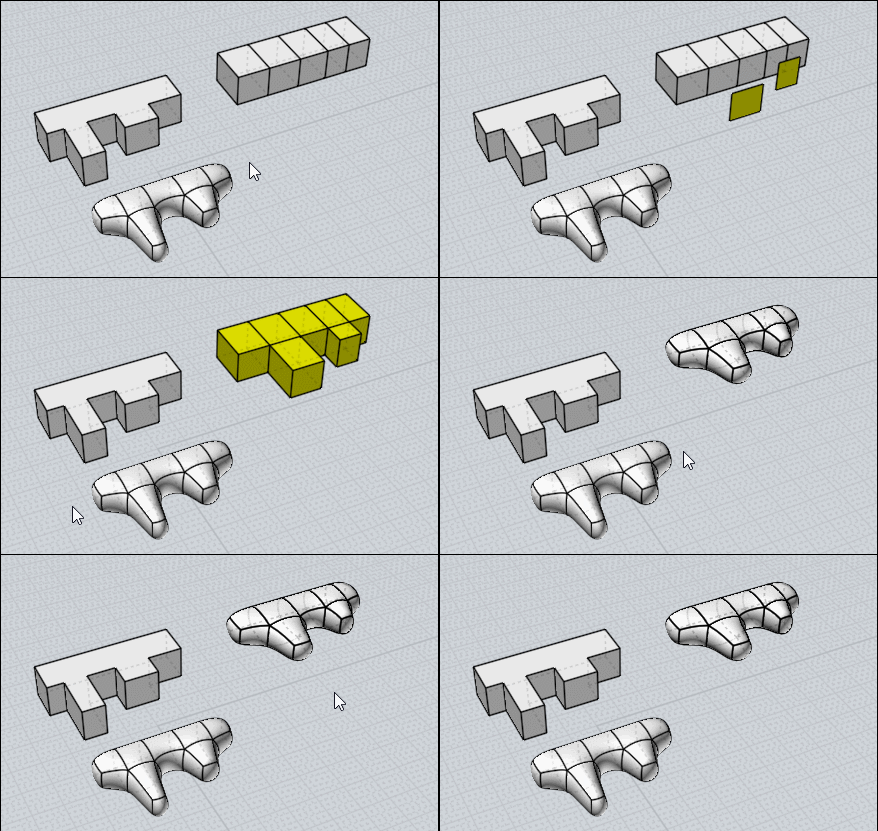
So make first this sort of face subDivision


Or more generally you can use sSplit, sBridge, sScale By Max Smirnov
http://moi3d.com/forum/index.php?webtag=MOI&msg=6674.254

(in this object Top / Bottom faces will not subdivided - too much polygons)

Here use sSplit (don't select object but FACES-edge !!! )


Use only SBridge for create the "Bridge(s)" face to face (make them manually will not works for the SubDivision)

and then use SubDivision :)

EDITED: 14 Jun 2018 by PILOU

  Reply Reply More Options
Post Options
Reply as PM Reply as PM
Print Print
Mark as unread Mark as unread
Relationship Relationship
IP Logged

Previous
Next
 From:  Michael Gibson
8973.3 In reply to 8973.1 
Hi Raymond, yes like Pilou says the problem you've got there is you have many faces that have more than 4 edges. A sub-d model needs to have things divided up into smaller elements than that, it has to be made up of quad polygons not like your structure.

A model like you show there with lots of planar areas is better to do in NURBS than in sub-d anyway, just select what you've already built and run the Construct > Fillet command to smooth off its edges rather than trying to do sub-d on it:


- Michael

  Reply Reply More Options
Post Options
Reply as PM Reply as PM
Print Print
Mark as unread Mark as unread
Relationship Relationship
IP Logged

Previous
Next
 From:  amur (STEFAN)
8973.4 
Hi,

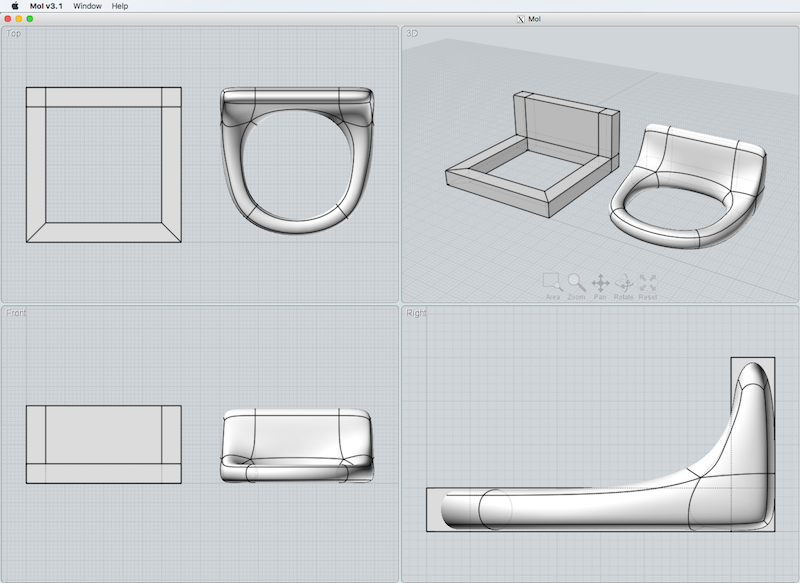
i gave the shape a quick try, so that you can see how the faces should look
like, in order to use Max's subd script. Depending of what look you are after
you may have to add some edge loops, so that the shape looks more like
Michael's example.

Hope this helps.

Bildschirmfoto_2018-06-14_um_14.52.07
picture hosting

Regards
Stefan
  Reply Reply More Options
Post Options
Reply as PM Reply as PM
Print Print
Mark as unread Mark as unread
Relationship Relationship
IP Logged

Previous
Next
 From:  RayCAD1962 (RAYCAD003)
8973.5 In reply to 8973.4 
I don't have words to say, Thank you for your professional way that I so in you all there.

With your help I manage to use these amaze commands and hope that Michael incorporate them to the new V4.
Make an area for them because it's nice to have them.

Thanks again for your effort to everyone there.

Regards,

Raymond
  Reply Reply More Options
Post Options
Reply as PM Reply as PM
Print Print
Mark as unread Mark as unread
Relationship Relationship
IP Logged

Previous
Next
 From:  RayCAD1962 (RAYCAD003)
8973.6 In reply to 8973.5 
Hi all,

With your help provided, I made this so far and I am very happy that I done it.

thanks again,

Raymond
Image Attachments:
Size: 331.5 KB, Downloaded: 93 times, Dimensions: 1920x1042px
  Reply Reply More Options
Post Options
Reply as PM Reply as PM
Print Print
Mark as unread Mark as unread
Relationship Relationship
IP Logged

Previous
 From:  Frenchy Pilou (PILOU)
8973.7 
Cuty beginnings!
---
Pilou
Is beautiful that please without concept!
My Moi French Site My Gallery
  Reply Reply More Options
Post Options
Reply as PM Reply as PM
Print Print
Mark as unread Mark as unread
Relationship Relationship
IP Logged
 

Reply to All Reply to All


Show messages: All  1  2-7