Little Tips & Tricks :)
 1-16  17-36  37-56  57-60

Previous
Next
 From:  mkdm
8847.17 In reply to 8847.16 
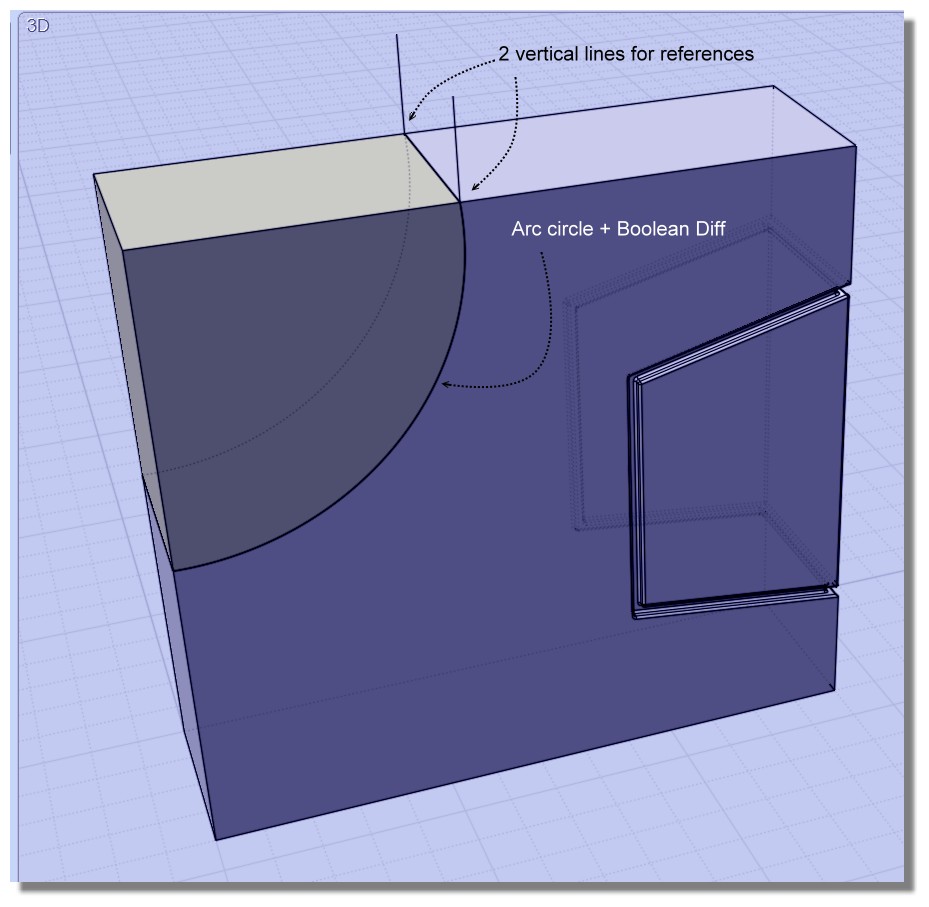
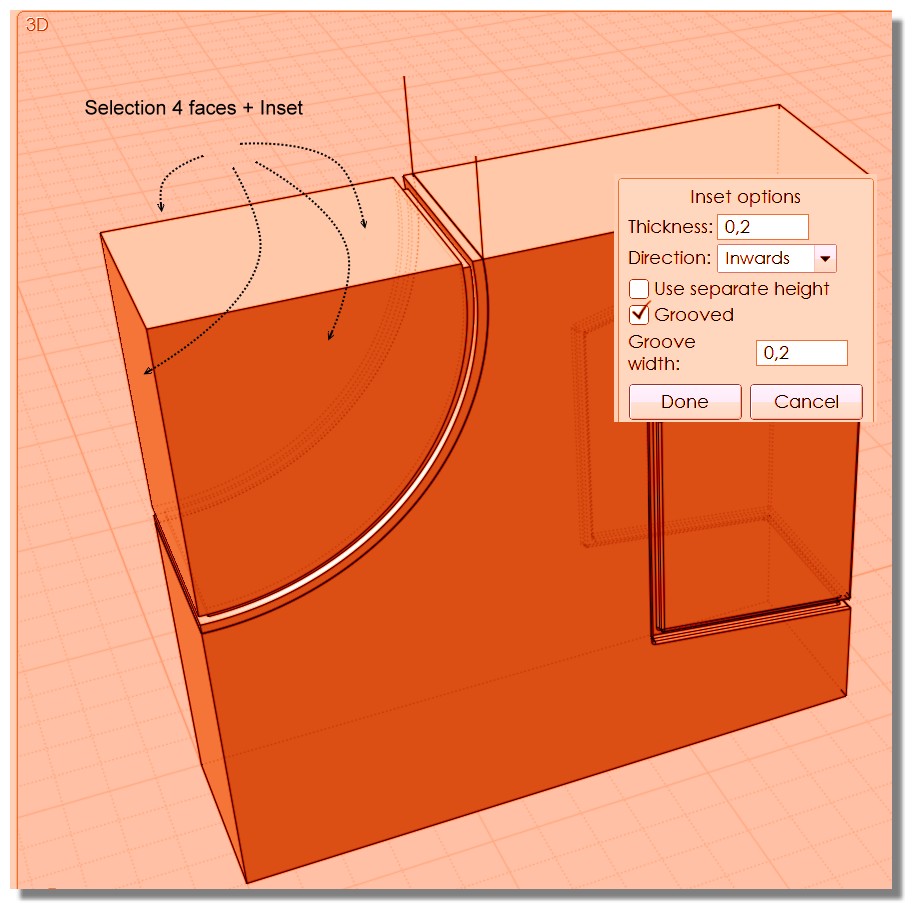
P.S. The same identical behavior happens if I use the "Inset" command.

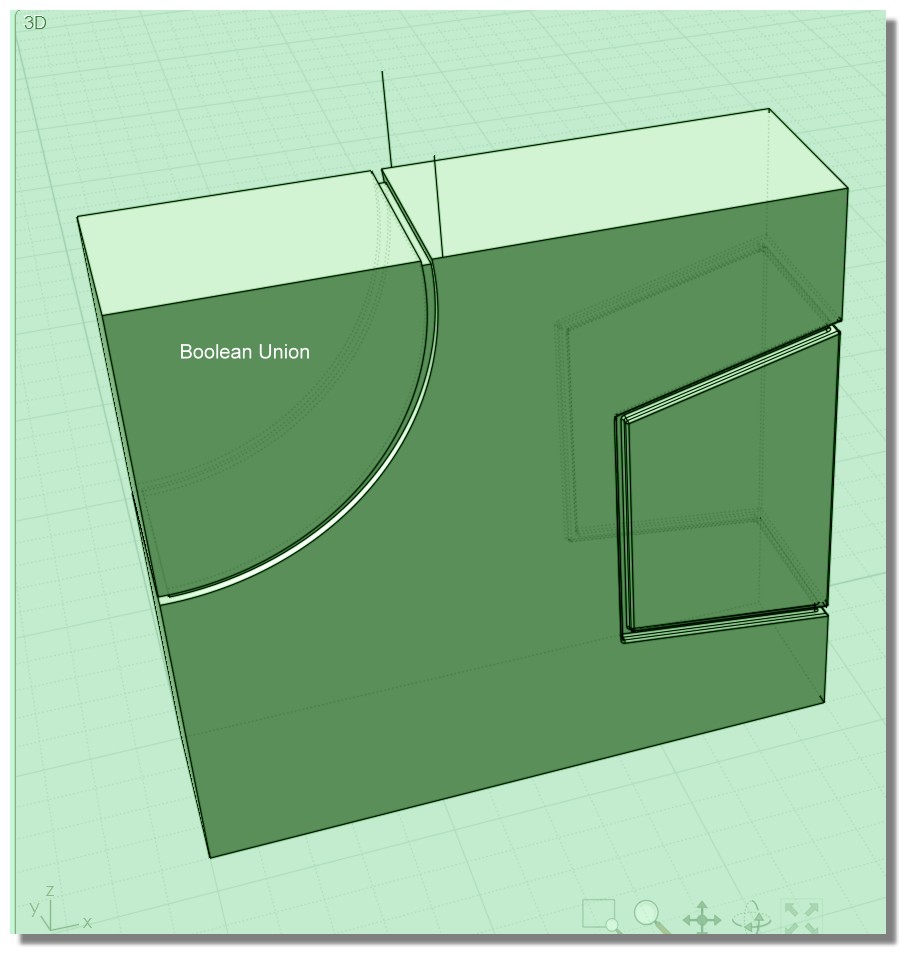
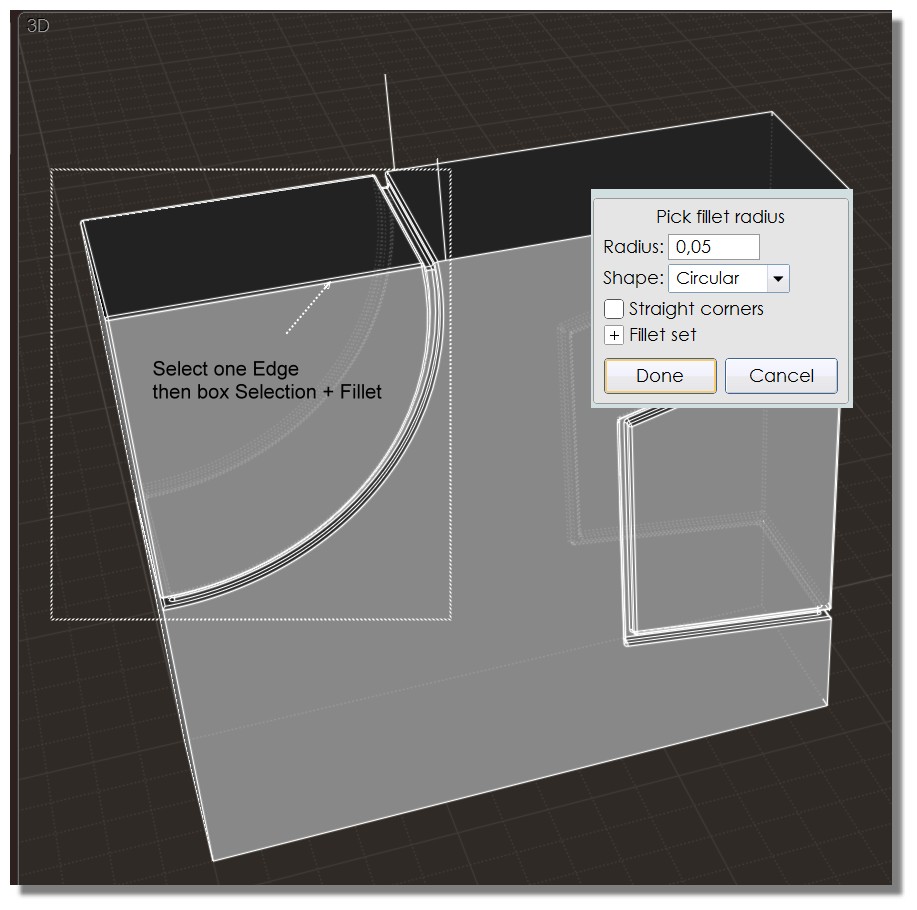
On Circular fillet doesn't work


on G2 fillet it works.

- Marco (mkdm)
  Reply Reply More Options
Post Options
Reply as PM Reply as PM
Print Print
Mark as unread Mark as unread
Relationship Relationship
IP Logged

Previous
Next
 From:  Michael Gibson
8847.18 In reply to 8847.17 
Hi Marco, that's a bug in V3 that has already been fixed in V4. The bug had to do with the fillet corners for the circular case not creating an analytic sphere surface class. When you save and reload the file it does get a specialized analytic sphere surface type for the corners and that's what makes the different behavior in v3.

According to my notes it was reported by Pilou last year through e-mail and I fixed it on May 22, 2017 so all released versions of v4 should have the fix in it.

> P.S. The same identical behavior happens if I use the "Inset" command.

Same thing there as well - should be fixed in v4 already.


- Michael
  Reply Reply More Options
Post Options
Reply as PM Reply as PM
Print Print
Mark as unread Mark as unread
Relationship Relationship
IP Logged

Previous
Next
 From:  mkdm
8847.19 In reply to 8847.18 
@You : "...Same thing there as well - should be fixed in v4 already..."

Perfect Michael!

Tested on V4 and it works!

I was not aware of this behavior.

Thanks and have a nice day.

- Marco (mkdm)
  Reply Reply More Options
Post Options
Reply as PM Reply as PM
Print Print
Mark as unread Mark as unread
Relationship Relationship
IP Logged

Previous
Next
 From:  Frenchy Pilou (PILOU)
8847.20 
Variation of the Chipp Walters Tip! ;)


  Reply Reply More Options
Post Options
Reply as PM Reply as PM
Print Print
Mark as unread Mark as unread
Relationship Relationship
IP Logged

Previous
Next
 From:  mkdm
8847.21 In reply to 8847.20 
Very nice!

- Marco (mkdm)
  Reply Reply More Options
Post Options
Reply as PM Reply as PM
Print Print
Mark as unread Mark as unread
Relationship Relationship
IP Logged

Previous
Next
 From:  mkdm
8847.22 
Hello everyone!

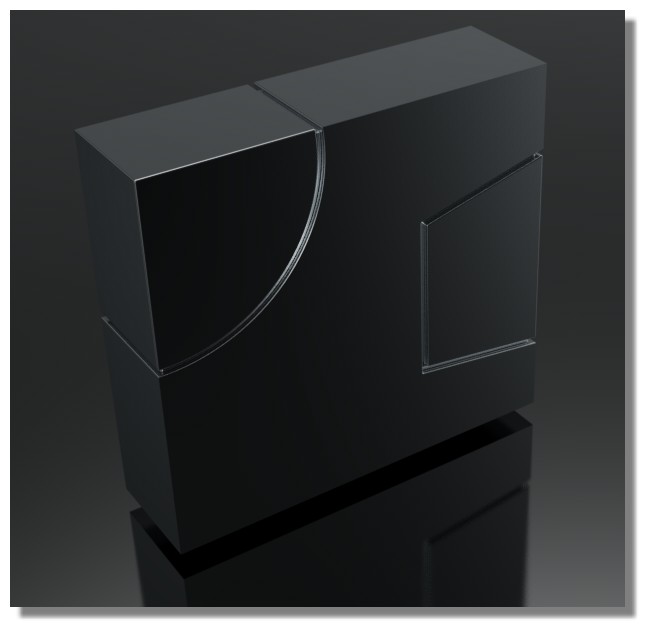
My two cents for a little Voronoi trick to get all things with filleting in two shots.

Works very well on simple Voronoi.

Check this video : http://take.ms/YNCkl


Ciao!

- Marco (mkdm)
  Reply Reply More Options
Post Options
Reply as PM Reply as PM
Print Print
Mark as unread Mark as unread
Relationship Relationship
IP Logged

Previous
Next
 From:  Finema
8847.23 In reply to 8847.22 
bravo !
  Reply Reply More Options
Post Options
Reply as PM Reply as PM
Print Print
Mark as unread Mark as unread
Relationship Relationship
IP Logged

Previous
Next
 From:  mkdm
8847.24 In reply to 8847.23 
Thanks :)

- Marco (mkdm)
  Reply Reply More Options
Post Options
Reply as PM Reply as PM
Print Print
Mark as unread Mark as unread
Relationship Relationship
IP Logged

Previous
Next
 From:  Frenchy Pilou (PILOU)
8847.25 
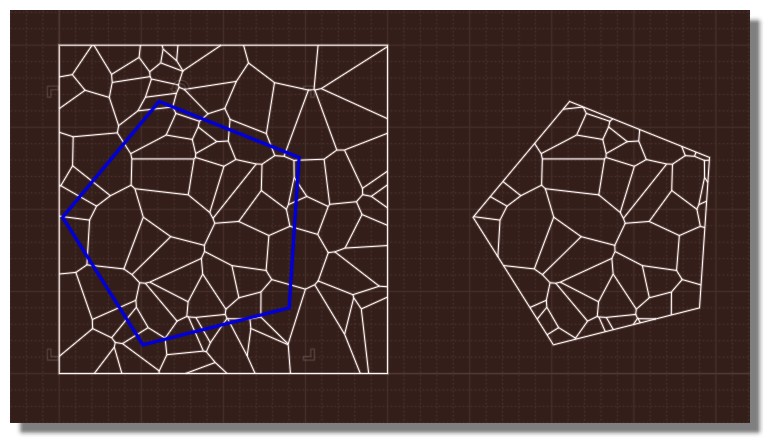
About Voronoi :)
Just a boolean operation for inside any figure! :)

---
Pilou
Is beautiful that please without concept!
My Moi French Site My Gallery
  Reply Reply More Options
Post Options
Reply as PM Reply as PM
Print Print
Mark as unread Mark as unread
Relationship Relationship
IP Logged

Previous
Next
 From:  Metin Seven (METINSEVEN)
8847.26 In reply to 8847.13 
Thanks for the "select Edges > Merge > BlendCap" addition, Finema. Hadn't thought of that alternative yet.

Regards,

— Metin

———————

visualization • pixel art • illustration • 3D design — https://metinseven.com

  Reply Reply More Options
Post Options
Reply as PM Reply as PM
Print Print
Mark as unread Mark as unread
Relationship Relationship
IP Logged

Previous
Next
 From:  Frenchy Pilou (PILOU)
8847.27 
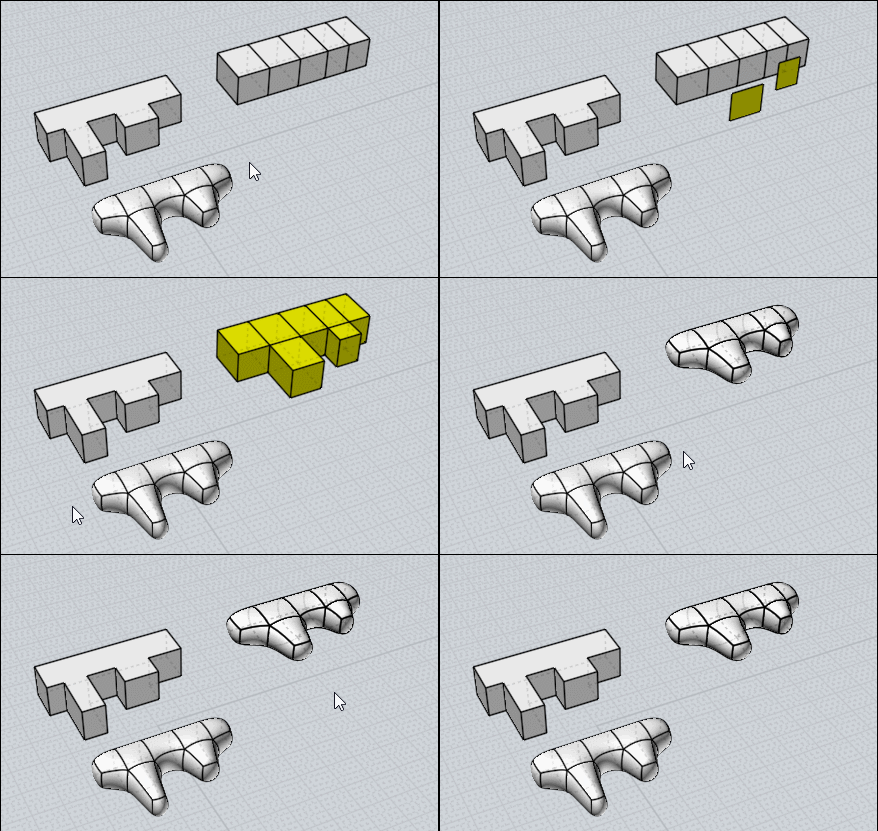
As a form like this can't be SuDivided directly (Top face more than 5 edges)
All Plugins by Max Smirnov

Use SSPlit for trim
Use SBridge for "Blend Faces" only 2 by 2
Use _SUbD for SubDivide


Copy / Move faces
Bridge them


Extrude to Point or Nsided (Kill the caps before) can be used for simple form :)

EDITED: 1 Mar 2018 by PILOU

  Reply Reply More Options
Post Options
Reply as PM Reply as PM
Print Print
Mark as unread Mark as unread
Relationship Relationship
IP Logged

Previous
Next
 From:  Franz
8847.28 In reply to 8847.2 
Hello!

SubD trials in Pilou's instructions. Tried to draw upholstery parts of a chair with SubD. It is necessary to rethink something, because the result is not yet visible when the initial form is created.
I created this one from a cuboid and used "bridge" for the "nose" in front of the seat. Then I noticed that once you split the surfaces with Split or Iso, you get points in the body that can be moved. In this way, it is possible to get closer to the desired shape and achieve the desired "upholstery effect".
Thanks for the help, you can see, it'll be all right.....

EDITED: 4 Mar 2018 by FRANZ

Image Attachments:
Size: 971 KB, Downloaded: 72 times, Dimensions: 640x360px
Size: 469.8 KB, Downloaded: 66 times, Dimensions: 640x360px
  Reply Reply More Options
Post Options
Reply as PM Reply as PM
Print Print
Mark as unread Mark as unread
Relationship Relationship
IP Logged

Previous
Next
 From:  Frenchy Pilou (PILOU)
8847.29 
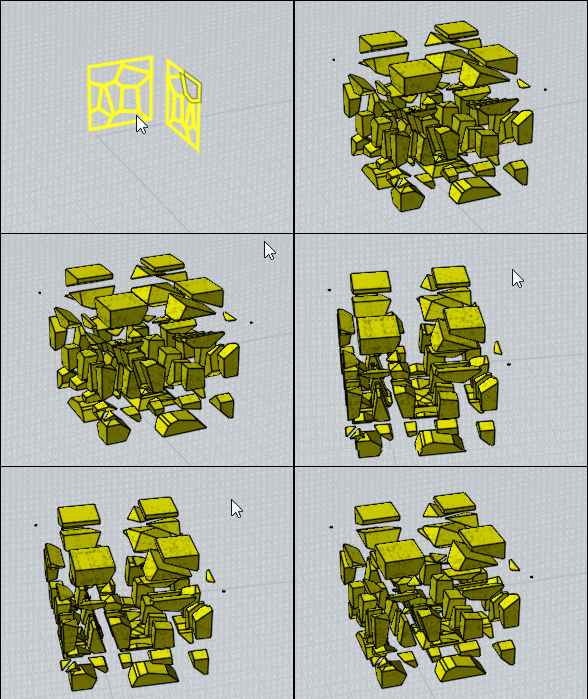
With the new _Voronoi by Max Smirnov:)

Take 2 sets and use the ISect Boolean Function! ( whith Union Sets disabled )
then ExplodeMove hidden function
Have fun!
Here twice the same but you can take any things! :)

EDITED: 4 Mar 2018 by PILOU

  Reply Reply More Options
Post Options
Reply as PM Reply as PM
Print Print
Mark as unread Mark as unread
Relationship Relationship
IP Logged

Previous
Next
 From:  mkdm
8847.30 In reply to 8847.29 
Cool!!

Thanks a lot for this tip.

- Marco (mkdm)
  Reply Reply More Options
Post Options
Reply as PM Reply as PM
Print Print
Mark as unread Mark as unread
Relationship Relationship
IP Logged

Previous
Next
 From:  Rudl
8847.31 
Wow, thank you very much for this tip.
  Reply Reply More Options
Post Options
Reply as PM Reply as PM
Print Print
Mark as unread Mark as unread
Relationship Relationship
IP Logged

Previous
Next
 From:  Metin Seven (METINSEVEN)
8847.32 In reply to 8847.29 
That's quite a cool technique, Pilou, thanks for sharing!

Regards,

— Metin

———————

visualization • pixel art • illustration • 3D design — https://metinseven.com

  Reply Reply More Options
Post Options
Reply as PM Reply as PM
Print Print
Mark as unread Mark as unread
Relationship Relationship
IP Logged

Previous
Next
 From:  amur (STEFAN)
8847.33 
Hi Pilou,

have you seen this at ZBCentral? :-)


Regards
Stefan
Attachments:

  Reply Reply More Options
Post Options
Reply as PM Reply as PM
Print Print
Mark as unread Mark as unread
Relationship Relationship
IP Logged

Previous
Next
 From:  Frenchy Pilou (PILOU)
8847.34 In reply to 8847.33 
Yep! Boozy was an old ZB artist friend of the golden age! :)
  Reply Reply More Options
Post Options
Reply as PM Reply as PM
Print Print
Mark as unread Mark as unread
Relationship Relationship
IP Logged

Previous
Next
 From:  Metin Seven (METINSEVEN)
8847.35 In reply to 8847.33 
Pilou and I are trying to get Boozy to hop on board over here. He's a really sympathetic chap.

Regards,

— Metin

———————

visualization • pixel art • illustration • 3D design — https://metinseven.com

  Reply Reply More Options
Post Options
Reply as PM Reply as PM
Print Print
Mark as unread Mark as unread
Relationship Relationship
IP Logged

Previous
Next
 From:  amur (STEFAN)
8847.36 
I would love to see works from him, done with ZBrush and MoI.

Would be very interesting what he would come up with when using MoI.

BTW. Is he also "The Candy-floss Kid" from the 3DCoat Forum, because
the art style and images looks the same?

Regards
Stefan
  Reply Reply More Options
Post Options
Reply as PM Reply as PM
Print Print
Mark as unread Mark as unread
Relationship Relationship
IP Logged
 

Reply to All Reply to All


Show messages:  1-16  17-36  37-56  57-60