Entrelacs Géométriques II - Geometric Interlacing
All  1-3  4-7

Previous
Next
 From:  Zooen
12124.4 
Hello Michael,

Would you have a bit of time to write a script that would automatically create a point at the center of a circle tangent to three edges of a surface (which is flat in my case)?
At the moment, I create a circle tangent to the three edges, then use BoundingBoxCenter to create my point. Next, I delete the circle and finally, I use EditCenterPosition to position it at -6 in the Z-axis.
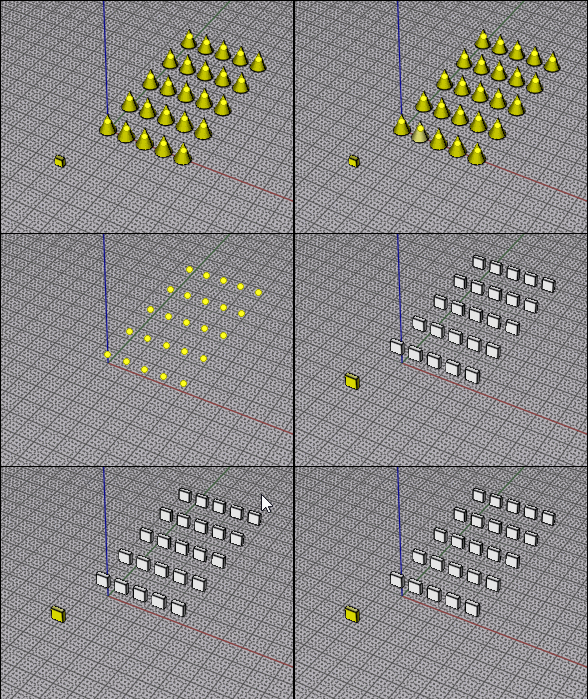
Below is an image to illustrate what I mean. Note: the blue face is at -9 units along the Z-axis.
I need to create a hundred points for my panel, and I still have 17 panels to create (17 × 100 = 1700 !).

Kind regards

- Zooen
Image Attachments:
Size: 251.3 KB, Downloaded: 14 times, Dimensions: 1080x907px
  Reply Reply More Options
Post Options
Reply as PM Reply as PM
Print Print
Mark as unread Mark as unread
Relationship Relationship
IP Logged

Previous
Next
 From:  Frenchy Pilou (PILOU)
12124.5 
If It's the "same object" maybe you can use VClone ?

  Reply Reply More Options
Post Options
Reply as PM Reply as PM
Print Print
Mark as unread Mark as unread
Relationship Relationship
IP Logged

Previous
Next
 From:  Michael Gibson
12124.6 In reply to 12124.4 
Hi Zooen, do you want the script to work by clicking 3 points, the same input given to the Circle Tangent command, but instead of making a circle it makes a center point at a specificed z level?

- Michael
  Reply Reply More Options
Post Options
Reply as PM Reply as PM
Print Print
Mark as unread Mark as unread
Relationship Relationship
IP Logged

Previous
 From:  Zooen
12124.7 In reply to 12124.6 
Hi Michael,
Yes, that’s exactly right.
I run the Circles Tan function, click on the three points of tangency on the edges, and the script prompts me for the Z-coordinate. In fact, it automatically handles, in the background, the creation of the circle, the creation of the circle’s center point, and the deletion of the circle, and simply prompts me to enter the Z-coordinate. The point is created in the right place at the correct Z-coordinate.

I no longer need to manually use `BoundingBoxCenter`, delete the circle, select the point and manually use `EditCenterPoint` to choose the Z-coordinate.

But perhaps it’s not quite as simple as that!
  Reply Reply More Options
Post Options
Reply as PM Reply as PM
Print Print
Mark as unread Mark as unread
Relationship Relationship
IP Logged
 

Reply to All Reply to All


Show messages: All  1-3  4-7