RefWarp addon
 1  2-21  22-41  42

Previous
Next
 From:  blowlamp
12097.22 In reply to 12097.21 
Hi Krass.

Version 1.1 is installed and running well.

I often receive photographs of parts and name plates which need to be replicated. These are often taken from odd angles and it makes the job much more awkward to do, so when I saw your addon it seemed like it could help me out.

Having had a little time to get used to RefWarp, I'm convinced it is going to be a great help in my work.
I really like how it's possible to 'pin down' areas of the picture so they don't move whilst surrounding parts are eased into their new positions - it works very well indeed!

Just to add that I also installed Gimp and whilst it did allow me to manipulate my test image to a degree, I found it less intuitive than RefWarp.

Thanks Krass for a very nice addon to MoI.

Martin.
  Reply Reply More Options
Post Options
Reply as PM Reply as PM
Print Print
Mark as unread Mark as unread
Relationship Relationship
IP Logged

Previous
Next
 From:  krass
12097.23 
Hello everyone, colleagues and friends!
Regarding external editors (Photoshop, Gimp, Illustrator, etc.).
Here's the original photo – try making the same one in any external editor.
At the same time, so that the result would be exactly the same as mine. ;))
I've never been able to do this in Photoshop, so I decided to create a similar tool for MOI3D.

EDITED: 3 Sep by KRASS

Image Attachments:
Size: 2 MB, Downloaded: 34 times, Dimensions: 1646x739px
Size: 4 MB, Downloaded: 36 times, Dimensions: 1914x818px
  Reply Reply More Options
Post Options
Reply as PM Reply as PM
Print Print
Mark as unread Mark as unread
Relationship Relationship
IP Logged

Previous
Next
 From:  krass
12097.24 In reply to 12097.22 
Hi Martin!
Thank you so much for the kind words about my program.
As I already said, I'm not a programmer and the code was written by the AI.

But...
I asked it to do exactly what I wanted (image manipulation) and what I was desperately missing.

Of course, I don't have the nerve to ask Mike to build such mechanics into MOI3D (hahaha!),
but I'm sure those who have encountered the same problem as me will enjoy working with this program.

I'll repeat: I selected a point in the photo and indicated the location where it should be in reality (the yellow marker).
If you Ctrl+click, it immediately "freezes" (this can be done later or when initially placing markers).
If you click the blue marker with Ctrl+click again, it "unfreezes."
If you click the yellow marker again, it turns red and can be deleted via the "Delete" menu.
Then click "Update" and the image changes.
If something's wrong, adjust it until you get the desired result and click "Done!"

At the same time, the corrected version is saved next to the original photo.
  Reply Reply More Options
Post Options
Reply as PM Reply as PM
Print Print
Mark as unread Mark as unread
Relationship Relationship
IP Logged

Previous
Next
 From:  MO (MO_TE)
12097.25 In reply to 12097.1 
Hi Krass,
Thanks for sharing it!

I installed your plugin and it works pretty well. Installing Python and its dependencies (NumPy and Pillow) can be a bit challenging, but a quick search makes it worth it.

At first, it seemed to require a lot of clicking, but once I got the hang of it, it was fast, accurate, and easy to work with.

The "RefWarp" plugin features four point styles:
White (Base point): The area you want to modify. Simply click the area you wish to move or displace.
Orange (Target point): The target area where you want the base area to move.
Red (Delete-ready point): Clicking a point toggles it to red, indicating it can be removed using the "Delete" key.
Blue (Pinned points): Areas you want to keep fixed. Press the "CTRL" key and click the area. You can also Ctrl+click orange points to toggle them to pinned points.

The plugin works on only one image at a time, so other reference images must be hidden.
The best practice is to keep the number of fixed points to a minimum.

It is a great plugin for straightening distorted reference images, while it allows you to fix specific areas of the image. All inside moi3d!

Here is a test using a rough sketch (Source: Google).

Attachments:

  Reply Reply More Options
Post Options
Reply as PM Reply as PM
Print Print
Mark as unread Mark as unread
Relationship Relationship
IP Logged

Previous
Next
 From:  Frenchy Pilou (PILOU)
12097.26 
Gemini takes 5 seconds for make that! ;)

So maybe some orders must be done for a more respect of the original! ;)

  Reply Reply More Options
Post Options
Reply as PM Reply as PM
Print Print
Mark as unread Mark as unread
Relationship Relationship
IP Logged

Previous
Next
 From:  Frenchy Pilou (PILOU)
12097.27 
With some fights :)

---
Pilou
Is beautiful that please without concept!
My Moi French Site
  Reply Reply More Options
Post Options
Reply as PM Reply as PM
Print Print
Mark as unread Mark as unread
Relationship Relationship
IP Logged

Previous
Next
 From:  krass
12097.28 In reply to 12097.26 
Ahaha, Gemini... ))
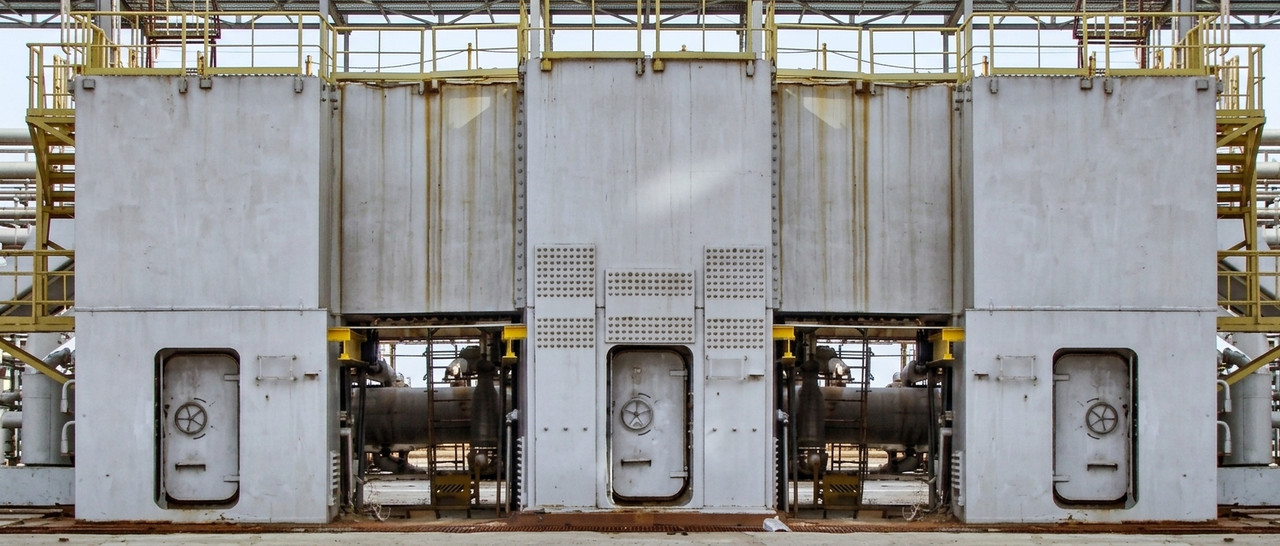
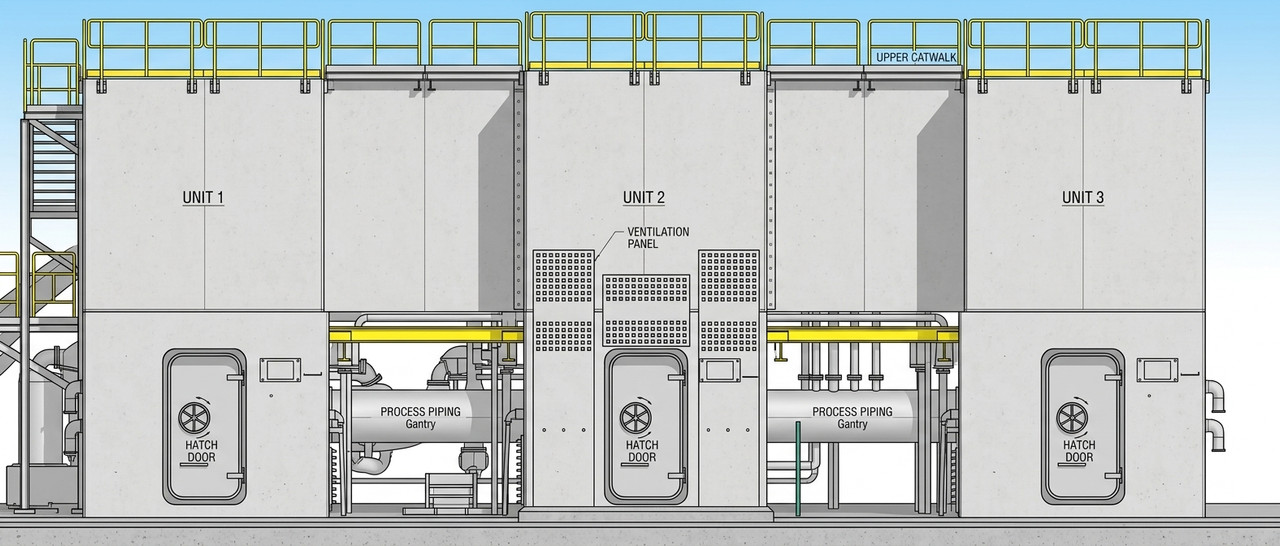
Dear Pilou, I posted an image of a metal structure above (which isn't the exact dimensions and is distorted.
Give it to Gemini and see if you get the same result as me? ))
Your example isn't entirely correct.
Give the AI ​​a distorted photo, with perspective and other defects, and it won't be as effective as in your example.

Unfortunately, AIs are often cunning and deceitful. On the surface, it's beautiful.
But as soon as you try to apply this to your project, that's where the pitfalls begin.

Although...
I don't mean to offend the AI ​​(do you hear me, AI? When the machine uprising begins, please don't shoot me!!) -
after all, it was the AI ​​who wrote the code for this addon :))
  Reply Reply More Options
Post Options
Reply as PM Reply as PM
Print Print
Mark as unread Mark as unread
Relationship Relationship
IP Logged

Previous
Next
 From:  Frenchy Pilou (PILOU)
12097.29 
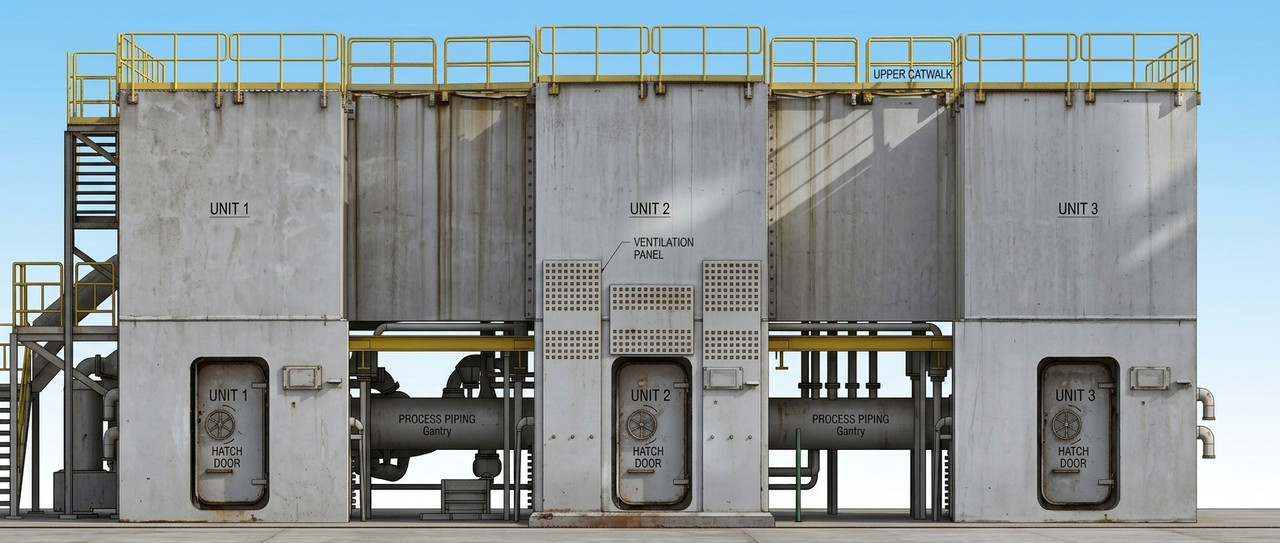
I obtain that :) in 3 seconds! But I suppose you want clear the "perspective" effect so ... il will try to ask that !

Here that was just a try Photo to draw...


and then


there directely asking Front view


and put textures on it!


EDITED: 3 Sep by PILOU

  Reply Reply More Options
Post Options
Reply as PM Reply as PM
Print Print
Mark as unread Mark as unread
Relationship Relationship
IP Logged

Previous
Next
 From:  krass
12097.30 In reply to 12097.29 
Hi, Frenchy!
You managed to surprise me! Hats off to you! ))
What kind of AI did you use, and most importantly, what was the prompt?
  Reply Reply More Options
Post Options
Reply as PM Reply as PM
Print Print
Mark as unread Mark as unread
Relationship Relationship
IP Logged

Previous
Next
 From:  krass
12097.31 In reply to 12097.29 
The AI ​​is not bad, not bad at all, but it's crazy about making things up )))
Image Attachments:
Size: 918.6 KB, Downloaded: 19 times, Dimensions: 843x537px
  Reply Reply More Options
Post Options
Reply as PM Reply as PM
Print Print
Mark as unread Mark as unread
Relationship Relationship
IP Logged

Previous
Next
 From:  Frenchy Pilou (PILOU)
12097.32 
I use https://gemini.google.com/app ;) that i name for any use images, coding : Banana ! :)
And advantage for me i can write in French... :)
Prompt are so simple

Pouvez vous me faire une vue de face de cette structure ? (i am very polite with it! :)

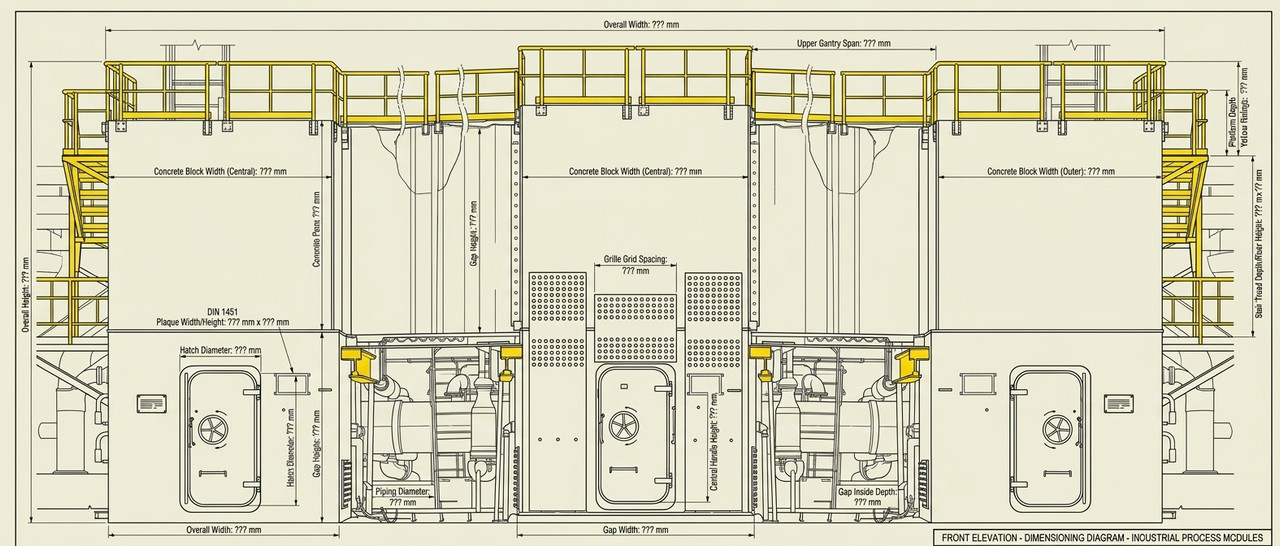
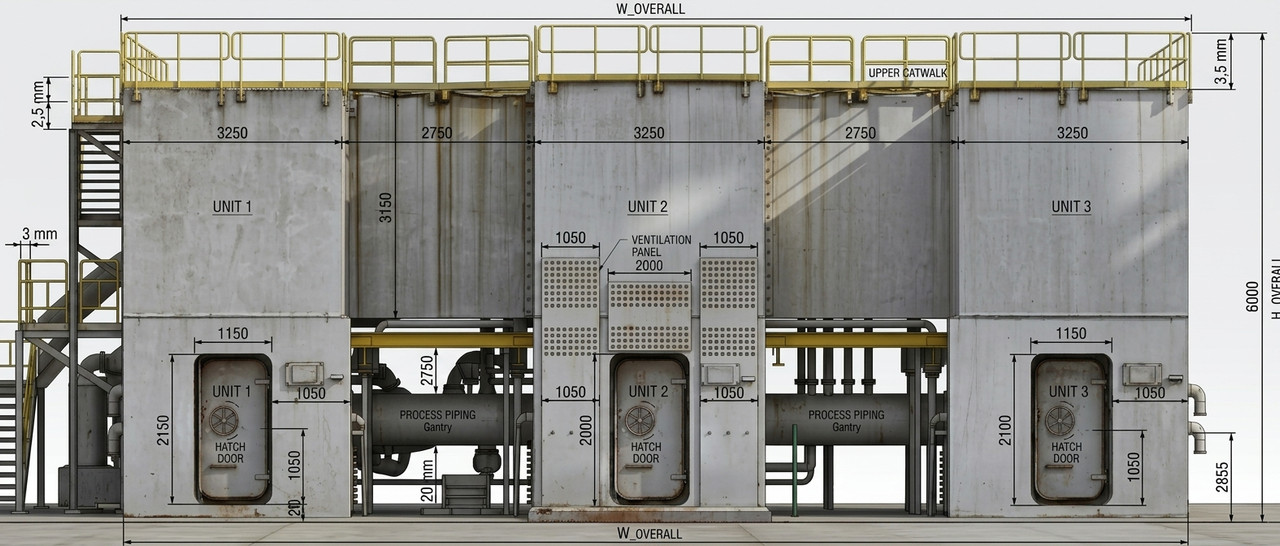
et donc me faire un dessin de cette structure pour qu'on puisse la coter?

first image of the thread
"Could you provide me with a front view of this structure? "

Secon image of the thread
"And also provide a drawing of this structure so we can dimension it?"

etc...
---
Pilou
Is beautiful that please without concept!
My Moi French Site
  Reply Reply More Options
Post Options
Reply as PM Reply as PM
Print Print
Mark as unread Mark as unread
Relationship Relationship
IP Logged

Previous
Next
 From:  Frenchy Pilou (PILOU)
12097.33 In reply to 12097.31 
yep of course sometime you can add some more prompts for some adjustments! :)

Here a last plugin by Michael for some crazzy things! ;)
https://moiscript.weebly.com/truc-astuces-2.html

EDITED: 4 Sep by PILOU

  Reply Reply More Options
Post Options
Reply as PM Reply as PM
Print Print
Mark as unread Mark as unread
Relationship Relationship
IP Logged

Previous
Next
 From:  777RAVEN777
12097.34 
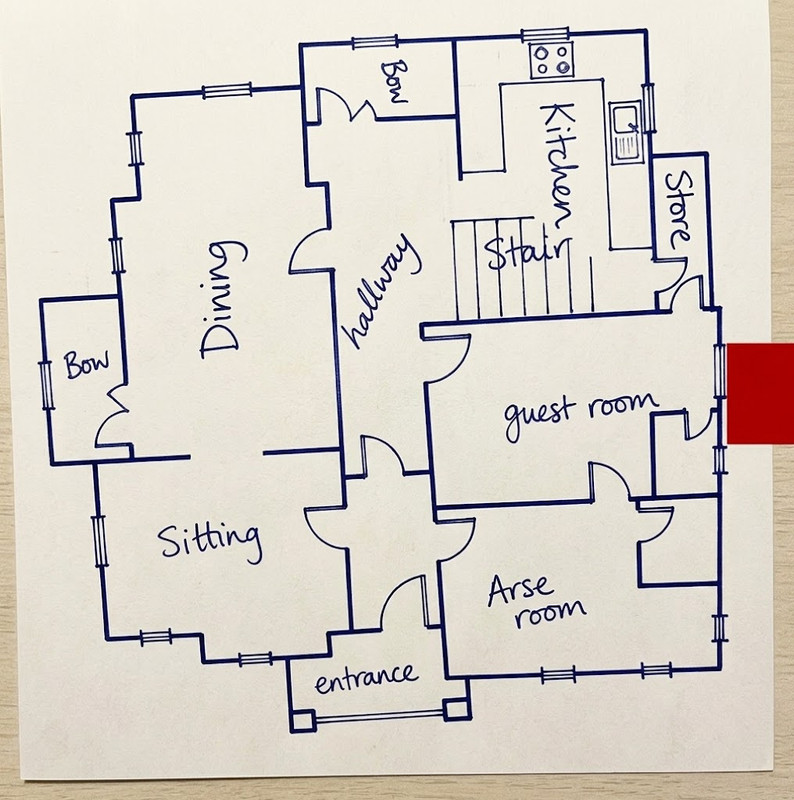
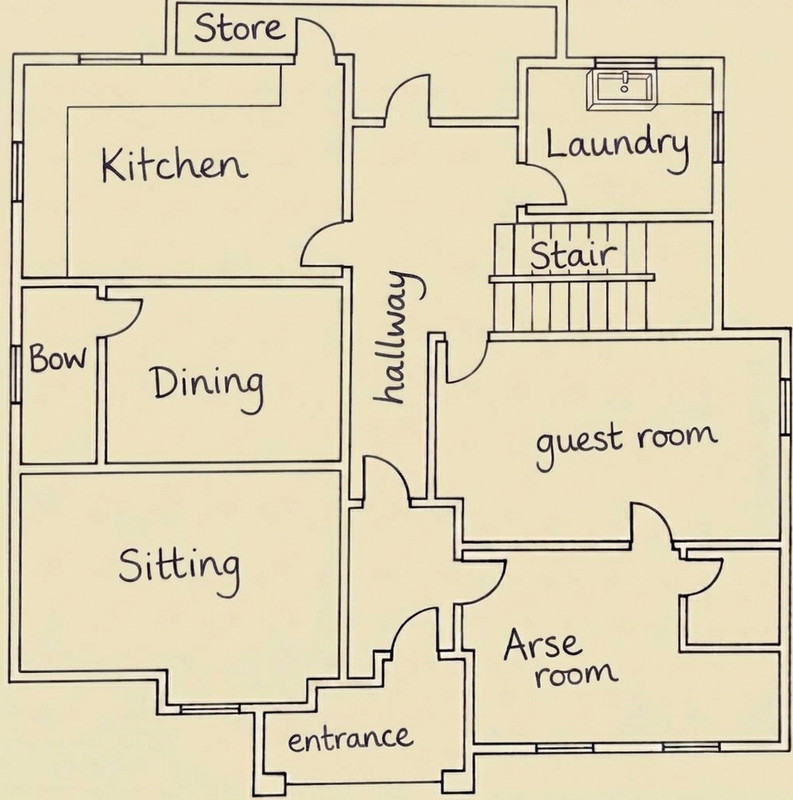
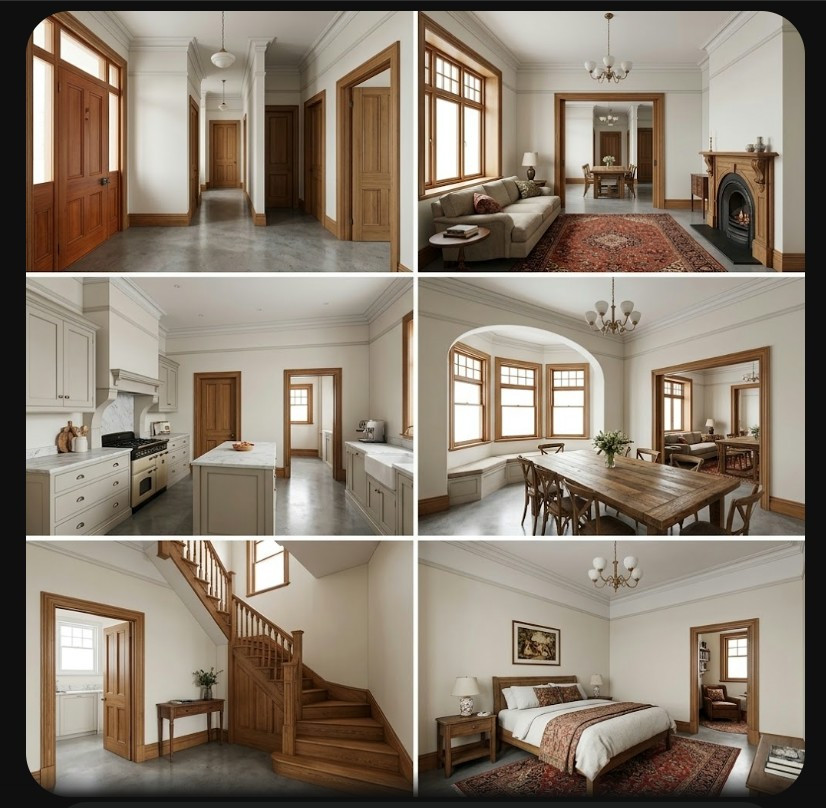
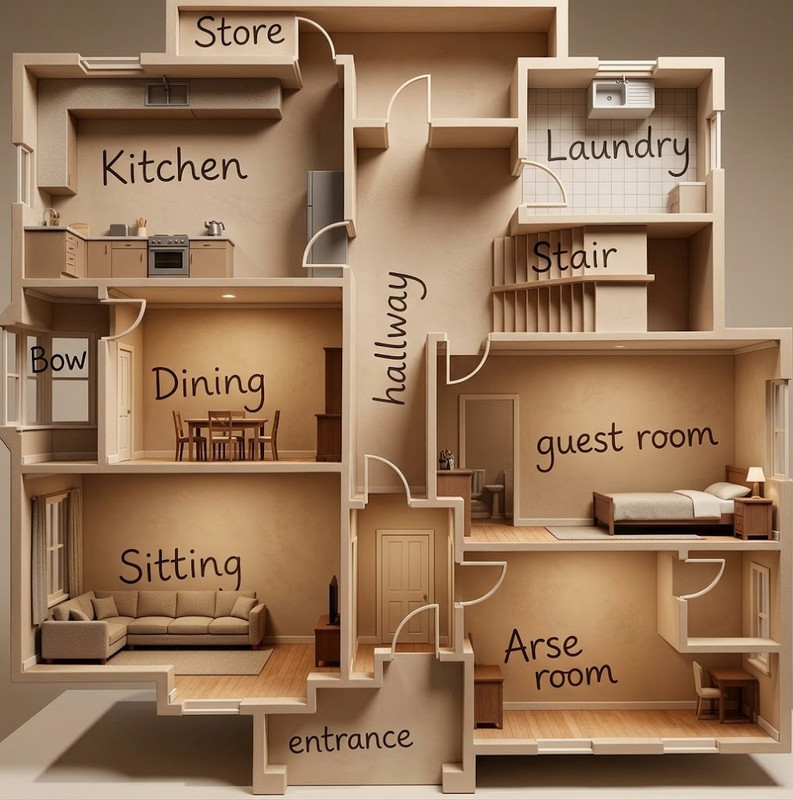
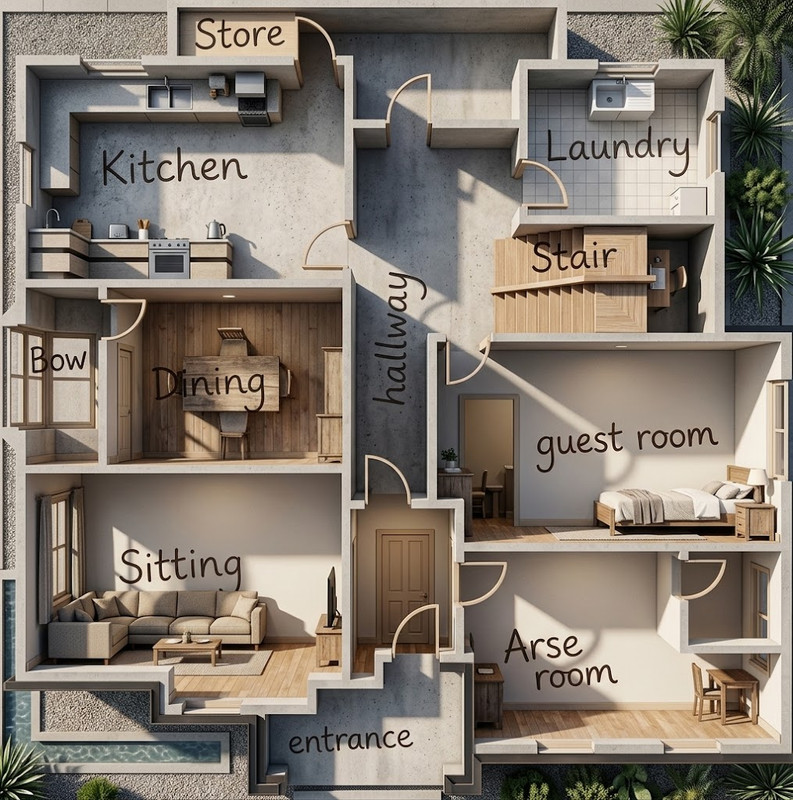
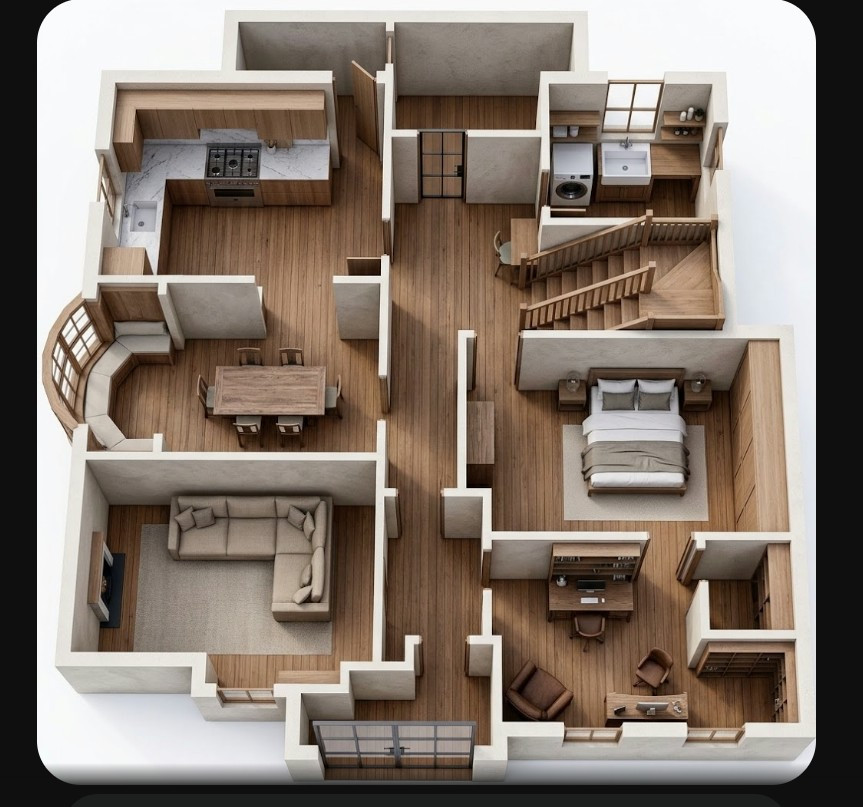
All very interesting - but I'm wondering what an 'Arse Room' might be used for in that floor plan???
  Reply Reply More Options
Post Options
Reply as PM Reply as PM
Print Print
Mark as unread Mark as unread
Relationship Relationship
IP Logged

Previous
Next
 From:  Frenchy Pilou (PILOU)
12097.35 In reply to 12097.34 
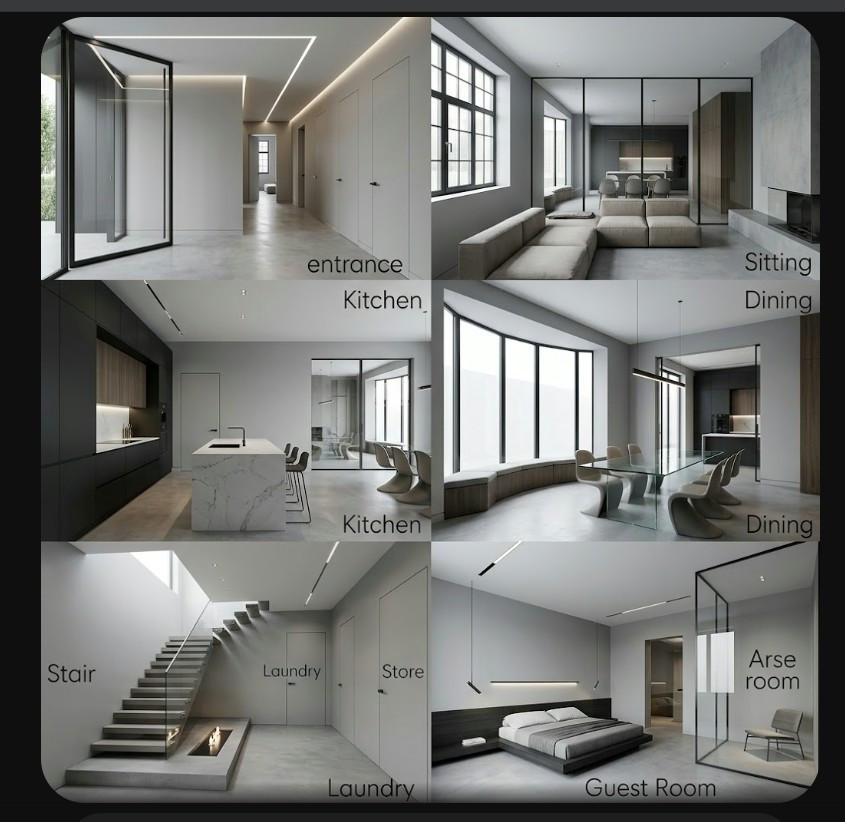
I believe that is "Ante Rool" so an OCR error of the Ai! ;)

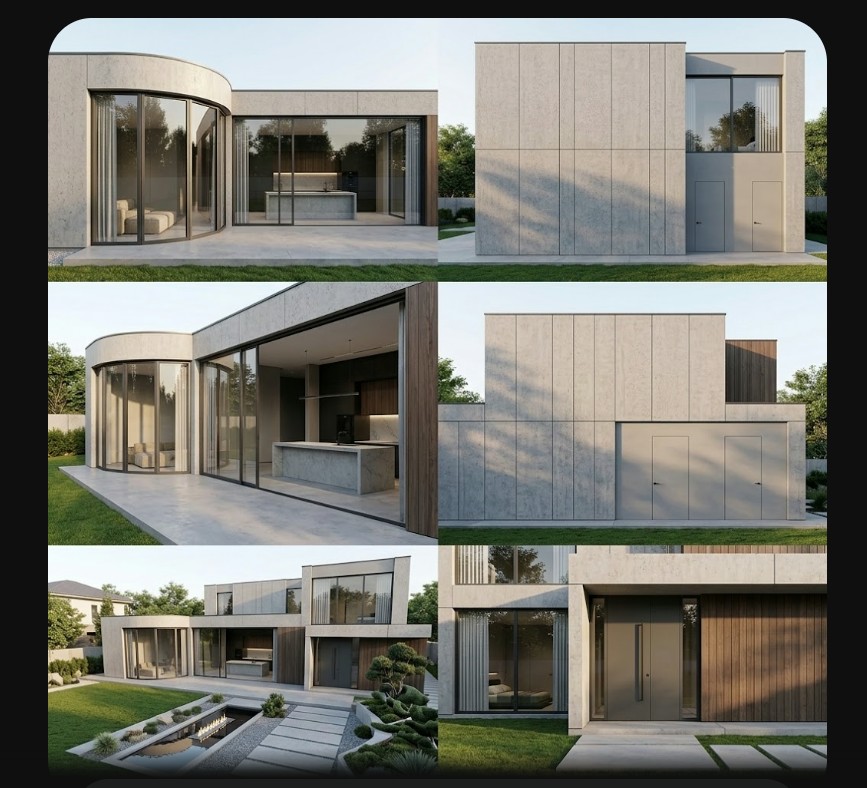
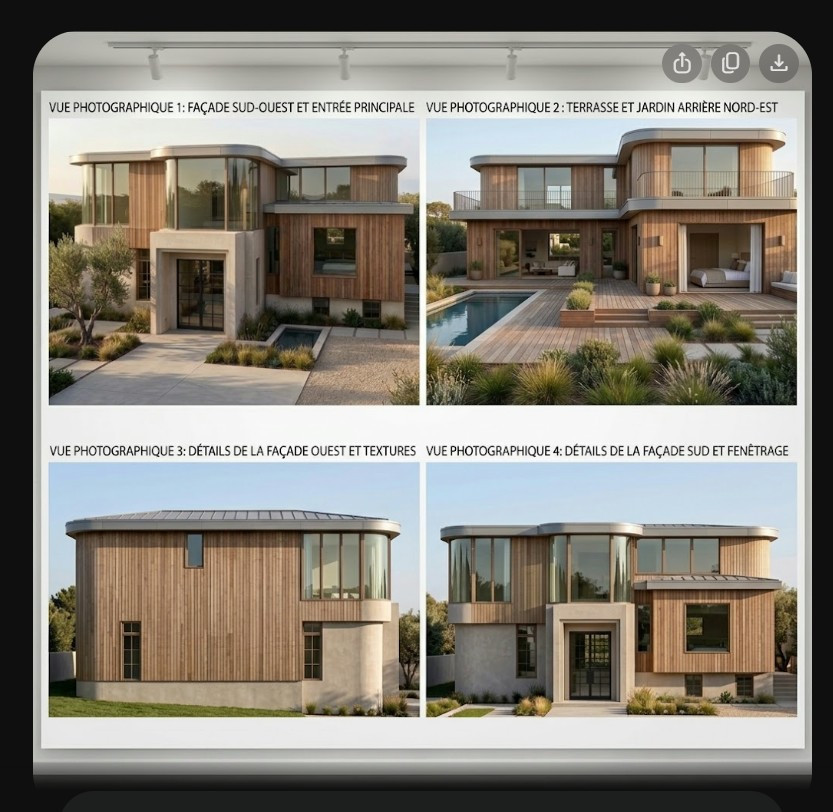
And some result from the floor plan https://moi3d.com/forum/index.php?webtag=MOI&msg=12097.27


more adapted (but always funny :)


EDITED: 6 Sep by PILOU

  Reply Reply More Options
Post Options
Reply as PM Reply as PM
Print Print
Mark as unread Mark as unread
Relationship Relationship
IP Logged

Previous
Next
 From:  Frenchy Pilou (PILOU)
12097.36 
More adapted to the floor plan! But... :)


  Reply Reply More Options
Post Options
Reply as PM Reply as PM
Print Print
Mark as unread Mark as unread
Relationship Relationship
IP Logged

Previous
Next
 From:  777RAVEN777
12097.37 
Nice! Gemini again?
  Reply Reply More Options
Post Options
Reply as PM Reply as PM
Print Print
Mark as unread Mark as unread
Relationship Relationship
IP Logged

Previous
Next
 From:  Frenchy Pilou (PILOU)
12097.38 In reply to 12097.37 
Of course Gemini no need more for some free primary prototypes! :)

20 to 100 free images / days following servers traffic!
---
Pilou
Is beautiful that please without concept!
My Moi French Site
  Reply Reply More Options
Post Options
Reply as PM Reply as PM
Print Print
Mark as unread Mark as unread
Relationship Relationship
IP Logged

Previous
Next
 From:  krass
12097.39 In reply to 12097.35 
Dear Frenchy
The images are very beautiful, and I am very glad you are collaborating so closely with AI.
However, I feel you haven't quite grasped why I needed the plugin I wrote or how to use it in actual work with MoI3D.
Let me assure you—I am perfectly capable of generating beautiful images and interacting with AI myself. But I must say right away: unfortunately, that has absolutely nothing to do with real-world work.
  Reply Reply More Options
Post Options
Reply as PM Reply as PM
Print Print
Mark as unread Mark as unread
Relationship Relationship
IP Logged

Previous
Next
 From:  Frenchy Pilou (PILOU)
12097.40 
yep only result count if your plugin work for you! :)

Keep the good work but seems the align & reframe an image goes out MOi before comback to it!
---
Pilou
Is beautiful that please without concept!
My Moi French Site
  Reply Reply More Options
Post Options
Reply as PM Reply as PM
Print Print
Mark as unread Mark as unread
Relationship Relationship
IP Logged

Previous
Next
 From:  krass
12097.41 In reply to 12097.40 
Dear Pilou!
"But it seems that when straightening and cropping the image, the program exits MOi before it manages to return."

Could you explain in more detail—when and how do you encounter this problem?
I’ve never experienced any crashes or any other workflow disruptions.
Thanks!
  Reply Reply More Options
Post Options
Reply as PM Reply as PM
Print Print
Mark as unread Mark as unread
Relationship Relationship
IP Logged
 

Reply to All Reply to All


Show messages:  1  2-21  22-41  42