Boolean problems on planar surfaces
All  1-2  3-10

Previous
Next
 From:  Michael Gibson
11575.3 In reply to 11575.1 
Hi Joaco, if you zoom in pretty closely to this area it looks like the surfaces are not quite aligned on that side. They seem to be aligned on the other side so this surface is probably at a slight angle.


- Michael

  Reply Reply More Options
Post Options
Reply as PM Reply as PM
Print Print
Mark as unread Mark as unread
Relationship Relationship
IP Logged

Previous
Next
 From:  Michael Gibson
11575.4 In reply to 11575.1 
There's an internal surface here, this is probably what is messing up further booleans:


- Michael

  Reply Reply More Options
Post Options
Reply as PM Reply as PM
Print Print
Mark as unread Mark as unread
Relationship Relationship
IP Logged

Previous
Next
 From:  Michael Gibson
11575.5 In reply to 11575.1 
Hi Joaco, here's a version with that problem area fixed up. It looks like the rest of the model is ok.

I did the fix by deleting the walls in that area and making new ones by drawing in 2 lines, extruding them and using Edit > Trim to cut them, then Edit > Join:


Booleans should be ok on it now that there aren't any overlapping internal surfaces anymore.

- Michael

  Reply Reply More Options
Post Options
Reply as PM Reply as PM
Print Print
Mark as unread Mark as unread
Relationship Relationship
IP Logged

Previous
Next
 From:  Frenchy Pilou (PILOU)
11575.6 
I will use something like that
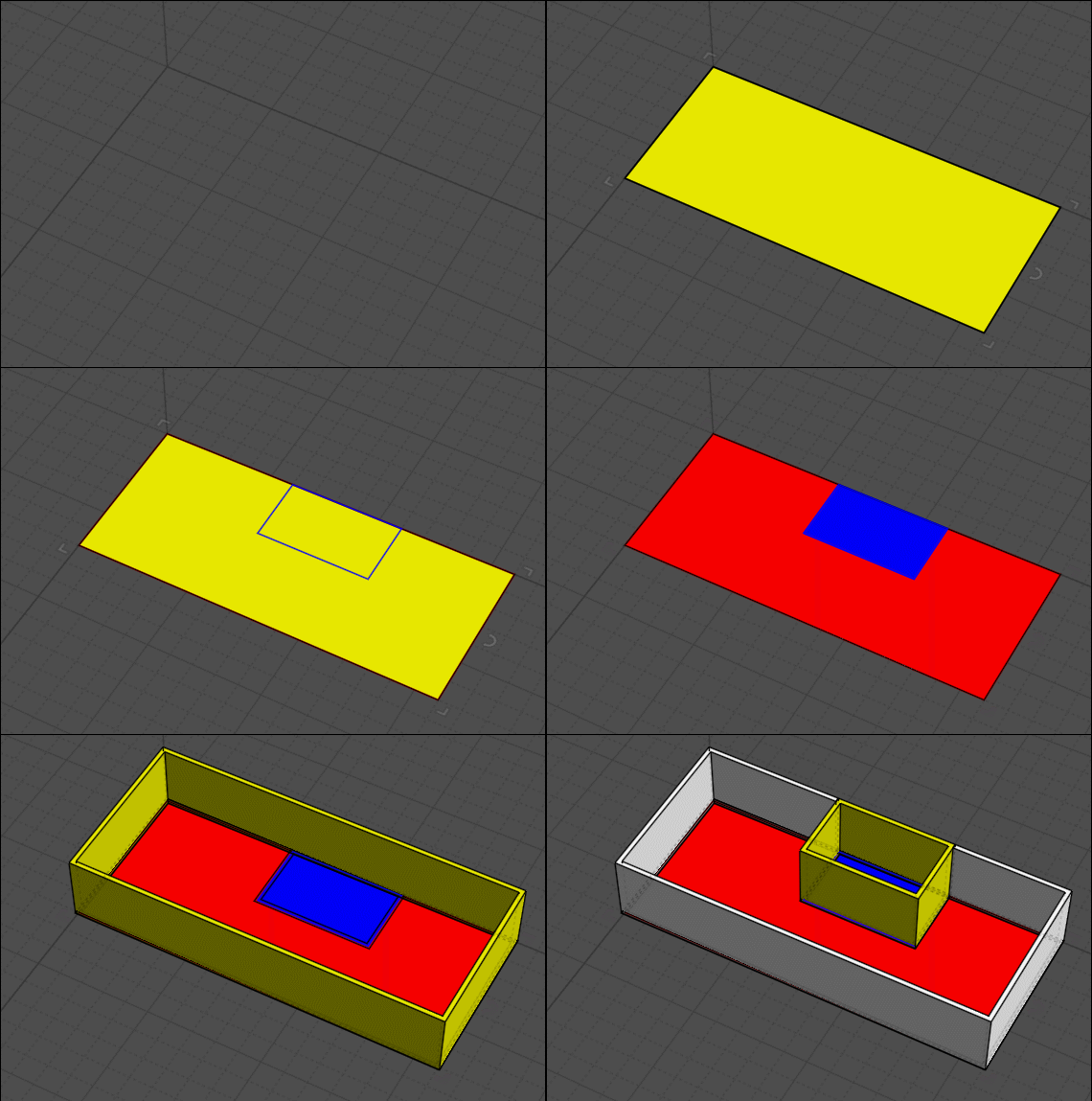
draw closed surfaces (rectangles, polylines etc...
Trim each closed lines
Planar each closed lines for make each surface
Each surround surface with a name + color
Will be more easy as soon as project has more than 2 pieces! :)


then Flat Lines by Max Smirnov https://moi3d.com/wiki/MaxScriptArchive
Extrude
all walls are solid and can will be Booleaned...and very easy to snap at the good hight...
And calculate surace a game boy! ;)
In fact you can recreate SketchUp inside Moi3D! ;)

EDITED: 28 Oct 2024 by PILOU

  Reply Reply More Options
Post Options
Reply as PM Reply as PM
Print Print
Mark as unread Mark as unread
Relationship Relationship
IP Logged

Previous
Next
 From:  Larry Fahnoe (FAHNOE)
11575.7 In reply to 11575.1 
Hi Joaco,

I second Val's suggestion to cut doors and windows into walls that have been extruded. Some time back I wrote a script to help with that: https://moi3d.com/forum/messages.php?webtag=MOI&msg=10907.1

--Larry
  Reply Reply More Options
Post Options
Reply as PM Reply as PM
Print Print
Mark as unread Mark as unread
Relationship Relationship
IP Logged

Previous
Next
 From:  Michael Gibson
11575.8 In reply to 11575.7 
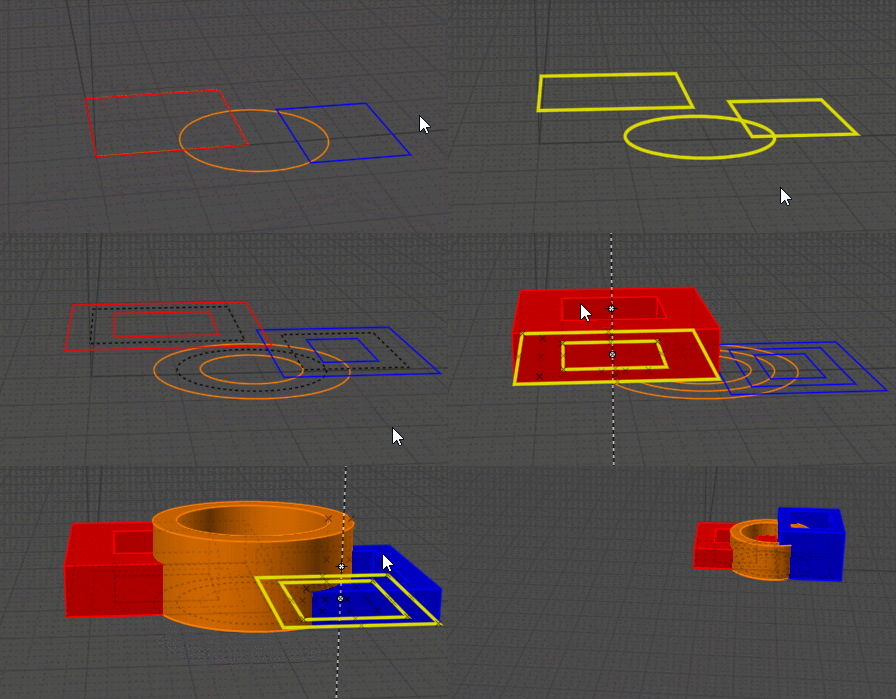
Also subset booleans can help with stuff like this.

That's where you can select just some faces on the base object like here just the 2 vertical planes for this wall, and the boolean will only cut those faces.


- Michael

  Reply Reply More Options
Post Options
Reply as PM Reply as PM
Print Print
Mark as unread Mark as unread
Relationship Relationship
IP Logged

Previous
Next
 From:  Frenchy Pilou (PILOU)
11575.9 
See this post for a new version of Fat Lines! ;)
https://moi3d.com/forum/index.php?webtag=MOI&msg=7594.49

  Reply Reply More Options
Post Options
Reply as PM Reply as PM
Print Print
Mark as unread Mark as unread
Relationship Relationship
IP Logged

Previous
 From:  Joaco Cardoso (JOAQUIN_CARDOSO)
11575.10 
Hi,

Thanks a lot to everyone! It's great to know MoI has such a supportive community. I guess I need to change my workflow to avoid these problems. In this case, I imported the original CAD plans provided by my client to model the house, but they seemed to come with some errors. All the information and tools you shared are of great help. Thanks a lot, guys. I've been struggling for quite some time with this.
  Reply Reply More Options
Post Options
Reply as PM Reply as PM
Print Print
Mark as unread Mark as unread
Relationship Relationship
IP Logged
 

Reply to All Reply to All


Show messages: All  1-2  3-10