Tanget Edges - Chain Select
 1-20  21-31

Previous
Next
 From:  Zooen
11506.21 
Hi everyone,

My apologies. As I'm translating the names of the srcipts into French, I had to re-translate them into English to make them available and omit the dashes in the 8. I've corrected this in post 11506.4, I'm really sorry.

That said, the simplest method for this kind of script (if you use them very often) is to copy the "Extend_Edge_Selection.js" file into the C:\Users\xxx\AppData\Roaming\Moi\scripts folder. Then create a shortcut in Options>Shortcuts.
To avoid making a mistake with the name of the script, simply right-click on the file, select Rename from the drop-down menu, only the file name (without the extension) is selected, right-click again on the selection, select Copy from the drop-down menu. All you have to do is Paste into Options>Shortcuts in the command box opposite the shortcut you've created. The explanation may seem a bit long, but it's really quick.

What's more, with the Moi folder and its sub-folders, when a new version of MoI3D is released (perhaps also for beta versions?) we'll have all the scripts and so on directly available! Michael explained this, I don't know in which thread (if anyone can find it).

- Zooen

  Reply Reply More Options
Post Options
Reply as PM Reply as PM
Print Print
Mark as unread Mark as unread
Relationship Relationship
IP Logged

Message 11506.22 deleted 12 Aug 2024 by WN

Previous
Next
 From:  Frenchy Pilou (PILOU)
11506.23 
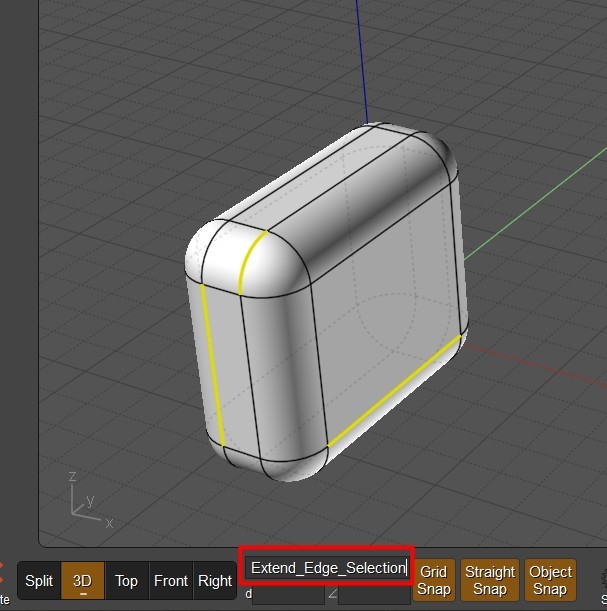
you can also to copy the file's name input the numeric box after press Tab ! Then Enter...
the function will be applyed to an edges selection...

Here just before Enter (or even Right Click ! ) for valid the selection!


Next use only Rigth Click after another selection(s) for recall last function used! ;)

EDITED: 12 Aug 2024 by PILOU

  Reply Reply More Options
Post Options
Reply as PM Reply as PM
Print Print
Mark as unread Mark as unread
Relationship Relationship
IP Logged

Previous
Next
 From:  Zooen
11506.24 In reply to 11506.23 
@Pilou, Nothing will be easier, more efficient or faster than a keyboard shortcut.

For the record, if Psygorn had created a keyboard shortcut from the "Extend Edges Selection.js" file, i.e. with spaces, the script would have worked, as style7 happily used it!

EDITED: 12 Aug 2024 by ZOOEN

  Reply Reply More Options
Post Options
Reply as PM Reply as PM
Print Print
Mark as unread Mark as unread
Relationship Relationship
IP Logged

Previous
Next
 From:  Frenchy Pilou (PILOU)
11506.25 In reply to 11506.24 
@ Zoen
Sure ...it's just another solution to the Custom UI list when you don't love infinity of Shortcuts to memorize! :)
  Reply Reply More Options
Post Options
Reply as PM Reply as PM
Print Print
Mark as unread Mark as unread
Relationship Relationship
IP Logged

Previous
Next
 From:  Psygorn (DRILLBIT)
11506.26 In reply to 11506.19 
Hi MO,

It works now! I changed the name to "ExtendEdgeSelection"

By the way I did not run the script by typing in the input field nor a short key! I simply choose it from scripts menu and it didn't work!

but now it works! after applying your simple remedy. :-)

-Psygorn
  Reply Reply More Options
Post Options
Reply as PM Reply as PM
Print Print
Mark as unread Mark as unread
Relationship Relationship
IP Logged

Previous
Next
 From:  Frenchy Pilou (PILOU)
11506.27 In reply to 11506.26 
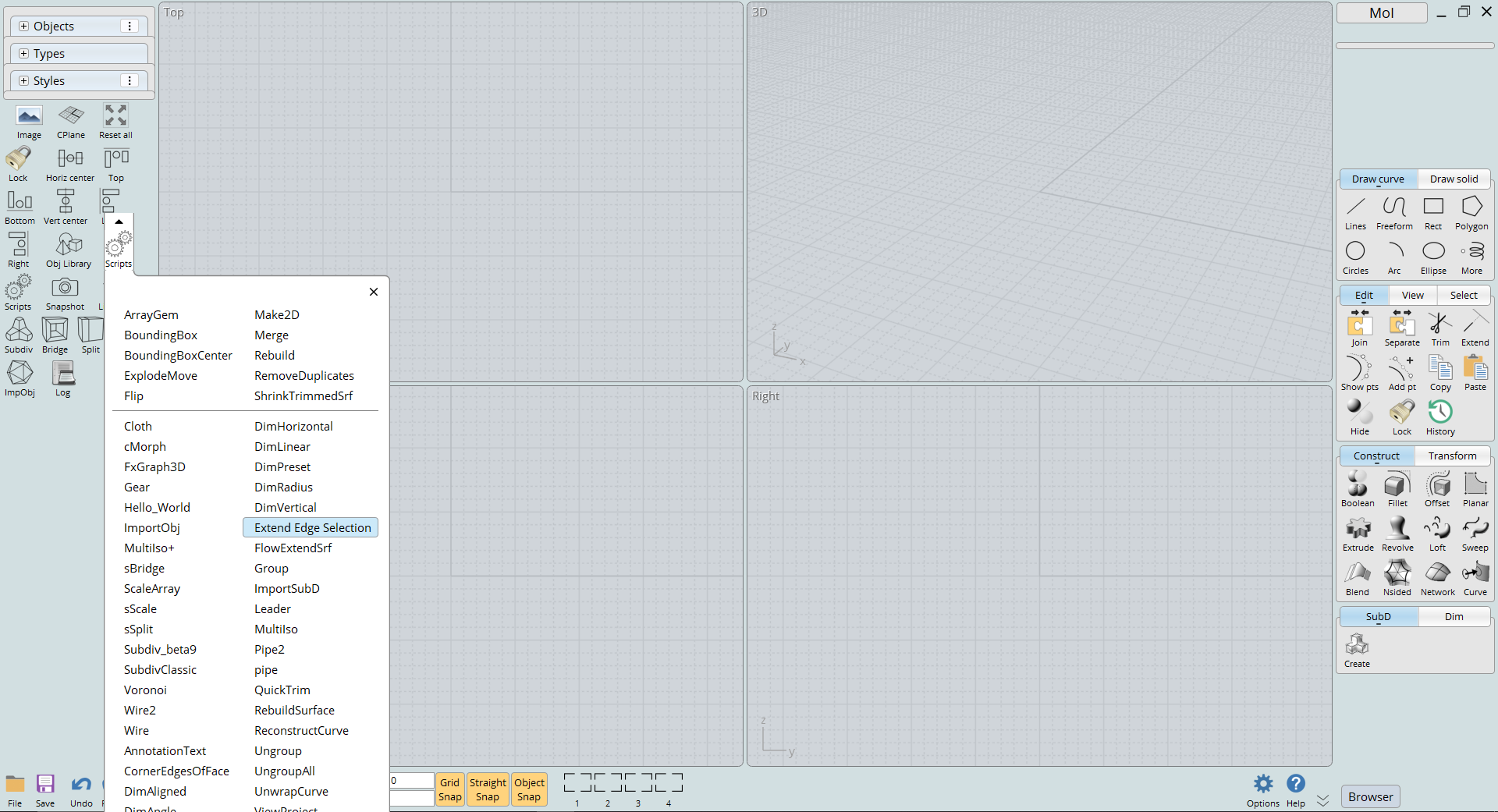
Have you an image of your scripts menu ?
---
Pilou
Is beautiful that please without concept!
My Moi French Site My Gallery My MagicaVoxel Gallery
  Reply Reply More Options
Post Options
Reply as PM Reply as PM
Print Print
Mark as unread Mark as unread
Relationship Relationship
IP Logged

Previous
Next
 From:  Psygorn (DRILLBIT)
11506.28 In reply to 11506.27 
Yes Pilou,

Here:

  Reply Reply More Options
Post Options
Reply as PM Reply as PM
Print Print
Mark as unread Mark as unread
Relationship Relationship
IP Logged

Previous
Next
 From:  Frenchy Pilou (PILOU)
11506.29 In reply to 11506.28 
Must be a specific UI different than Custom UI
In any case that take the original names files existing! )
---
Pilou
Is beautiful that please without concept!
My Moi French Site My Gallery My MagicaVoxel Gallery
  Reply Reply More Options
Post Options
Reply as PM Reply as PM
Print Print
Mark as unread Mark as unread
Relationship Relationship
IP Logged

Previous
Next
 From:  Zooen
11506.30 In reply to 11506.28 
I see you don't have the same name as your file: ExtendEdgeSelection.js, on the drop-down menu I read: Extend Edge Selection!??

EDITED: 14 Aug 2024 by ZOOEN

  Reply Reply More Options
Post Options
Reply as PM Reply as PM
Print Print
Mark as unread Mark as unread
Relationship Relationship
IP Logged

Previous
 From:  Psygorn (DRILLBIT)
11506.31 In reply to 11506.30 
Hi Zooen,

The screenshot is taken when I had problem running the script. After MO's suggestion on changing the .js file's name; things started to work as they supposed to.
It means if I send u a new screenshot there u will see "ExtendEdgeSelection" instead of "Extend Edge Selection"

And I congratulate you; it seems you have keen eyes! ;-)

- Psygorn
  Reply Reply More Options
Post Options
Reply as PM Reply as PM
Print Print
Mark as unread Mark as unread
Relationship Relationship
IP Logged
 

Reply to All Reply to All


Show messages:  1-20  21-31