OBJ to 3DM
All  1-7  8-15

Previous
Next
 From:  Mik (MIKULAS)
11360.8 In reply to 11360.7 
https://www.youtube.com/watch?v=4sC131_cO6U

Maybe help you this feature in Rhino 8.
Mik

EDITED: 6 Mar 2024 by MIKULAS

  Reply Reply More Options
Post Options
Reply as PM Reply as PM
Print Print
Mark as unread Mark as unread
Relationship Relationship
IP Logged

Message 11360.9 deleted 6 Mar 2024 by ANDYA

Previous
Next
 From:  Psygorn (DRILLBIT)
11360.10 In reply to 11360.1 
Hi Andy,

I don't know if -what I want to suggest- will be helpful for you or not!

>when I try to import it into MoI3D V4 it takes a very long time on my fast PC.

I also once tried to import an Stl in MOI so, I opened Blender and saved the Stl file as an Obj but it took a lot of time to be imported in MOI and it never imported it!

Then I realized there were overlapping points (vertices). so, in Blender I did
something used to be called (removing doubles!) and then saved the file as an Obj. This time I was able to import it in MOI without any issue!

I don't know if you checked your model for double vertices or not but I recommend you to check that before importing it in MOI.
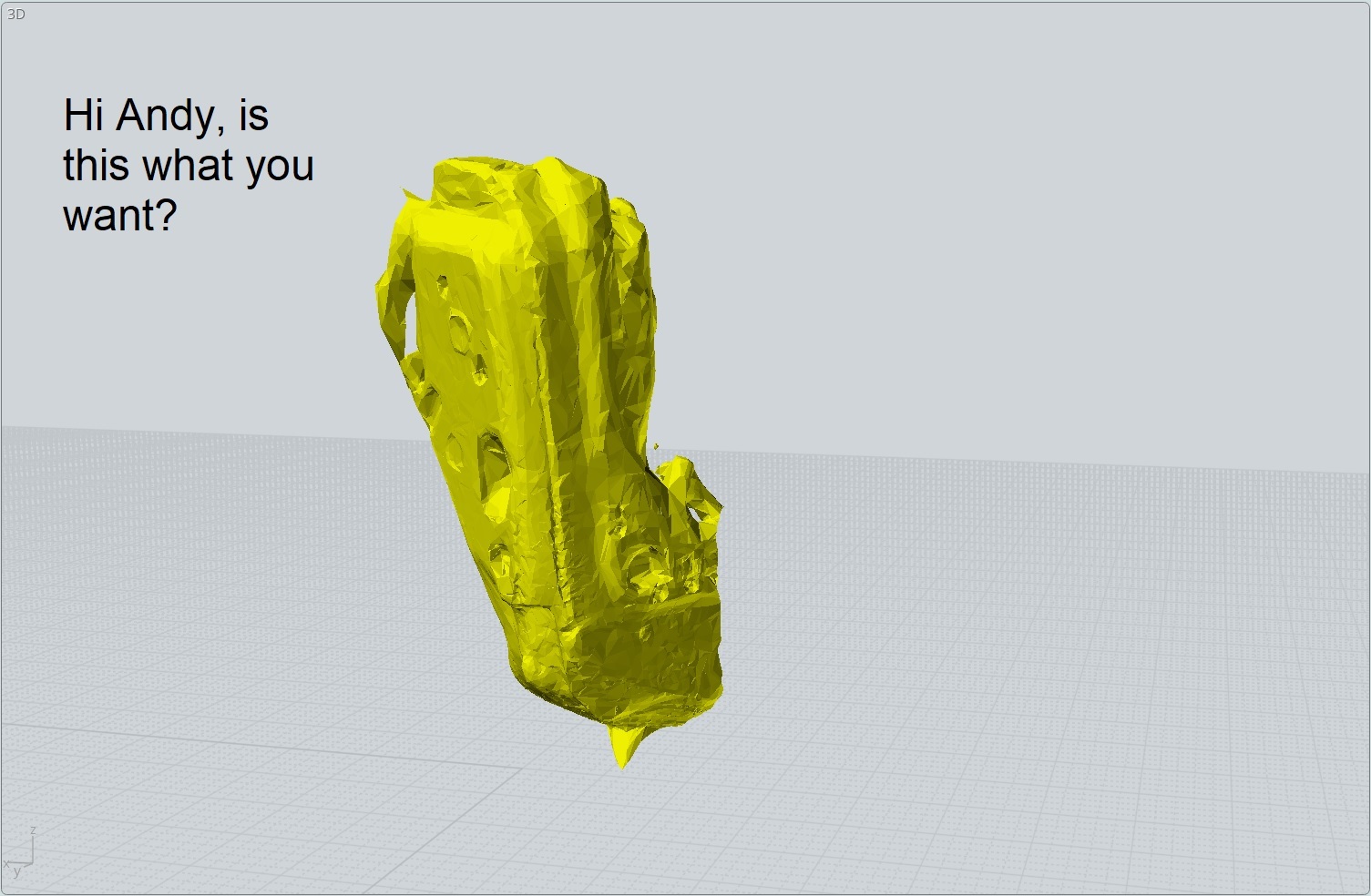


I was able to import your attached model in MOI as an Obj but only after I removed over 4000 excessive vertices using Blender.
Hope this method will help you.

-Psygorn

EDITED: 6 Mar 2024 by DRILLBIT

  Reply Reply More Options
Post Options
Reply as PM Reply as PM
Print Print
Mark as unread Mark as unread
Relationship Relationship
IP Logged

Previous
Next
 From:  Andy (ANDYA)
11360.11 In reply to 11360.10 
Thanks psygorn - very interesting! I will give that a try! Andy
  Reply Reply More Options
Post Options
Reply as PM Reply as PM
Print Print
Mark as unread Mark as unread
Relationship Relationship
IP Logged

Previous
Next
 From:  Mik (MIKULAS)
11360.12 In reply to 11360.11 
Hi Psygorn,

error message appeared when I tried to answer for your private message. You disabled receiving private messages probably.
Mik
  Reply Reply More Options
Post Options
Reply as PM Reply as PM
Print Print
Mark as unread Mark as unread
Relationship Relationship
IP Logged

Previous
Next
 From:  rhinouser141
11360.13 In reply to 11360.1 
Hi Andy,

in addition to Michael's post, here is an reverse engineering approach in Geomagic Freeform:

1- Create a smoothed out, healthy mesh to work with in GOM Inspect.

2- Create a thickness to the mesh in Rhino, otherwise it won't import into Geomagic.

3- Draw boundary lines for your patch layout. These lines can be "fitted" to the voxel mesh.

4- Create patches step by step.

5- Export patches as STEP files, so it can be used in parametric CAD Software.

This is how i worked in my former company. Please remember that Reverse Engineering is very time consuming.

Best regards
Image Attachments:
Size: 66.4 KB, Downloaded: 34 times, Dimensions: 1224x872px
Size: 853.9 KB, Downloaded: 25 times, Dimensions: 1083x812px
Size: 171.6 KB, Downloaded: 24 times, Dimensions: 964x723px
Size: 514.7 KB, Downloaded: 28 times, Dimensions: 854x641px
  Reply Reply More Options
Post Options
Reply as PM Reply as PM
Print Print
Mark as unread Mark as unread
Relationship Relationship
IP Logged

Previous
Next
 From:  Frenchy Pilou (PILOU)
11360.14 
---
Pilou
Is beautiful that please without concept!
My Moi French Site My Gallery My MagicaVoxel Gallery
  Reply Reply More Options
Post Options
Reply as PM Reply as PM
Print Print
Mark as unread Mark as unread
Relationship Relationship
IP Logged

Previous
 From:  rhinouser141
11360.15 In reply to 11360.14 
@ PILOU:

The " Skin Surface" Tool is amazing.

I tried it out some years ago. Unfortunately, they don't sell it as a standalone function.
Otherwise, it would be a great addition to one's toolbox.

QUICKSURFACE is also a good option, it costs around 4,000 dollars.
  Reply Reply More Options
Post Options
Reply as PM Reply as PM
Print Print
Mark as unread Mark as unread
Relationship Relationship
IP Logged
 

Reply to All Reply to All


Show messages: All  1-7  8-15