Hi WN,
thank you for your suggestions.
The problem is there are so many standard sections & the concat node is limited to 6 inputs.
I have made a manual input nod file as Pilou suggested for now please have a look.
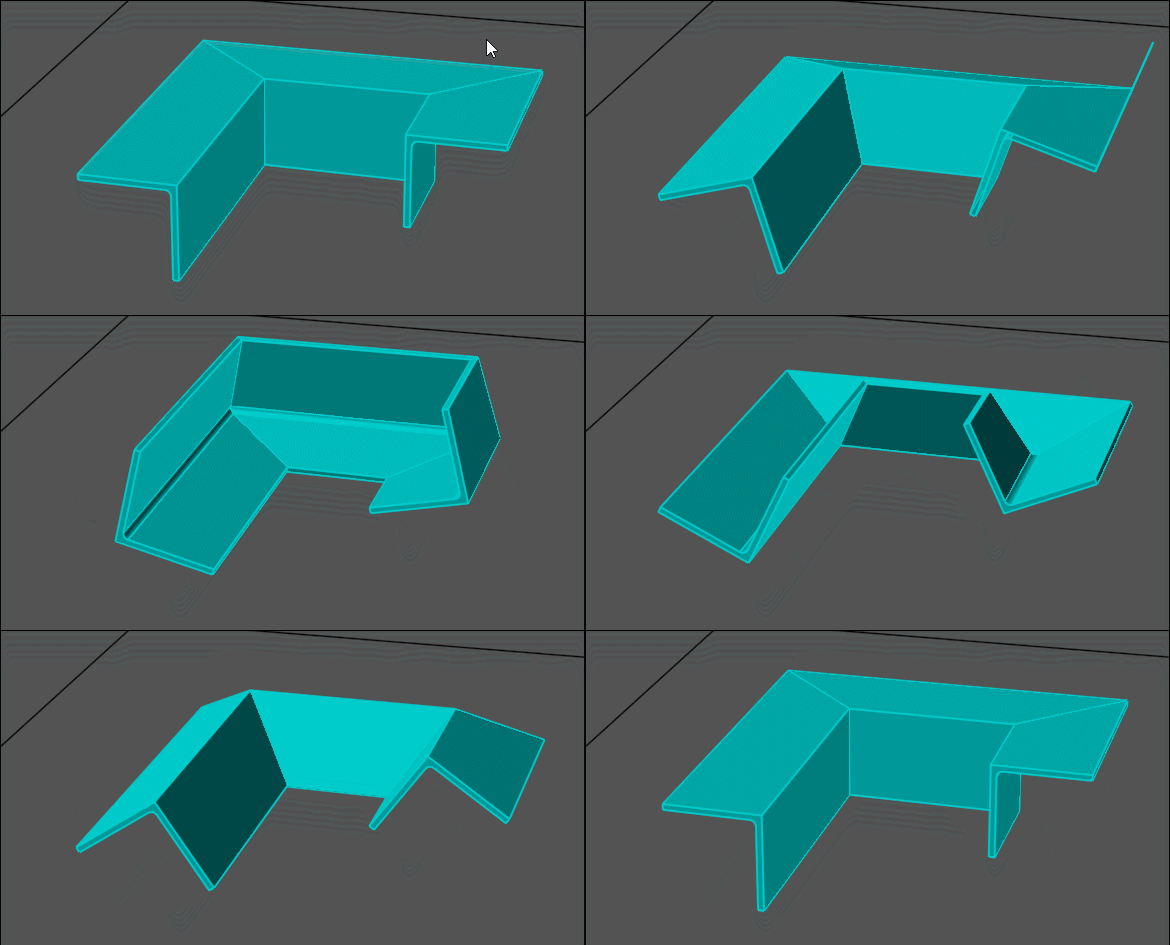
I have also modified the positioning of the profile in the 'Y' axis as just moving in the 'X' did not clear the bounding box
when a path is just a straight line on the 'Y' if that makes sense.
This applies to the Pipe tool as well so will update my post.
Pilou,
have made the rotation +- 180 and now a manual input for profile sizes.
Many thanks to you both.
Cheers
Barry
For the next :)
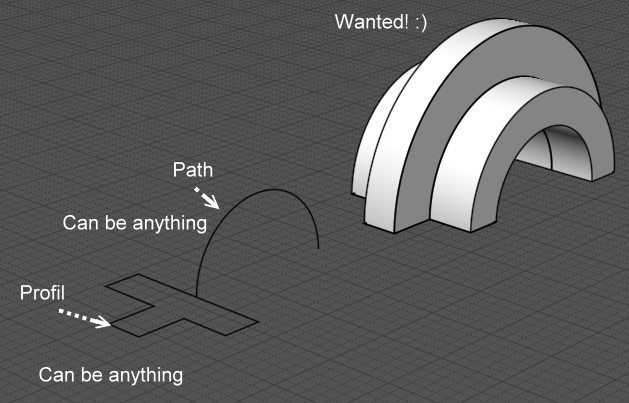
General concept of the sweep with one rail!
But take only case of the profil is touching the rail else that will be headache of the Profil orientation!!!
WOW! from a small request so much function, so many tools to play with and so many possible directions. Off to play....
many thanks to all who have input keeping MOI the sharpest pen in the pack.
All the best Alex.
Hi,
have updated the pipe tool with a minor bug fix.
Also have modified the Sections nod file.
Have removed the gate selection system and replaced with a slider.
A fillet adjustment slider as also been added.
Cheers
Barry
Hi All just getting some test files ready to put through the 4 axis pipe bender - and for some reason I cant shell this rebuilt curve from a series of arcs I have checked continuity and all seems to be OK. Any ideas would be helpful.
Hi Alex, I simplified the rail by using the v5 merge command on it so that it's all one segment instead of in multiple segments and if you sweep this version and select the end faces it looks like it's shelling ok then.
Thanks Michael for speedy reply with the merge command it looks like the ARC info is lost - I need to retain this so the tube bender has the curve continuity to calculate the bends for each sequence along the part hope that makes sense.
Or another way is sweep the outer circle with "Cap ends" turned off, sweep inner circle also with "Cap ends" off then make end caps by selecting inner and outer circle together and use the Construct > Planar command, then select the 2 sweeps and 2 end caps and use Edit > Join to glue them together.
Hi all.
I ran into this problem: the "shell" command does not process all values, in this case from 0 to 1, and then 3 and 5 and some intermediate values.
Maybe it's just me?
Moi v5 beta nov 29 2023
Hi Michael, I see now, thanks.
There is another problem there, perhaps it is also related to this command, the display of surfaces and bodies disappears.
But if you apply the "separate" command, then visibility is restored.
The file is the same.
Hi WN, the surface visibility problem was a bug in the Nov-29-2023 v5 beta, it should be fixed in the Dec-1-2023 v5 beta so please update to that version: https://moi3d.com/beta.htm .
Thanks all for the workarounds - I have been converting a few of these type of curves in preparation for bending most shell fine in MOI. Have read the above comments - I am trying to work out what causes the geometry from not working I checked direction in Rhino and the PIPE command in Rhino also and the same curve came up fine. Any ideas welcome.
Hi Alex, shelling is probably thinking that some of the edges are sharp and that they need to be extended and intersected which it does not do a good job of.
This should get a lot better when I'm able to get shelling handled by ACIS but for now you would need to generate the shelling manually as described above.