Bump Maker
All  1-7  8-12

Previous
Next
 From:  TOM (SIRTOM)
10976.8 
Hi Ben your creative approach is apreciated - would be great so see some images as Pilou asked for !
  Reply Reply More Options
Post Options
Reply as PM Reply as PM
Print Print
Mark as unread Mark as unread
Relationship Relationship
IP Logged

Previous
Next
 From:  bemfarmer
10976.9 
Safari hat has memories of grandfathers beekeeping hat, over which was a veil net. (It should have used an "ellipsoid" rather than a sphere.)

Two are fillet voronoi's, on which new Batch Fillet was applied to round corners, before surface ellipse. One of which utilized Blend Cap, giving slightly "wrinkled" surface.

One is skinny ellipsoid.

https://imgbox.com/6GboVQDl

https://imgbox.com/BhwSTBm1

https://imgbox.com/D9t3m5kD

Still learning how to use imgbox site...There seem to be multiple permutations.
Only one of the above 3 links need be used. There are arrow keys for the other images...

- Brian

I've been making an enclosure for Prusa 3+ filament printer, for printing higher temp filaments like Nylon, ASA, and Polycarbonate.
It is cubical, and uses 2020 aluminum extrusions, 6mm polycarbonate sheets, ventilation with activated carbon for the noxious fumes, etc.

EDITED: 13 Feb 2023 by BEMFARMER

  Reply Reply More Options
Post Options
Reply as PM Reply as PM
Print Print
Mark as unread Mark as unread
Relationship Relationship
IP Logged

Previous
Next
 From:  Frenchy Pilou (PILOU)
10976.10 In reply to 10976.9 
<< Still learning how to use imgbox site...
Nothing more easy and speedy! And you will obtain a data base images very organized! :)
(just choice very descriptive names! )
and you can put little animations as GIF is permitted!
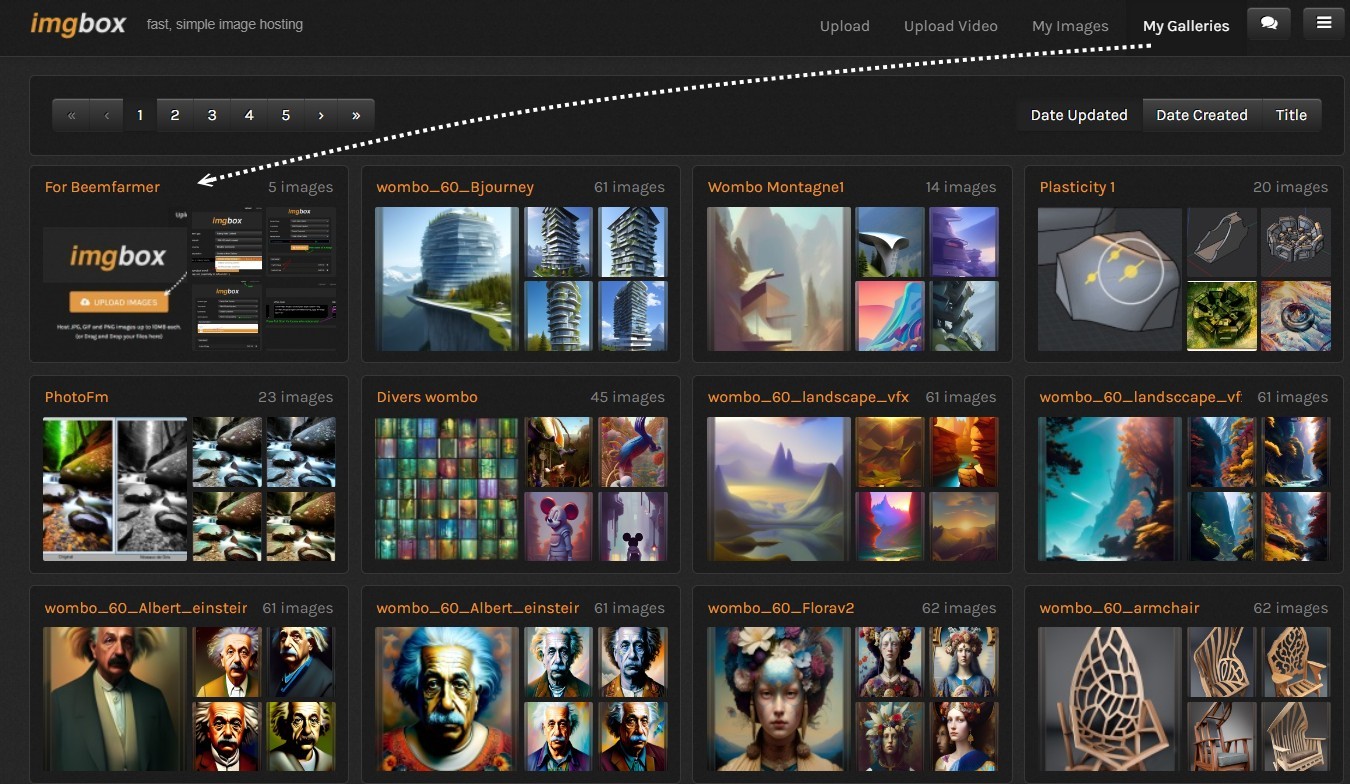
You can share your gallery! https://imgbox.com/g/bf5JrSWQD0
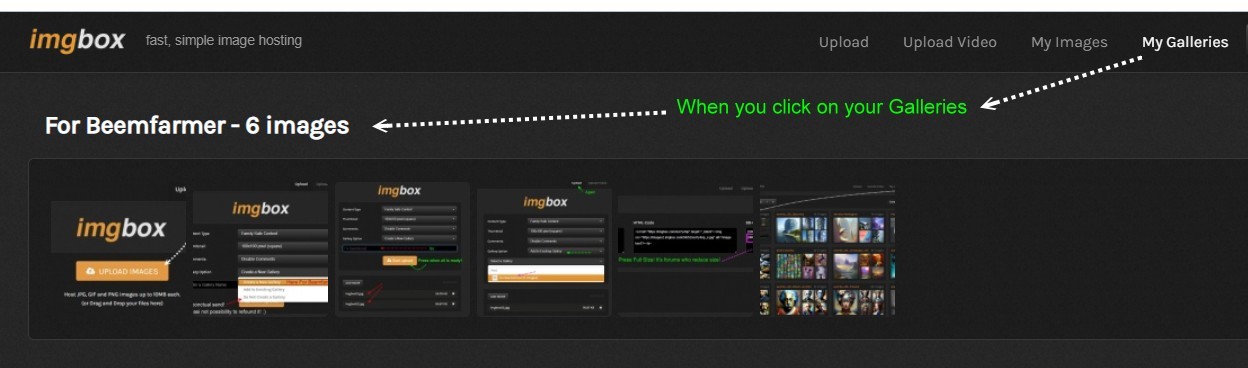
Click on the first image of your gallery then the arrow (up right page) until the last one if necessary!

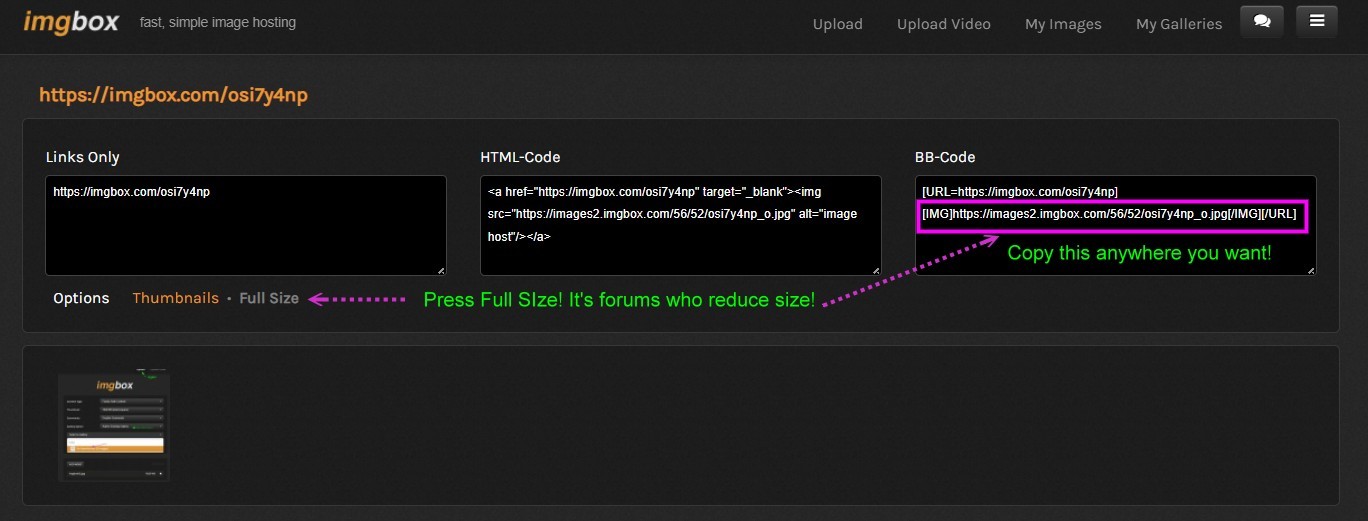
For put an image on this forum use these 2 balises!


Here some tips! (made of course with imgbox! :)
It's free ...i have many Gigas on it!
At the end it's very more easy to click on image for have it's address!

Start
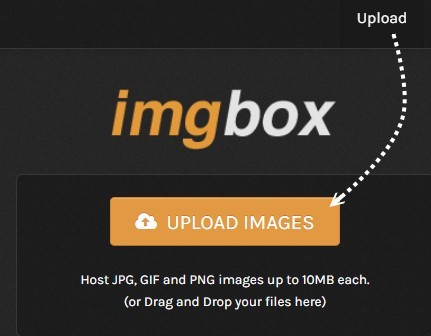

First Image(s) and coice of the nature of Gallery Target Gallery (don't use the Do not create a Gallery except for a speedy not important one)
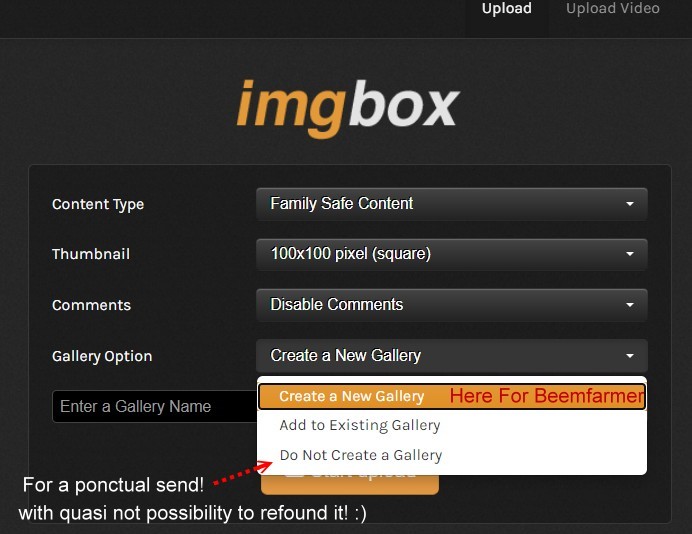

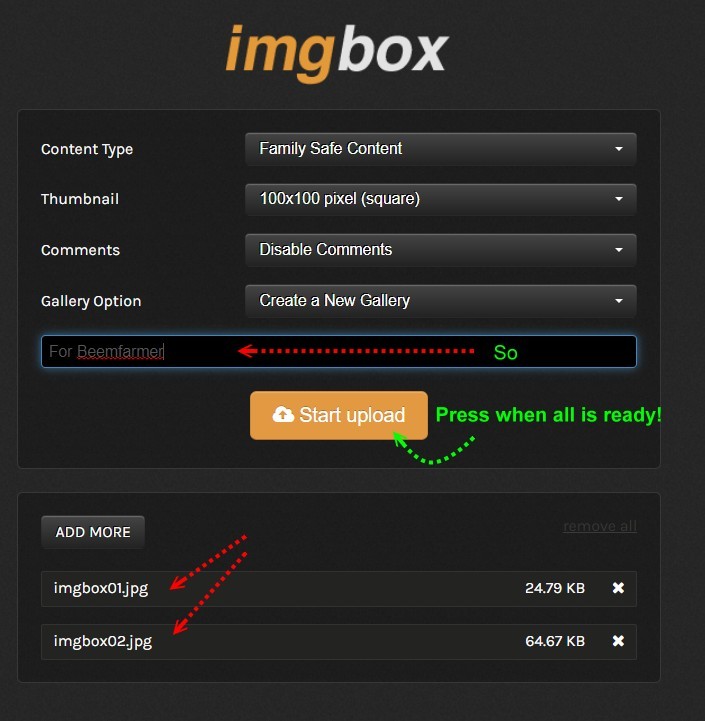
Name and choose your image wanted on your computer

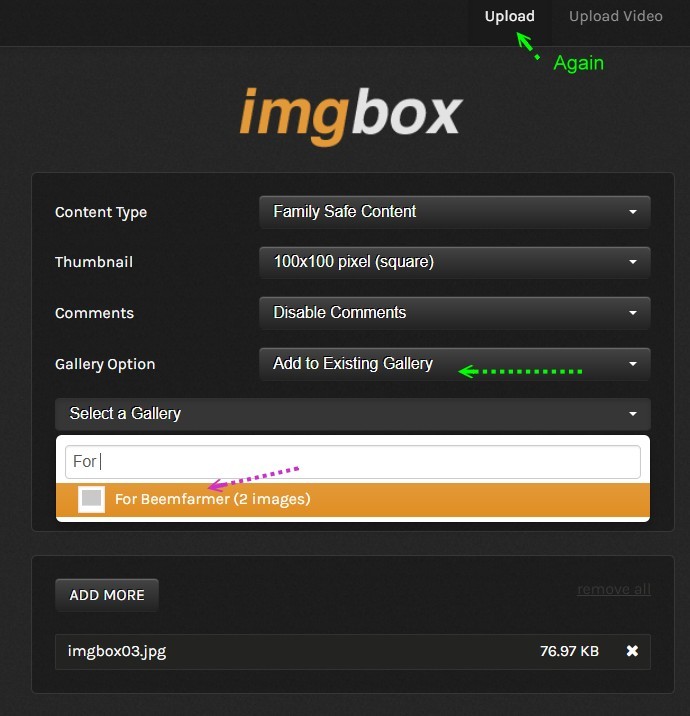
Again if you want another image(s)

You can take this code for only one image but more easy to display an image and Right Click on it for have the direct address link!

You can see all your Galleries in a glance! (i have for the moment 576 ones :)

Your gallery before i add this 7 th image! ;)

Have fun!
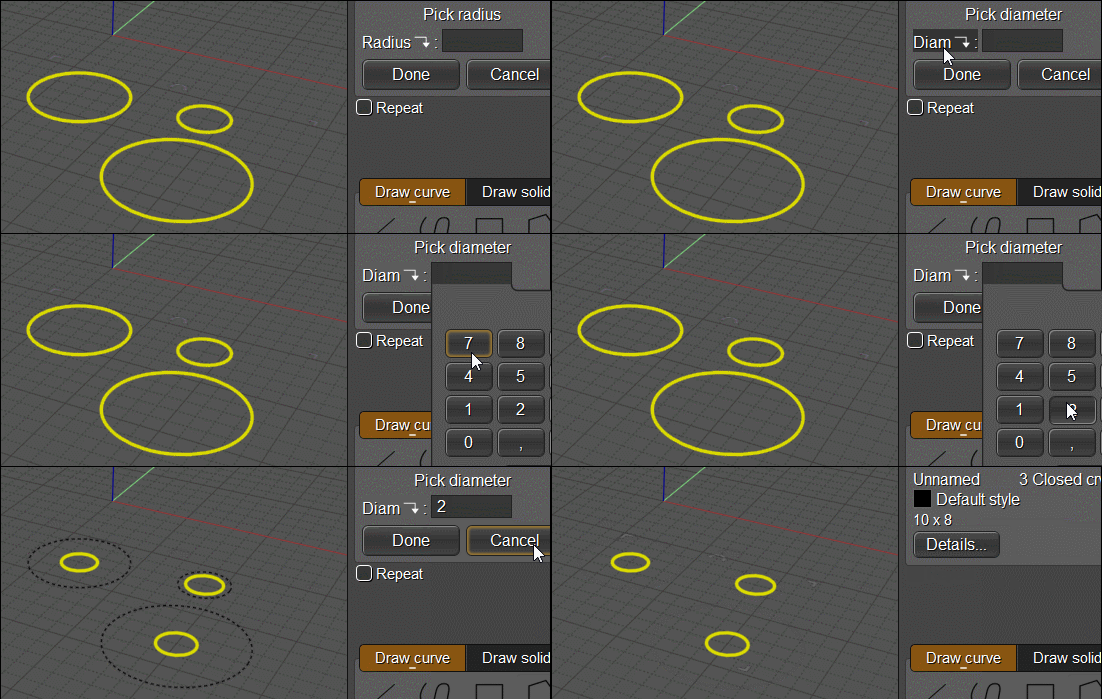
For any Gif animation...here the new BatchEditCircles by Michael Gibson;)
EDITED: 13 Feb 2023 by PILOU

  Reply Reply More Options
Post Options
Reply as PM Reply as PM
Print Print
Mark as unread Mark as unread
Relationship Relationship
IP Logged

Previous
Next
 From:  bemfarmer
10976.11 In reply to 10976.10 
Thank you Pilou,
Very useful information!

- Brian
  Reply Reply More Options
Post Options
Reply as PM Reply as PM
Print Print
Mark as unread Mark as unread
Relationship Relationship
IP Logged

Previous
 From:  Frenchy Pilou (PILOU)
10976.12 In reply to 10976.11 
Maybe you miss this one for crossing post! :)
For put an image on this forum use these 2 balises!


Another trick as there is not an easy list of your galleries (when you have many much like me) you can make this little tip
Upload tempo image in adding in a name gallery list!
Call this gallery see if wanted is inside
then erase the tempo image! ;)
It's that i made for the little image above
I had moi1, moi2...moi9 galleries but of course don't remember where was inside the moi9 ! :)
So...and you must click on it for be sure because thumbnails are like a close up in this particular case!
https://imgbox.com/g/7bpbEOFfqr

EDITED: 13 Feb 2023 by PILOU

  Reply Reply More Options
Post Options
Reply as PM Reply as PM
Print Print
Mark as unread Mark as unread
Relationship Relationship
IP Logged
 

Reply to All Reply to All


Show messages: All  1-7  8-12