AutoHotPie
 1-3  4-23  24

Previous
Next
 From:  Frenchy Pilou (PILOU)
10969.4 
Not sure that was so easy! :)

---
Pilou
Is beautiful that please without concept!
My Moi French Site My Gallery My MagicaVoxel Gallery
  Reply Reply More Options
Post Options
Reply as PM Reply as PM
Print Print
Mark as unread Mark as unread
Relationship Relationship
IP Logged

Previous
Next
 From:  Frenchy Pilou (PILOU)
10969.5 
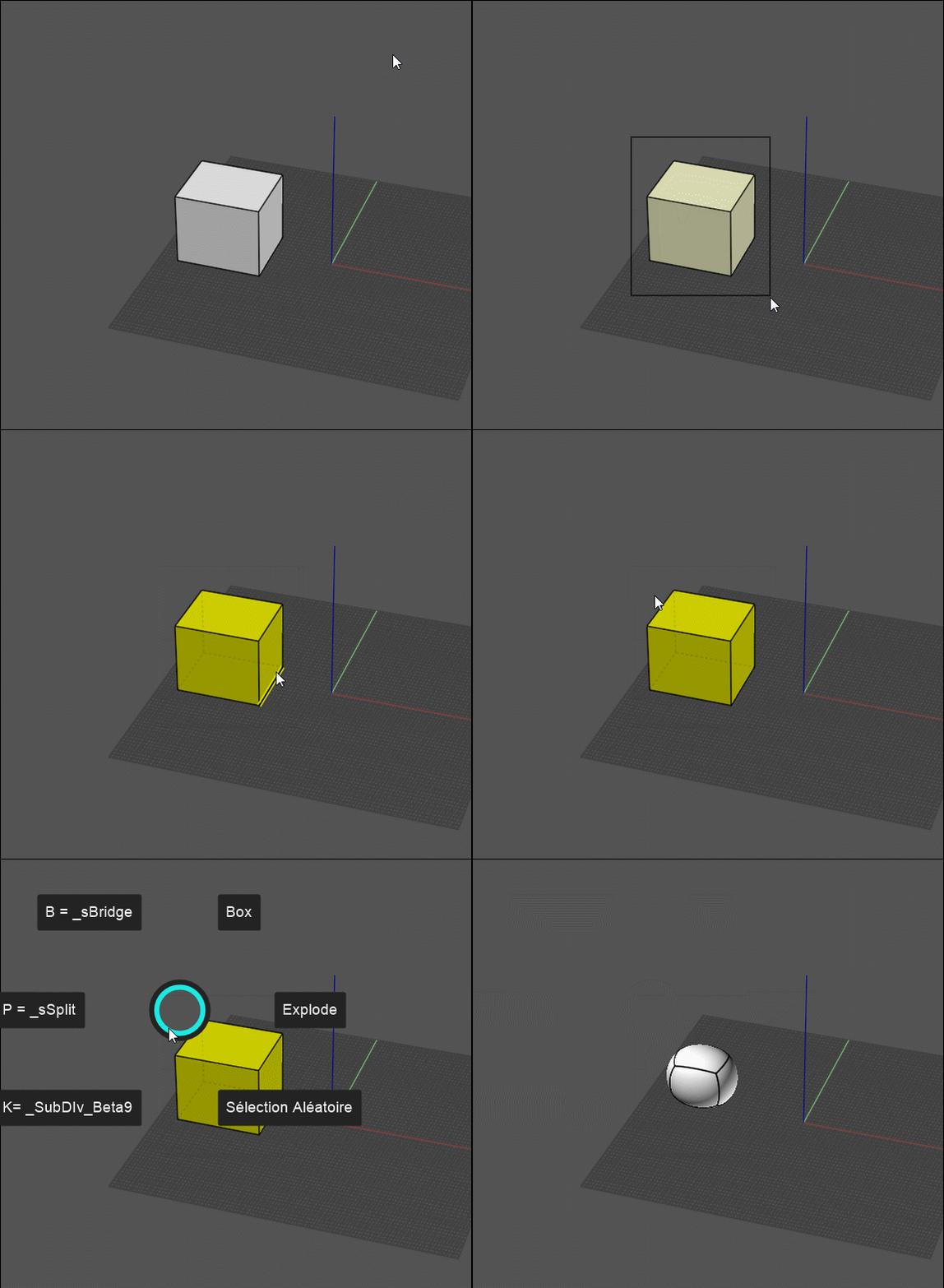
OK that is now working in some easy way ! No code! :)

When you know it! :)

EDITED: 13 Feb 2023 by PILOU

  Reply Reply More Options
Post Options
Reply as PM Reply as PM
Print Print
Mark as unread Mark as unread
Relationship Relationship
IP Logged

Previous
Next
 From:  Frenchy Pilou (PILOU)
10969.6 
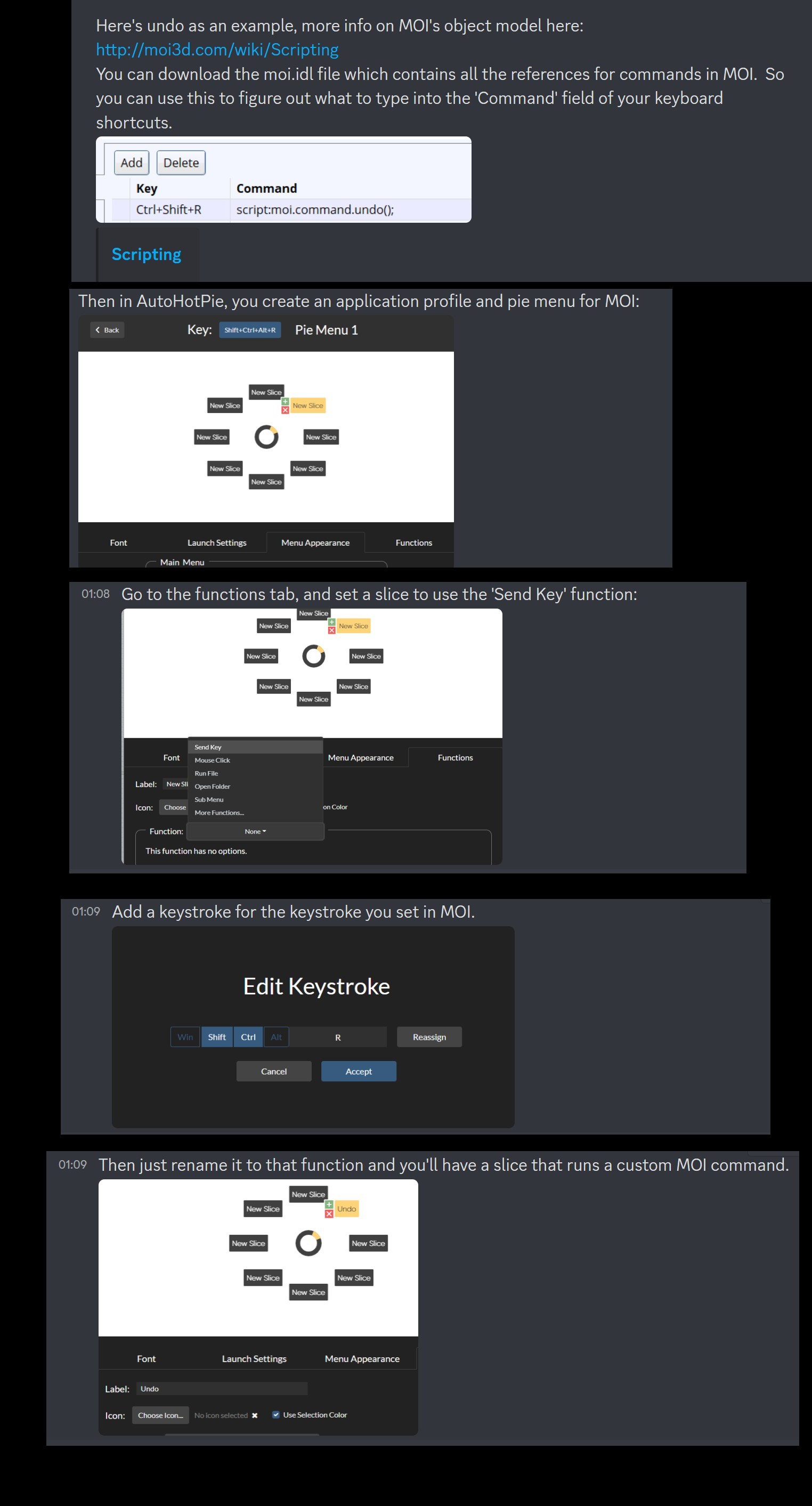
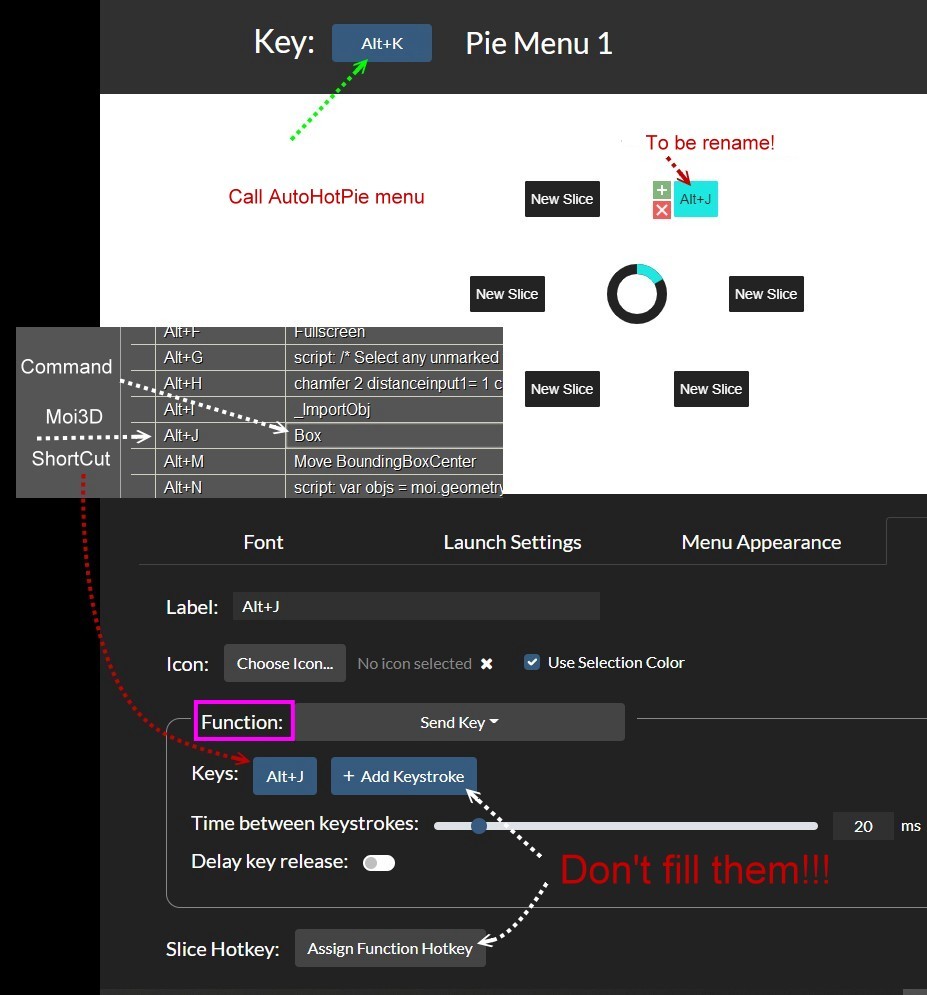
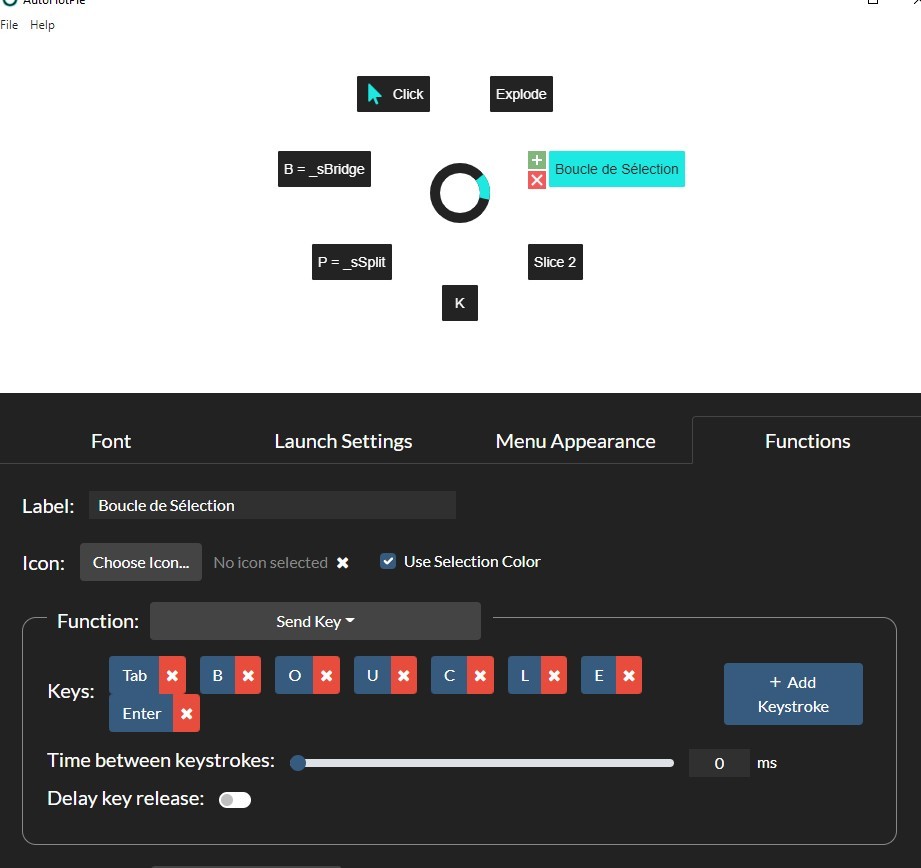
A little easy tut! :)

at the end inside AutoHotPie Menu File / Save & Run
then relaunch AutoHotPie and press the Green Button "Save & Run"
then Launch MOi3D!


EDITED: 14 Feb 2023 by PILOU

  Reply Reply More Options
Post Options
Reply as PM Reply as PM
Print Print
Mark as unread Mark as unread
Relationship Relationship
IP Logged

Previous
Next
 From:  Frenchy Pilou (PILOU)
10969.7 
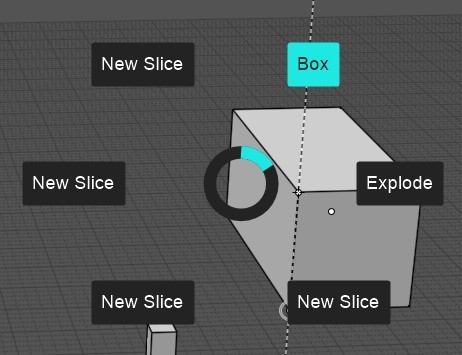
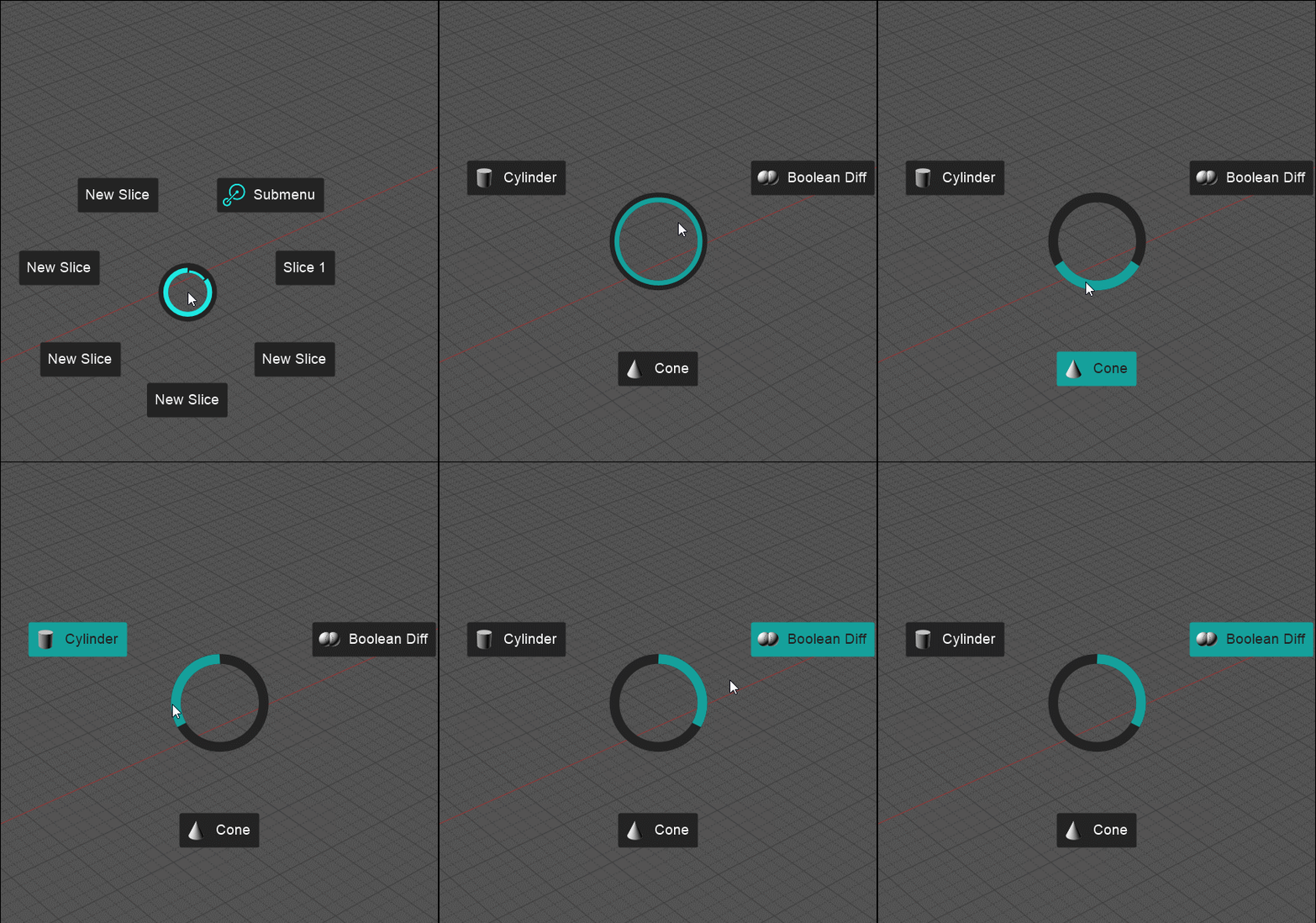
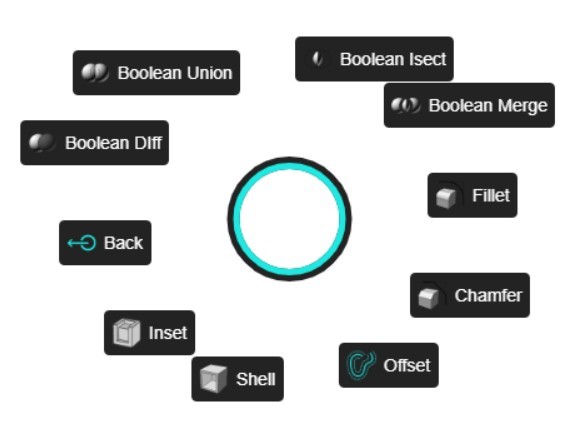
A complete Pie :)
Works like a charm!
  Reply Reply More Options
Post Options
Reply as PM Reply as PM
Print Print
Mark as unread Mark as unread
Relationship Relationship
IP Logged

Previous
Next
 From:  Frenchy Pilou (PILOU)
10969.8 
SubMenu & Moi's Icons :)


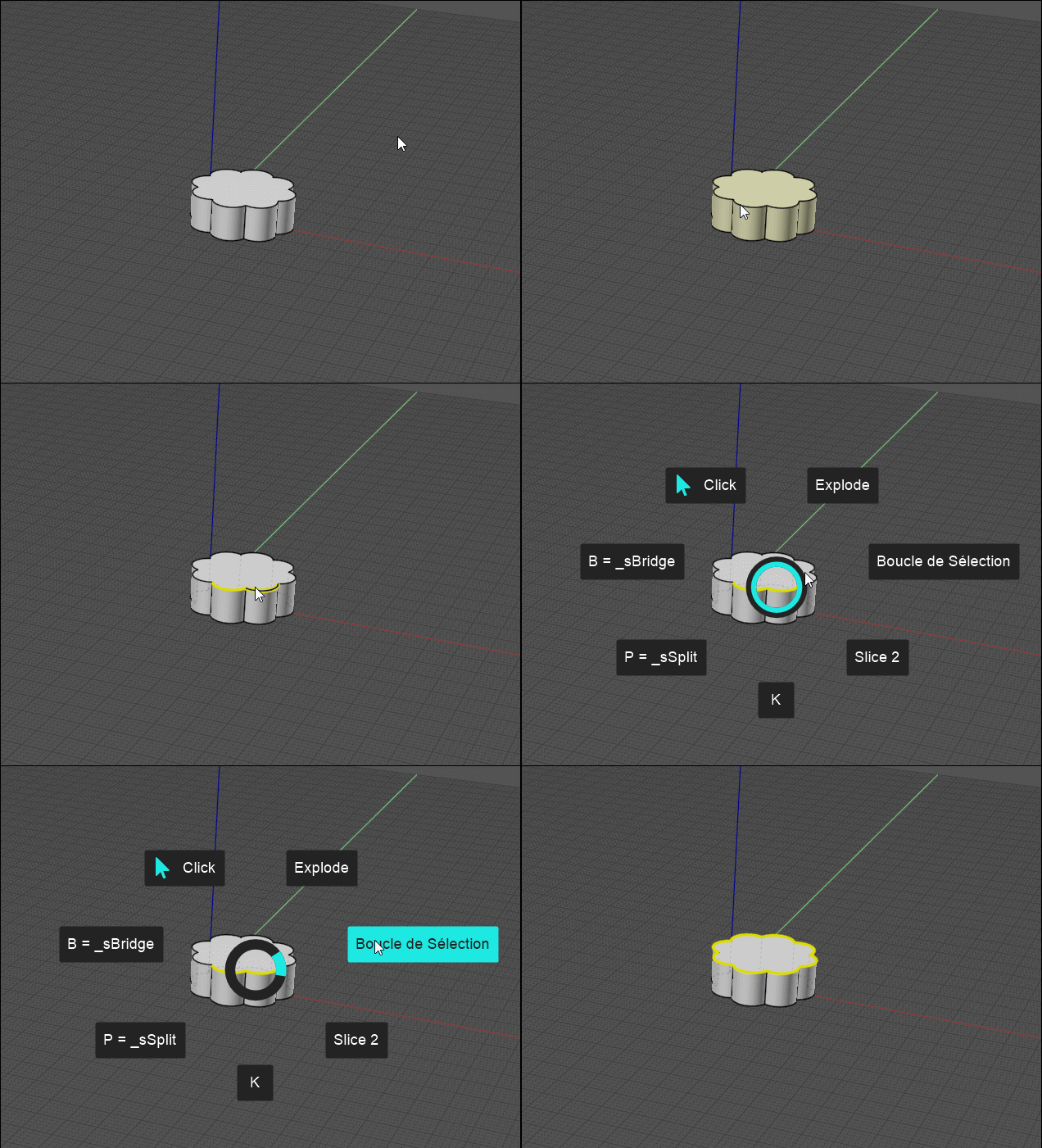
I have found a very elegant & very easy solution inside Moi itself! (no code)

It was already written on my little French site some years ago! https://moiscript.weebly.com/liste-scripts-commandes.html

Just save the "oneline" script inside a js file!

So for example "script:/*Loop selection*/moi.geometryDatabase.selectLoop();"
is saved in the moi/scripts folder as Boucle.js (sorry in French) et voilĂ  !

I can remake all the UI in Pie Menu (just 250 - 300 commands, functions, script...and some icons who are not yet in Moi3D!

And just one shortcut to remember!!! the first one Pie if all Pies are chained by submenus!


  Reply Reply More Options
Post Options
Reply as PM Reply as PM
Print Print
Mark as unread Mark as unread
Relationship Relationship
IP Logged

Previous
Next
 From:  Frenchy Pilou (PILOU)
10969.9 
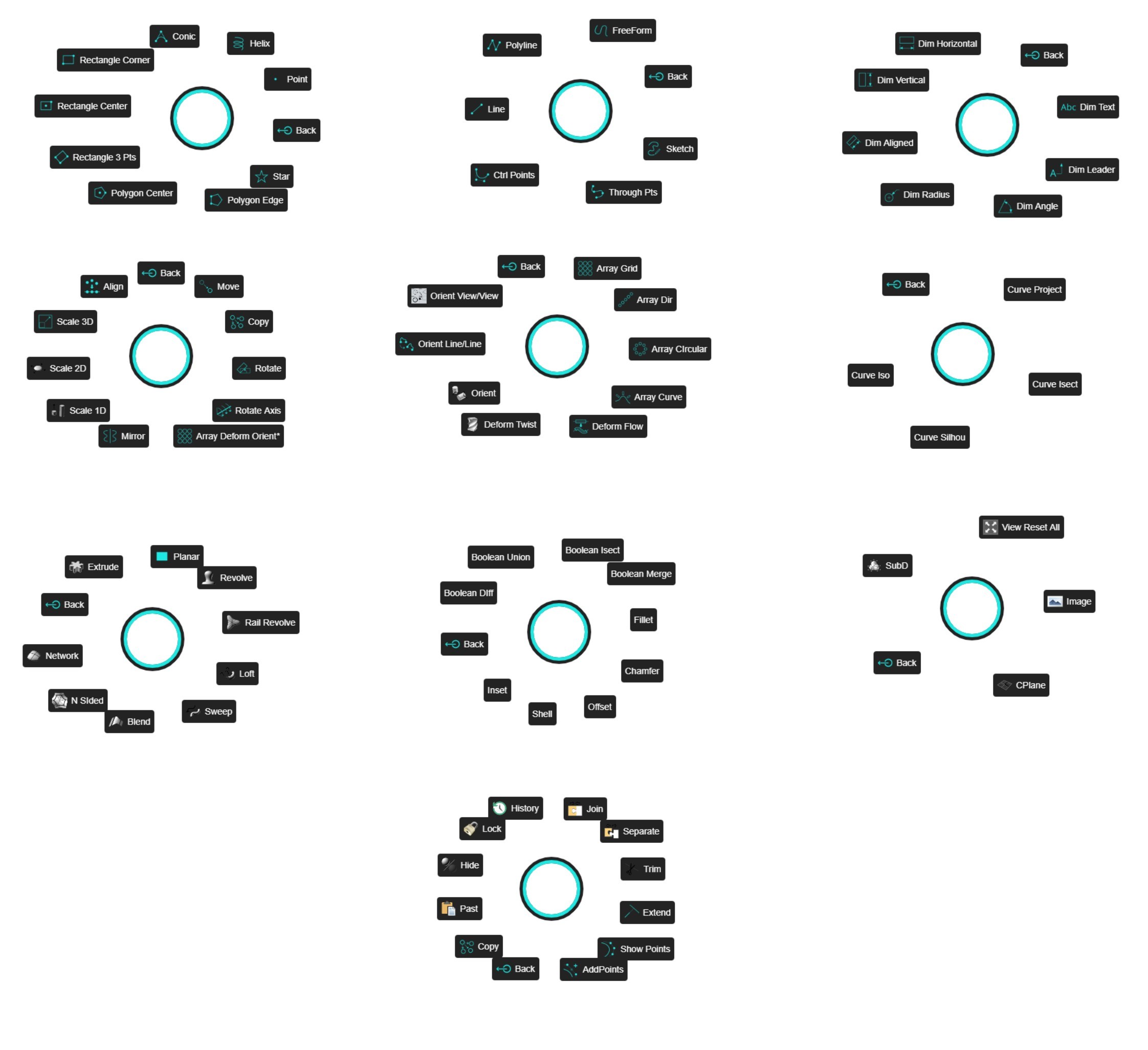
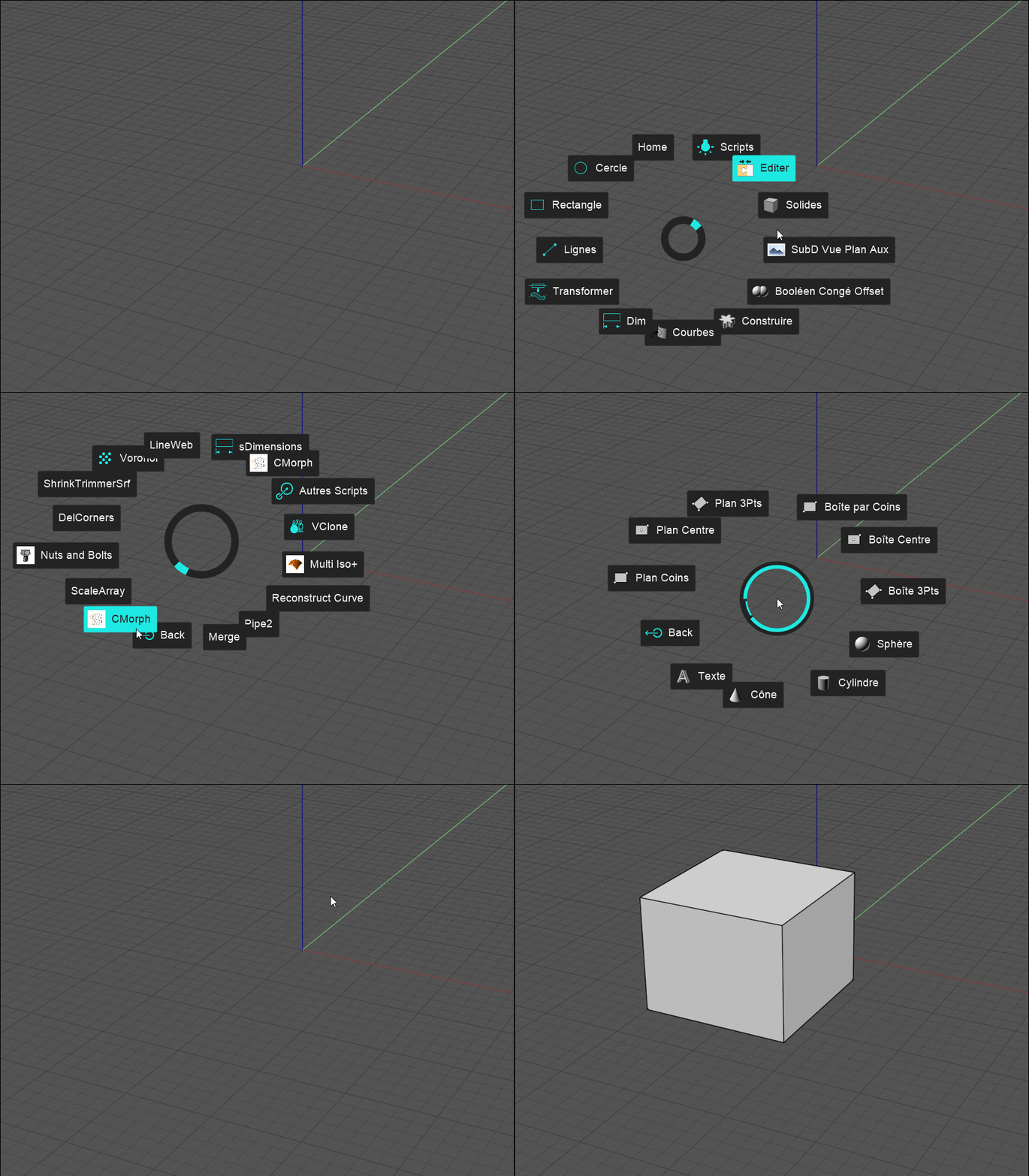
I progress! All classic UI is done!
Now just to add the commands! :)


EDITED: 22 Feb 2023 by PILOU

  Reply Reply More Options
Post Options
Reply as PM Reply as PM
Print Print
Mark as unread Mark as unread
Relationship Relationship
IP Logged

Previous
Next
 From:  mkdm
10969.10 In reply to 10969.9 
Amazing! :)
Great job!
  Reply Reply More Options
Post Options
Reply as PM Reply as PM
Print Print
Mark as unread Mark as unread
Relationship Relationship
IP Logged

Previous
Next
 From:  Frenchy Pilou (PILOU)
10969.11 
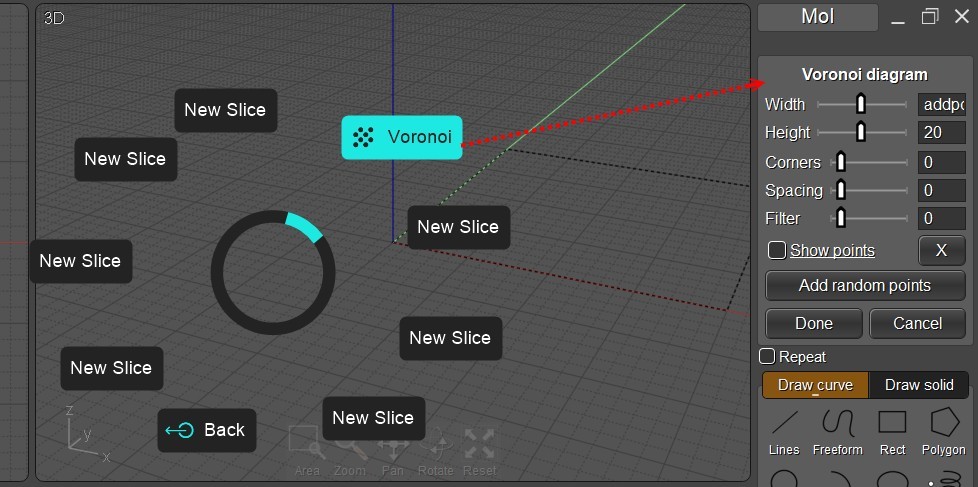
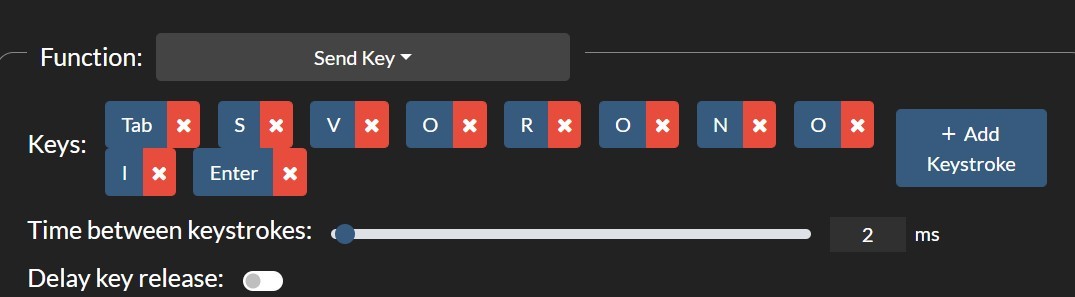
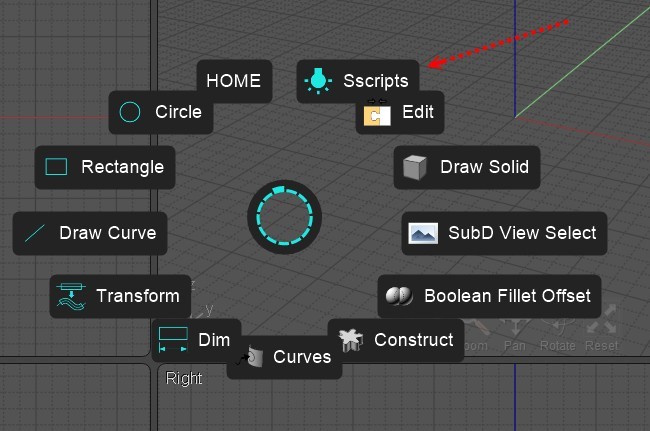
Find the complete process for all scripts ! :)
If a script is an oneline script save it as a named .js file

For the rest...who are not "one line"
Rename _Voronoi.js to sVoronoi.js
and _Voronoi.htm to sVoronoi.htm

Like this all can be called by the Send Key Function / Add Stroke Key!

Ps don't forget to modify your shortcuts board if you have not make a copy with a different name!

Just find 150 icons si absolute necessity! :)


EDITED: 1 Mar 2023 by PILOU

  Reply Reply More Options
Post Options
Reply as PM Reply as PM
Print Print
Mark as unread Mark as unread
Relationship Relationship
IP Logged

Previous
Next
 From:  mkdm
10969.12 In reply to 10969.11 
Amazing job!
  Reply Reply More Options
Post Options
Reply as PM Reply as PM
Print Print
Mark as unread Mark as unread
Relationship Relationship
IP Logged

Previous
Next
 From:  Frenchy Pilou (PILOU)
10969.13 
Ok I have finished! you can download it bottom page!
https://moiscript.weebly.com/autohotpie.html

---
Pilou
Is beautiful that please without concept!
My Moi French Site My Gallery My MagicaVoxel Gallery
  Reply Reply More Options
Post Options
Reply as PM Reply as PM
Print Print
Mark as unread Mark as unread
Relationship Relationship
IP Logged

Previous
Next
 From:  mkdm
10969.14 In reply to 10969.13 
Amazing job!

I definitely want to try it out but...it seems to be a Windows only version.

Does it work on MacOS? And, if so, how to install and make it run on Mac with Moi3D?

Thanks :)
  Reply Reply More Options
Post Options
Reply as PM Reply as PM
Print Print
Mark as unread Mark as unread
Relationship Relationship
IP Logged

Previous
Next
 From:  Frenchy Pilou (PILOU)
10969.15 In reply to 10969.14 
I am affraid that is only for Windows! Maybe with an emulator for Mac...
  Reply Reply More Options
Post Options
Reply as PM Reply as PM
Print Print
Mark as unread Mark as unread
Relationship Relationship
IP Logged

Previous
Next
 From:  mkdm
10969.16 In reply to 10969.15 
Ok. Thanks.
Pity!

Ciao :)
  Reply Reply More Options
Post Options
Reply as PM Reply as PM
Print Print
Mark as unread Mark as unread
Relationship Relationship
IP Logged

Previous
Next
 From:  Frenchy Pilou (PILOU)
10969.17 
Complete French Tutorial AutoHotPie / Moi3D
Final Moi3D-AutoPie in English! The French one in few times!
https://moiscript.weebly.com/autohotpie.html

  Reply Reply More Options
Post Options
Reply as PM Reply as PM
Print Print
Mark as unread Mark as unread
Relationship Relationship
IP Logged

Previous
Next
 From:  Frenchy Pilou (PILOU)
10969.18 
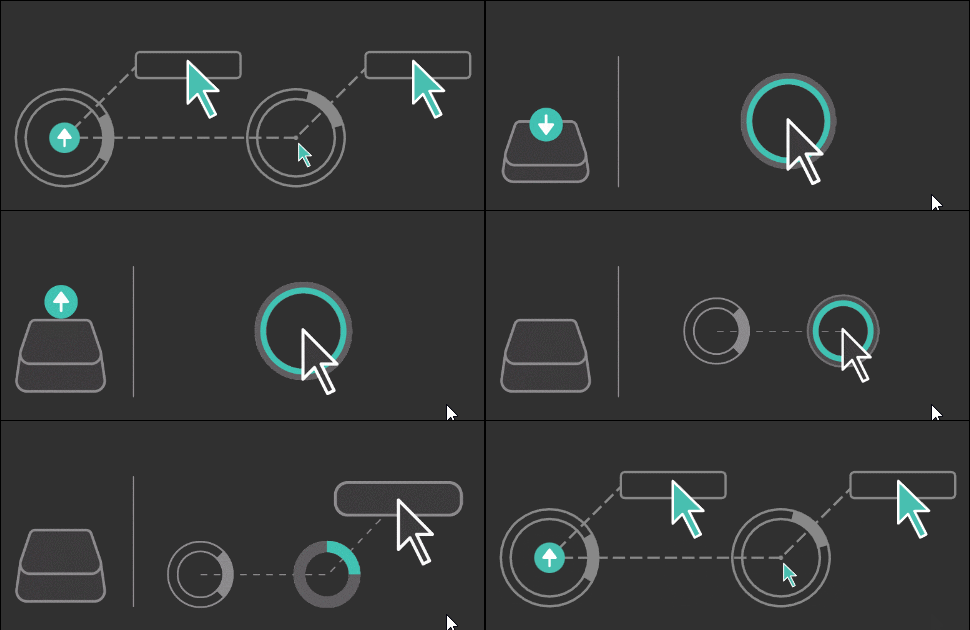
I have used the mode 4! Free to you to take another one! ;)
Mode 4
---
Pilou
Is beautiful that please without concept!
My Moi French Site My Gallery My MagicaVoxel Gallery
  Reply Reply More Options
Post Options
Reply as PM Reply as PM
Print Print
Mark as unread Mark as unread
Relationship Relationship
IP Logged

Previous
Next
 From:  Frenchy Pilou (PILOU)
10969.19 
English version is working fine! :)
some Scripts included! (not shown here)
https://moiscriptlweebly.com/autohotpie.html

  Reply Reply More Options
Post Options
Reply as PM Reply as PM
Print Print
Mark as unread Mark as unread
Relationship Relationship
IP Logged

Previous
Next
 From:  Frenchy Pilou (PILOU)
10969.20 
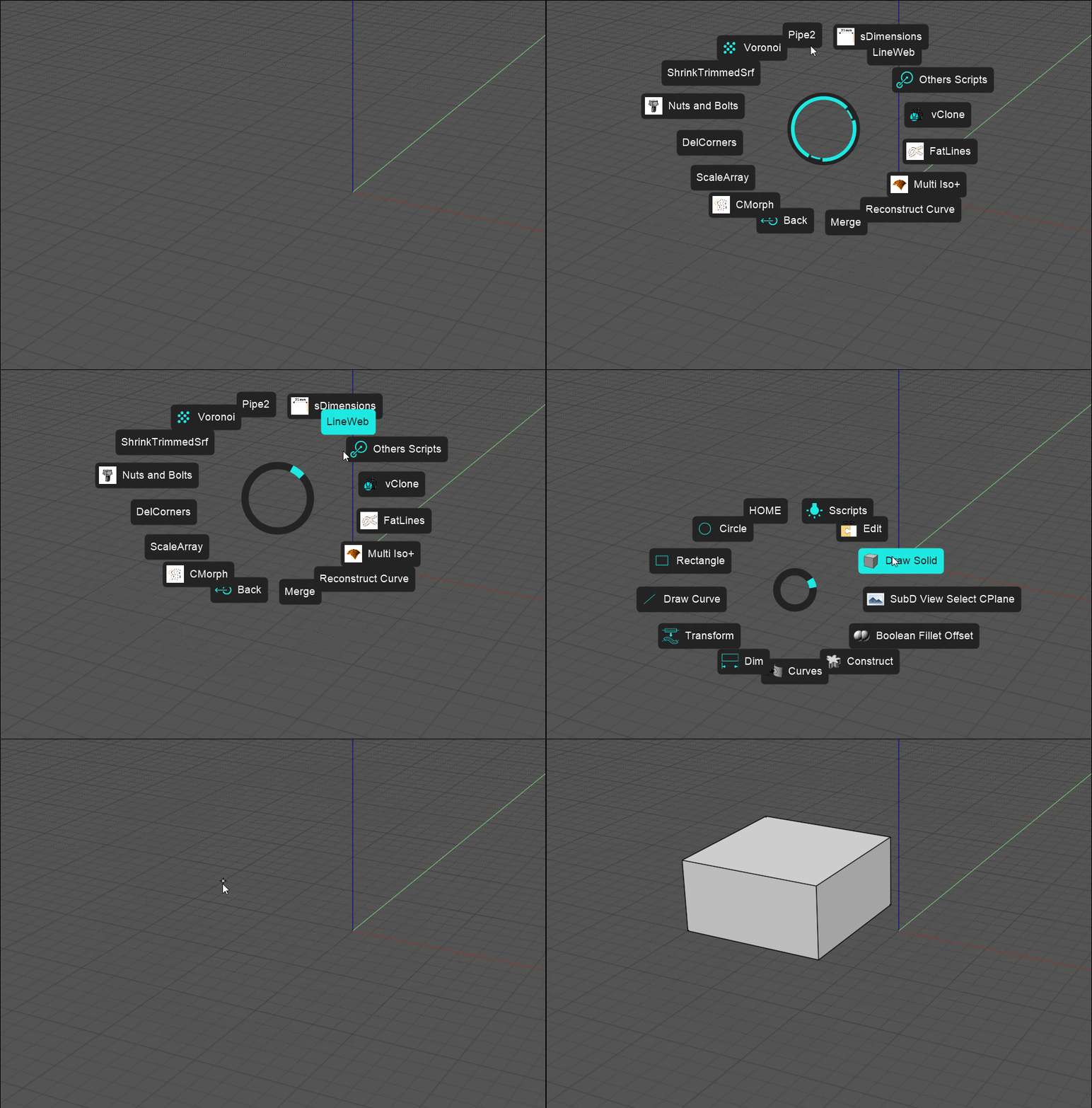
English & French version done! :)
Only one shortCut to remember! "X" ;)
https://moiscript.weebly.com/autohotpie.html (Bottom page)

EDITED: 14 Mar 2023 by PILOU

  Reply Reply More Options
Post Options
Reply as PM Reply as PM
Print Print
Mark as unread Mark as unread
Relationship Relationship
IP Logged

Previous
Next
 From:  2byts
10969.21 
Nice! I am not speaking French, so must be missing some details. I have everything installed and can create my own menus, but not sure how to install the pie menu you created.

edit:
nvm, I found that you need to "import settings" in Autohotpie and direct this to the AHPSettings.json that you have so kindly provided. This will load your pie menus, which can then be modified as the user wants.

Awesome! Thanks again for your wonderful contribution.

EDITED: 12 Apr 2023 by 2BYTS

  Reply Reply More Options
Post Options
Reply as PM Reply as PM
Print Print
Mark as unread Mark as unread
Relationship Relationship
IP Logged

Previous
Next
 From:  Frenchy Pilou (PILOU)
10969.22 In reply to 10969.21 
Tell me if that is working fine for you! (the English version! ;)
Don't forget to add the 2 files (commands & scripts) if you want all that is in Pies!

And remember Launch AutoHotPie
then green Button Save & Run (always in AutoHotPie)
Then launch Moi3D
then "X" if you want call AutoHotPie inside Moi3D
Esc for normal mode, "X" again for recall it in the same session etc...

EDITED: 12 Apr 2023 by PILOU

  Reply Reply More Options
Post Options
Reply as PM Reply as PM
Print Print
Mark as unread Mark as unread
Relationship Relationship
IP Logged

Previous
Next
 From:  2byts
10969.23 In reply to 10969.22 
yeah, all that works.

Just some instructions missing, likely because you built the script and didnt need to follow those steps, but if a user downloads your content, they have to follow additional steps.

After installing:

1. import settings file that you provided (this will delete any previous settings and menus)
2. import custom icons through Autohotpie GUI (drag and drop wont work)
  Reply Reply More Options
Post Options
Reply as PM Reply as PM
Print Print
Mark as unread Mark as unread
Relationship Relationship
IP Logged
 

Reply to All Reply to All


Show messages:  1-3  4-23  24