On using dimensions as guides
All  1-8  9-11

Previous
Next
 From:  Frenchy Pilou (PILOU)
10948.9 
You have not the same result if you Left click twice without move at the second extremity with the normal Aligned Dimension ? (not a big deal)

And Horizontal and Vertical Dimension are necessary ?
Because seems Aligned command can do the same ! :) (if i am right)

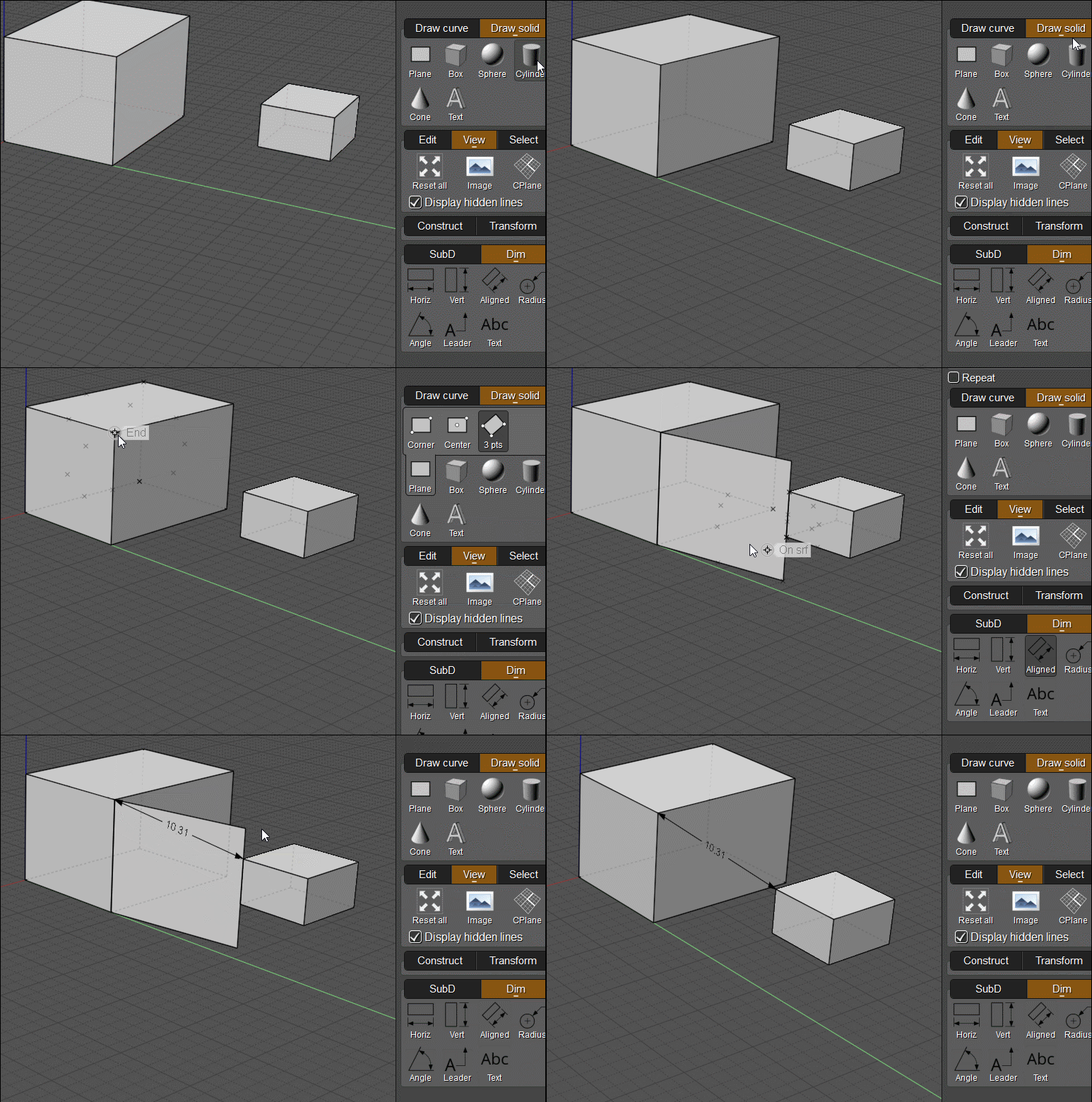
Else no more tricky than this for a 3D Dimension anywhere in the 3D Space ?

---
Pilou
Is beautiful that please without concept!
My Moi French Site My Gallery My MagicaVoxel Gallery
  Reply Reply More Options
Post Options
Reply as PM Reply as PM
Print Print
Mark as unread Mark as unread
Relationship Relationship
IP Logged

Previous
Next
 From:  Frenchy Pilou (PILOU)
10948.10 
OK you can make the same with a CPlane but needs 3 views, an headache for take the good CPlane! :)
(move the axes etc...

So rustic method above is more easy! :)
  Reply Reply More Options
Post Options
Reply as PM Reply as PM
Print Print
Mark as unread Mark as unread
Relationship Relationship
IP Logged

Previous
 From:  pior (PIOR_O)
10948.11 
I well am aware of how the Dimensions tools operate, that's not the point. As the title suggests, the topic of this thread was to explore ways to use Dims as a drafting tool, which in turn led to the very useful script provided by Michael streamlining their creation process by automatically skipping the last input (legs/offset). And therefore, making them much more intuitive to lay down as a scaffolding for a precisely dimensioned drawing.
  Reply Reply More Options
Post Options
Reply as PM Reply as PM
Print Print
Mark as unread Mark as unread
Relationship Relationship
IP Logged
 

Reply to All Reply to All


Show messages: All  1-8  9-11