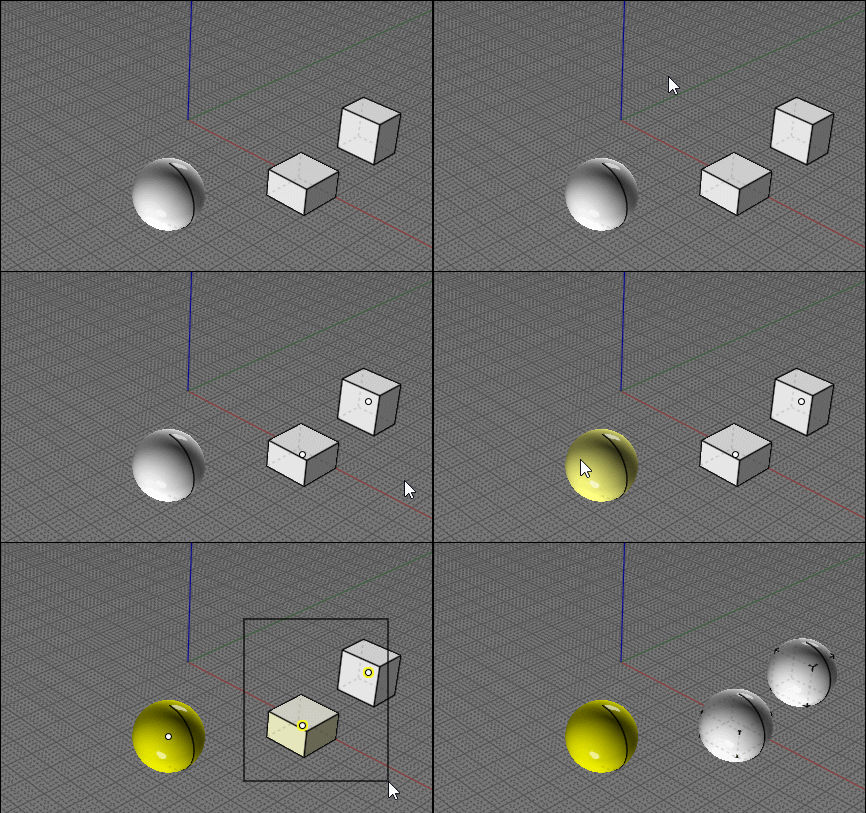
Randomize spheres in a specified area
 1-7  8-25

Previous
Next
 From:  Don (DON_CHEKE)
10037.8 In reply to 10037.6 
Thanks Michael. I appreciate the lead.

Looks like the like doesn't work.
Image Attachments:
Size: 12.2 KB, Downloaded: 7 times, Dimensions: 400x182px
  Reply Reply More Options
Post Options
Reply as PM Reply as PM
Print Print
Mark as unread Mark as unread
Relationship Relationship
IP Logged

Previous
Next
 From:  bemfarmer
10037.9 In reply to 10037.1 
Hi Don,

From what I have read, the random congruent sphere packing is not a trivial problem.

http://neams.rpi.edu/jiw2/papers/2013_04_JCP_QDM.pdf

A google search of "Ho-Kei Chan" shows several papers, but they involve containers which are skinny cylinders.

A google search of "Mhand Hifi" yields several papers, with actual Algorithm code.

- Brian
  Reply Reply More Options
Post Options
Reply as PM Reply as PM
Print Print
Mark as unread Mark as unread
Relationship Relationship
IP Logged

Previous
Next
 From:  christian (CHRI)
10037.10 
Hi

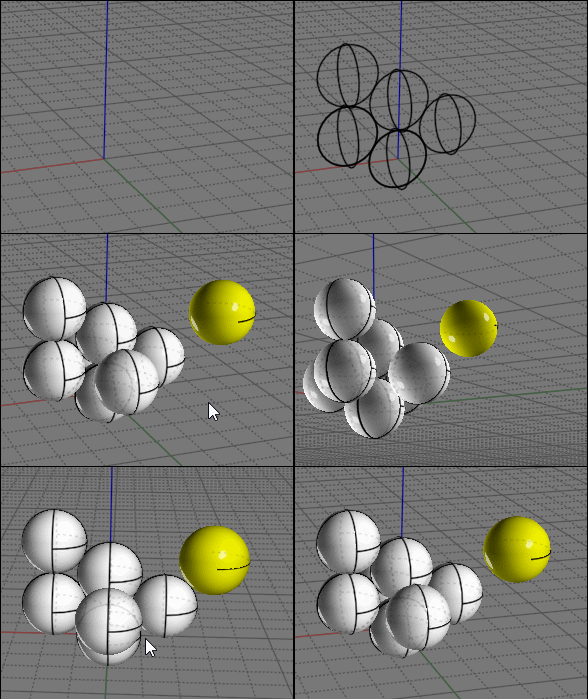
here un example from SKETCHUP and MS PHYSICS
( the first files is a animated GIF )


Methodology

in SKETCHUP
---------------
01 Create a sphere with a central point
02 Create a simulation with MS PHYSICS
03 Export center points only

in M.O.I
01 Rebuild the Spheres using the central points


Chri

EDITED: 21 Nov 2020 by CHRI

Attachments:

Image Attachments:
Size: 2.4 MB, Downloaded: 21 times, Dimensions: 353x325px
Size: 133.9 KB, Downloaded: 17 times, Dimensions: 1133x692px
  Reply Reply More Options
Post Options
Reply as PM Reply as PM
Print Print
Mark as unread Mark as unread
Relationship Relationship
IP Logged

Previous
Next
 From:  Don (DON_CHEKE)
10037.11 In reply to 10037.9 
Thanks for the link Brian. Certainly not a read for the faint of heart. :-)

_________________________
Don Cheke
Visit: Textual Creations
My Instagram: don.b.cheke
  Reply Reply More Options
Post Options
Reply as PM Reply as PM
Print Print
Mark as unread Mark as unread
Relationship Relationship
IP Logged

Previous
Next
 From:  Don (DON_CHEKE)
10037.12 In reply to 10037.10 
Thanks Christian. I don't know Sketchup at all so I would need to spend time learning it first and might consider that.

I did ask on a couple other forums and it looks like it can be done quite easily in SolidWorks with a basic motion study. I have access to that, so I will try in there first. The attached is from the SW forum.

_________________________
Don Cheke
Visit: Textual Creations
My Instagram: don.b.cheke
Attachments:

  Reply Reply More Options
Post Options
Reply as PM Reply as PM
Print Print
Mark as unread Mark as unread
Relationship Relationship
IP Logged

Previous
Next
 From:  christian (CHRI)
10037.13 In reply to 10037.12 
Hi Don

I understand
SolidWorks is a great soft and easy to used

Chri
Image Attachments:
Size: 214.9 KB, Downloaded: 18 times, Dimensions: 1264x739px
  Reply Reply More Options
Post Options
Reply as PM Reply as PM
Print Print
Mark as unread Mark as unread
Relationship Relationship
IP Logged

Previous
Next
 From:  Phiro
10037.14 
Hi all,

Perhaps could you see this page github.com/schteppe/cannon.js
You could find a simple 3D physics engine for js with many samples like spheres falling.
During simulation, you could have the coords of spheres fallen.
I you find a script taking coords to place your spheres in MOI3D.

An idea perhaps to help you...

This idea could be used to place objects physically or narturally ?

Have fun !
  Reply Reply More Options
Post Options
Reply as PM Reply as PM
Print Print
Mark as unread Mark as unread
Relationship Relationship
IP Logged

Previous
Next
 From:  Ken (OKURO)
10037.15 In reply to 10037.14 
Thanks Phiro,
some more info about MSPhysics on Github:
here you go..............................................
https://github.com/AntonSynytsia/MSPhysics
http://sketchucation.com/forums/viewtopic.php?f=323&t=56852

Regards
Ken
  Reply Reply More Options
Post Options
Reply as PM Reply as PM
Print Print
Mark as unread Mark as unread
Relationship Relationship
IP Logged

Previous
Next
 From:  Frenchy Pilou (PILOU)
10037.16 
If you want a complet tuto about MS Physics (for SketchUP) take a look at this ;)
26 little videos :) ps Sketchup is 10 times more easy than Blender! :)

EDITED: 22 Nov 2020 by PILOU

  Reply Reply More Options
Post Options
Reply as PM Reply as PM
Print Print
Mark as unread Mark as unread
Relationship Relationship
IP Logged

Previous
Next
 From:  Frenchy Pilou (PILOU)
10037.17 
CHRI is a SketshUp specialist! ;)

ELse you can do that inside MOI :)

Populate your volume with Tangent cubes ...it's not a big deal!
Then draw a sphere at each center box!

script: /* Attribute a point at each center box's object selected*/ var objs = moi.geometryDatabase.getSelectedObjects(); for ( var i = 0; i < objs.length; ++i ) { var obj = objs.item(i); var pt = obj.getBoundingBox().center; var ptfactory = moi.command.createFactory( 'point' ); ptfactory.setInput( 0, pt ); ptfactory.commit(); }

http://moi3d.com/forum/messages.php?webtag=MOI&msg=2749.36
This one move an object(s) to points yet drawn

Must be existing something for attribute automatically an object to all points selected
but don't remember it for the moment! :(

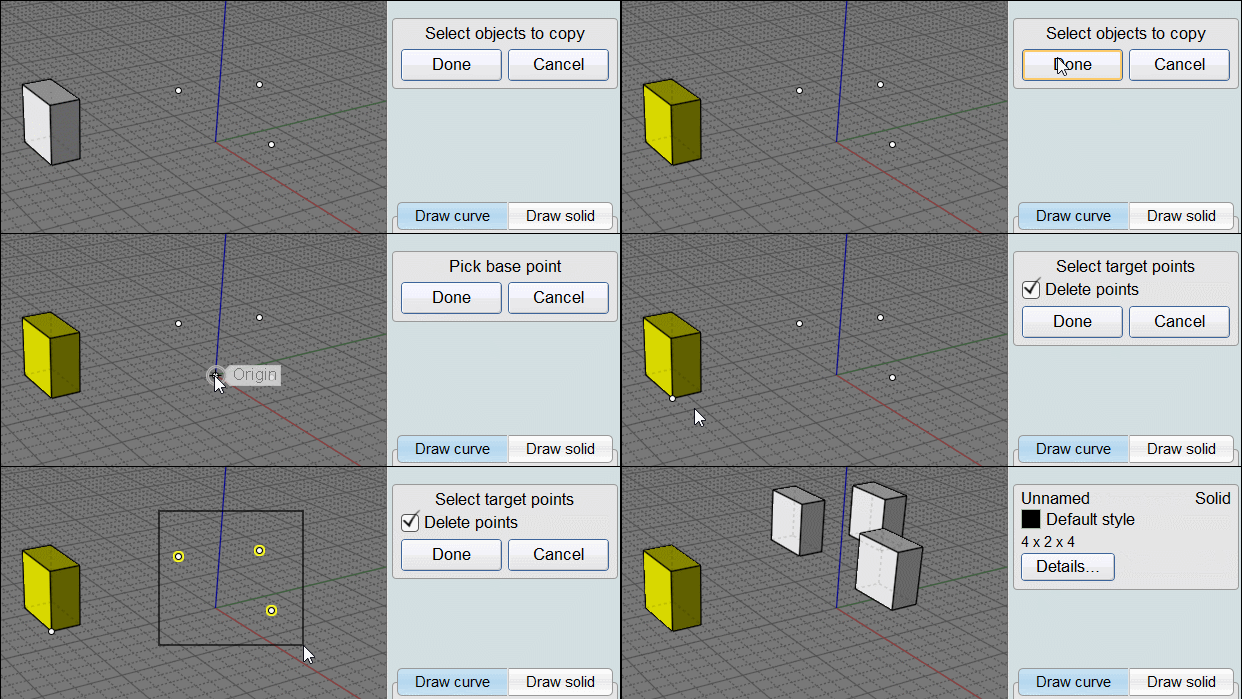
Must be this one : copy to points :)
http://kyticka.webzdarma.cz/3d/moi/#CopyToPoints

So copy the 2 files inside the folder commands
and make a shortcut "copytopoints" or press Tab and write Copytopoints...or COpyToPoints etc...
any letters you want except spaces

Have fun!
EDITED: 22 Nov 2020 by PILOU

  Reply Reply More Options
Post Options
Reply as PM Reply as PM
Print Print
Mark as unread Mark as unread
Relationship Relationship
IP Logged

Previous
Next
 From:  Frenchy Pilou (PILOU)
10037.18 
Damned seems there is a SyntaxError: Expected token ')' somewhere in this
???

script: /* Attribute a point at each center box's object selected*/ var objs = moi.geometryDatabase.getSelectedObjects(); for ( var i = 0; i < objs.length; ++i ) { var obj = objs.item(i); var pt = obj.getBoundingBox().center; var ptfactory = moi.command.createFactory( 'point' ); ptfactory.setInput( 0, pt ); ptfactory.commit(); }

this is the good one!!! (don't know where is the difference but... :)
script: /* Place a point at each selected object's bounding center */ var objs = moi.geometryDatabase.getSelectedObjects(); for ( var i = 0; i < objs.length; ++i ) { var obj = objs.item(i); var pt = obj.getBoundingBox().center; var ptfactory = moi.command.createFactory( 'point' ); ptfactory.setInput( 0, pt ); ptfactory.commit(); }

EDITED: 22 Nov 2020 by PILOU

  Reply Reply More Options
Post Options
Reply as PM Reply as PM
Print Print
Mark as unread Mark as unread
Relationship Relationship
IP Logged

Previous
Next
 From:  Frenchy Pilou (PILOU)
10037.19 
You can also draw 2 Circles (constant radius) in a view
then now same radius circle but now Tangent !
Copy rotate at any moment in another view!for the third and upper...

At the end no problem to remplace all by spheres with the plugins seen above!

Like this you can simulate any natural falling bubbles! :)

EDITED: 22 Nov 2020 by PILOU

  Reply Reply More Options
Post Options
Reply as PM Reply as PM
Print Print
Mark as unread Mark as unread
Relationship Relationship
IP Logged

Previous
Next
 From:  Don (DON_CHEKE)
10037.20 
Thank you all for the input. It is so nice to be able to ask questions on a CAD forum and get so much help.

_________________________
Don Cheke
Visit: Textual Creations
My Instagram: don.b.cheke
  Reply Reply More Options
Post Options
Reply as PM Reply as PM
Print Print
Mark as unread Mark as unread
Relationship Relationship
IP Logged

Previous
Next
 From:  Frenchy Pilou (PILOU)
10037.21 In reply to 10037.20 
Of course the last trick is some manual and not so automatic! :)

And at the start draw the second circle vertically above the first one
for have a good start of propagation...

EDITED: 22 Nov 2020 by PILOU

  Reply Reply More Options
Post Options
Reply as PM Reply as PM
Print Print
Mark as unread Mark as unread
Relationship Relationship
IP Logged

Previous
Next
 From:  bemfarmer
10037.22 In reply to 10037.18 
Either script works fine for placing a point. (no syntax error)
- Brian
  Reply Reply More Options
Post Options
Reply as PM Reply as PM
Print Print
Mark as unread Mark as unread
Relationship Relationship
IP Logged

Previous
Next
 From:  christian (CHRI)
10037.23 
Hi

new files

Chri

EDITED: 12 Dec 2020 by CHRI

Image Attachments:
Size: 183.7 KB, Downloaded: 15 times, Dimensions: 487x467px
Size: 192 KB, Downloaded: 12 times, Dimensions: 730x593px
Size: 193.5 KB, Downloaded: 14 times, Dimensions: 1347x860px
  Reply Reply More Options
Post Options
Reply as PM Reply as PM
Print Print
Mark as unread Mark as unread
Relationship Relationship
IP Logged

Previous
Next
 From:  Frenchy Pilou (PILOU)
10037.24 In reply to 10037.23 
Yep that is the more easy for the moment! :)

If there are different sizes of spheres just take different color for each size!
(so for each familly of points...maybe successive imports... )

How is done the import from SketchUp ?
SVG, OBJ, DXF ... ?

EDITED: 22 Nov 2020 by PILOU

  Reply Reply More Options
Post Options
Reply as PM Reply as PM
Print Print
Mark as unread Mark as unread
Relationship Relationship
IP Logged

Previous
 From:  Don (DON_CHEKE)
10037.25 
I just wanted to say thanks again. I did end up doing it in SolidWorks. Attached is a very low res animation.

_________________________
Don Cheke
Visit: Textual Creations
My Instagram: don.b.cheke

  Reply Reply More Options
Post Options
Reply as PM Reply as PM
Print Print
Mark as unread Mark as unread
Relationship Relationship
IP Logged
 

Reply to All Reply to All


Show messages:  1-7  8-25