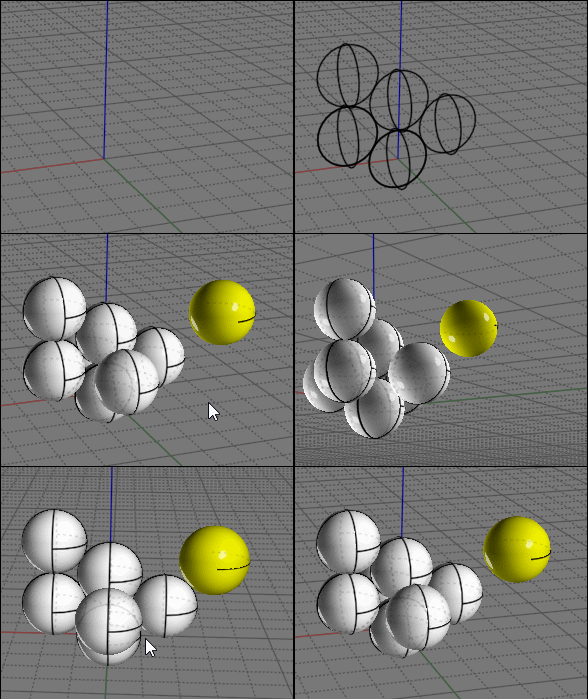
Randomize spheres in a specified area
1-19
20-25
From:
Don (DON_CHEKE)
22 Nov 2020 (20 of 25)
10037.20
Thank you all for the input. It is so nice to be able to ask questions on a CAD forum and get so much help.
_________________________
Don Cheke
Visit:
Textual Creations
My Instagram:
don.b.cheke
Reply
More
Post Options
Reply as PM
Print
Mark as unread
Relationship
IP
Logged
From:
Frenchy Pilou (PILOU)
22 Nov 2020 (21 of 25)
10037.21
In reply to
10037.20
Of course the last trick is some manual and not so automatic! :)
And at the start draw the second circle vertically above the first one
for have a good start of propagation...
EDITED: 22 Nov 2020 by PILOU
Reply
More
Post Options
Reply as PM
Print
Mark as unread
Relationship
IP
Logged
From:
bemfarmer
22 Nov 2020 (22 of 25)
10037.22
In reply to
10037.18
Either script works fine for placing a point. (no syntax error)
- Brian
Reply
More
Post Options
Reply as PM
Print
Mark as unread
Relationship
IP
Logged
From:
christian (CHRI)
22 Nov 2020 (23 of 25)
10037.23
Hi
new files
Chri
EDITED: 12 Dec 2020 by CHRI
Image Attachments:
Reply
More
Post Options
Reply as PM
Print
Mark as unread
Relationship
IP
Logged
From:
Frenchy Pilou (PILOU)
22 Nov 2020 (24 of 25)
10037.24
In reply to
10037.23
Yep that is the more easy for the moment! :)
If there are different sizes of spheres just take different color for each size!
(so for each familly of points...maybe successive imports... )
How is done the import from SketchUp ?
SVG, OBJ, DXF ... ?
EDITED: 22 Nov 2020 by PILOU
Reply
More
Post Options
Reply as PM
Print
Mark as unread
Relationship
IP
Logged
From:
Don (DON_CHEKE)
22 Nov 2020 (25 of 25)
10037.25
I just wanted to say thanks again. I did end up doing it in SolidWorks. Attached is a very low res animation.
_________________________
Don Cheke
Visit:
Textual Creations
My Instagram:
don.b.cheke
Attachments:
Bumball Machine Animation LowRes.mp4
Reply
More
Post Options
Reply as PM
Print
Mark as unread
Relationship
IP
Logged
Reply to All
Show messages:
1-19
20-25