Show messages:
1-7
8-27
28-41
From: Frenchy Pilou (PILOU)
Yes but it was just for make a little article in section Utilities or Script / Plugins of my site! :)
I will see that i can make!
From: Frenchy Pilou (PILOU)
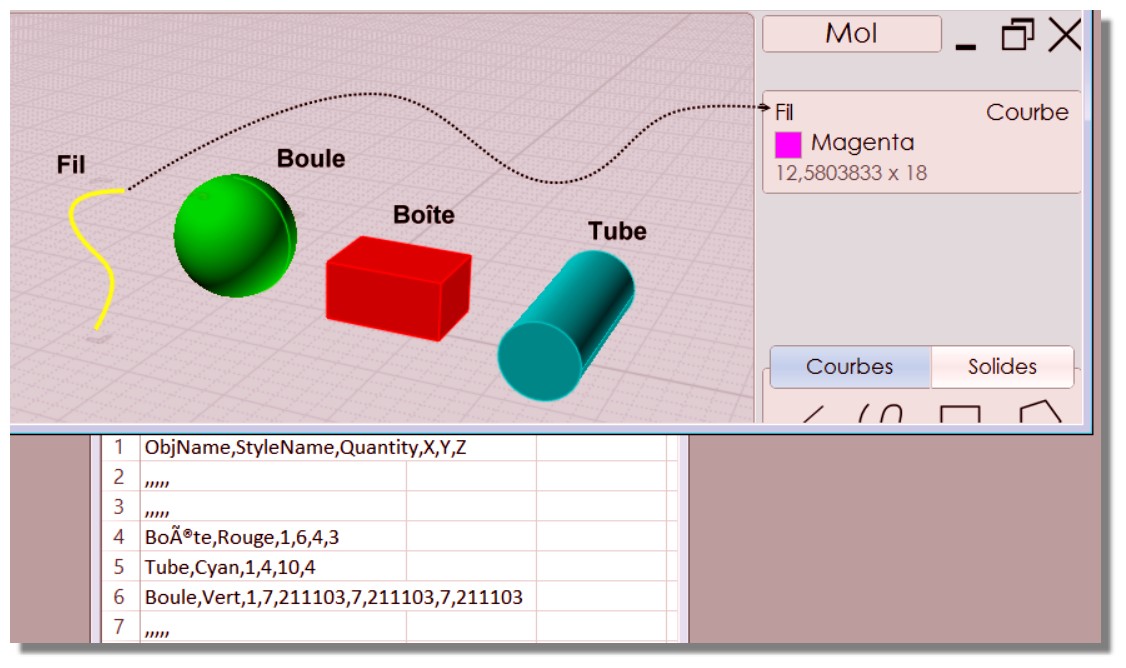
Seems curves are not taken in count!
And there is problem with accents! ;)
(import inside excel made without format) :)
From: Michael Gibson
Hi Pilou, yes both of those are normal - curves don't correspond to a finished object that will be correspond so the script only gathers up solids. It could be modified easily to look for curves also though if you had some use for that. And also usually a .csv file is just a plain ascii text file and so can't contain accented characters. It might work with some programs though, what spreadsheet program are you using to read it in?
- Michael
From: Frenchy Pilou (PILOU)
<< what spreadsheet program are you using to read it in?
Refound Excel on my computer! ;)
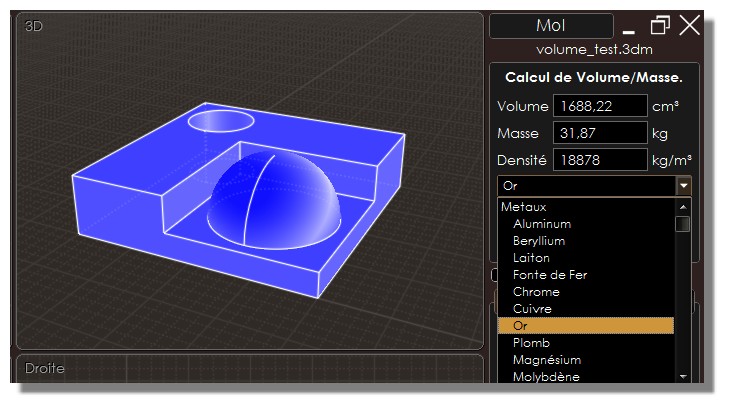
Does it possible to link CutList with the CVolume of Max Smirnov ?
http://moi3d.com/forum/index.php?webtag=MOI&msg=7421.71
From: Michael Gibson
Hi Pilou, also what happens with your accented characters if you open the .csv file in Notepad, do they display ok there?
If so try saving it out again from Notepad using the Encoding UTF-8 option on the Notepad save dialog, your new file will contain a "Byte Order Mark" at the front of it which may then get recognized by your spreadsheet program.
- Michael
From: Frenchy Pilou (PILOU)
Yes good accents are visible on the Notepad! :)
Ok perfect!
Waiting the CVolume by Max! :)
From: Michael Gibson
Hi Pilou,
> Does it possible to link it with the CVolume of Max Smirnov ?
It could be possible, you'd need to copy the volume calculation code into the .csv generator script.
- Michael
From: Michael Gibson
Hi Pilou,
re:
> Yes good accents are visible on the Notepad! :)
So that means your text file is ok (meaning it has UTF-8 text data in it), it's just that Excel doesn't interpret it as UTF-8 text using the regular file open method.
You could try saving it out from Notepad as UTF-8 which will put the Byte Order Mark at the front of the file which may get Excel to read it as UTF-8 text, or you could try using the Data > From Text method in Excel to read it which I think has a way to specify that it's UTF-8 text as described here:
https://www.itg.ias.edu/content/how-import-csv-file-uses-utf-8-character-encoding-0
- Michael
From: Frenchy Pilou (PILOU)
Seems Excel accept directly (Ansi from the Moi Cutlist modified in Notpad in UTF8)
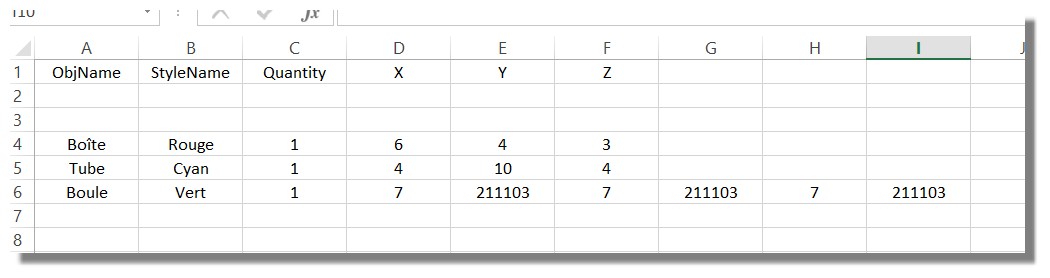
Just Sphere has extra measures ! ?
From: Frenchy Pilou (PILOU)
The original file 3dm (With Curve, Sphere, Box, Cylinder)
http://moiscript.weebly.com/uploads/3/9/3/8/3938813/cutlist.3dm
From the CVolume by Max there are Volume, Surface , Mass, Density, Material and Center of Mass! :)

From: Michael Gibson
Hi Pilou,
re: Just Sphere has extra measures ! ?
Looks like that's because of the French way of having commas for the decimal point separator. Since commas are also used as item separators in the .csv file that makes Excel think there are more columns there.
This can be fixed by tuning up the CutList.js script file, on lines 31-33 of the script there's this currently:
code:
		cutobj.x = moi.ui.formatCoordinate( bbox.xLength, 6 );
		cutobj.y = moi.ui.formatCoordinate( bbox.yLength, 6 );
		cutobj.z = moi.ui.formatCoordinate( bbox.zLength, 6 );
Try replacing those lines with this instead and see if that fixes it:
code:
		cutobj.x = moi.ui.formatCoordinate( bbox.xLength, 6 ).replace( ',' , '.' );
		cutobj.y = moi.ui.formatCoordinate( bbox.yLength, 6 ).replace( ',' , '.' );
		cutobj.z = moi.ui.formatCoordinate( bbox.zLength, 6 ).replace( ',' , '.' );
- Michael
From: Frenchy Pilou (PILOU)
Yes the famous "decimal" point! :)
It's with little things like that billions are losted in reality in Space discovery with satellites, space rockets etc...!
From: Frenchy Pilou (PILOU)
<< Try replacing those lines with this instead and see if that fixes it:
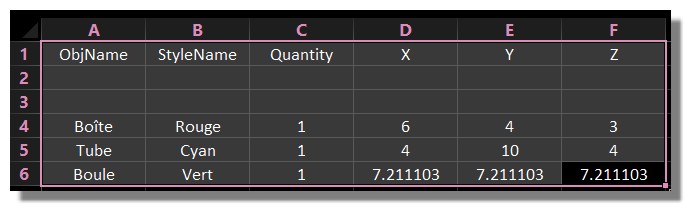
So perfect!
(I believe that this Moi export who is regulated on Ansi for any reason)
I am affraid that was a littme more difficult for the CVolume... :)
PS
This correction will works also for people who have not decimal point problem
or we must have 2 versions ?
From: bemfarmer
The comma replace modification, (Euro version), works fine with MoI solids in US version of MoI.
There are not any commas to replace, as commas are not used to separate thousands in the MoI numbers.
In Excel, format can add in the thousands comma, if needed for a gigantic solid object.
CutList is a nice little script!
- Brian
From: Michael Gibson
Hi Pilou, yes the update should work for all cases, both with comma decimals and period decimals. I've updated the script in the original message with the fix.
- Michael
From: Frenchy Pilou (PILOU)
THX for all!
From: Frenchy Pilou (PILOU)
Another little trap!
For a French version, what is the trick for messages, tittle etc...where there are " ' " like inside "Nom d'Objet" ?
Because this result a glitch inside Moi! :)
From: Michael Gibson
Hi Pilou, you mean for a string in script that is surrounded by single quote marks, like:
fs.writeLine( 'ObjName,StyleName,Quantity,X,Y,Z' );
If you want to put one of those same marks inside the string you have to escape it with a \ character before it like this:
fs.writeLine( 'Nom d\'Objet,StyleName,Quantity,X,Y,Z' );
When you put the \ character before it, it will tell the script parser not to end the string there.
- Michael
From: Frenchy Pilou (PILOU)
Ok that works!
but something curious
the previous trick to save in UTF8 for have accents given in Moi Names' Object don't work more
and give Parse Error in Moi Line 1 who is a blank line !!!
From: Michael Gibson
Hi Pilou, do you only get the error with the script which you've edited? Please try the original script from above and see if that works ok. If so, please post your edited French version maybe there's something wrong with one of your changes.
- Michael
Show messages:
1-7
8-27
28-41

