Show messages: All
1-2
3-8
From: Paulo (MADEIRA3D)
That is PERFECT Michael!!!
I was guessing moi (you) would have a smart solution for that :-)
Thanks
From: Paulo (MADEIRA3D)
Another quick one please
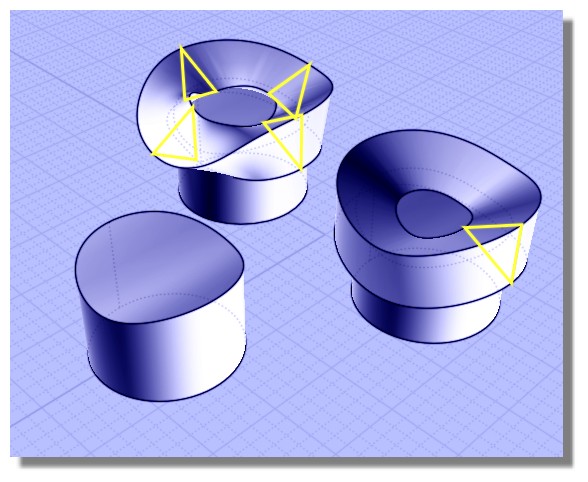
If I design a simple triangle pointing outside and sweep the profile along the center curve what is on top of the cylinder...
How can I make shore that the triangle is always in the path?? There are areas were the profile position is different....
Should I copy the same profile 4 times to the 4 main areas of the path??
Thank you.
From: Frenchy Pilou (PILOU)
Yes if you want a special rotation position of the triangle!
Else not just one is sufficient!
From: Paulo (MADEIRA3D)
Thank you PILOU
That is strange, doesn't seem the case, maybe I'm doing something wrong.
In this first image I made my simple profile that I will sweep along my curve.
You can see in the other images that the profile isn't matching the cylinder everywhere.
Should I do it more "precise" in the sweep options??
Thank you
Image Attachments:
 p1.png
p2.png
p3.png
p1.png
p2.png
p3.png
From: Frenchy Pilou (PILOU)
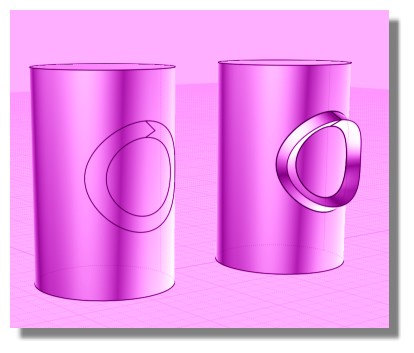
In your case just make a Sweep with 2 rails!
So you will sure that your profil follows external and internal curves!
From: Michael Gibson
Hi Paulo,
> You can see in the other images that the profile isn't matching the cylinder everywhere.
> Should I do it more "precise" in the sweep options??
There isn't any way for a one-rail sweep to keep the profile to be "stuck down" on a bendy surface like it looks like you're trying to do.
Probably your best bet is a 2 rail sweep like Pilou writes, with 2 rail curves running down either side of the profile rather than only one rail down the middle of it.
If you're still having problems can you please post the 3DM model file with your objects in it, that tends to help a lot to be able to work with your actual geometry to answer questions.
- Michael
Show messages: All
1-2
3-8

