Show messages:
1-10
…
31-50
51-70
71-90
91-106
From: FiL (FILIPPOL)
Hi Paolo,
can you help me to understand how I can use these immage?
I begin now to do some rendering.
I apply the immage to an external object and it's reflected in my scene or I use it like a refection map (global image) during the rendering?
FiL
From: Mark Brown (MABROWN)
Hi FiL,
You add your HDRI as an "environment image" in the render settings. By default, Simlab Composer is probably already using the "Default.exr" image. You can replace whatever image Composer is using with another HDR image, such as the ones linked to. For Composer to use these HDRI's you need to ensure that the "environment image" check box is selected. Also, the HDR image can be used as a visible "back plate" for your render by selecting "back plate - from environment".
It might be worth you signing up to the Simlab forum. The support guys on there are very helpful.
Mark
From: Paolo (PAOLOLOBBIA)
Hi FiL,
In addition to the answer from Mark Brown:
Image Attachments:
 hdr.JPG
From: TwinSnakes
I was really considering buying this for the 3D PDF for customer previews. But since Autodesk released the free FBX viewer, I really dont need too.
From: Grendel
TwinSnakes - It's not that the autodesk viewer is free(most viewers are) it's that everyone already has Adobe Reader on their systems. For companies large enough to have an IT group it can be a PITA to install anything if you don't have administrator rights on your machine.
From: Michael Gibson
Hi TwinSnakes, is there a brand new FBX viewer out now? Or are you talking about the one that is a plug-in for Apple's QuickTime?
- Michael
From: FiL (FILIPPOL)
Thanks Mark & Paolo.
FiL
From: TwinSnakes
The quicktime viewer.
From: omac12
I just wanted to post to say that I noticed that the SimLab Composer 2.1 update beta is available for download in the simlab updates forum.
From: Ralf-S
New editions of SimLab Composer :)
1- SimLab Compser (3D PDF edition), this edition will not include rendering capabilities,
it will also not include DWG/DXF importers, this edition will serve users who are using SimLab Composer
for building 3D Scenes, and sharing them as 3D PDF files.
2- SimLab Composer (Rendering edition), this is the next release of version 2.1,
it will include all capabilities included in version 2.1 (Rendering and 3D PDF generation),
in addition to new features for 2.2.
3- SimLab Composer (Animation edition), in addition to the capabilities offered in the Rendering edition,
this edition will provide the user with the tools needed to create different types of animations
including KeyFrame, Camera, Round table, Path, and Material.
It will also include the needed tools to automatically render an animation and combine rendered images in a movie.
Command line translation:
Regarding scripting, scripting support was one of the features we considered in our design,
so it will not be difficult to add scripting; we are still thinking how users will benefit from it.
In the 2.2 release we will start with supporting command line translation using SimLab Composer.
http://www.simlabforum.com/viewtopic.php?f=4&t=122
From: Mark Brown (MABROWN)
Really looking forward to this, scripting support in particular. Closed beta release should be just around the corner.
Mark
From: ed (EDDYF)
As a KeyShot owner, I'm really looking forward to trying the SimLab Animation Edition when it comes out. The video examples shown on their site look great.
Ed
From: vanhienmta
Hi ALL
Please let me know the cause!
Why I export from SimLab Composer 2015 to PDF, when I move the cursor in the PDF, the motion is stopped
Thank you very much!
But in 2014 the Simlab Animator does not happen this error, that is just see the motion but can still zoom and move
From: DannyT (DANTAS)
Hi vanhienmta,
This forum is more for MoI related stuff you're better off asking the question on the Simlab forum where they'll have the right answer for you.
http://www.simlabforum.com/
Cheers
From: Frenchy Pilou (PILOU)
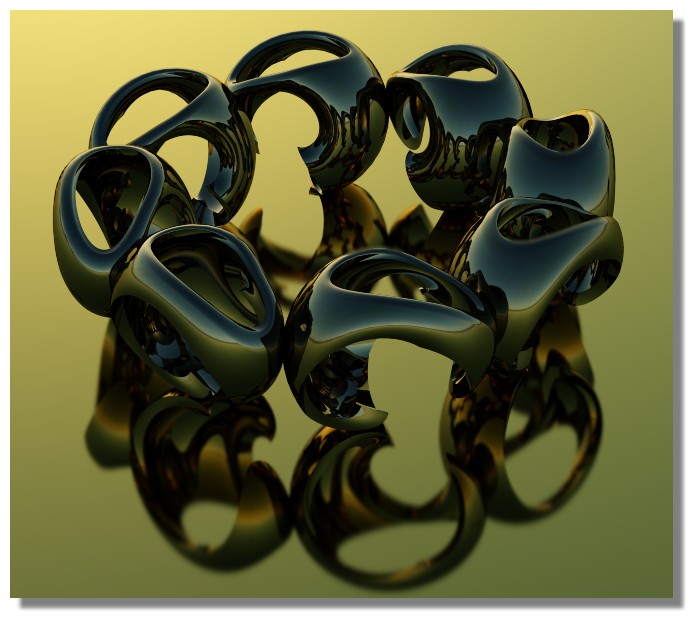
Sim Lab Fun with Moi Objects :)
And that is not writed above !
Free real time rendering with the Lite version! Maxi 1920 * 800 (in the past that was 1920*1040) ...no export 3D in classic formats but yes in native format! (.sim)
You can Import and mix any formats (except 3dm from Moi so take OBJ ! )
I don't know more easy and fun (if possible) prog! :)
From: Frenchy Pilou (PILOU)
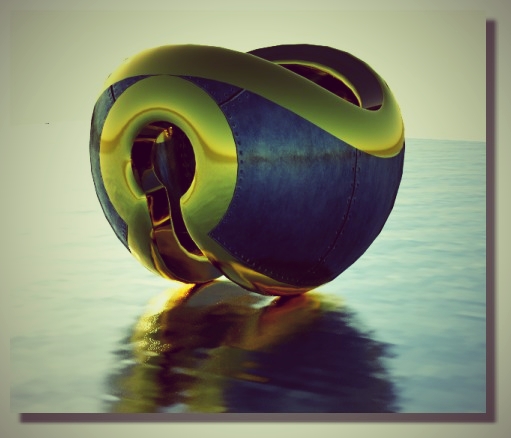
Another few seconds relaxing :) An hole on box + Flow on a sphere :)
Next time i will ask more polygons at the Moi export ...
Show messages:
1-10
…
31-50
51-70
71-90
91-106

