Show messages: All
1-2
3-11
From: Zooen
Merci Phiro,
C'est mon troisième panneau. J'en ai une vingtaine à créer qui doivent s'intégrer dans un décor gothique. J'améliore ma technique panneau après panneau. Mais comme il y a de nombreuses courbes tangentes les unes aux autres, il faut être très précis, car le moindre petit écart peut créer des bords nus (naked).
C'est la première fois que MoI3D « patine » trois ou quatre secondes sur les derniers raccordements (join) de réseaux (Network) pour obtenir un solide. Peut-être qu'il recalcule tous les raccordements, je ne sais pas (ma machine est pourtant très performante).
Cordialement.
Thanks, Phiro,
This is my third panel. I’ve got about twenty to create, which need to fit into a Gothic setting. I’m improving my technique with each panel. But as there are lots of curves that are tangent to one another, you have to be very precise, because even the slightest deviation can create ‘naked’ edges.
This is the first time MoI3D has taken three or four seconds to ‘work through’ the final network joins to produce a solid. Perhaps it’s recalculating all the joins; I’m not sure (even though my computer is very powerful).
Kind regards.
From: Zooen
Hello Michael,
Would you have a bit of time to write a script that would automatically create a point at the center of a circle tangent to three edges of a surface (which is flat in my case)?
At the moment, I create a circle tangent to the three edges, then use BoundingBoxCenter to create my point. Next, I delete the circle and finally, I use EditCenterPosition to position it at -6 in the Z-axis.
Below is an image to illustrate what I mean. Note: the blue face is at -9 units along the Z-axis.
I need to create a hundred points for my panel, and I still have 17 panels to create (17 × 100 = 1700 !).
Kind regards
- Zooen
Image Attachments:
 Point_centre_Tangente.png
From: Frenchy Pilou (PILOU)
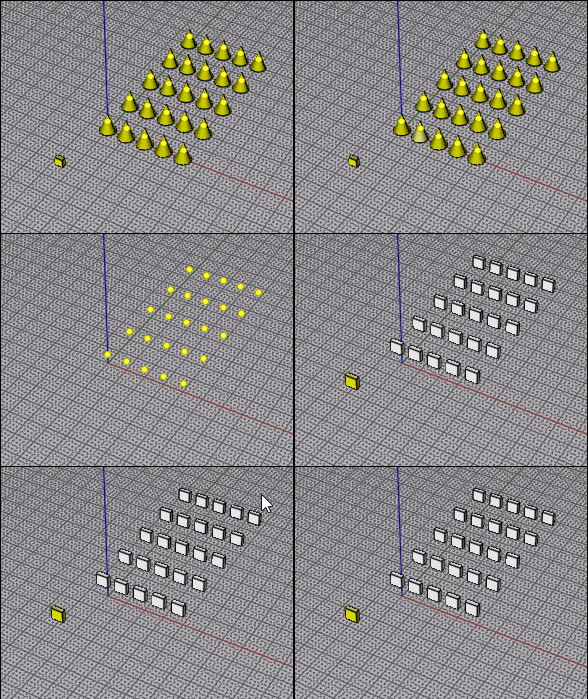
If It's the "same object" maybe you can use VClone ?
From: Michael Gibson
Hi Zooen, do you want the script to work by clicking 3 points, the same input given to the Circle Tangent command, but instead of making a circle it makes a center point at a specificed z level?
- Michael
From: Zooen
Hi Michael,
Yes, that’s exactly right.
I run the Circles Tan function, click on the three points of tangency on the edges, and the script prompts me for the Z-coordinate. In fact, it automatically handles, in the background, the creation of the circle, the creation of the circle’s center point, and the deletion of the circle, and simply prompts me to enter the Z-coordinate. The point is created in the right place at the correct Z-coordinate.
I no longer need to manually use `BoundingBoxCenter`, delete the circle, select the point and manually use `EditCenterPoint` to choose the Z-coordinate.
But perhaps it’s not quite as simple as that!
From: Zooen
I’ve just finished a new panel of Gothic interlacing. It took me less time than the previous one, as there are no Naked edges to tidy up – it’s a solid.
I’ve still got 16 panels to go… I’ve discovered a few new subtlety in MoI3D and improved my technique.
Image Attachments:
Finale.png
From: Michael Gibson
Hi Zooen, here is a script to try for extracting the center point and giving a z value.
- Michael
Attachments:
CircleTangentCenter.zip
From: Zooen
Hi Michael,
Many thanks for this script: I’ve just tried it out, and it’s saved me a lot of time!
Kind regards - Zooen
From: Zooen
New panelling
Image Attachments:
PL.VII_Z.jpg
Show messages: All
1-2
3-11

