Show messages:
1-17
18-22
From: Frenchy Pilou (PILOU)
Cool result on the image!
For same number of points on curve (s)
take a curve or more then Join if only one curve needed
Press Tab , Write Rebuild
Enter nb Pts wished
etc...
Message 12088.19 was deleted
From: Booleano
Hi Pilou
Thank you for liking the image; it took me a lot of work to get it, thanks to the help I received.
Regarding the curves, I know they're the same. Curve "A" is the one 777RAVEN777 suggested, and "B" is taken from the outline of 777RAVEN777's extruded image; I didn't draw it myself, which is why there's a difference. If your explanation also serves the same purpose, then that's fine with me.
Thanks.
From: Frenchy Pilou (PILOU)
If you follow my process above you can make any curve with any number of Control Points!
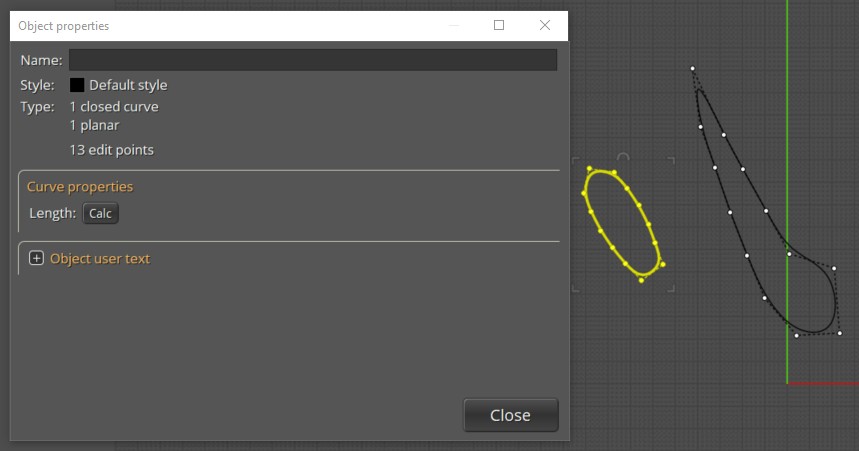
here each closed curve A & B has 13 C Points! And well spaced after a rebuild!
You can select many curves in the same time and rebuild them!
If you want same length of one of the curve : make a Scale 3D (A / B) or (B / A) following result wanted ! :)
From: Michael Gibson
Hi Booleano,
re:
> Why are there these differences in the number of points between figures "A" and "B"?
Probably because B is the result of a surface/surface intersection, and A has been simplified using the Rebuild command.
> Is there any way to convert figure "B" with the same number of points as figure "A", or
> at least approximately the same as "A", but with the points distributed similarly or equally?
Yes, use the Rebuild command to do that.
Set up a shortcut key, with Rebuild as the command name.
- Michael
Show messages:
1-17
18-22

