Show messages:
1-11
12-22
From: 777RAVEN777
As a default, if I'm going to extrude a curve, I'll check how complex its points are and usually end up rebuilding the curve anyway - making sure it's a Closed Curve. I also get cleaner results if it's flat to start with (ie occupying only 2 dimensions)
From: Booleano
Hi
Thank you all so much for your help, everything is sorted now
Message 12088.14 was deleted
From: Booleano
Hi
Why are there these differences in the number of points between figures "A" and "B"? Is there any way to convert figure "B" with the same number of points as figure "A", or at least approximately the same as "A", but with the points distributed similarly or equally?
Thank you.

Image Attachments:
 Comparativa.jpg
Message 12088.16 was deleted
From: Booleano
Hi
This is the project; I replaced it because there was an error.

Image Attachments:
Estuche_2.jpg
From: Frenchy Pilou (PILOU)
Cool result on the image!
For same number of points on curve (s)
take a curve or more then Join if only one curve needed
Press Tab , Write Rebuild
Enter nb Pts wished
etc...
Message 12088.19 was deleted
From: Booleano
Hi Pilou
Thank you for liking the image; it took me a lot of work to get it, thanks to the help I received.
Regarding the curves, I know they're the same. Curve "A" is the one 777RAVEN777 suggested, and "B" is taken from the outline of 777RAVEN777's extruded image; I didn't draw it myself, which is why there's a difference. If your explanation also serves the same purpose, then that's fine with me.
Thanks.
From: Frenchy Pilou (PILOU)
If you follow my process above you can make any curve with any number of Control Points!
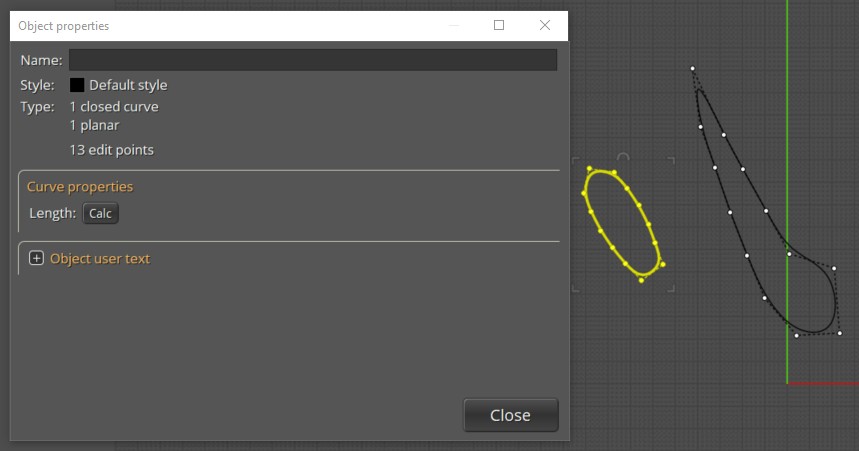
here each closed curve A & B has 13 C Points! And well spaced after a rebuild!
You can select many curves in the same time and rebuild them!
If you want same length of one of the curve : make a Scale 3D (A / B) or (B / A) following result wanted ! :)
From: Michael Gibson
Hi Booleano,
re:
> Why are there these differences in the number of points between figures "A" and "B"?
Probably because B is the result of a surface/surface intersection, and A has been simplified using the Rebuild command.
> Is there any way to convert figure "B" with the same number of points as figure "A", or
> at least approximately the same as "A", but with the points distributed similarly or equally?
Yes, use the Rebuild command to do that.
Set up a shortcut key, with Rebuild as the command name.
- Michael
Show messages:
1-11
12-22

