MoI discussion forum

Full Version: Splitting an object into two

Show messages: All  1-6  7-9

From: BurrMan
21 Jul   [#7] In reply to [#3]
""""""""""but would you be a little more specific on how best to use the boolean tool here for solids?""""""""""

This should have the little nugget you were looking for!


From: Frenchy Pilou (PILOU)
21 Jul   [#8]
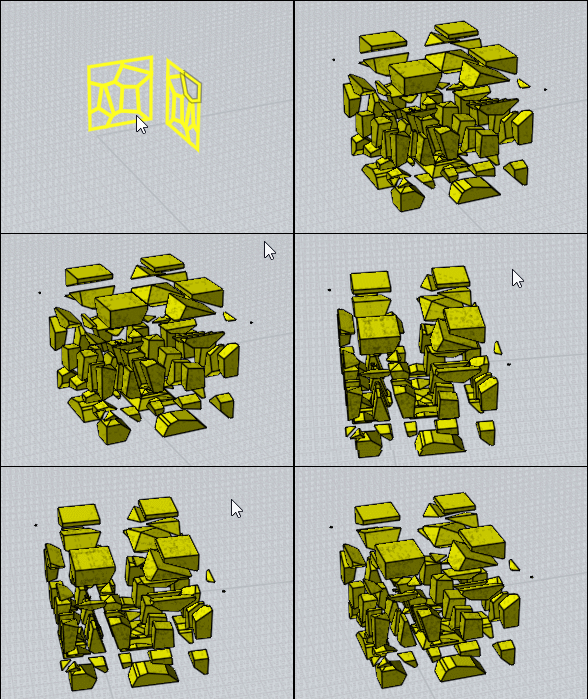
A cool function can be the Native ExplodeMove after a multiple Boolean (Merge here) ! ;)

Voronoi for the perpendicular faces!


Boolean Merge the 2 perpendicular planar curves
then ExplodeMove as shortCut or Press Tab and write ExplodeMove


Of course ExplodeMove will work also with some Boolean Diff! ;)
From: Frenchy Pilou (PILOU)
22 Jul   [#9]
Boolean Isect make the same but don't make the Trim between volumes themselves!

But can be useful for some real time modeling!

If Isect launched you must all redraw if you want Add or erase something on the resulted volume!
But all existing can be rotated, moved, resized!
Diff will be automatic if curves are in the same set (circle inside square = tube ) and Union Sets enabled!




Show messages: All  1-6  7-9