Show messages:
1-12
13-32
33-52
53-72
73-92
93-112
113-132
133-138
From: Michael Gibson
Hi Psygorn, was the Ctrl+space issue from PowerToys?
- Michael
From: Frenchy Pilou (PILOU)
https://moiscript.weebly.com/biblio-elephant.html
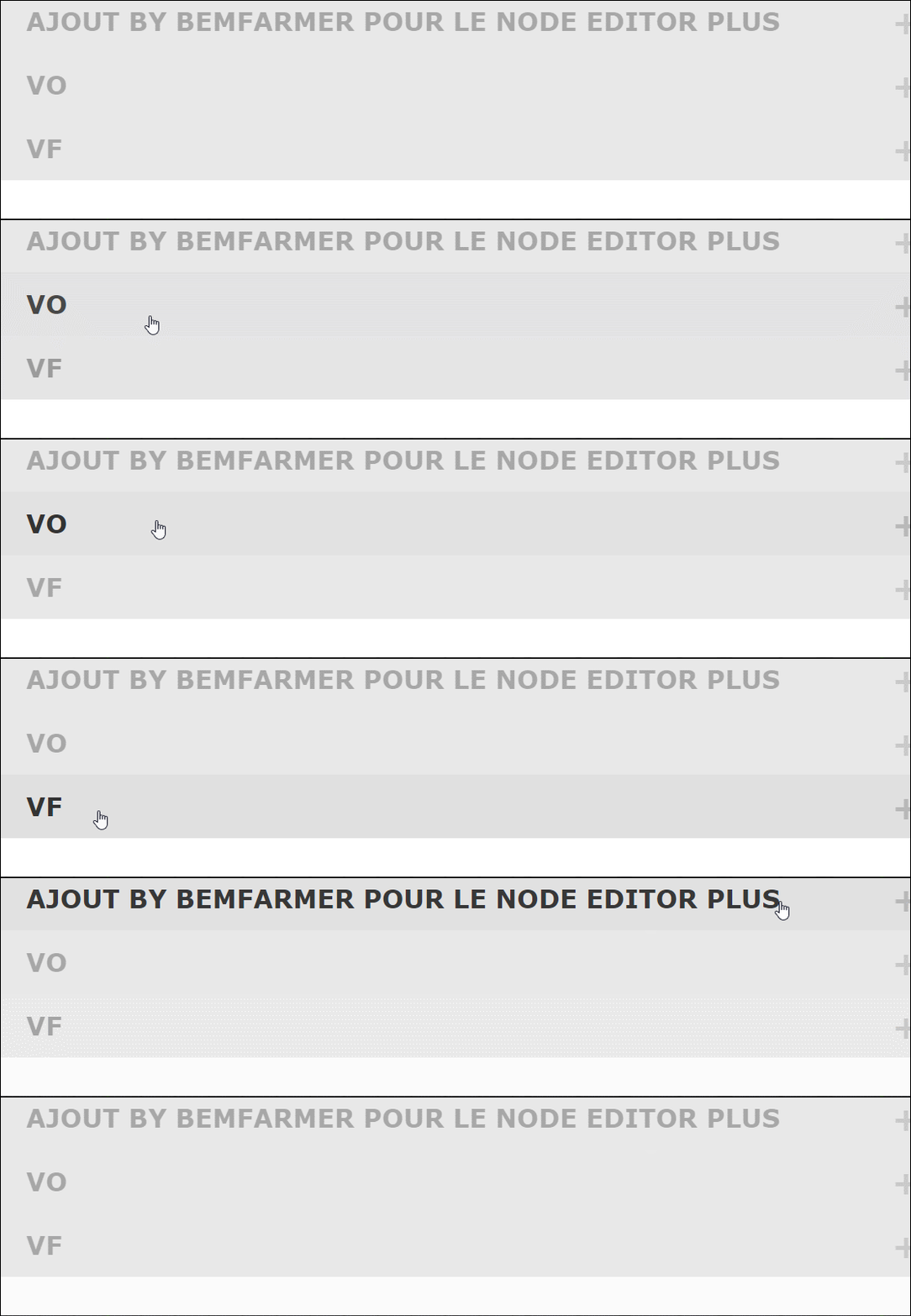
French version of the Addendum of BemFarmer!
EN . FR (Vo VF) inside the 2 Lines Pull Down
From: MO (MO_TE)
Hi PILOU
Thanks, It looks good. I have extracted more words in case you want to translate node properties and descriptions.
In the next version I will add translation support for nodes' tooltips as well. :)
Here is the full dictionary of NE Plus.
Attachments:
 NEPlus_Full_Dict.txt
From: MO (MO_TE)
Hi Brian
Thanks for taking the time and documenting nodes.
I'm thinking of an alternative solution for documenting nodes.
There is a new feature in NE Plus called "
Tooltips". You can
Alt + Click on nodes to see the node's tooltip.
It uses the "desc" property to show a tooltip on the canvas.
Like this:
Multiplexer_Mux.desc = "Multiplexer (Mux) * To select input(s) by index number or a binary pattern";
(" * " characters add a new line to the tooltip.)
I left it untouched for most nodes except the ones I created recently. But, it's possible to write a simple description for them.
Or, We can use the translate function to insert new node descriptions on the fly.
Check the
Descriptions section in the "NEPlus_Full_Dict.txt" file. ( It's a long file, search for: /* Descriptions */ )
https://moi3d.com/forum/index.php?webtag=MOI&msg=11614.55
I checked your "swRotary" node. It looks like a widget version of "Mux" node. :) I encountered a bug when cloning the node on middle inputs selected.
Fixed the bug, added more input options
Check this version: "Widget/SwRotaryTEST"
Edit: Added to the NodeEditor Plus v0.7.02
From: bemfarmer
Hi MO,
Thank you for your MANY improvements to swRotary. I like them very much.
Bugfix, 4:1, 8:1, 12:1, string, etc.
I'll delete my version.
Also Tooltips info, & Descriptions/Dict...
There is much to learn.
- Brian
I'll remove "Test" from your improved node, in my extensions folder.
From: bemfarmer
Suggestions on Descriptions/ToolTips:
Bundle arrays by slice
or: Bundle arrays by column slice.
For Bundle, the i-th (joined) element of the Output, contains the i-th element of each Input array.
(Abstracted from an internet description.)
- Brian
Programmers probably understand more of the terminology than a layperson.
- Brian
From: MO (MO_TE)
Here is a preview of tooltips:
Image Attachments:
Node_Tooltip_Test.png
From: bemfarmer
Superb !
Simple example is great.
Google AI says:
"elegant" implies a refined simplicity, often with a sense of grace, beauty, and good taste, suggesting a solution or design that is both effective and aesthetically pleasing, even if it appears simple on the surface.
So per post 56, the text goes in the line:
Bundle.desc = " place text here with text lines separated with * "
in the General.js, Bundle code.
And language translation can be done with the "NEPlus_Full_Dict.txt" file. (somehow)
- Brian
From: MO (MO_TE)
quote:
So does the text go in the line:
Bundle.desc = " place text here with linefeeds"
in the General.js, Bundle code ???
This is one way to do it, but, I recommend to wait for the next version. :)
I will add the tooltips translation support in the next version.
This is easier to translate or change a tooltip in "lang.js" file.( translate EN to EN or FR or ... )
( EN to EN will overwrite the older descriptions without needing to change every file and node )
From: Frenchy Pilou (PILOU)
@MO_TE
Perfect : i will use the "Full" one next time! ;)
And "ToolTips" of course! :)
Ps ToolTip help also to understand the Node name istself for the translation! ;)
From: Psygorn (DRILLBIT)
Hi Michael,
Yes, the issue is solved! Tanx for checking on me!
-Psygorn
From: MO (MO_TE)
Hi
Check out the new version :)
Added node tooltips translation support. ( See the "lang.js" file under core folder )
Added "swRotary" widget by Brian. ( I moved the code to "interface.js" file )
Added two new modes for "ConvertPts" node by Brian.
Fixed "note" node
Added "printDict" function to "main.js" file for extracting and formatting NE words.
From: mkdm
Hello and thanks a lot for this huge work!
I’ve got to say, I’ve been wondering about something.
Has anyone here heard anything about the legendary Mr. Max Smirnov? It’s been years since he’s been active on the forum. Does anyone know if he’s even still alive? I’m serious, no joke.
Obviously, I don’t know him personally and never had the chance to meet him. I only know the incredible work he did here years ago, creating the amazing and super-powerful “Nodeeditor.”
That tool gave a huge boost to “Moi 3D,” which, honestly, feels pretty stagnant these days because of its painfully slow development pace—though it’s still one of the best 3D editors out there, no question.
I think we all owe Mr. Smirnov a lot of gratitude for what he created (not to mention all those incredible scripts he shared).
So yeah, I’m just wondering—has anyone heard anything about him?
Thanks! :)
From: Michael Gibson
Hi Marco, last contact with Max was in June 2022, he's ok and he confirmed that his scripts are open source under the MIT license.
- Michael
From: Mik (MIKULAS)
“Perfection is achieved, not when there is nothing more to add, but when there is nothing left to take away.”
― Antoine de Saint-Exupéry, Airman's Odyssey
IMO MoI sw represents this philosophy perfectly, and is therefore becoming an increasingly preferred CAD modelling sw for transforming a fleeting moment of inspiration into reality :-)
Mik
From: mkdm
Thank you, Michael, for this update regarding Mr. Smirnov.
So, does this mean you haven’t heard from him since 2022, or when you say “he’s ok,” are you referring to the present?
Either way, it’s truly a great loss that he stopped developing the “Nodeeditor” and all the other marvellous tools he created for this software and community.
Allow me to reiterate something I wrote on this forum quite some time ago.
By creating “Moi 3D,” you gave us a truly EXTRAORDINARY piece of software in so many ways (though I must admit the development updates do feel frustratingly slow).
Then, Max Smirnov took that software and brought it close to perfection.
From my perspective, there’s a “Moi 3D” before Max Smirnov and a “Moi 3D” after Max Smirnov.
All the best, and wishing you well. :)
From: Michael Gibson
Hi Marco,
re:
> So, does this mean you haven’t heard from him since 2022, or when you say
> “he’s ok,” are you referring to the present?
I haven't heard from him since June 2022 which was a while after he removed all his stuff from the forum. He was doing ok at that time.
- Michael
From: Frenchy Pilou (PILOU)
Does the Tooltips function is yet effective ?
I have only the first line when i make the Alt Click on a node!
EDIT : Ok found the trick... it was just a "," somewhere ! O:)
Very smart!
But Now hundreds to make! :)

From: Frenchy Pilou (PILOU)
@ Mo_ te
Here the second draft of the "complete" French Nodes! Tooltips
https://moiscript.weebly.com/uploads/3/9/3/8/3938813/lang_save02.js
Seems a miracle but all seems works like a charm !
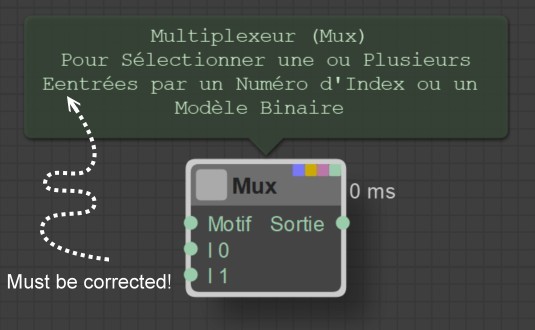
Of course some cosmetic corrections must be made... for that i must re-read all nodes and ToolTips! ...
Not a speedy work! :)
I have used your toolstips list but not with not the same "number lines" because i had mine yet made with other nodes :)
If you make some new things put them in some new embeded lines... :)
So i made a little cooking Copy Past between the codes of the Lang files.
And some cosmetic corrections like this must be done! :)
From: mkdm
Ok Michael.
Thanks for the info.
Have a nice day.
Show messages:
1-12
13-32
33-52
53-72
73-92
93-112
113-132
133-138

