Show messages:
1-14
15-34
35-54
55-74
75-94
95-114
…
135-140
From: MO (MO_TE)
Hi Brian
Thanks, I'll add it to the next version.
But generally, it's better to use the "Curves/Curve" node to generate curves from point data whenever possible.
"Curves/Curve" node supports both "control Points" and "Through Points" (interpCurve) modes + "Closed" option.
From: bemfarmer
Thankyou MO.
I will have a look.
- Brian
From: bemfarmer
I spent some time improving my Yarn node.
There are some new features in NodeEditorPlus that are terrific!
Especially:
1. Node to Macro,
2. Arrange Graph,
3. Notes. (Can be used as a label for the node assemblage, and for information.)
(See Documentation pdf)
Add Group could use some Documentation. How to remove "Group" box? ( > Edit Group > Remove Group.)
The use of the above improvements are for the most part self-evident., and the documentation helps.
Notes could use a documentation write-op. I had to type the same notes 5 times before realizing that (a very rapid) right mouse click adds them to the box. Otherwise the Info box resets.
A second shortcut key can be set up in MoI, to open a second canvas, to assist node program (assemblage) creationg.
- Brian
From: MO (MO_TE)
Hi Brian
Here is a shortcut while editing notes:
Press CTRL + ENTER to apply changes.
>> right mouse click adds them to the box.
Also, clicking on the node box and mouse leaving the text area will apply the changes.
I can confirm that when mouse enters or leaves the node box it resets the changes before applying them. I can fix that.
>> A second shortcut key can be set up in MoI, to open a second canvas, to assist node program (assemblage) creation.
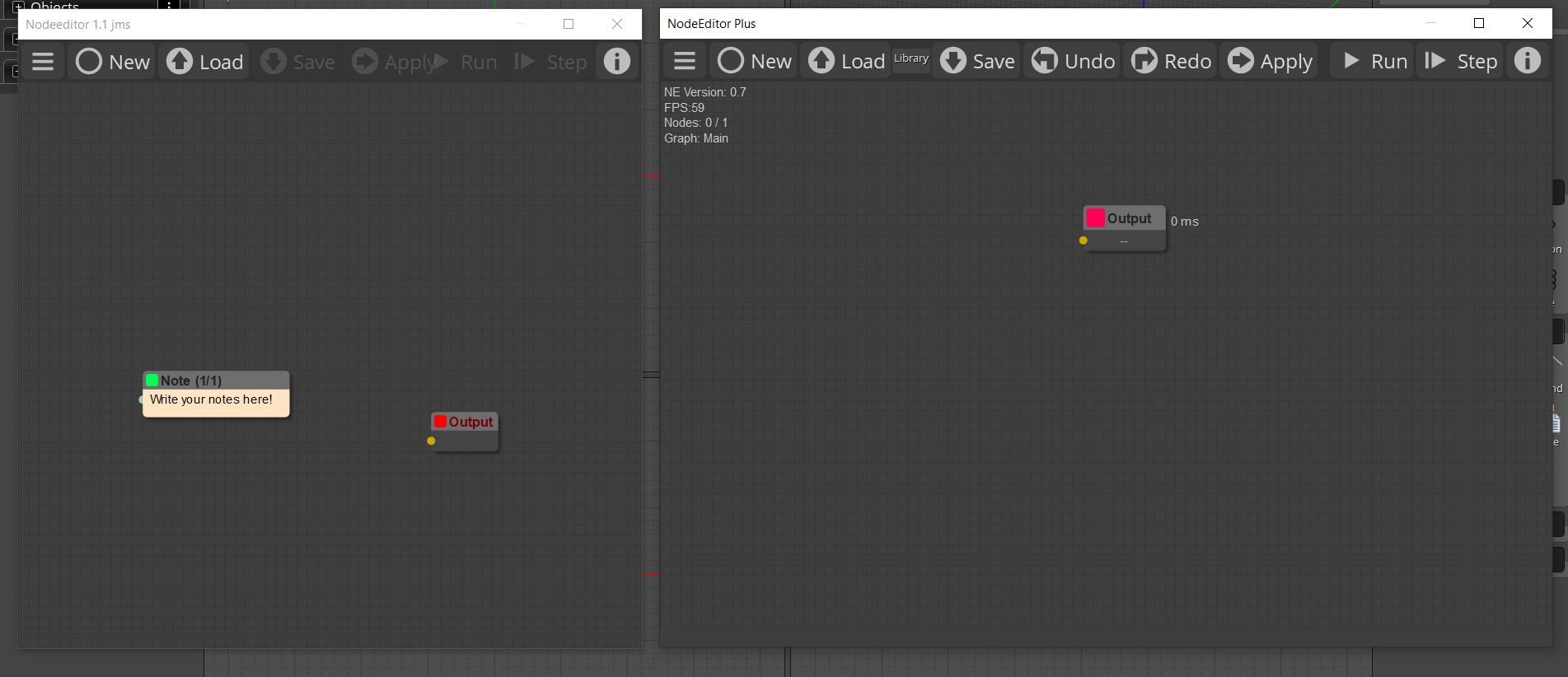
ALt + Click on the "New" button to open a new NE window.
From: Frenchy Pilou (PILOU)
Cool we can Open the 2 node Editors in the same time! ;)
From: Frenchy Pilou (PILOU)
@Mo_Te
Have you make something for an easy translating ? (files, tables ... or nothing special like Max Smirnov :)
Edit: found the file lang.js and Compatibility.js but....
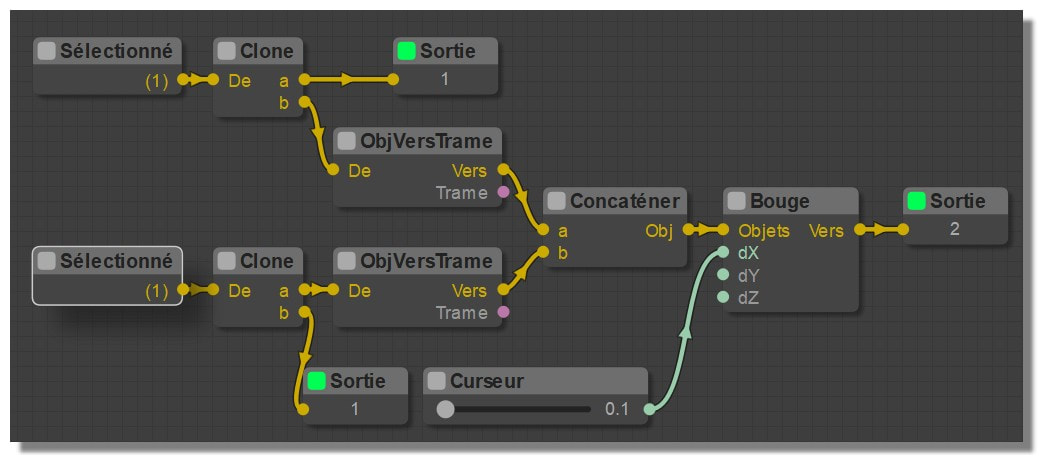
Here the ancient Elephant in French! :)
From: Frenchy Pilou (PILOU)
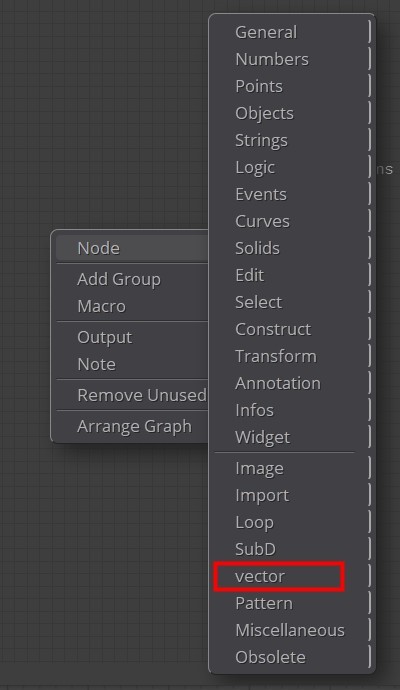
Why vector and not Vector ?
From: MO (MO_TE)
Hi PILOU
>> Have you make something for an easy translating ?
I haven't changed the translation process that much, it uses the "lang.js" as a dictionary.
Example: "English Word":"Translated Word",
I think you can translate almost every word you see in the NE plus. ( Except the node tooltips and searchbox )
That includes:
All menus, submenus, node title, node's inputs/outputs label and ui buttons
From: Frenchy Pilou (PILOU)
Yep i have made that for the first Elephant but not yet refound the exact process!
I must be patient! :)
From: Frenchy Pilou (PILOU)
There is something wrong somewhere
That works fine for the "Elephant" but not for the "Plus"
All stays in English! Of course i change the language in the Options!
Elephant
moi.ui.createDialog( 'moi://appdata/nodeeditor/index.html', 'resizeable,defaultWidth:680,defaultHeight:420', moi.ui.mainWindow );
NodeEditorPlus
var theme = 'Default'; /* Theme options: Default,Light,SkyBlue,Autumn,Lavender */
var language = 'FR'; /* Language options: EN,RU,FR */
moi.ui.createDialog( 'moi://appdata/NodeEditorPlus/index.html?scheme='+theme+'&lang='+language+'', 'resizeable,defaultWidth:870,defaultHeight:480', moi.ui.mainWindow );
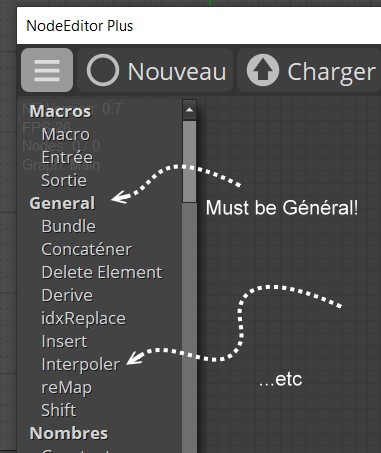
Ok Found : I must write var language = 'FR'; and not var language = 'EN'; inside the 3 lines above! :)
And of course I must now add all that is not present in the "Lang.js" like "Interpolate" for "Interpoler" etc...
Works like a charm!
Need some time for modify, add, verify, complete all things! :)
From: bemfarmer
RotarySwitch node, (Widget > SwRotary), is now updated.
The .js should be placed in the extensions directory.
Testing was done by inputing numbers 1 through 6 as constant inputs to the switch, and the output connected to the Knit node at the Cycles input.
Run the Knit node, observe the MoI screen, click on the rotary switch, and see progressively, 1 or 2 or 3 or ... 6 Knit stitches.
The other Multi-modes pointarray and object... were not tested.
Is there a node which can be used for testing, which would display switch setting results, for any of the three Multi-modes?
The switch has Cycled and TicTac modes.
Even though the node is rectangular, the switch mimics a round multi select switch, with a knob.
Cycled mode mimics continuing clockwise rotation of the know.
TicTac mode mimics reversal of the clockwise rotation, for "countdown."
Widget SwDPDT node was also updated, but has not been tested yet.
- Brian
Deleted swRotar.js
See Post 56 for MO's improved version of swRotary.
(TestRotarySwitch attached file will need fixup.)
Attachments:
 TestRotarySwitch.zip
From: MO (MO_TE)
Here is a list of words that can be translated. (Menus, ui buttons, node titles, node input/outputs)
Translated word should be on the right side.
Edit: Use the complete list on this post:
https://moi3d.com/forum/index.php?webtag=MOI&msg=11614.55
From: Frenchy Pilou (PILOU)
Damned I start without your file! :) (crossing post!
So I will made a blend of it and the actual existing lang.js! ;)
Start of a long way to go! :)

From: Frenchy Pilou (PILOU)
Firt draft of the French lang.js! :)
https://moiscript.weebly.com/uploads/3/9/3/8/3938813/lang.js
From: Psygorn (DRILLBIT)
Hi Mo or Michael,
Thank you so much for your amazing work! I hope more people will dive in and contribute to developing Nodeeditorplus!
I opened the .zip file you uploaded, copied the 'NodeEditorPlus' folder, and pasted it into: C:\Users\user_1\AppData\Roaming\Moi.
Next, I created a shortcut key 'Ctrl+Alt+N' and used the following script to launch it:
script: moi.ui.createDialog( 'moi://appdata/NodeEditorPlus/index.html', 'resizeable,defaultWidth:680,defaultHeight:420', moi.ui.mainWindow );
Everything seems to be working fine so far, but I figured it wouldn’t hurt to double-check—have I done this correctly?
Edit: Also Michael, I noticed it was not possible to create "Ctrl+Space" short key! is that correct?
- Psygorn
From: bemfarmer
Here are a few rough notes documenting NodeeditorPlus, which could be added to the Documentation pdf.
I find it very difficult to write understandable documentation, and so tend to write in a verbose manner.
NodeeditorPlus documentation (rough notes 1/2/2025):
The General submenu is a collection of Multitype nodes.
The 4 types are described in MO's documentation pdf.
Input data is combined by Bundle node, or Concat node. The node is set to one of the four Types, (modes).
Each input slot receives data that is an array of elements corresponding to the mode.
Many input slots may be added to these nodes.
The difference between the Output of these two nodes is describe as follows:
In pointarray mode, the difference between Bundle and Concat is in the order in which the inputs are combined in the Output.
Concat (concatenate) takes a pointarray (input1), and adds (appends) a second pointarray (input2), and places the combined array into the output. (Additional inputs are also appended.)
Bundle takes the first point of the first pointarray (input1) and then the first point of the second pointarray (input2) and places them into the output array - and so on. So you can create e.g. points on different curves, bundle them and draw new curves across the base curves. (abstracted from Karsten, 2019)
An alternate explanation, considers the input data to be in a spreadsheet or matrix layout, where each cell contains an Element. Each node input is a "Row" array of Elements.
Concat outputs row1, followed by row2, ..., rowLast. This output is a concatenated array.
Bundle outputs the "Columns" (slices). row1_Element1, row2_Element1, ..., rowLast_Element1, then row1_Element2, row2_Element2, ..., rowLast_Element2,then, ...row1_LastElement, row2_LastElement,..., rowLast_LastElement. The output is an array.
Documentation on the Notes node:
Ctrl+Enter Set the text entries, or else they disappear.
Notes node can also be used as a title to the node assemblage, and brief documentation.
Text node can have text of point coordinates typed in, and then the node will output the point data.
For example, for x1 = 0.00, y1 = 0.39, z1 = -0.20, for the first row, type in 0.00 0.39 -0.20,
In the following pattern (do NOT type the text xi yi zi):
x1 y1 z1
x2 y2 z2
x3 y3 z3
etc
The pointarray output can be fed to the Interpolate node and/or the ConvertPts node, to display points, interpolated points, or curves.
Add another canvas:
Alt+New
- Brian
ps
I did some testing of the swRotary node, in 3 of the modes.
It appears to function well.
I did manage to lock up the swRotary node, (somehow), in pointarray node, when only one input was hooked up, with switch set to a blank input.
From: Michael Gibson
Hi Psygorn,
re:
> Everything seems to be working fine so far, but I figured it wouldn’t hurt to
> double-check—have I done this correctly?
Yes that looks correct.
> Edit: Also Michael, I noticed it was not possible to create "Ctrl+Space" short
> key! is that correct?
It's working fine for me over here. There is probably some utility program installed on your machine which is intercepting it.
Some things to look for here, did you possibly install Windows PowerToys? If so then disable or remap the shortcut for the "Peek" function in it.
https://answers.microsoft.com/en-us/windows/forum/all/ctrl-space-not-working-while-pressed-together/f6ef4fae-5403-429a-8c8d-484095feee45
- Michael
From: Psygorn (DRILLBIT)
Hi Michael,
Thanks :-)
-Psygorn
From: Michael Gibson
Hi Psygorn, was the Ctrl+space issue from PowerToys?
- Michael
From: Frenchy Pilou (PILOU)
https://moiscript.weebly.com/biblio-elephant.html
French version of the Addendum of BemFarmer!
EN . FR (Vo VF) inside the 2 Lines Pull Down
Show messages:
1-14
15-34
35-54
55-74
75-94
95-114
…
135-140

