For a little test... transform a cube to a pyramid ... as the direct generation of the file don't yet works
Here the manual method not sure that really help! :)
1. Create the Base Shape ... Add a Curve/Rectangle node.
Set Width to 20 and Height to 20.
This represents the footprint of your shape on the ground.
2. Elevate the Top Profile... Add a Transform/Move node.
Connect the Rectangle output to the Objects input of the Move node.
In the Translation field, set the Z value to 30 (format: 0,0,30). This defines the height.
3. Control the Taper (The "Magic" Step) ...Add a Transform/Scale node.
Connect the Move output to the Objects input of the Scale node.
Crucial: Set the Center of the Scale node to 0,0,30 (the same height as your moved square).
Add a Basic/Slider node. Set its range from 0.0 to 1.0.
Connect the Slider output to the Factor input of the Scale node.
Slider at 1.0 = Cube
Slider at 0.0 = Pyramid
4. Group the Profiles... Add a Logic/BundleArray node.
Connect the original Rectangle (from Step 1) to In 1.
Connect the Scale output (from Step 3) to In 2.
This creates a list containing both the bottom and top squares.
5. Generate the Volume...Add a Construct/Loft node.
Connect the BundleArray output to the Profiles input.
MoI3D will now stretch a "skin" between the two squares.
6. Final Output... Add a Basic/Output node.
Connect the Loft output to it to see the final geometry in the MoI3D viewport. ...
Quick Tip: If you want the pyramid to be "solid" (a closed BREP),
make sure to check the "Cap ends" option if it's available in your version of the Loft node, or use a Solid/PlanarSrf on the result.
Generating an object in NodeEditor is quite similar to how it's done in moi, but with parametric capabilities.
Here are two simple methods to generate a pyramid.
>> a node Object / Selected don't exist anymore ?
This node has been relocated to the "Select" menu, under the title "Select Scene Objects". It's also accessible in the search box.
Hi Mo,
been playing with your unwrap curve / surface node.
Have you an example as getting shapes that need scaling so not sure I am using it correctly.
Cheers
Barry
Pilou,
this is why I am not sure if I am using it correctly.
The unwrapped in these cases are 1 x 1 but if scaled looks correct.
In others they are scaled correctly in one direction only.
Cheers
Barry
Hi PILOU,
>> seems there is an error when i want copy a node...
Thanks for reporting the issue.
I couldn't regenerate the error here, but if you're still getting this error, please post the .nod file, so I can take a look.
Could you tell me which method you used to copy the nodes that caused the issue?
1- Right clicking on nodes and copy
2- Pressing Ctrl key and dragging nodes
3- Using shortcut ( Ctrl+C )
>> 3 different cubes are drawn : how to integrated them as 3 different nodes selected ?
You can use the "Concat" node under "General/Concat". ( See attached node )
Right click on the node to add more input slots via"Inputs " menu.
If you need to remove a slot, right click on the last input slot and select "Remove Slot".
But as i don't now how even process with this new Node Editor Plus against the Official old original one by Max Smirnov... that i have quasi all documented... French / English ! ;) https://moiscript.weebly.com/node.html
I can't help the Ai itself! :)
I am blocked how to select object(s) on the screen for integrate them on the Editor + ! :)
Given by the Ai !
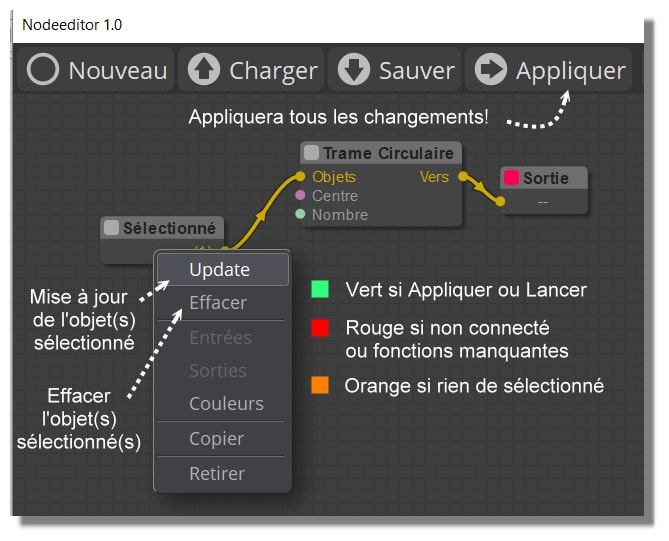
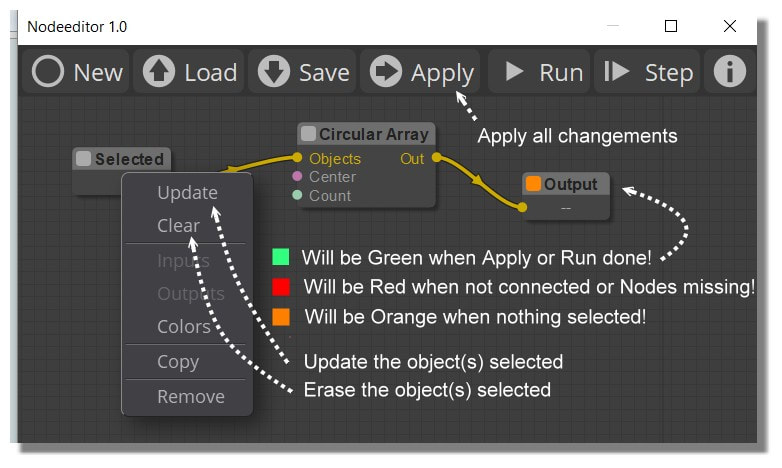
In the Old you made Update! :) (as shown following... Golden Age ! :)
Ps Your Tab Library is a must for have some examples!
Render here with free Gemini


 NE-Menu-Select.png


.png)