MoI discussion forum

Full Version: This is a v7 3DM file, bt MOI only supports v5

Show messages:  1-8  9-24

From: MajorGrubert (CARLOSFERREIRAPINTO)
9 Jul 2021   [#9]
Thank you, Michael!
From: 3image
11 Jul 2021   [#10]
I'm considering switching back to Rhino v6 or v5 from v7. Though v7 is amazing it grinds my gears that the Copy-Paste functionality between MoI and Rhino is broken. Michael, do we have a change of making this function working again? It's really a bumper in my workflow (of course you can always have different versions of Rhino installed at the same time, but still).
From: coi (MARCO)
11 Jul 2021   [#11] In reply to [#10]
copy/paste from rhino v7 has been discussed and solved..

https://moi3d.com/forum/index.php?webtag=MOI&msg=9890.1
From: 3image
11 Jul 2021   [#12] In reply to [#11]
Oh good to know, thanks. That helper tool works like a charm.
From: James (JCHH)
27 Aug   [#13] In reply to [#6]
Hi,

Has this stopped working? All my conversions are blank (in MOPI) even though `I can see them using Mac Preview.
From: Michael Gibson
27 Aug   [#14] In reply to [#13]
Hi James, can you attach a small example .3dm file that isn't converting for you?

- Michael
From: James (JCHH)
28 Aug   [#15] In reply to [#14]
Hi Michael,

Here is a v6 example.

Thanks!

James.

Attachments:
example converted to v5.3dm
example v6.3dm


From: Michael Gibson
28 Aug   [#16] In reply to [#15]
Hi James, the problem is your file only contains a polygon mesh type object in it which isn't read by MOI.

MOI will only load NURBS curves, surfaces, and solids.

- Michael
From: James (JCHH)
28 Aug   [#17] In reply to [#16]
OK, thanks.

It was itself converted from another format (can’t remember which) but must have failed there.
From: Michael Gibson
28 Aug   [#18] In reply to [#17]
Hi James,

re:
> It was itself converted from another format (can’t remember which)
> but must have failed there.

It doesn't look like the conversion failed, both of the .3dm files contain data in them but it
is in the form of triangle mesh data, not CAD surfaces and solids.

MOI is not designed to work on triangle mesh data.

There is some more information on this here:
https://moi3d.com/faq#Q:_Why_can_I_export_to_.obj_format.2C_but_cannot_read_.obj_format_into_MoI.3F

- Michael
From: James (JCHH)
28 Aug   [#19] In reply to [#18]
so a 3dm file can be either triangle mesh or CAD surfaces and solids?
From: Phiro
28 Aug   [#20] In reply to [#18]
Hi James,

As Michael wrote it always, MoI is not a mesh modeler but a pure NURBS modeler.
To work from meshes in MoI, you have to reverse ingeneer your model.

Based on the model you posted, it's possible to do it because its form is not very complex,
but it requires complete mastery of MoI, its philosophy, and certain functions and/or scripts.
The output will be a true NURBS model that you can then work on with MoI.
It's not simple, and the result won't be perfect, even if it's very close to the original (within a few tenths of a millimeter).

Sorry Michael, you don't like it, but sometimes reverse engeneering could be a solution.
Next you have NURBS model and you can use the fantastic power of MoI on this model.

Have fun

P.
From: Michael Gibson
28 Aug   [#21] In reply to [#19]
Hi James,

re:
> so a 3dm file can be either triangle mesh or CAD surfaces and solids?

Yes a .3dm file saved by Rhino can contain a variety of different kinds of data, including triangle meshes or CAD surfaces and solids.

MOI is focused on only the CAD data.

- Michael
From: James (JCHH)
29 Aug   [#22] In reply to [#20]
Thanks Phiro,

To explain myself, I downloaded a file in another format (I can't remember which, but possibly obj and then used an online tool that said it could convert to .3dm (albeit v6 or v7) so I could then use the tool above to get it to .3dm v5.

Not truly understanding the internals of these different formats, I didn't realise that the formats were not translatable.

Thanks for your explanation - I have a lot to learn!
From: Frenchy Pilou (PILOU)
29 Aug   [#23] In reply to [#22]
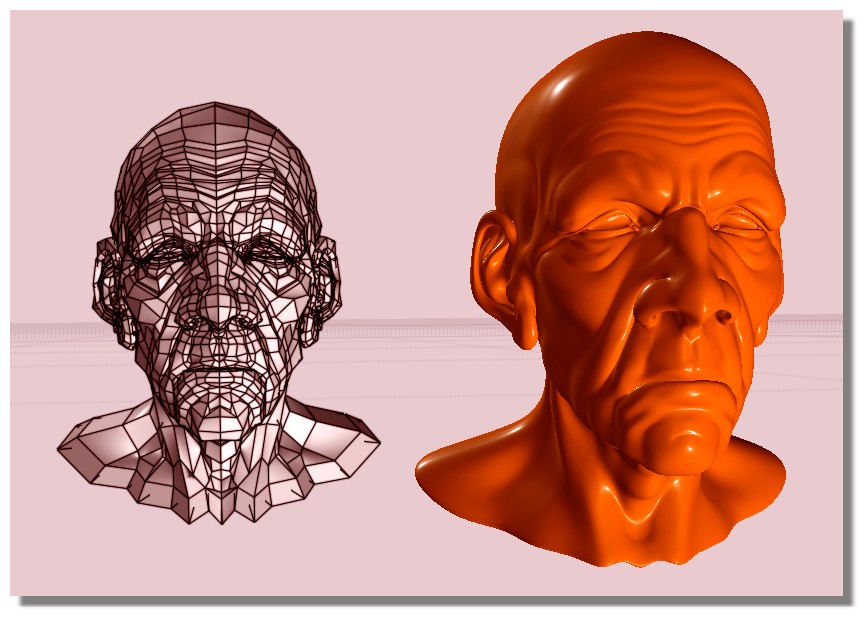
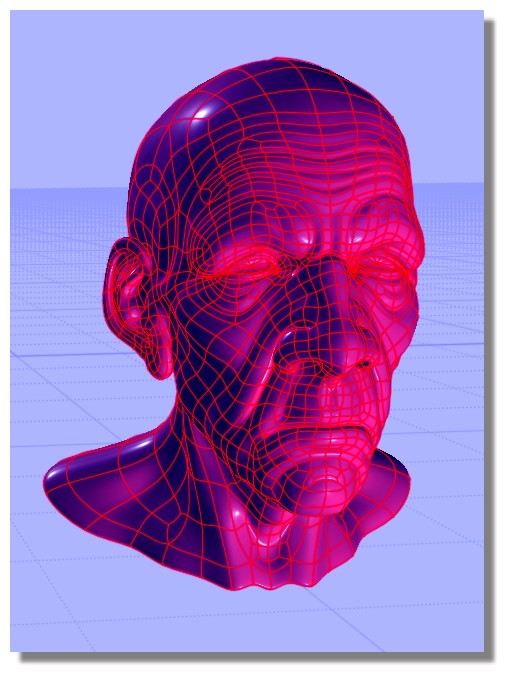
You can reload obj files format inside Moi3D but these must be "quadrangulated" and not millions polygons like a Zbrush file! (so big decimate)

then 2 methods in Moi3D
one direct direct native: Subd / Create
one by Max Smirnov : Import OBJ https://moiscript.weebly.com/_importobj.html (advantage you can regulate % of subdivision) ;)

https://moiscript.weebly.com/subdivision.html


From: James (JCHH)
29 Aug   [#24] In reply to [#23]
fantastic info - thank you!

Show messages:  1-8  9-24