Custom Truck Tutorial Part 1: Wheels
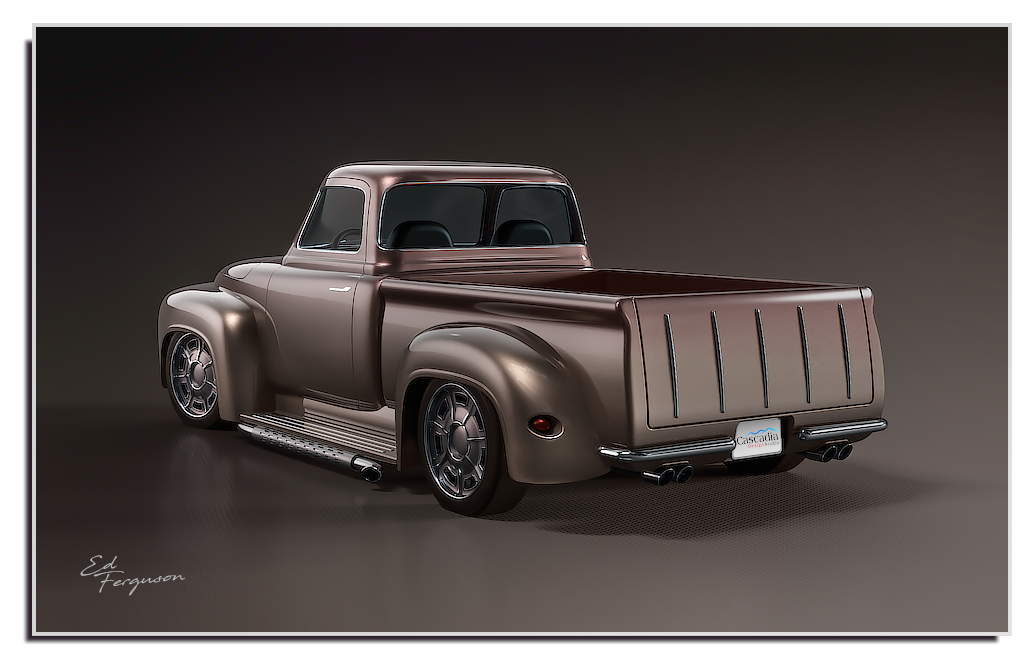
My truck renders show two styles of wheels: Spoke and Slotted. The spoked wheels are described in my 2015 tutorial here: http://moi3d.com/forum/lmessages.php?webtag=MOI&msg=7389.4
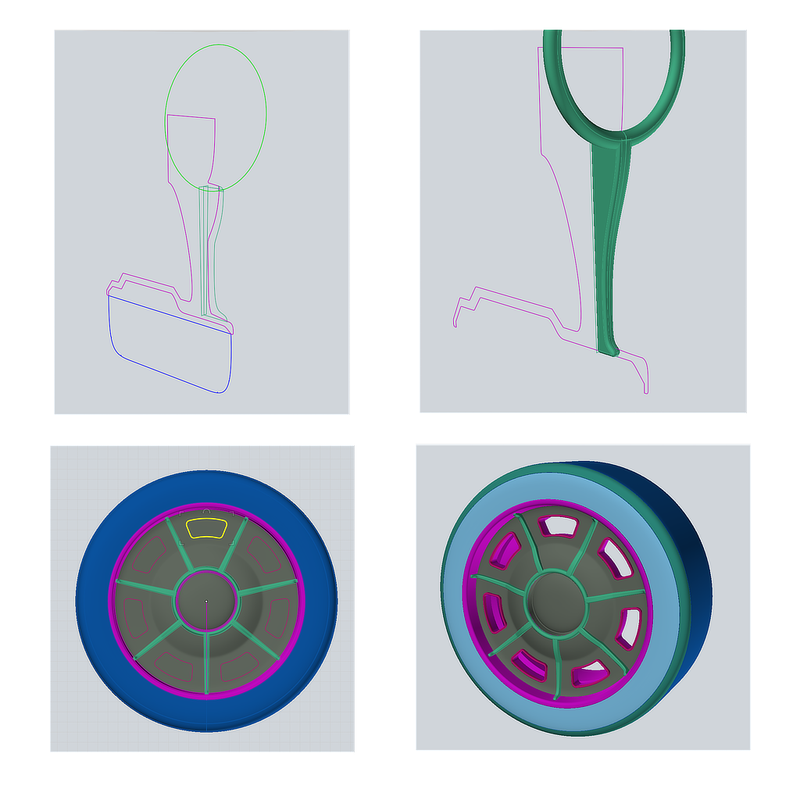
The slotted wheels begin with two profile curves representing the bottom half of the wheel: One for the rim (purple) and one for the tire (blue). Revolve the two profiles in unison around the wheel’s center line, into a full wheel.
Select the two spoke profiles (green) and Boolean Isect into a solid, then Fillet. Circular Array the spoke with count = 7. Sweep the green center circle with a 0.5” diameter circle to form the center ring.
Draw a closed curve for the slot at the 12 o’clock position and create an Offset to the inside, and another Offset to the outside. Delete the center curve. To produce the slot walls, select both curves and Extrude (Cap ends) about 2”. Select the outer cap surface and Fillet 0.1”.
Move the slot wall so it extends out of the rim by about 0.5”. Circular Array the slot wall with count = 7. Select all 7 slot walls and Boolean Diff with the wheel rim to produce 7 cutout slots.
 |
