It's that I say without animation ( because seems evident for me) :)
http://moi3d.com/forum/index.php?webtag=MOI&msg=8875.11
About deformation surface you can make something like this!
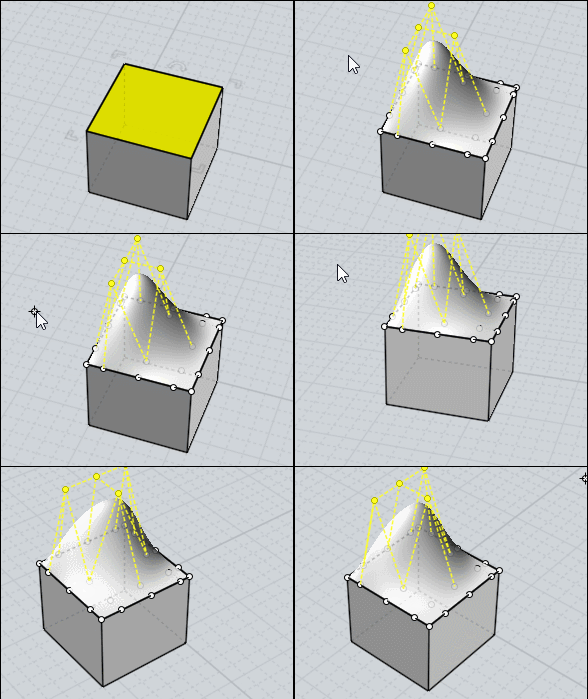
"Separate" a surface(s) from a volume and "Add points" to it (Edit Menu / Add Pts)
This makes it like a deformation cage where it is enough to move the Control Points!
Points can only be added on an individual surface!
However, you can then move the Control Points from several surfaces at once!
Edit / View Points function activated of course! You can use the Edit /"Hide" and "Lock" functions
At the end everything is grouped in a single "solid" volume (if the points on each side are "overlaped"!
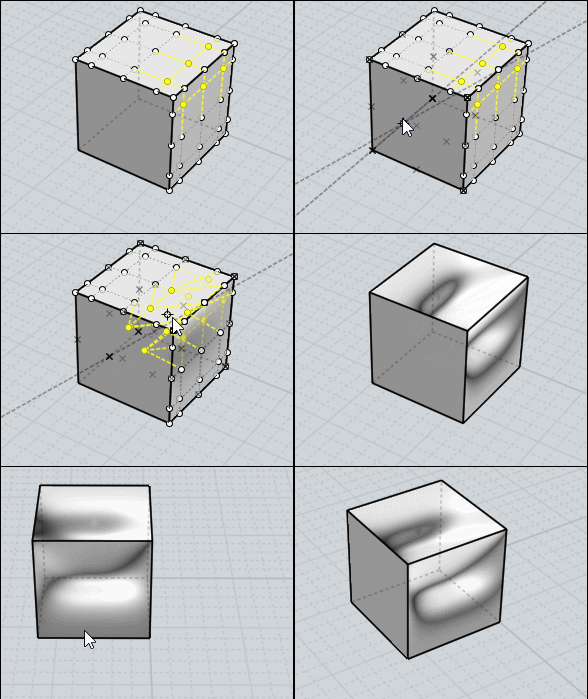
You can use the Move function and Help Lines for precise movement of the Control Point(s)!
Above from the middle of the side to the middle of the diagonal to the oposite edge.
Remark that in this case Points of edges are not selected for keep the futur solid valid!
Join at the end for remake the Solid!
Et voila an elaborated cage deformation simulator! :) |
