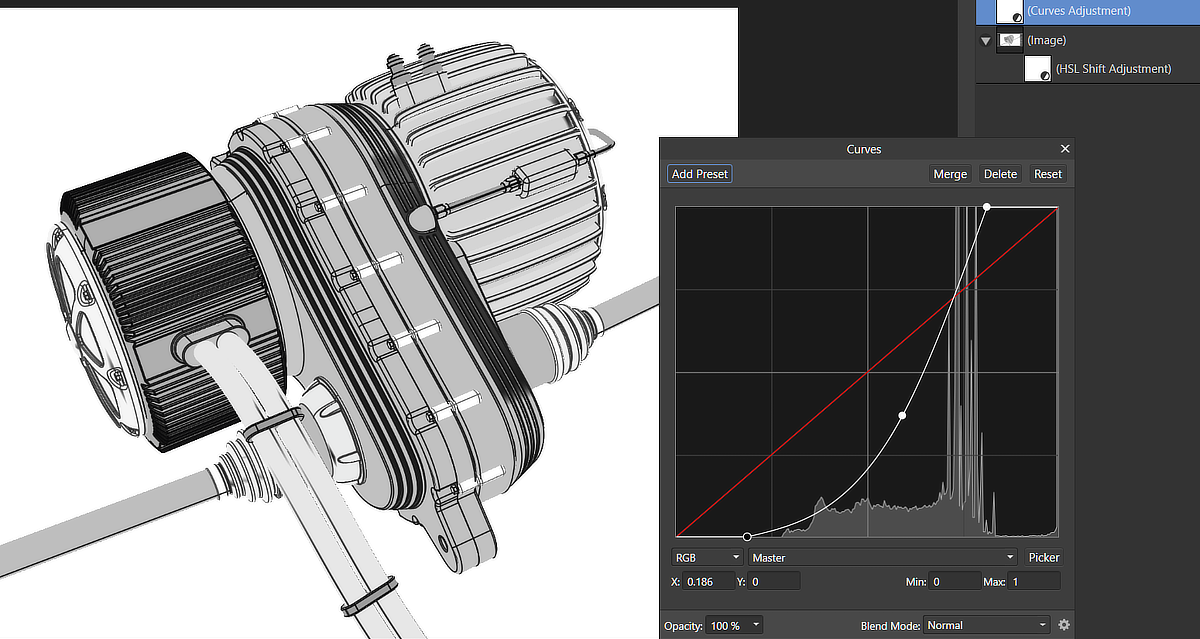
After further experimentation, here's my 30 second illustration from MoI.
1. Use "Draft Mode" lighting style in MoI.
2. Take screenshot and bring into Affinity Photo.
3. Apply HSL adjustment layer with Saturation set to -100 to make image grayscale.
4. Add a Curves adjustment layer and pull in the top & bottom of the curve as shown to compress the upper & lower levels.
This method avoids the specular highlights and gradient "banding" if that is what is preferred.
The shades you use in MoI for the model components will affect the results. Avoid very light and very dark shades.
Ed Ferguson
 |
